Since the official docs are currently very light on details, here's a more detailed walkthrough on how to set up a weapon using the models available in the sboxweapons package.
I'm not an experienced s&box developer. These are my notes as I stumbled through the process for the first time myself. Corrections welcome.
Where we're going
Our end goal is to have a Prefab of a pistol (the USP) that can be added to the BaseInventoryComponent's Loadout as a starting weapon. The pistol will work in first and third person.
The sboxweapons package provides models, but they're not set up as immediately-usable prefabs. To do this, we'll need to create a couple intermediate prefabs:
The ViewModel prefab: this is what you see in first person while holding the gun.
The WorldModel prefab: this is what other players see in your player model's hands (including you, when in third person mode).
After we've created those, we'll create the weapon prefab itself (with the BaseCombatWeapon component) and a scene to test it in.
Creating the ViewModel Prefab (v_usp)
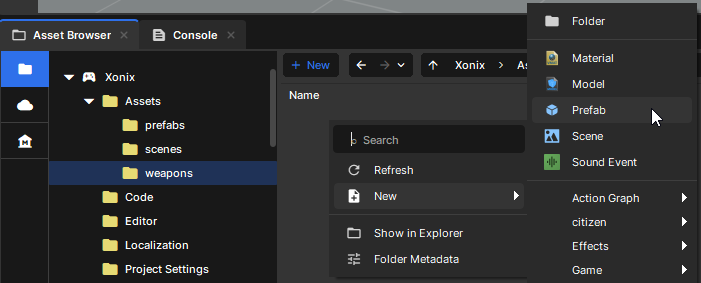
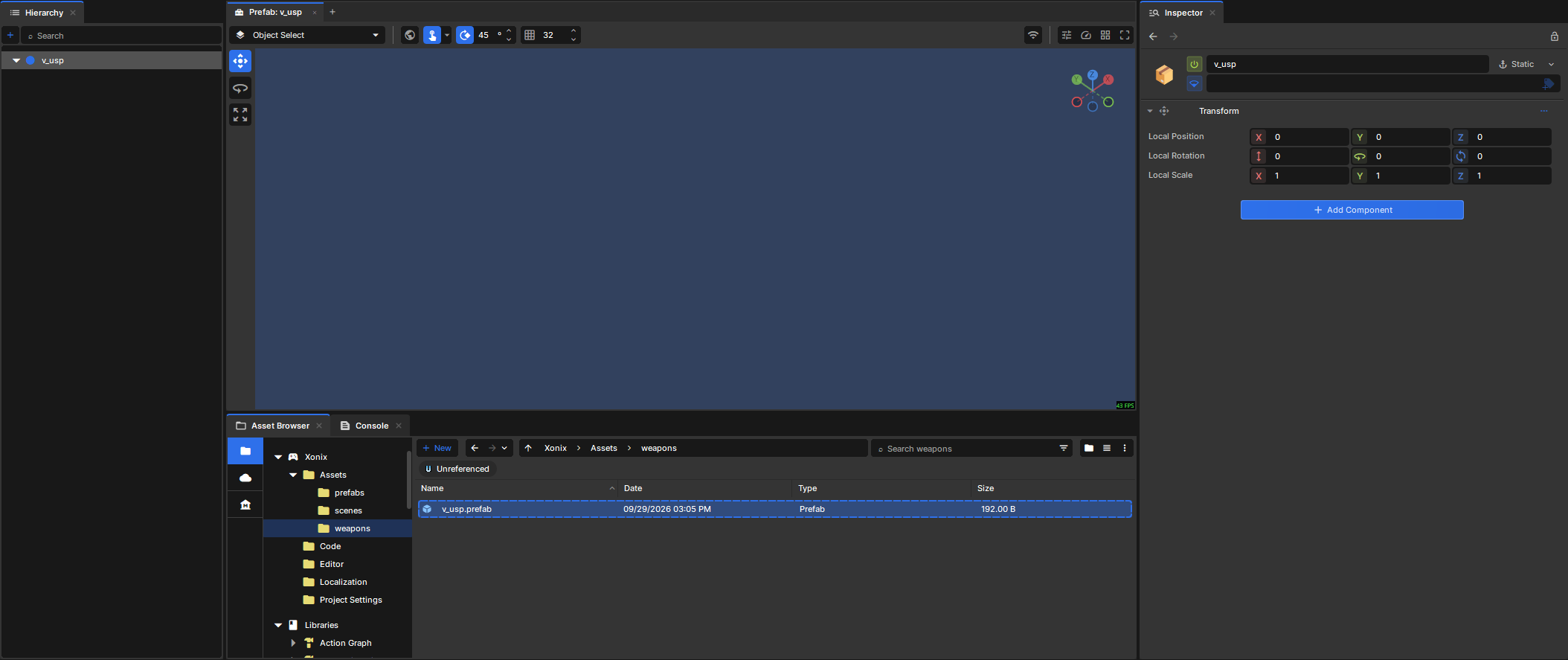
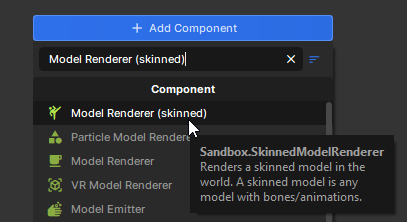
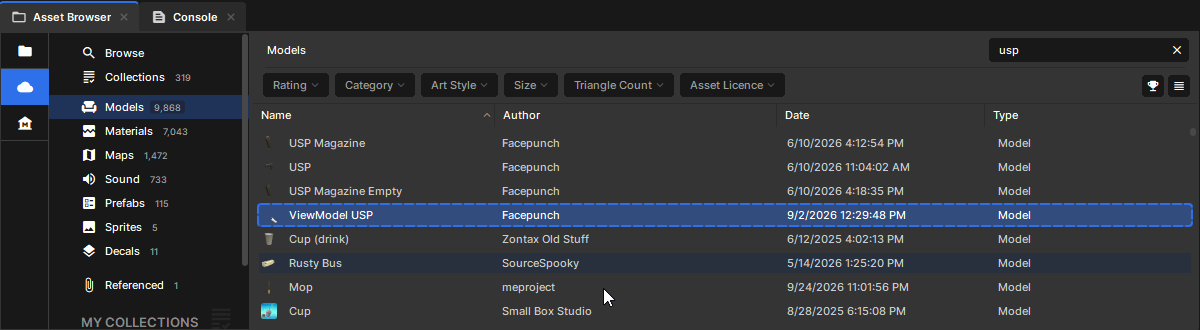
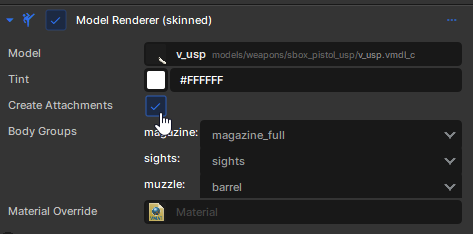
In the Asset Browser, create a new Prefab and name it v_usp.Double click it to open it in the editor. Add a Model Renderer (skinned) component to the root GameObject.Next, in the Asset Browser, go over to Cloud on the left, filter to Models, and search for the ViewModel USP model by Facepunch.
Now, with the v_usp prefab's root GameObject still selected, click and drag the ViewModel USP model into the Mesh Renderer (skinned) component's Model field.
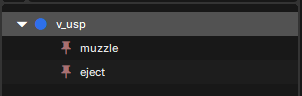
Next, we need to mark up where the bullets come from (the muzzle) and where shell casing eject from. First, check Create Attachments on the Model Renderer component. This will create two empty GameObjects as children of the root v_usp GameObject based on the attach points defined in the model.
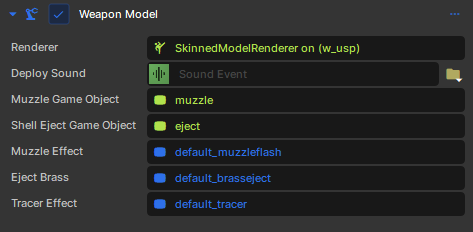
Add the Weapon Model component (sandbox.BaseWeaponModel) and fill in Renderer with the Model Renderer component above, and the Muzzle Game Object and Shell Eject Game Object with the two children we just created.
If you skip setting up the Weapon Model component here, there will be no muzzle flash or bullets when you fire the gun.
Creating the WorldModel Prefab (w_usp)
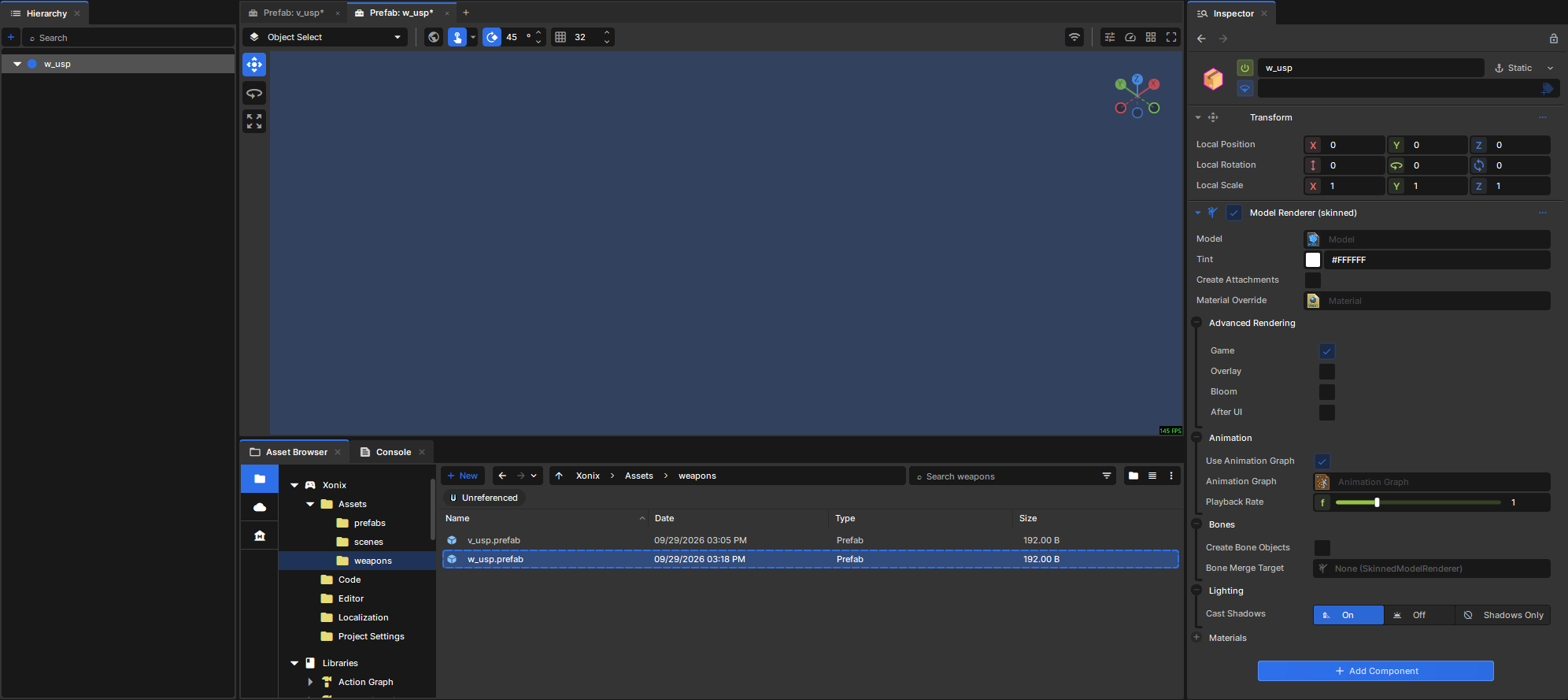
Again, create a new Prefab, this time name it w_usp, then open it. Again, add the Model renderer (skinned) component.
Open the Cloud section on the Asset Browser, filter to Models, search USP, drag it into the Model field on your w_usp prefab's root GameObject. Like we did for the the viewmodel prefab, check "Create Attachments" on the Model Renderer component, add the Weapon Model component, then fill in the Renderer, Muzzle Game Object, and Shell Eject Game Object fields.
Creating the Weapon
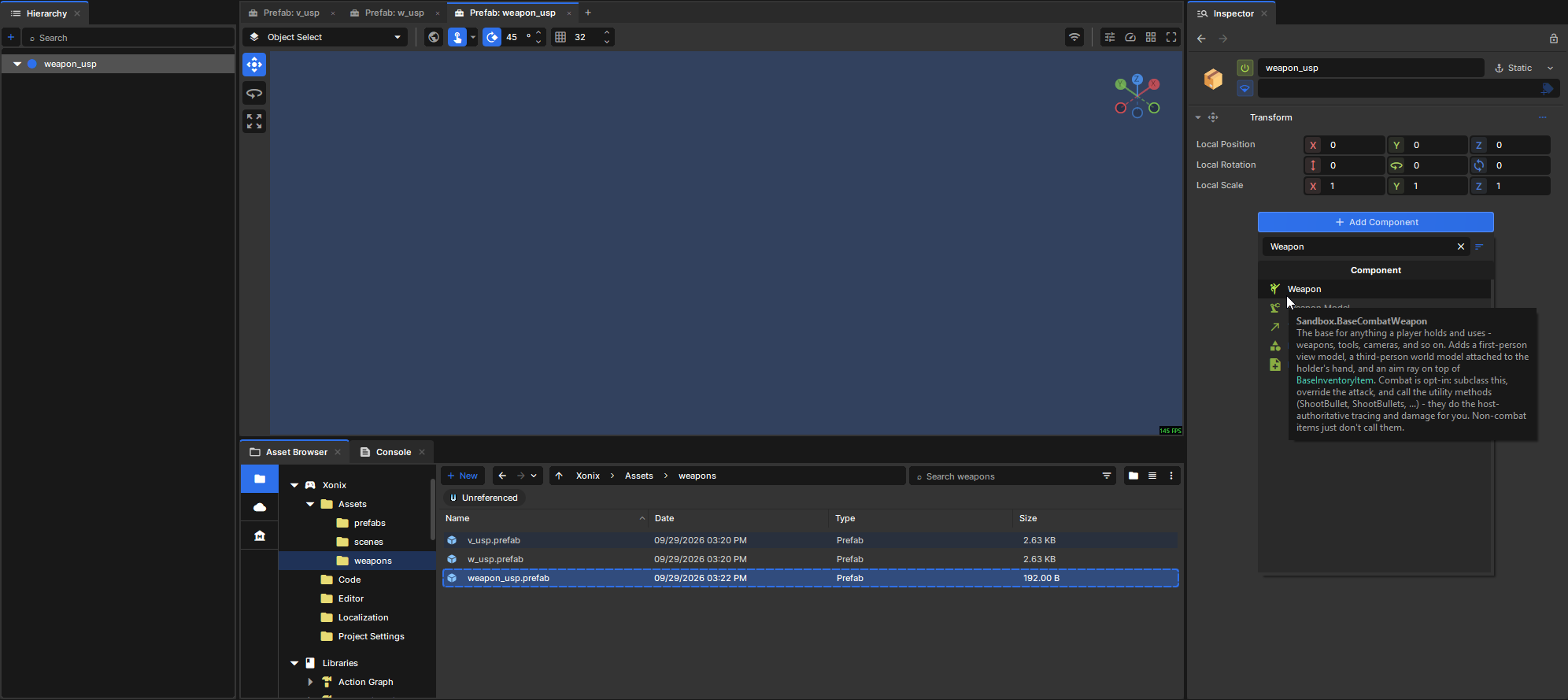
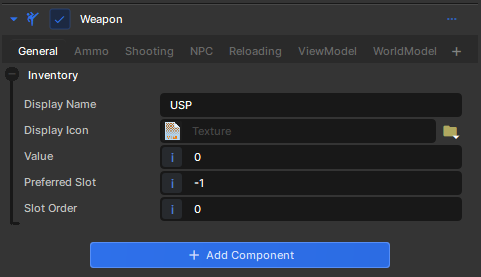
Now we'll bring these two prefabs together to make the equippable weapon. Once again, create a new prefab and name it weapon_usp. Open it and add the Weapon component (sandbox.BaseCombatWeapon).Fill in Display Name = "USP".
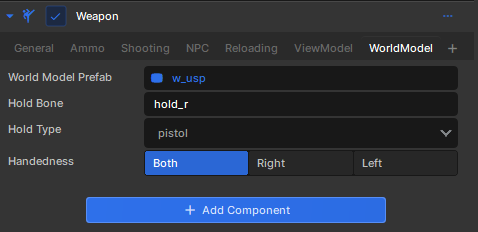
Go to the ViewModel tab, click and drag your v_usp.prefab into the View Model Prefab field. In the WorldModel tab, drag w_usp.prefab into the World Model Prefab field. Set Hold Type to pistol.
Testing it
Creating the basic test scene
We're going to set up a basic scene with a player and some ground to stand on. This time, create a new Scene (e.g. usp_test) and open it.
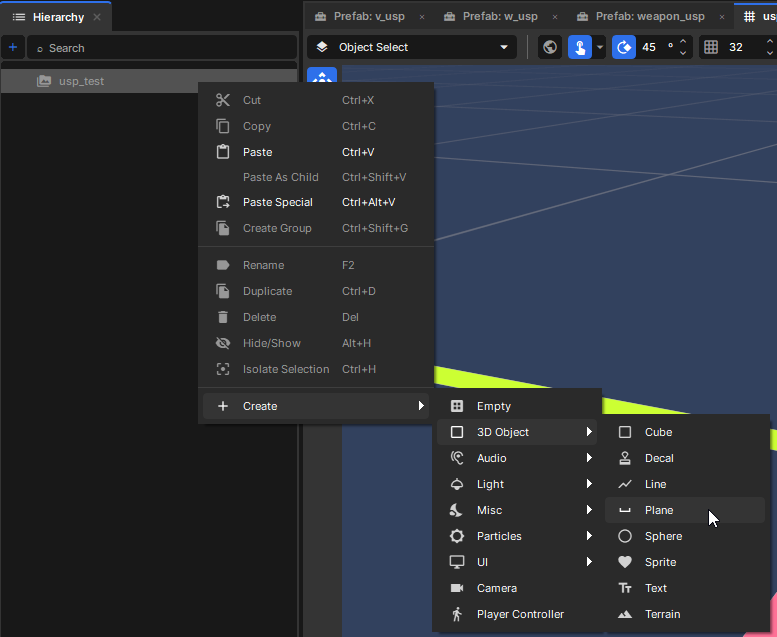
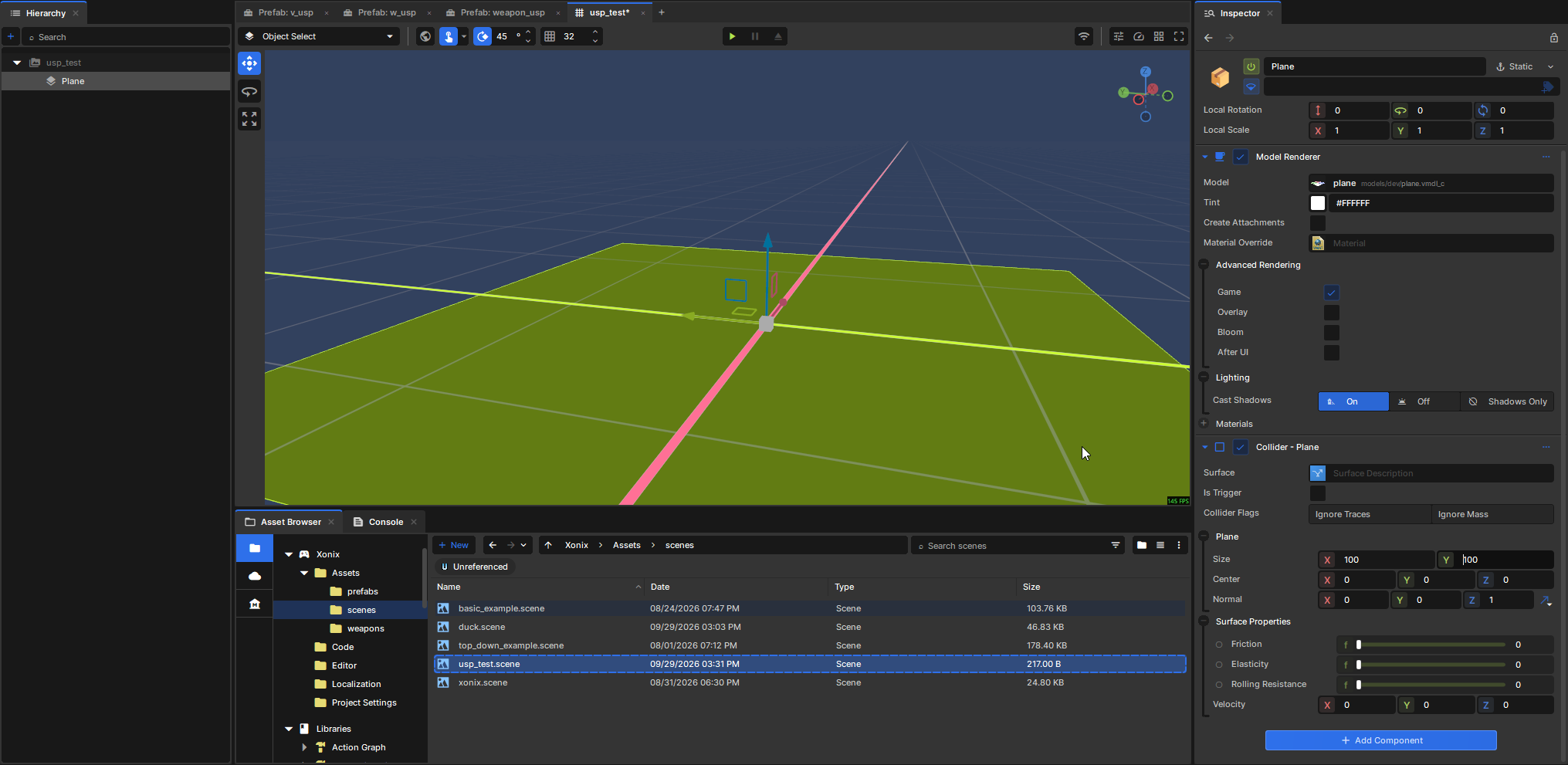
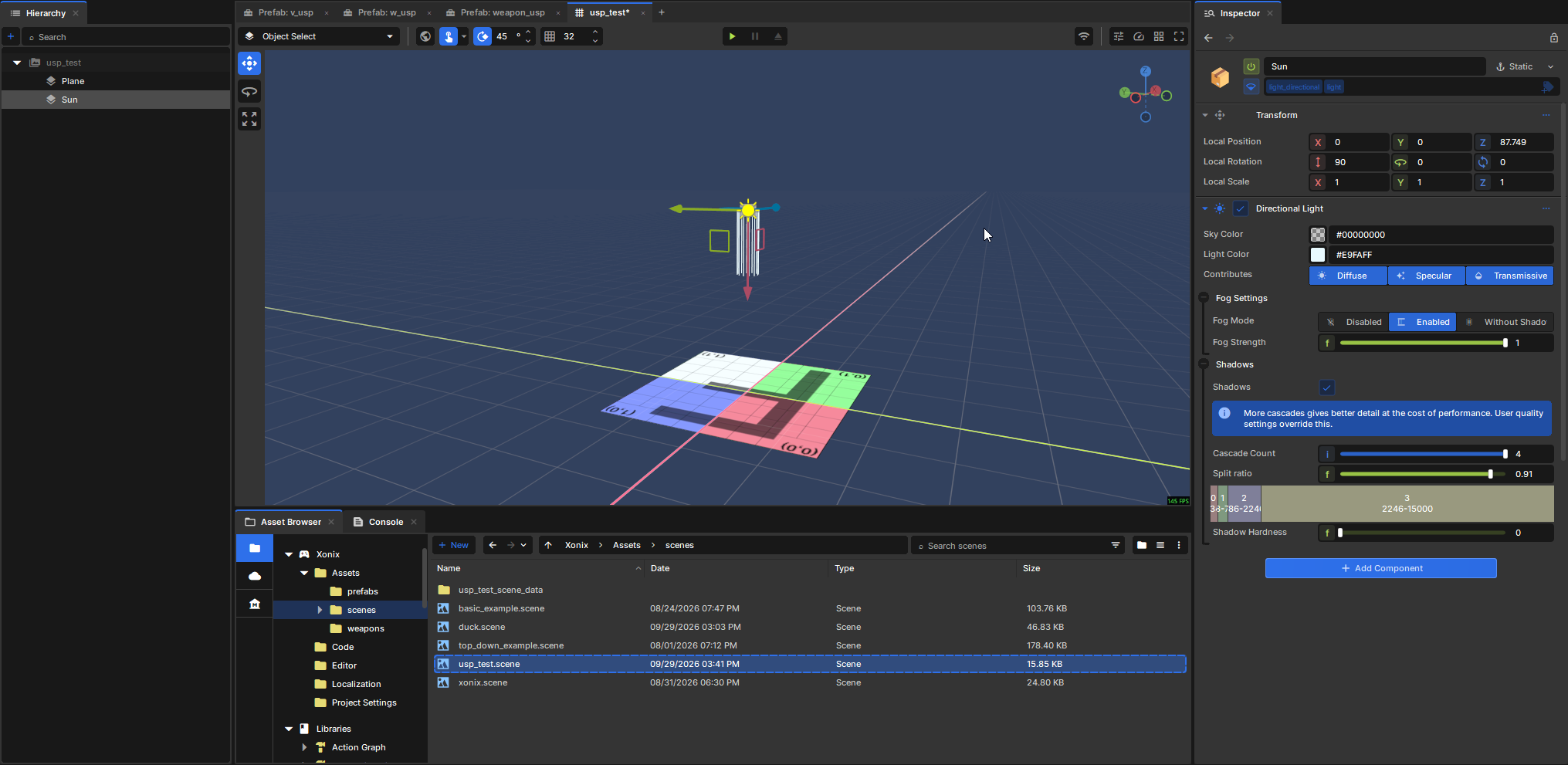
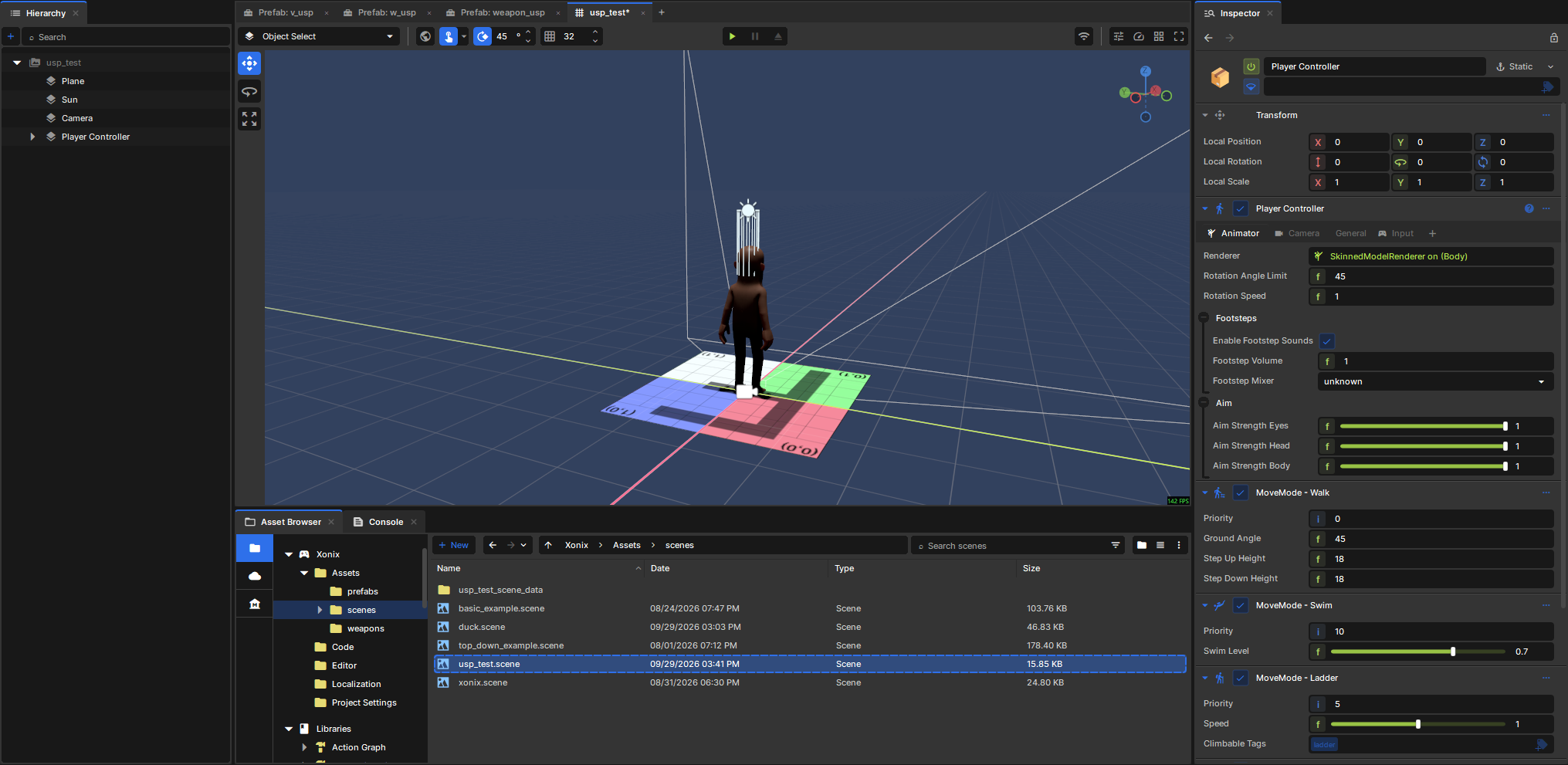
Add a new Plane: Add a Collider - Plane component so we can stand on it. Change the size from the default of (50, 50) to (100, 100) to match the model. Let's add a Sun, pointed downwards, to light things up. Create -> Light -> Sun, set the X rotation to 90 (pointing down), and move it out of the way. Add a Camera and a PlayerController (both under the root of the "Create" menu):At this point you could press Play and control your sausage man.
Equipping the Weapon
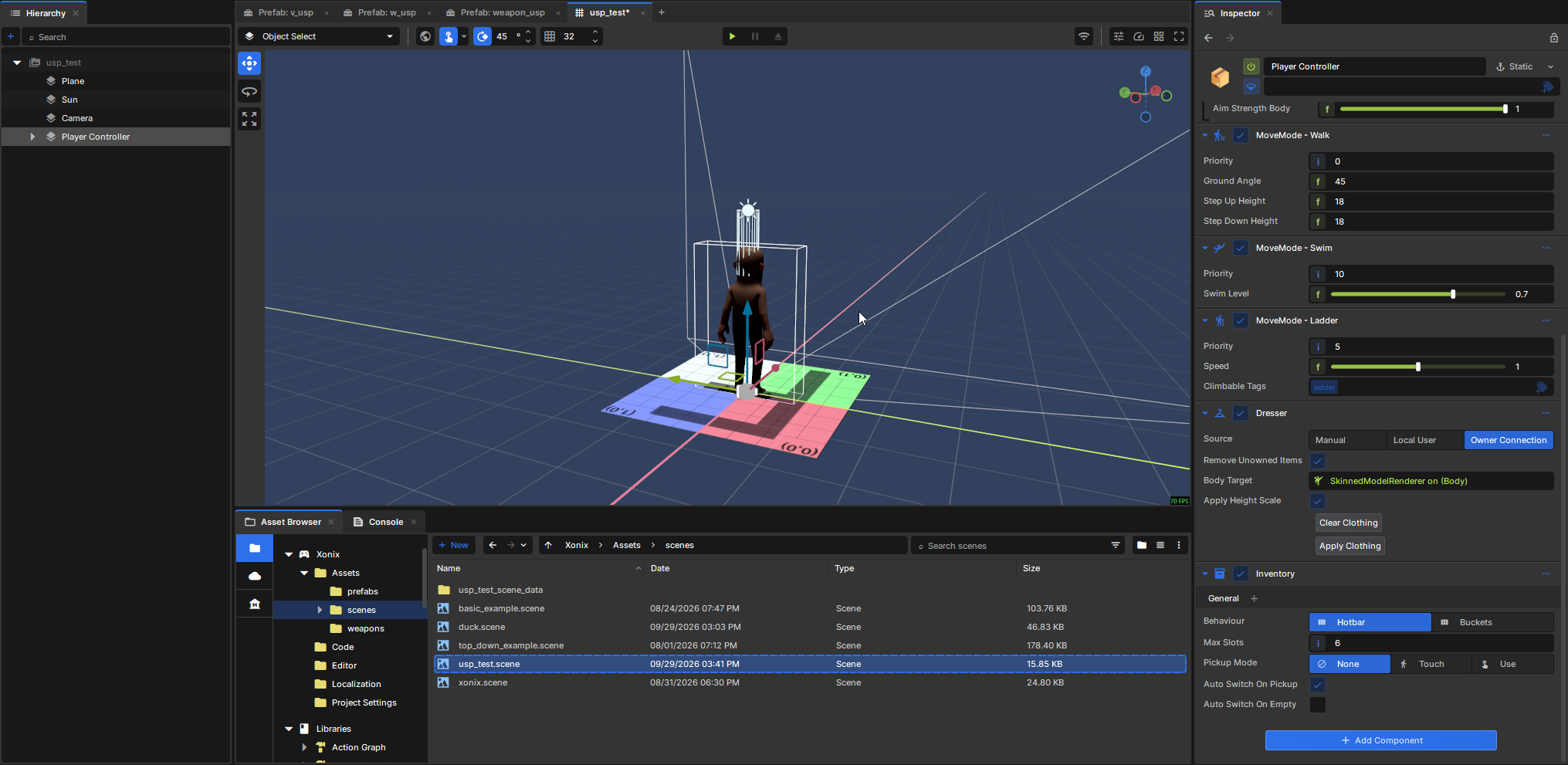
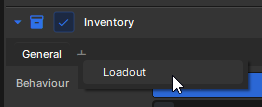
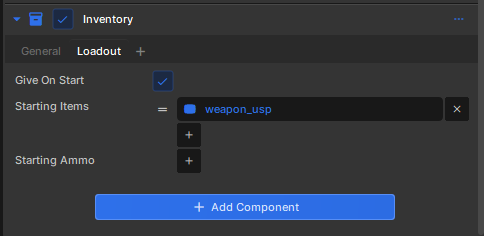
Add the "Inventory" component to the Player Controller GameObject. Click the '+' button and select Loadout. Under Starting Items, add your weapon_usp.prefab.
Press play, and...
In this footage I pressed "C" to switch to first-person partway through.
Wow, it's kinda busted
Issue #1: The ViewModel is visible in third person
This seems to be the case in the official testbed game on s&box as well (in the "viewmodel" test). 🤷
A workaround is to add the "firstperson" tag to the "Render Exclude Tags" field on the Camera when in third person (BaseCombatWeapon automatically adds this "firstperson" tag to our ViewModel).
Luckily, we can do this pretty easily with a custom component using ICameraModifier. Create a new custom component named HideViewmodelThirdPerson on the Player Controller GameObject with this code:
using Sandbox;

public sealed class HideViewmodelThirdPerson : Component, ICameraModifier
{
	[RequireComponent]
	PlayerController playerController { get; set; }

	private const string firstPersonTag = "firstperson";

	public void ModifyCamera( CameraComponent camera, ref CameraView view )
	{
		if ( playerController.IsValid() )
		{
			if ( playerController.ThirdPerson && !camera.RenderExcludeTags.Contains( firstPersonTag ) )
				camera.RenderExcludeTags.Add( firstPersonTag );
			else if ( !playerController.ThirdPerson && camera.RenderExcludeTags.Contains( firstPersonTag ) )
				camera.RenderExcludeTags.Remove( firstPersonTag );
		}
	}
}
No configuration necessary, just make sure it's added to your Player Controller. If someone knows a better way to do this, please let me know.
Issue #2: The ViewModel has no arms/hands
The docs currently mention bone merging is a thing, but don't explain how to do it. 🤷
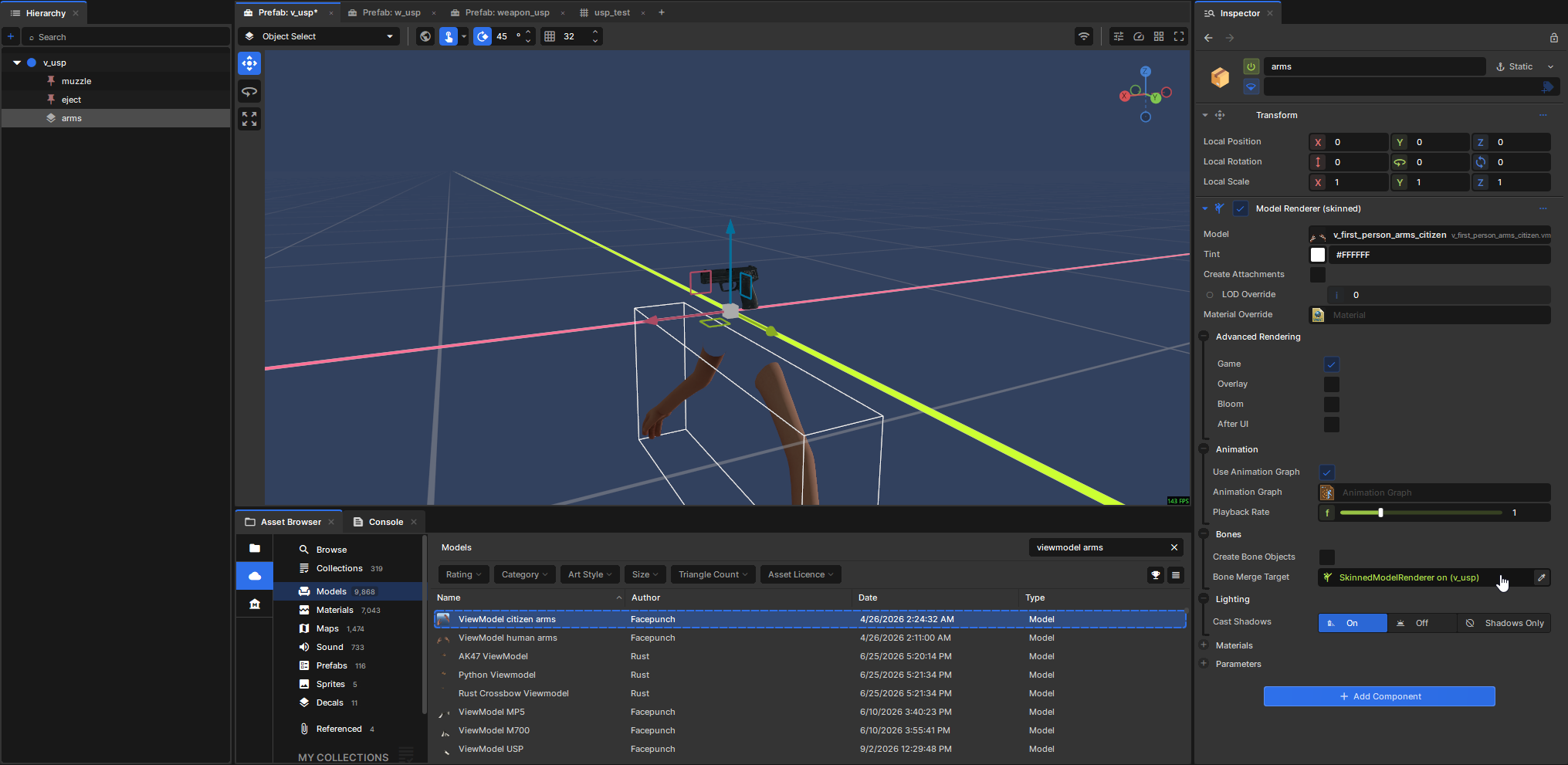
In our ViewModel prefab (v_usp), create an empty GameObject named "arms." Add the Model Renderer (Skinned) component to it.
Go to the Asset Browser -> Cloud -> models -> search for "ViewModel citizen arms". Click and drag it into the Model property on the new arms GameObject.
On the arms GameObject, set "Bones -> Bone Merge Target" to the Model Renderer on the root v_usp GameObject.
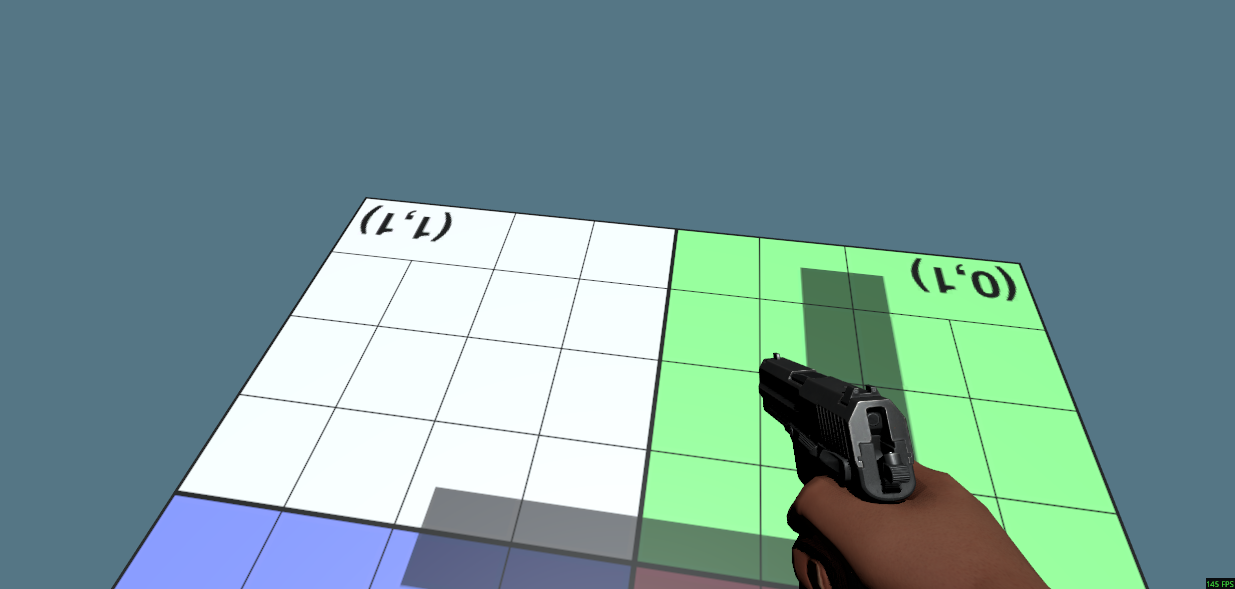
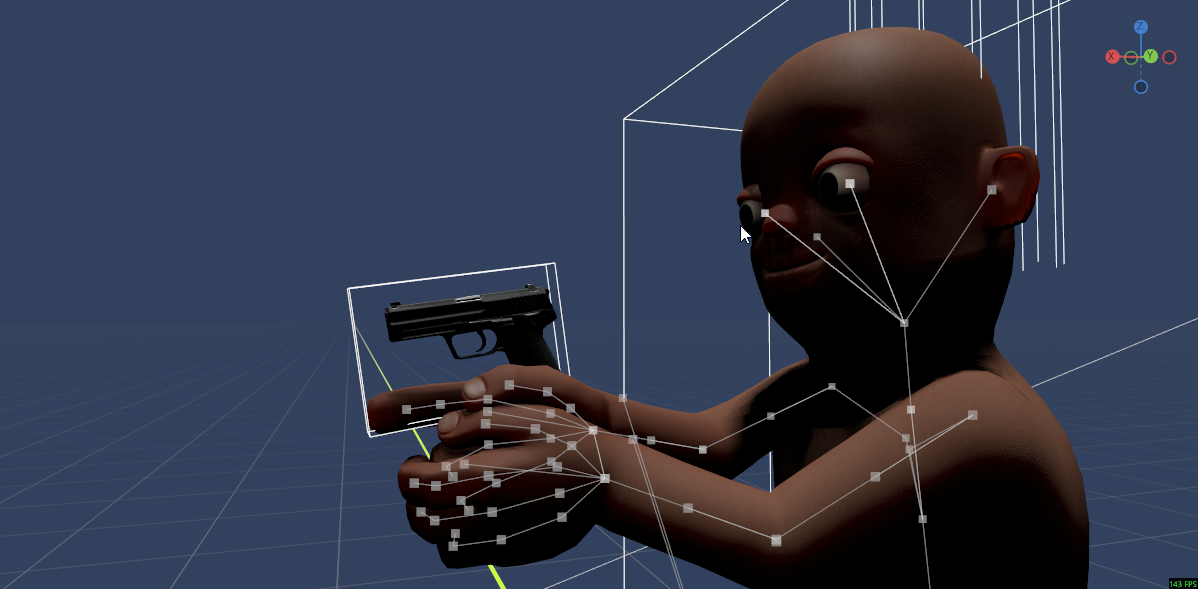
Now we have arms!
Issue #3: The WorldModel isn't visible in third person
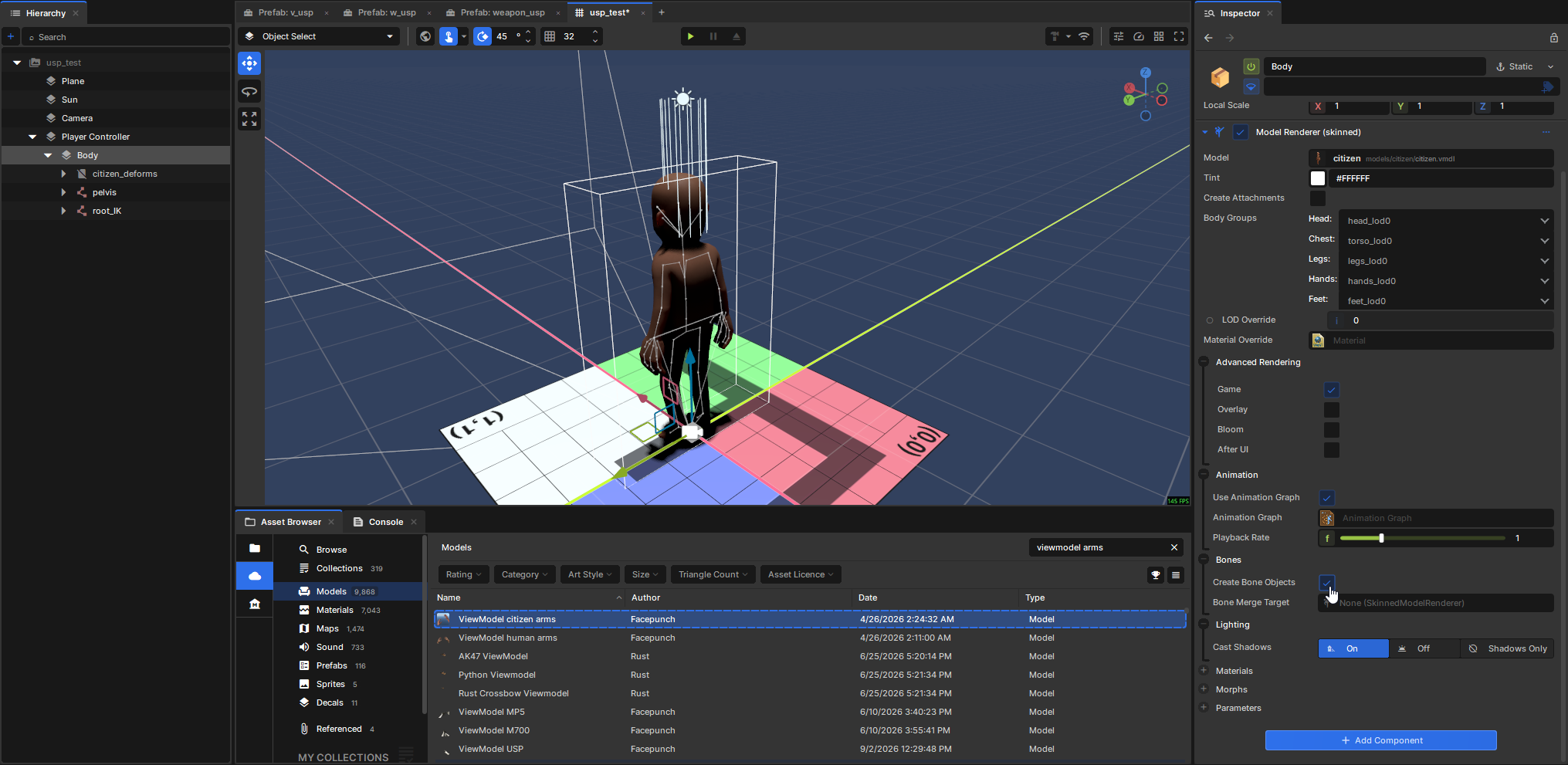
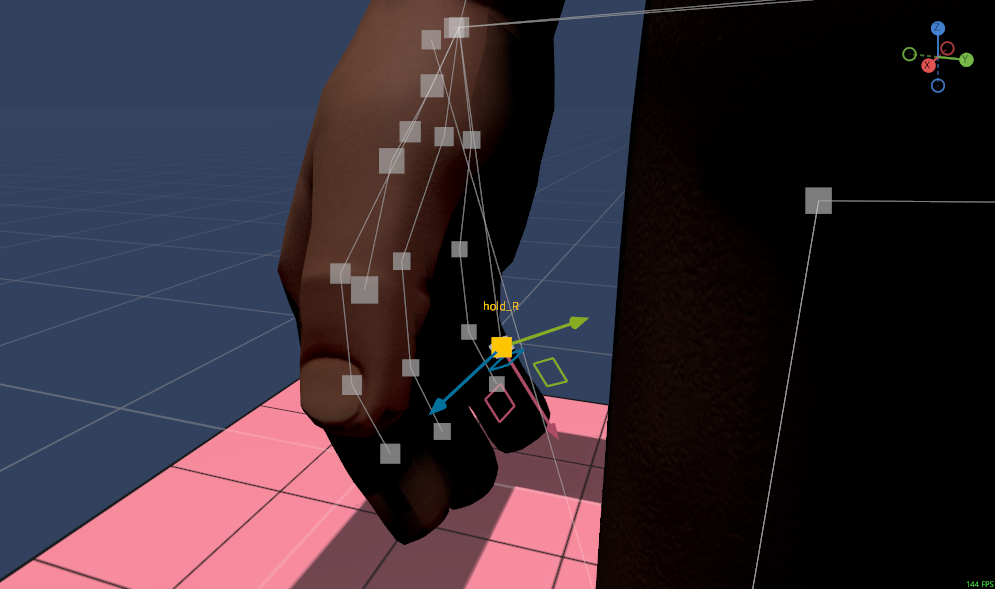
In the hierarchy panel, expand the "Player Controller" GameObject and click Body. Go to the Model Renderer (skinned) component and check the Bones / Create Bone Objects box. Now the gun appears properly, just in the wrong spot (you can press Escape -> click Eject, or press F8, to get a free camera while the game is running).This is because the game is placing the origin of the WeaponView at the hold_r bone
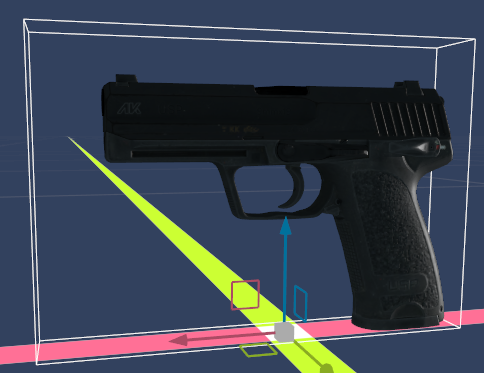
We can move/scale the root GameObject in the WorldView prefab (w_usp) to improve this. I found a position of (2.5, 0, -2.5) is better, although I think this model is just too small for the Citizen's hands. This feels like a hack, someone let me know if there's a more correct way to do this.
Issue #4: The back of the gun hits the near clipping plane when it reloads and disappears
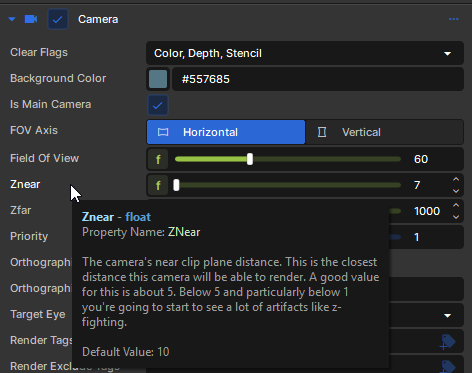
Drop the Znear property on the Camera from 10 -> 7.
Issue #5: There's no fire sound
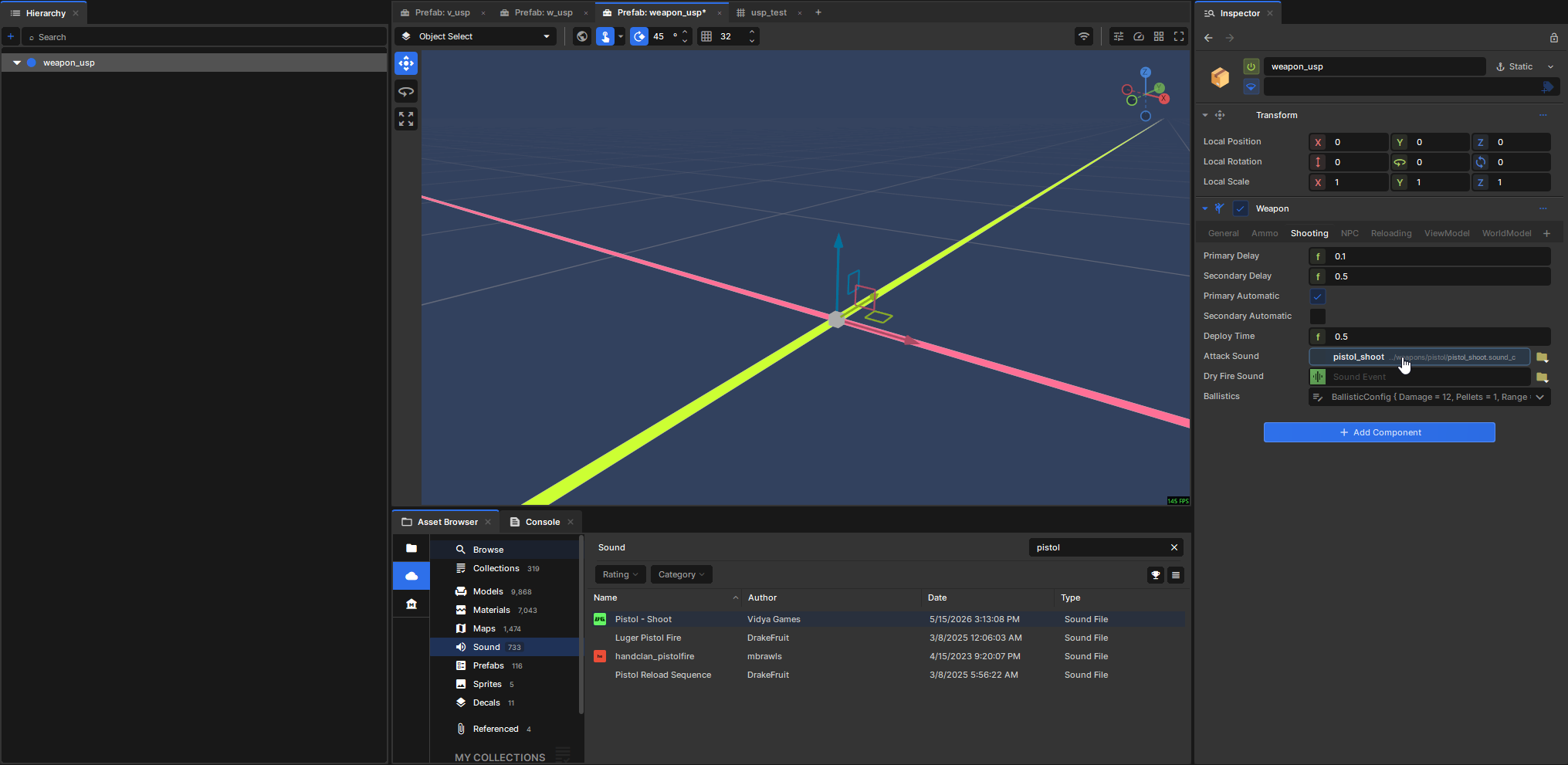
We can fix this by filling in "Attack Sound" on weapon_usp (in the Weapon component, under the "Shooting" tab).
All together now
(Again, I'm using C to toggle first/third person and F8 to eject the camera to inspect the world model.)
Yay, it works! From here you can do all manner of customization by modifying the settings on BaseCombatWeapon (or creating a custom component that subclasses it for more advanced behavior).