s&
About
The Project
infoAbout s&box mapRoadmap monitoringMetricsEngine startup and usage numbers
Updates
newspaperLatest News published_with_changesChangesRelease-by-release changelog
Games
Browse Games Discover Games
gamejamslive now

Game Jam III

Ends Fri 25 Sep
ThemeOne More Round

The jam is running. Build something, or play the entries.

£50,000
prizepool
View the jam
Workshop
Playable
sports_esportsGamesStandalone games and gamemodes
Assets
landscapeMaps view_in_arModels textureMaterials apparelClothing
appsEverythingEvery asset type in one list
Forum
Learn
Documentation
rocket_launchGetting Started docsDocumentation apiAPI Reference
Resources
schoolTutorials manage_searchCode Search
inputLog in with Steam chevron_leftChange Language
简体中文EnglishРусскийEspañolPortuguês-BrasilDeutsch日本語FrançaisPolskiTürkçe한국어PirateItalianoไทย繁體中文УкраїнськаČeštinaNederlandsMagyarDanskSuomiSvenskaNorskΕλληνικάRomânăБългарскиTiếng ViệtBahasa IndonesiaEspañol-Latinoaméricaالعربية

Getting Started

Are you new to s&box? Starting from scratch, another engine or Garry's Mod? Start with the steps below, then use the docs, tutorials and example code to start building games, addons and content.
Get s&box on Steam Read the docs
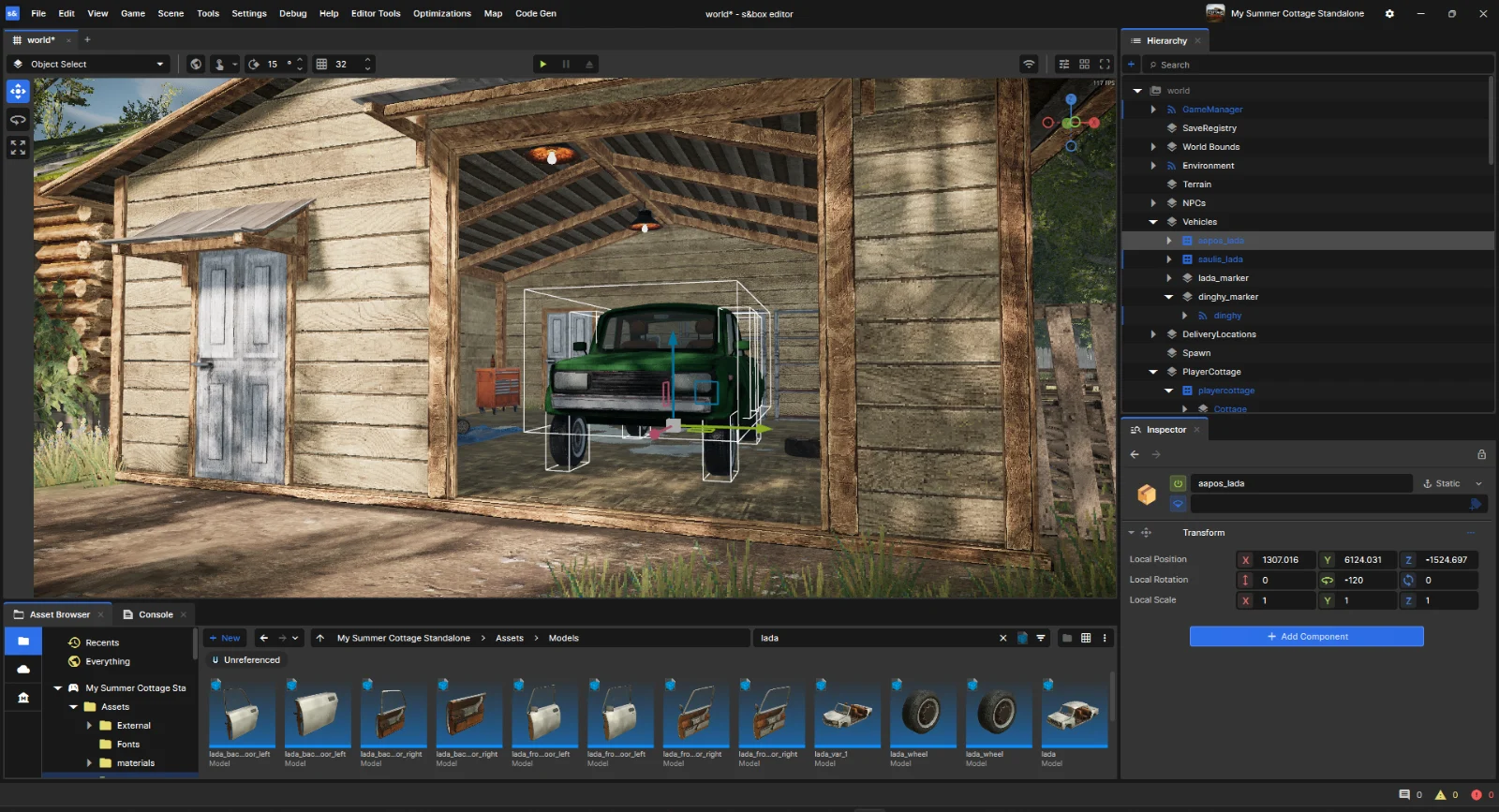
The s&box editor: a scene of a wooden garage with a car selected in the viewport, beside the hierarchy, the inspector showing its transform, and the asset browser.

Start here

Download s&box, have a look around the engine, then start a project of your own.

  1. 1

    Download s&box

    Grab it on Steam. The editor and the game are the same download, so there is nothing else to set up.

  2. 2

    Explore the engine

    An existing scene you can break safely. Move things around, hit play, and see what a GameObject actually is.

  3. 3

    Start your own project

    An empty project, one component, one key press. By the end you have written C# that runs in a live game.

Learn the building blocks

The parts of the engine you will be working with.

Scenes & GameObjects

Build a world out of objects, hang components on them, save the lot as a prefab.

C# code

Write a component, save, watch it reload in the running game.

The editor

Move around the viewport, manage your assets, wire up logic in ActionGraph.

Gameplay

Input, navigation, terrain and VR, for when you need them.

Networking

Turn a single-player scene into one other people can join.

Rendering

Shaders, shader graph, visual effects and post-processing.

When you get stuck

Everyone does. Here's where to look.

Community tutorialsPractical guides written by s&box developers. → DocumentationThe complete engine documentation. → API referenceEvery engine type and member, plus recent changes. → Code searchReal usage examples from published projects. →

Still stuck? Just ask.

The forum is the best place for a question - it stays searchable for whoever asks it next.

forumAsk on the forum Report a bug Discord
Facepunch
  • News
  • Docs
  • Metrics
  • FAQ
  • Forum
  • Discord
  • Twitter