Getting Started
Download & Install
The s&box editor and game are available on Steam.
Install
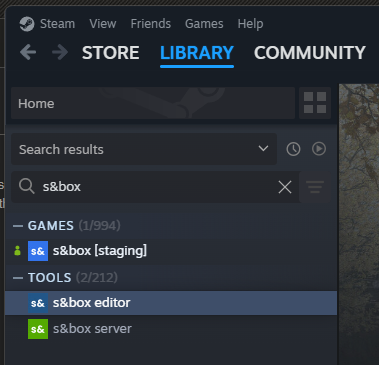
To install s&box click here or:
- Open Steam
- Click on the Library tab
- Search for s&box
- Install both the game and the editor apps
Launch
You can launch s&box in several ways:
- Launch through Steam directly
- Use a shortcut to
sbox-dev.exe - Open your
.sbprojfile directly
Building from Source (Optional)
The s&box engine is open source and MIT licensed. If you'd rather build it yourself, you can compile and run the engine from source.
Everything you need is in the sbox-public repository, clone it and follow the build steps in the README.
You only need this if you want to contribute to the engine or poke around its internals. For making games, installing through Steam is the recommended path.