Publishing
Only Publish Referenced Assets
With Only publish referenced assets enabled, your game only ships the assets it actually uses instead of everything in your project. This keeps dev assets and unreleased content out of downloads.
You'll find the option in Project Settings > Publishing, and in the Review Published Content step of the publishing wizard. Both show a preview of what will be included and excluded before you upload.
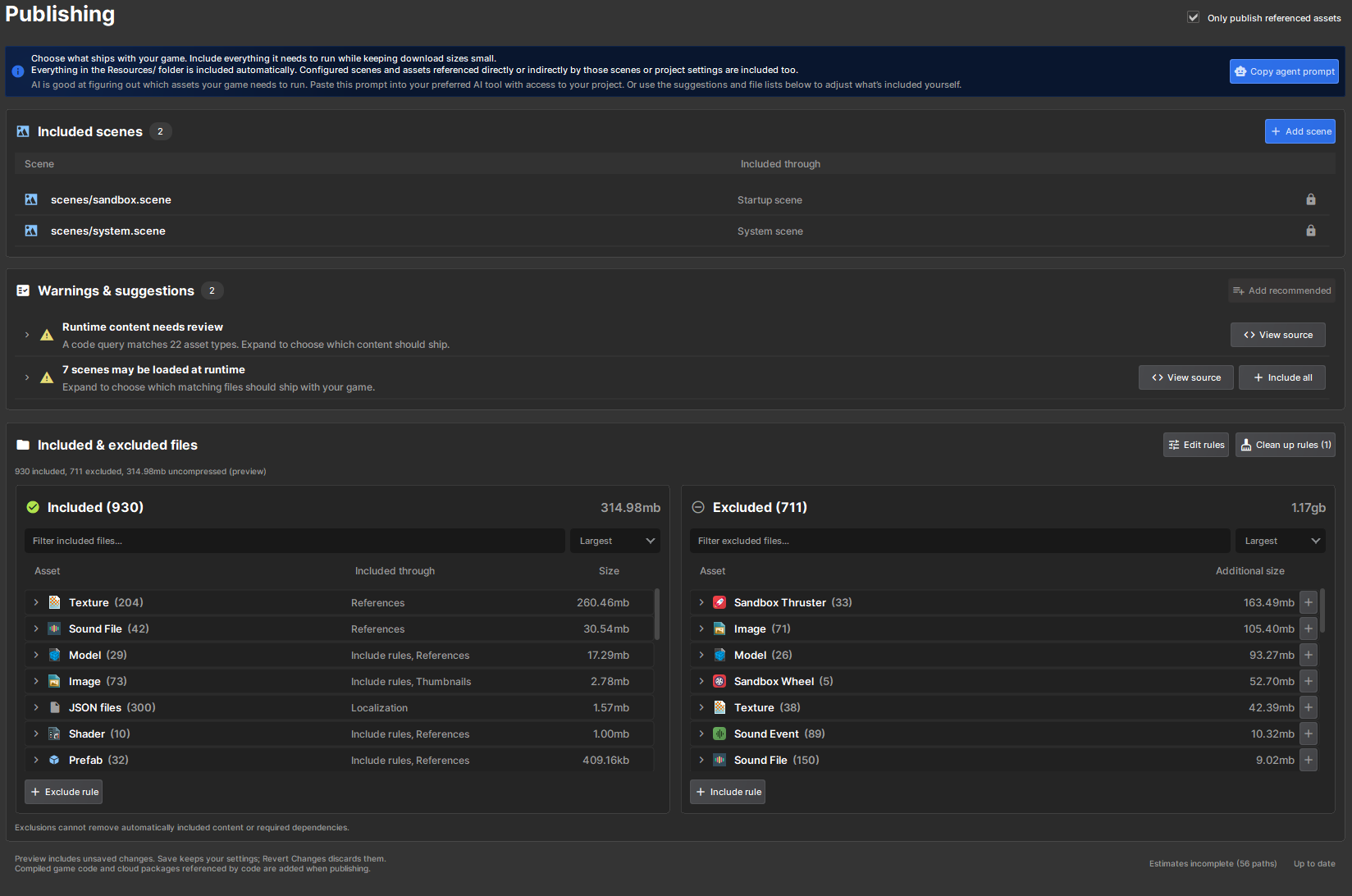
What gets included
These are included automatically, along with everything they reference directly or indirectly:
- Scenes configured in Game Setup (startup, map startup, dedicated server and system scenes)
- Assets referenced by your project settings
- Everything in the
Resources/folder - Anything matching your Resource Files rules
For example, a prefab in Assets/Resources/ brings its models, materials and textures with it, even if they live outside that folder.
Assets loaded from code
Code isn't scanned for dependencies. If you load an asset from code that nothing else references, it won't be published unless you include it yourself. There are two ways to do that:
- Put it in the
Resources/folder at the root of your assets. Everything in there is included. - Add a rule to Resource Files.
Resources/ is just a publishing convention, so load paths keep the folder name:
var hat = Model.Load( "resources/models/hat.vmdl" );
Only the top-level Resources/ folder counts. Assets/old/Resources/ is not included automatically.
Warnings & suggestions
The Warnings & suggestions list above the preview flags assets your game might need but that are currently excluded. It picks up paths from your code, simple interpolated paths like $"crabs/crab{number}.vmdl", and ResourceLibrary.GetAll<T>() queries.
Click Include on a warning to add its suggested rule, or Add recommended to add all of them at once. These are suggestions only, so review them before publishing.
Resource Files rules
Rules work similar to a .gitignore, except a plain path includes and ! excludes.
# every scene except dev and test scenes, but keep the tutorial
scenes/*.scene
!scenes/dev*.scene
!scenes/tests/
scenes/dev_tutorial.scene