The Community Lounge
Released
A place to hang out with friends or make new ones.
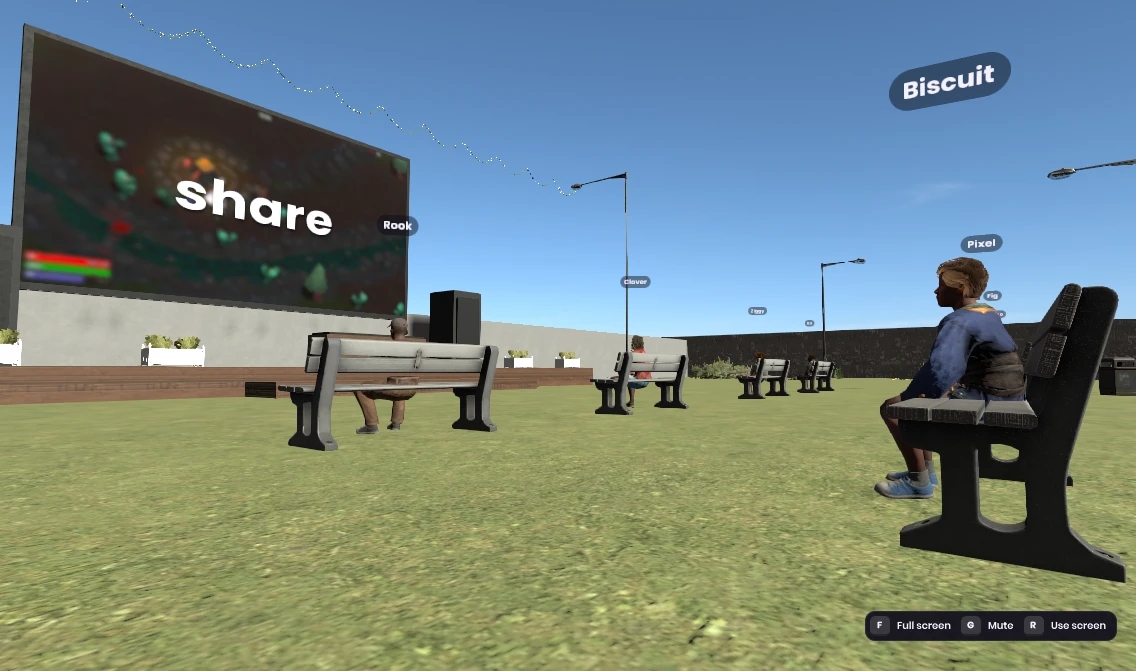
The Community Lounge is a place to hang out with other players in a more relaxed setting.
Talk, play a match of soccer, or watch videos and listen to music together on a big screen.
WHAT YOU CAN DO
- Talk with voice chat. Only players near you hear you, so groups can talk at the same time.
- Sit on the benches around the park: the plaza, the garden and the stage.
- Play soccer. Sit on a red or blue bench to join a team. The first team to 3 goals wins.
- Watch together. Add YouTube videos, Twitch streams, video files or internet radio at the DJ booth. Everyone sees and hears the same thing at the same time.
- Vote to skip, or change your seat view to look at the stage or the screen.
- Travel fast. Press E at a map sign and click a place on the map.
Minigames
- Parkour: run three lanes of moving traps over lava, climb the tower and cross the sky. Race your friends from the START pad and beat their times on the score board.
- Mini golf: 6 holes, par 18.
- Paintball: free-for-all rounds of 3 minutes. Stand on the start pad with at least one other player to start.
FOR HOSTS
- Use the control desks to run the soccer match and the stage queue.
- Make trusted players helpers. Helpers can run the soccer match and the stage too.
CONTROLS
- V: hold to talk
- E: sit, stand up, use a desk or a map sign
- Q: settings (voice hearing range)
- Enter: text chat
- Left mouse button: shoot the ball (soccer), putt (mini golf, hold and let go), shoot (paintball)
- Right mouse button: cancel a putt
- R: reload (paintball), hold to quit your round (mini golf)
- Z / X: shot power during a match
- 1 / 2 / 3: seat view at the stage
- F: full-screen video, near the screen
- G: Mute the stage for you only.