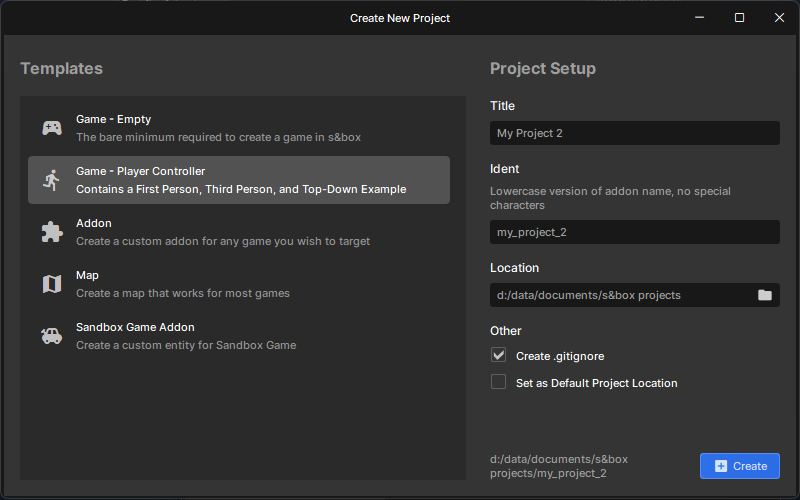
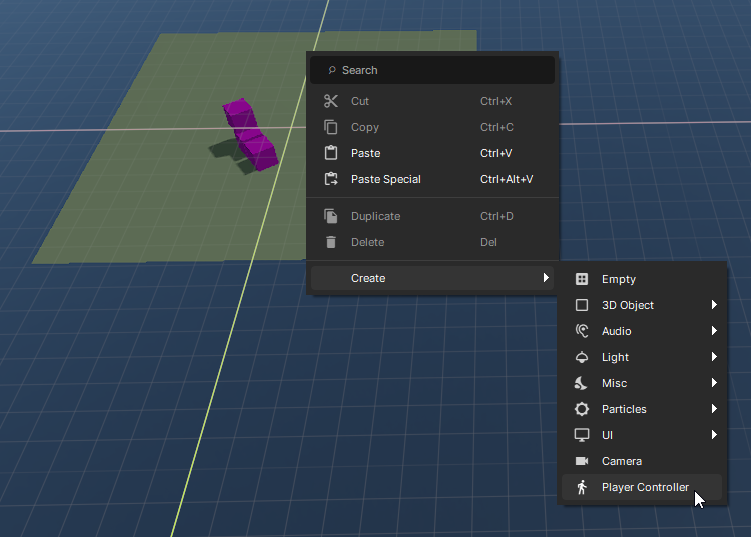
If you are starting from a new project, you can choose to start with the Player Controller template:Or if you're already working with an existing project, you can create a new Player Controller like so:
How does the Player Controller work?
The created object has a PlayerController component on the root object, which is a first and third person controller that works out-of-the-box without any code required.
It's physics-based, so at its core it's a special RigidBody. It has all the same properties as a regular RigidBody (like velocity, mass, ect) except we do some extra stuff to make it more controllable.
Input
The owner of the GameObject can control the Player using their mouse/keyboard or controller. If the object has no network owner then it will take input from the local player as if it's a single player game.
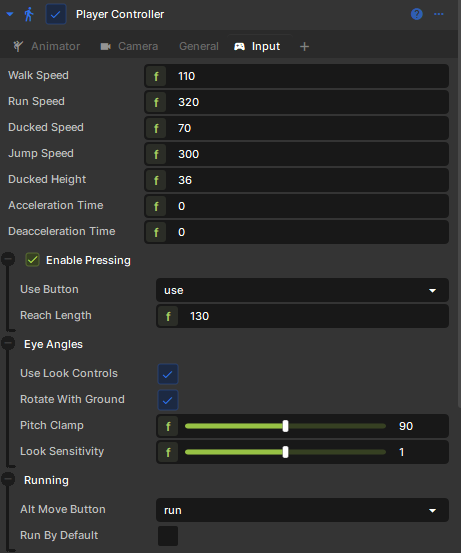
You can change all sorts of input-related variables in the Input tab, and can even disable Input altogether by right clicking the Input tab and pressing "Remove".
Camera
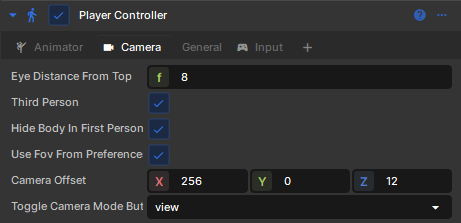
The Player Controller has a built-in camera controller (which can be disabled just like the Input tab).
Here you can specify whether or not the camera should use a Third Person view. There's also a "Toggle Camera Mode Button", which can be set to None if you don't want the user to be able to switch between first and third person in-game.
MoveModes
When you first create a Player Controller, it will start out with a few MoveMode components.
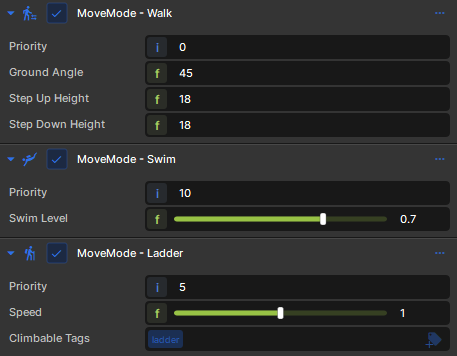
A MoveMode defines a mode of transportation for your Player. Defaults include Walk, Swim, and Ladder. These kick-in and override one-another if your Player is meeting certain conditions (like whether or not they are in a water volume or is pressing up against a ladder)
They have their own properties which are set directly on their components rather than being part of the Player Controller:You can even create your own custom MoveMode components using C# to control the Player Controller in whatever ways you want!