Chess (Over The Board) is Out
Play over the board, but online!

chat_bubble 0
visibility 210
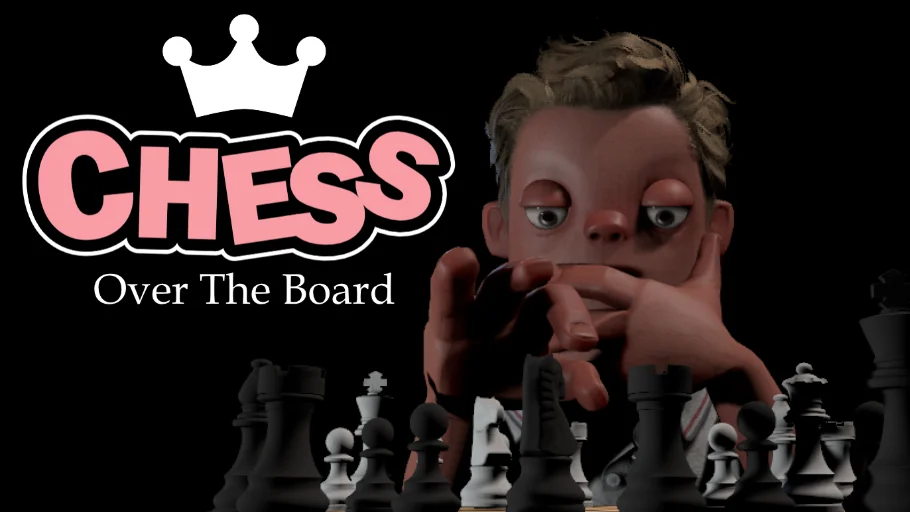
You know that feeling when you sit down across from someone at a real chessboard? The pieces have weight, the clock clicks, maybe there's a little banter. That's what I wanted Chess (Over The Board) to feel like. Today, I'm releasing the first public version.
Chess OTB is a fully featured online chess game built in s&box where you're sitting at the table, reaching across the board and hitting the clock. You can see your opponent think as their hand flies over the pieces. Think of it as embodied online chess.
"Immersive controls" in a chess game sounds like it could go wrong fast. Nobody wants to fight the camera just to move a pawn. So I spent a lot of time making things feel precise and smooth without killing the pace of a real game.
The camera is dynamic. It follows your intent instead of locking you into a fixed view. It manages to be both dynamic and natural, without preventing you from making your moves in a high speed scenario.
The smart cursor is the big one. It lets you fly across the board quickly and predictably. No pixel-hunting, no overshooting your target square. Your cursor is on the same horizontal plane as the board. Moving your mouse right will move the cursor right (relative to the board). This is why you can get precise: the same mouse movement will produce the same cursor movement no matter the camera orientation. You flick where you want to go and it gets you there in a predictable manner.
I also added IK animations for the hand reaching, lifting pieces, setting them down. The current system is a placeholder for a larger rework, but it already goes a long way to make the avatars an active part of the game. The animations respond to what you're doing in real time, which makes you feel like you're actually part of the game instead of just pushing inputs.
The whole idea is immersion without friction.
There are a few ways to play:
- Free Play: Casual lobbies, play with friends, no stakes. Good for hanging out.
- Arena: Lichess-style tournaments. You get auto-paired into continuous matches within a time window. Fast, competitive, always moving.
- Bot Practice: Solo matches against AI. Warm up, try openings, no pressure.
The chess club has 16 chess boards, so up to 32 players can play a game at any given time in a lobby.
On top of selecting a time control, a lobby host can select rules for the control scheme. Here's what's available:
Move Type: Free or Snap
In Snap mode, your pieces snap to the center of the tiles. You're also forced to play legal moves.
In Free mode (which is my preferred way to play), you are free to set the pieces down anywhere on the board. You still do need to play legal moves to end your turn, but you're responsible for finding them.
Capture Mode: Automatic or Manual
In automatic mode, an opponent's piece is automatically moved off the board when you move your piece on its square. This is similar to how it works in most online chess games.
In manual mode, placing your piece on an opponent's square knocks it over. The player has to move the piece off the board to end their turn.
End Turn: Press Clock or After Legal Move
If there's one thing I love about playing over the board, it's hitting the clock paddle. I'm not a professional chess player, I'm not even a good chess player, but I know how to hit a clock paddle. In press clock mode, a player has to press the clock to confirm the end of their turn.
In After Legal Move mode, the turn is automatically ended when a legal move is played, similarly to how it works with most online chess games. This is probably what you want to select if you plan on playing bullet mode, but hey, I won't judge if you like chaos.
As of today, ranked mode is not publicly available, but work is well under way. I want to get this feature right. I'm building a ranked 1v1 mode with an ELO-based rating system. You queue up, get matched against someone around your skill level, and your rating moves based on wins and losses. The ranked mode works exactly as you'd expect from an online chess platform.
Your game history will be stored, you'll be able to review your past games, track your ELO stats as they rise and fall and view other players' profiles.
More details on ranked as we get closer. Stay tuned.
Chess (Over The Board) is available now on s&box. If you like playing chess or hanging out with friends who do, play it and share your thoughts, I'd love to hear your feedback! I have lots of plans for the future with this game, but suggestions are always welcome :)
See you across the board!
people
Log in to reply
You can't reply if you're not logged in. That would be crazy.