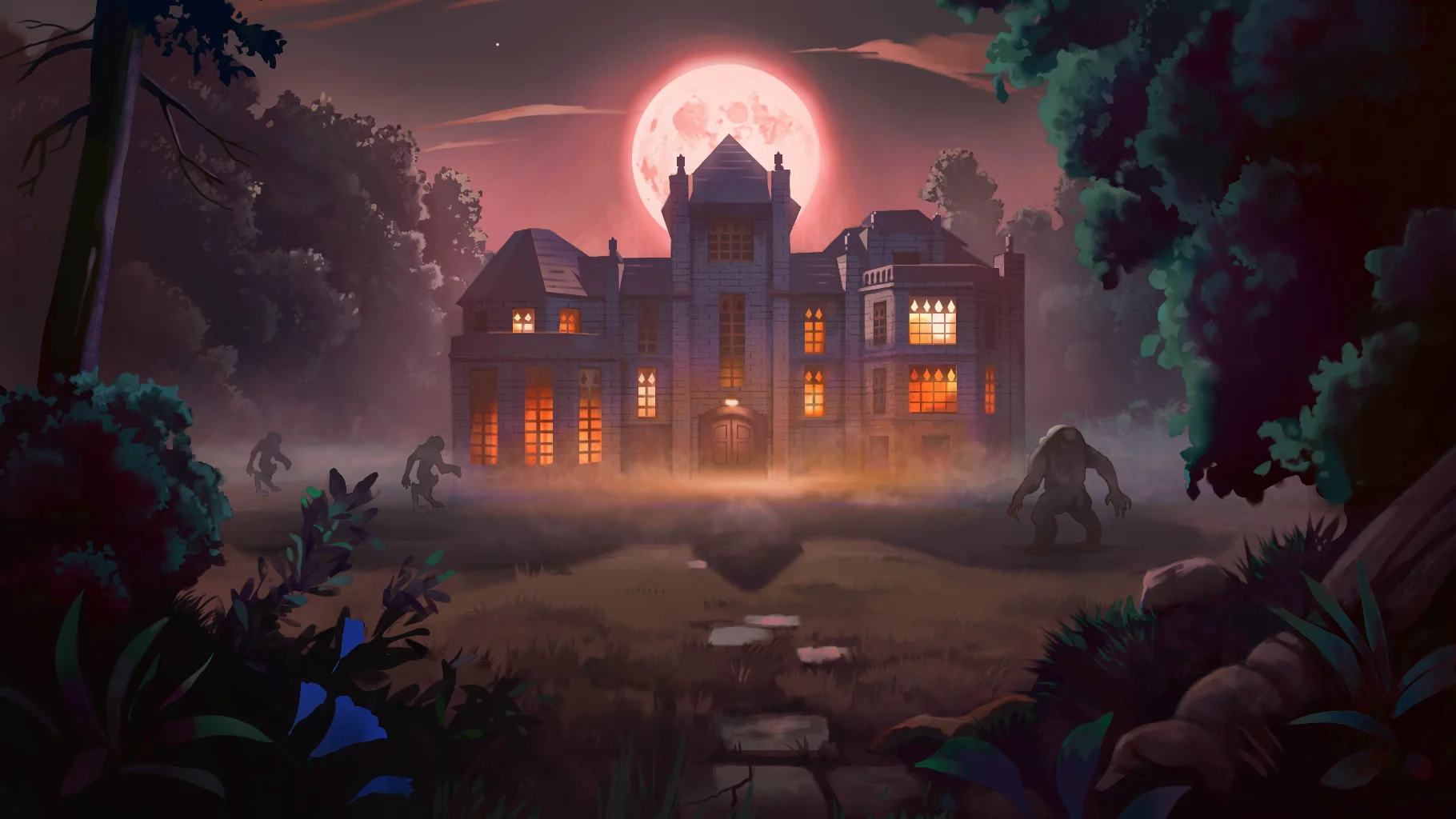
I learned a lot from working on my game Shoot House and I think it would be good to record some of it, both for myself and others. The goal of this is to share some learnings that hopefully make your life easier.
So you know a bit about who I am and the context I went into this game project with:
I'm a skilled software engineer; I started making games (or maps for games) when I was 13. I self taught myself how to code lua for Garry's Mod when I was 15 and got a formal education in Game Development & programming in college. After college I worked at Microsoft (not on games) for 5 years and left that to go work at start ups for another 2ish years.
I think have a decent eye for game design, but I don't think i've had many original ideas when it comes to design. I'm very good at looking at things and figuring out what could be better. A similar process is used when I make games, there's some game or idea I think is fun, and I try to make it better. Usually that means blending in aspects from other games. I kind of think of it like cooking.
I don't have very strong technical art skills. Yeah I can do an acrylic painting that any mother would be proud of, and occasionally I take a notable picture with my camera, but if I'm in charge of making art for a game, that's gonna be rough. But I teach myself the things that I think I can do myself, or more often than not, find an existing assets and modify it for my needs.
I've wanted to get back into making games. I've worked in tech for a long time, and while it pays well, I learned how to code to make game and haven't properly done that in a long time. The last large game project I worked on was in college, that was nearly 10 years ago at this point so i'm rusty.
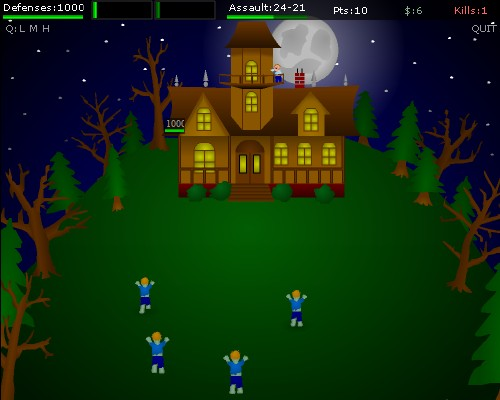
This being my first project in a long time I wanted to choose something kind of "small" and "simple" to make as a game. Back in 2023/24 when S&Box was very early in development I had this idea for a game. It was essentially this old flash game I played as a kid called "All Hallow's Eve" but turned into a 3D experience with more depth.
All Hallow's Eve is a very simple game. Your mansion is being attacked at night by zombies and you have to shoot them or they'll break inside and eat you! The perspective is disconnected from your character, you see the mansion and your character atop it, as well as the land surrounding the mansion, allowing you to click on the zombies to shoot them.
The game starts with a simple little zombie that takes 2 head shots to kill with your BB gun. You kill a couple dozen of these zombies and now it's day time! In the day time section of the game you can either buy new guns, or buy more defenses for your house.
Every night gets harder, with either more zombies, or stronger zombies that take more hits to kill. The guns just barely keep up with the zombies strength and you start learning how many shots it takes for each gun to kill a zombie. Since you can only have 2 guns at a time, you have to strategize which one you use for which zombies.
It's a simple loop and soon your house has barbed wire, land mines, and you're shooting zombies with an anti material rifle and a machine gun. Also the zombies start being replaced by demons and devils because why not?
I don't actually recall how the game ends. I'm fairly certain I beat it once and then never played it again, but I think it just ends abruptly as many flash games do; congrats you won, now go on with your life!
I do remember the defeat/loss sequence for the game though. You lose when the HP on your house hits zero. The zombies get inside the house and it's instantly game over. The scene is a black screen with these zombie appearing and getting closer. Like you're looking down your hall way and ~ahh~ zombie! It was simple, not even graphic, but for some reason it scared me. Even as an adult when I replayed the game a few months ago, i felt a little scared.
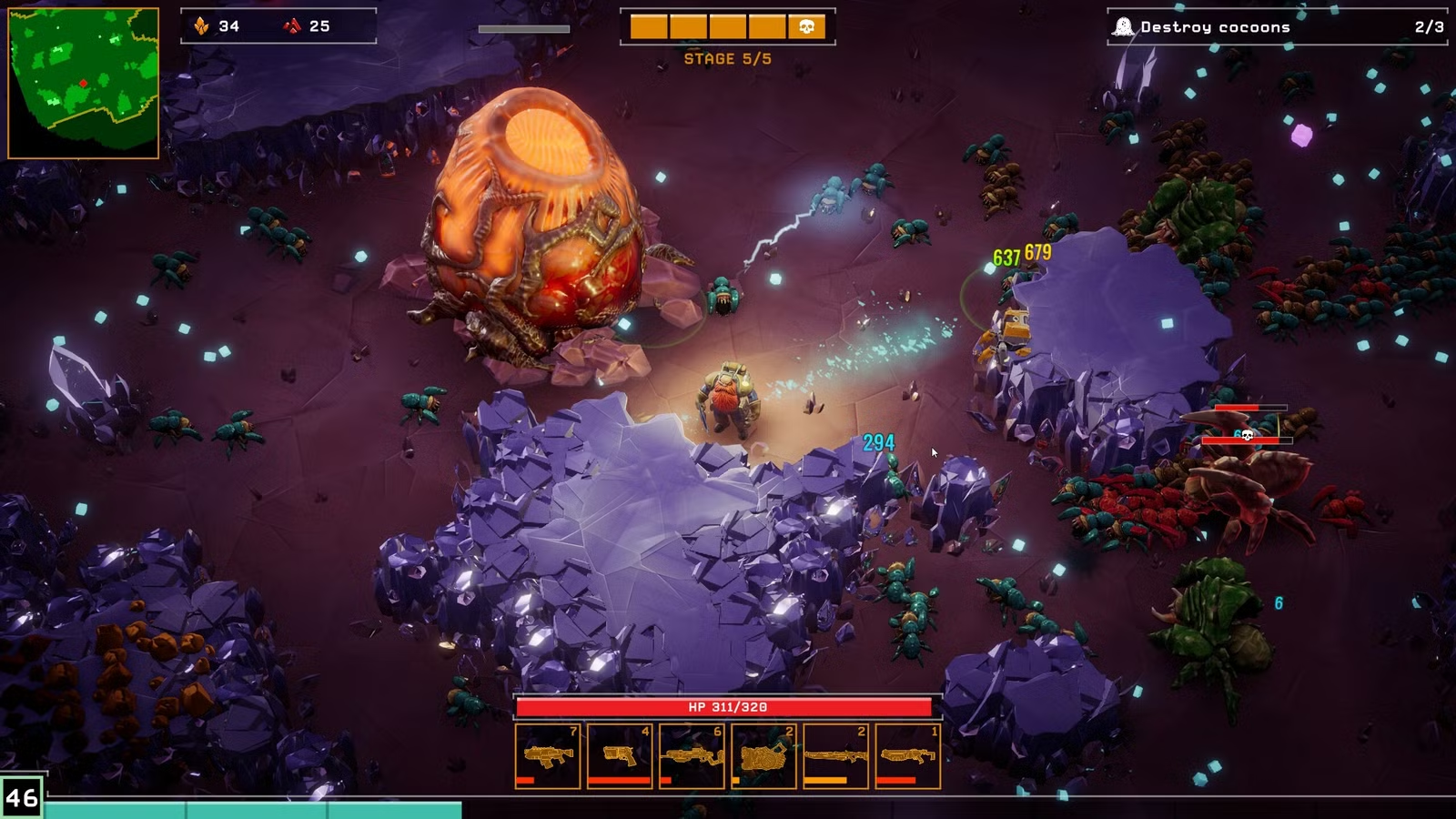
Deep Rock Galactic: Survivor
It's vampire survivors but in the Deep Rock Galactic universe. I didn't like the original game all that much but holy crap their survivor game is so good. It's a kitbash from the original game (I think) which in a way makes me love it even more. I think reusing assets and making different flavors of a game in the same universe is ingenious from a efficiency and lore perspective.
This game was my kinda mindless go-to game for many months and it was the first (and only) vampire survivor like game that I actually enjoyed playing for an extended period of time.
The slow incremental meta-progression upgrades I really enjoyed, as well as the randomized weapon upgrades. These were both mechanics I really enjoyed and used in Shoot House although more primitively.
I set an arbitrary 6 month goal for myself. At this point it's been nearly 8 months.
I knew I couldn't make art that would be decent so I decided to purchase art assets or use free ones where I could. The next few sections will go into how this all worked out for me.
For the monsters I found some monsters at cgtrader.com which I've used in the past.
The animations are typically not great on these packs, but using some magic in Animgraph you can hide rough edges.
I ended up hiring someone to make me some more monsters. I had some disposable cash and I wanted to see what that process would be like in case I do it again in the future.
In the end it worked pretty well but the animations they gave me weren't exactly what I needed.
Lessons
Animations need to be tested in an Animgraph.
Pay special attention to how they blend with other animations.
If it's a walking/movement animation the feet will need to sync on the start/finish of animation loops or you'll get weird floating
Attack animations that move the whole body are awful
The current animgraph tool has lots of bugs and crashes, save often and re-open the tool if something seems fishy
Weapons
I found some weapon models on cgtrader. I had to rig the weapons, attach it to some view model hands, then create animations. In the end I did this for 2 guns. It was so much work, jesus christ.
Lessons
Making your own FPS weapons kind of sucks
SWB's view model hands suck, don't use them
I'd like to try Facepunch's First Person Hands but there's no source files so it'll be like doing things one handed and blind
Baking the hands into the actual view model is probably easier but you lose visual consistency (does anyone even care about this)
I also used Facepunch's First Person Weapons for their M4A1. This was a mostly good experience except lining up sounds with animations was annoying. Once again since there's no source files you can't do things like add AnimEvent's to the model in ModelDoc.
The actual level went through so many revisions and changes. Beyond just greybox to mock to final. I used the Terrain component for the ground, then simple Model Renderer's for foliage. The house itself is constructed out of models.
At first I was going to build things in Hammer but I wanted things to be detailed and nice looking and if i'm just going to be putting meshes into Hammer I might as well do it in the scene. This turned out to be the right choice because I guess Hammer is going to get deprecated.
The house models were purchased from Fab, another online marketplace like cgtrader for 3dmodels but this time more game focused. They were in an Unreal Engine package originally so I had to convert them over which was tedious but worth it in the end. I also had to modify a lot of the assets, or cut them up and make smaller versions.
I redid the foliage like 5 times. Sometimes because I didn't like it and sometimes because I kept trying to get better performance.
Lessons
Terrain component is cumbersome still, it could use more polish but it's mostly usable
Buying assets packs for the house was great but I may have gotten lucky
Each asset had 1-5 LOD's which was very helpful
Migrating assets over was tedious, AI helped a lot with this
Modifying assets was crucial, sometimes I needed smaller/bigger pieces or sometimes it was just missing some very important things
S&Box has a lot of great tools built into it. I ended up making some tools as well to help me
View Model Editor
My weapons have view models since it's an FPS game. Originally whenever you ADS (aimed down sights) the weapon would move and you'd be looking down the actual iron sights of the weapon. Or if you had a scope on you'd be looking at the actual scope and i'd project the zoomed in game world onto the glass.
Lining up each scope and ironsights for each weapon was a pain in the ass. I would change a scope and now it's broken on every gun. Or I mess with the model and now every scope needs changes. Eventually the guns got more solid and things changed less, but if I added any scope i'd have to go through this whole process again.
I needed a fast and efficient way of checking every single sight and fixing it if there was an issue. So I created a tool in the editor. I choose a weapon (prefab) and then I can choose which scope is being used. It has a window in the bottom that emulates how things look in game. Note that it's an emulation, i just setup the scene in a similar way.
I could also click/drag in the window to adjust how things line up.
This might be the single best things I made in the whole project. I love this tool so much and it made life so easy.
Lessons
Editor tools are super helpful
I will be using a view model preview/editor tool in any FPS game I make in the future that involves aligning the player view to some part of the gun
Perhaps I could've made an alternative system by defining a point and direction on each scope and then it knows to line up the camera to that point, could've been interesting to look into
Foliage Painter
I made a whole tool to place trees into my level in a randomized way. It was a few days of work and it worked great. But then Antopilo from Facepunch released his engine built-in version.
Lessons
Sometimes the thing you really need is days away from being released. Sometime's it seems day's away but then it's weeks.
If you need it now, you might as well build it. Unless you are 100% sure it'll be made for you in a few days
If you need official versions, make one yourself and then the official one will finally be released
I love making AI in video games, there's so many cool things you can do to make it life-like, or seem really smart, or just really dumb.
I took a somewhat new approach in this game for structuring my AI/NPC logic.
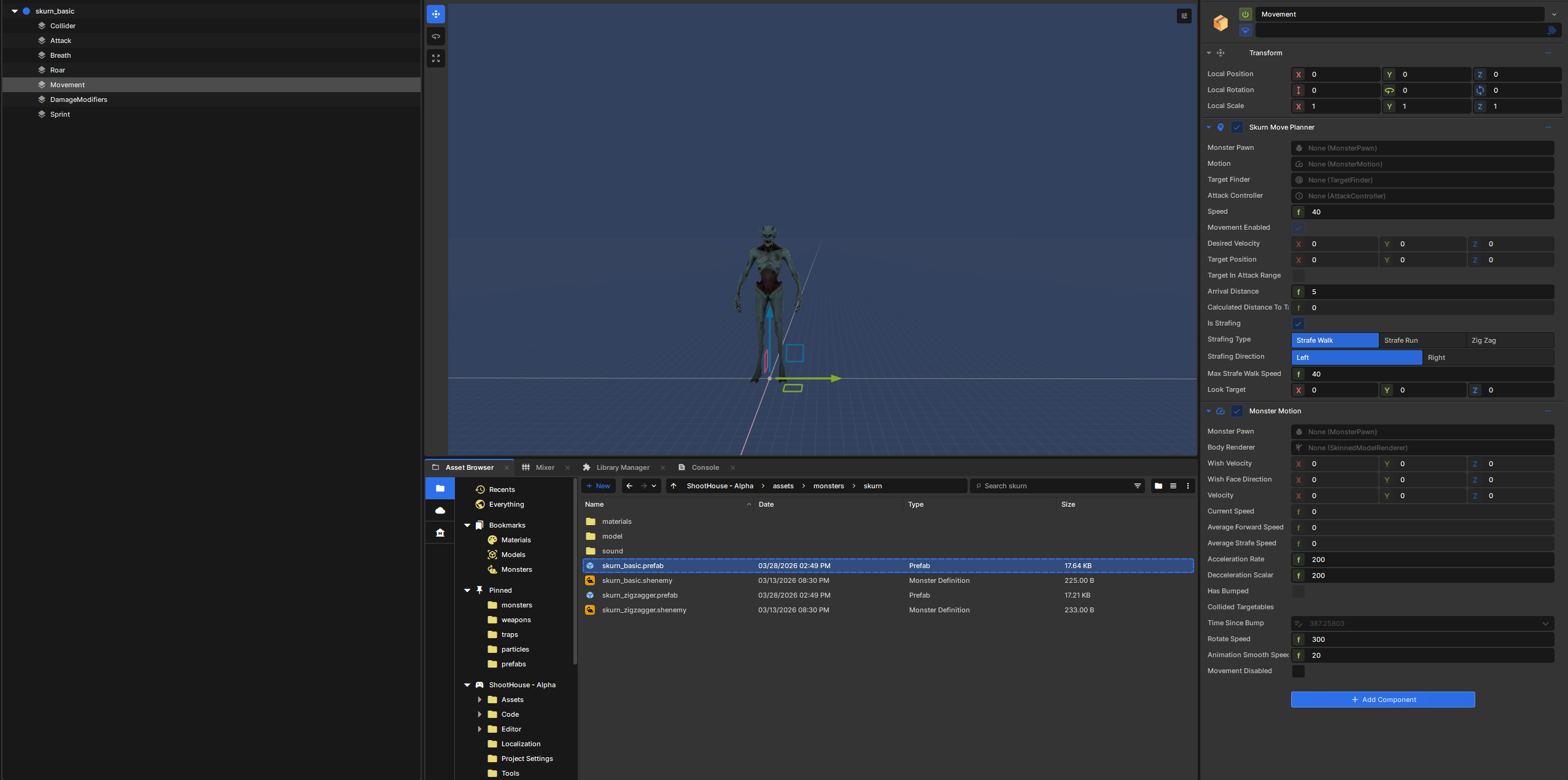
I knew I would have lots of different monsters, many of which would share behavior, but not everything would be the same. As such I decided to try and make my monster logic as modular as possible. I didn't get it perfect at first but eventually I landed on a sort of formula that worked really well.
I conceptualized things into one of (or a mix) of these 3 categories
Senses -> Logic -> Execution
I'm a strong believer in programming of "One job / One responsibility" for code, and I wanted these modules to be similar to this.
Let's take attacking as an example.
We have the following components that all work together;
Attack Action (Execution) This does the actual attack. It triggers the animation on the monster's model renderer and when the attack would hit it applies damage onto whatever the attack hit.
Attack Controller (Logic) This manages when we should attack. It keeps track of when our last attack was, when our next attack was, and it has update loop logic to see if our target is in range and if we can attack them again yet. If we can we trigger the Attack Action.
Target Finder (Senses) This manages what we should attack. It chooses what our current target is and if we should switch targets. The attack controller asks this component what our current target is when it's deciding to attack.
Simple modules, simple tasks. In the end I had like 2 dozen different modules.
Here are some more examples:
Move Planner (Logic) Gets our target from Target Finder and if we're not close to it, interacts with Monster Mover to tell it that we'd like to be moving in a certain direction and at what speed (Wish Velocity). Based on our position and Wish Velocity it looks for nearby other monsters and calculates an avoidance force so we don't walk into another monster!
Summary: Where do I want to move?
Monster Move (Execution) Accelerates/Decelerates the monster based on our WishVelocity and moves the monster in the world. Does things like make sure we don't clip into the ground.
Summary: I am moving in this direction.
StaggerOnDamage (Logic) Triggers our Stagger Action if we received damage of a certain type.
Summary: I have been shot in the head and should be stunned.
At first I made the game as just a single player game. I knew multiplayer would be cool but "hey why don't I just do that all later?" Guess what, big mistake.
Getting networking to work was difficult and at times annoying, but overall it wasn't too bad. I think the hardest thing, which I think i've decided to just not do, is proper host migration.
When you're playing a P2P game you still need to have 1 player who probably has some sort of authority. Like which player is the one who network spawns the monsters in each wave? If each player did that you'd have too many monsters!
In my game the host is the one who did this, and they had a lot of information that other client's didn't necessarily need to have. Like what monsters are planned for this wave, how far along are we in the wave queue, etc. I would have to write network updates with this information to let the clients know.
The client's don't need to know all of this, but if the host's internet is suddenly hit by a bus and dies they'll need to know it so the game can continue on without an obnoxious interruption.
These were all little niggles that I didn't want to deal with, because how often is that going to happen? I didn't fix these issues as of the time writing this, and don't know if I ever will. A semi constraint of this game was time, and it's a lot of time to fix all these edge cases.
Testing networking was difficult at times. You can launch another instance via the editor but it'll sometimes not create errors that you'll get in the actual game. And then you can't properly test things like joining a server via the editor, or lobbies don't work. So you just have to plug into those API's and pray that it works.
Oh and there's obnoxious bugs where the local instance that you launched via the editor and have joining your game will have outdated prefabs and other files if you've already published to (the cloud/asset party/the workshop?) before.
Lessons
If it's going to be networked in the end, do it from the start
Testing can be a pain, local instance helps but it has bugs
Change the package ident when testing to avoid some engine bugs
Edges cases can be hard to find and diagnose and take a lot of time to solve cleanly
The prefab system in S&Box is very useful but sometimes I debate whether it's worth it or not.
When it came to monsters I had a prefab for each type and variant of monster. For instance one monster was called "Cyclops" and there were 3 variants, normal, empath, armored. Each one of these variants had their own prefab.
Over time it became tedious if I needed to update all three variants to open up the prefab editor 3 times and then modify the setting. I kept wishing I could modify the monsters via code instead of property editors in a prefab.
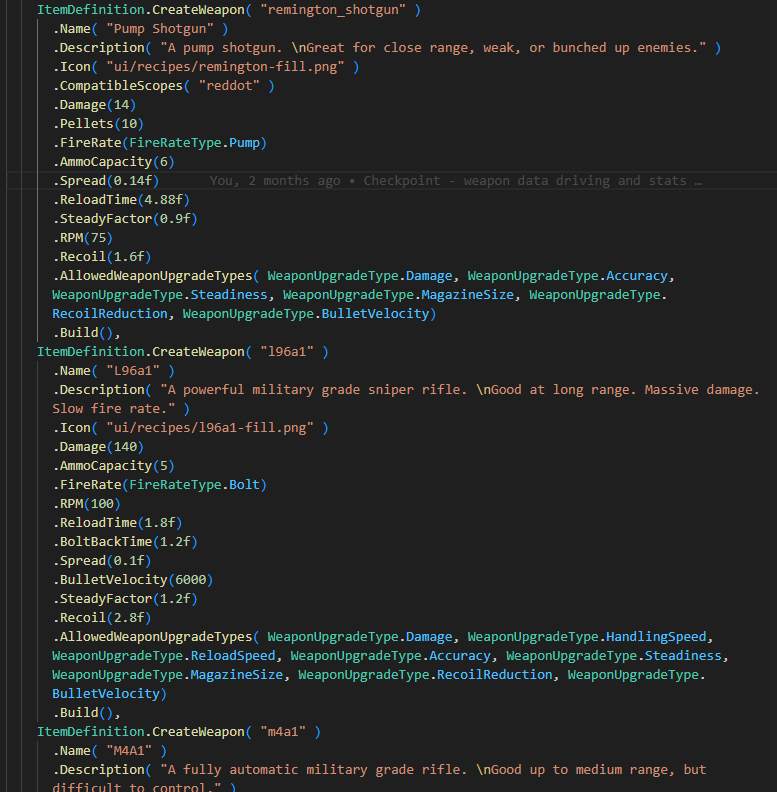
I adopted a sort of hybrid approach when it came to weapons. Each weapon had it's own prefab, and I would configure quite a few things like scope positions, animations, general config settings via the prefab editor. However when it came to prone to changing values, things that I'd need to balance and adjust frequently, I defined those via code and overwrote the prefab values whenever the weapon got created.
Essentially I could define weapon stats in code, but then whenever the weapon actually got created (ie we cloned the prefab) we overwrote the prefab values with the values I had in code. This was immensely helpful because balancing weapons became only a few button clicks, and even better was I could see all weapon settings next to each other at the same time.
I also had a game resource for monsters, I originally was going to put things like "difficulty value" and "monster family" inside of it. In the end it just served to indicate which prefabs were monsters. Kind of useless.
Oh and if you don't know about programming design patterns, I highly recommend the Builder Pattern for this.
Lessons
Prefabs are great for visual previews and placing things
Where you put weapon attachments on a world/view model
Properties that will need to be balanced and tweaked should live in a code file somewhere
This means things like enemy health, weapon reload time, movement speed, etc.
You could create a function that assembles a game object according to some sort of spec, which is essentially a prefab
Prefabs in prefabs are great
Smoke trail prefab, which is used inside of the smoke monster prefab
Game resources are kinda useless
Unless you want some cool editor that you're going to build yourself, just make it code
You lose network transmitting but you can just write that yourself
There's a handful of weird bugs that need to be ironed out, like audio crackling at low FPS.
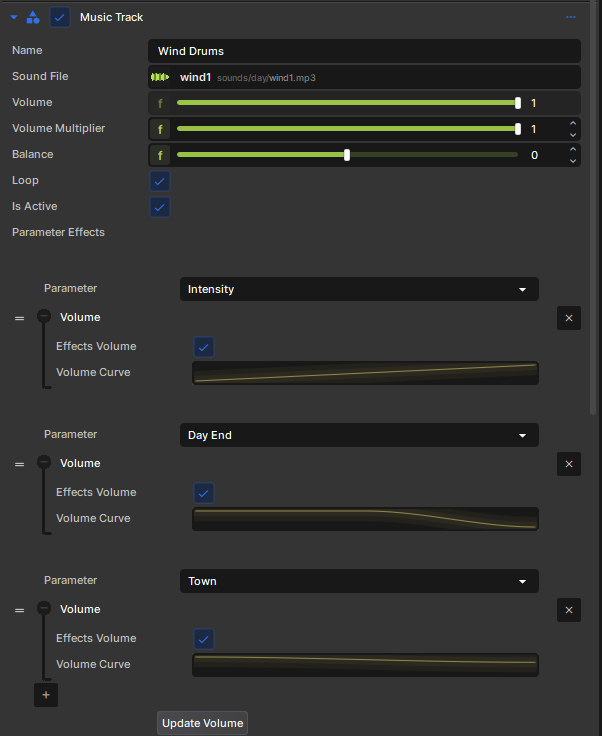
The coolest thing I did with audio in this project was implementing a sort of "dynamic music" system. I wanted the music to change based on what's happening in the game. Are there a ton of enemies coming at you? Ramp up intensity. Are we running out of time in the day? Ramp that intensity up. Is the sun finally rising? Lower the intensity and slowly start playing an audio cue.
If you're familiar with FMod or (WWise?) then you know what i'm talking about. And since neither of those are in S&Box doing something like this means making my own. The core of doing this means writing your own audio samples to an audio stream. Luckily S&Box has a way for you to write samples to a stream that gets played as audio, unfortunately their method of reading samples is garbage.
There's a single API that goes from Sound File -> Audio Samples and it returns audio in mono. So I had to make multiple Sound Files with each audio channel. It was mildly a mess, but it worked pretty good in the end.
Updating SoundEvent's was tedious. I think there's a common trend here which is resource property editors are tedious.
When I finally added voice chat I was appalled that there doesn't seem to be anyway to style the "voice transmitting" UI element. If there is a way, there's zero documentation about it.
You can create audio mixers, but you don't get to expose them to the settings menu, so you need to make your own settings menu for this. Silly stuff.
Lessons
Audio API's are lacking for getting audio samples
Adjusting falloff, sound range, etc for SoundEvent's is tedious
Maybe make a system where you can set these settings across many sounds
Very quickly I learned that my game wasn't very performant on low end systems. I stressed about this a lot and it felt like there wasn't a whole lot I could do to fix this.
It was pretty clear to me that the cause was rendering. There were some very unhelpful people on Discord who argued that it had to be my "unoptimized code/scene logic" despite me showing them the performance metrics showing that it was the render step.
Even when S&Box got some better graphics performance break downs it was really unclear what was causing performance to be so bad on some graphics cards. I started trying to tackle the issue blindly and I figured it was from one or many of the following:
Number of triangles drawn
Number of shadows drawn
Post Processing effects like SSAO
Number of lights
Triangles drawn is the first thing I thought about. Luckily my house models had plenty of LOD's so I could just lower the level of detail there. The trees I made myself and purposely tried to reduce the # of triangles. Many of the trees had billboards so I just swapped most of the trees for billboards. The monsters I also generated LOD's for, though most of the performance issues I observed from other people's machines happened before there were any monsters.
For shadows I meticulously went through the level and disabled shadow casting on anything that didn't need it. I also created a "Shadow Casting Priority" component which I used with my graphics settings applier which would change whether something casted shadows based on your graphics settings.
SSAO ate lots of FPS. So I made this configurable on/off via settings.
Number of lights; this I couldn't really mess around with too much since lights were such an important part of the game.
I also had someone very unhelpfully tell me that I needed to draw all of my trees in my game with instancing. This involved me making a special scene object that would do an instanced draw call with all the trees. I went through this whole process to discover that it had zero impact on FPS, in fact I think it made it slightly worse.
Turns out that ModelRenderer's will automatically be instanced (the engine tries to figure this out.) It actually says this in the documentation so shame on me for not reading this earlier.
Learnings
Having a crappier computer would be great to debug graphics performance with
Be skeptical of people on Discord who don't know what they're talking about
Graphics performance seems to be a mystery
ModelRenderer's get instanced so you probably don't need a fancy scene object
LOD levels in ModelDoc are difficult to test and verify
It would be immensely helpful to have a MaxLOD setting you can set on a ModelRenderer
Make Post Process effects configurable via a settings menu
Garry at some point said he thought it would be great if all S&Box games could just use the default settings menu. I agree, it would be great!
Unfortunately games often need context-specific settings and there's zero API to expose your own settings to that menu. There's also a lot of settings you aren't allowed to change via game code, for instance mouse sensitivity or key binds.
This creates a situation where you need 2 settings menus, one for S&Box settings and one for Game Settings. It's awful UX.
There also seems to be no function you can call to just open the S&Box pause menu, so if you're capturing the escape key then good luck getting the S&Box menu to open.
Lessons
S&Box pause menu API is lacking
Settings menu UX sucks
You'll need to make an in-game one for your game settings
A lot of what motivates me when i'm making a game is player feedback. I really enjoy hearing from people how much they like playing my game, it fuels my desire to keep working on the game. It felt great getting some good initial feedback about Shoothouse but it hurt when someone would leave a bad review saying their FPS was garbage and the game was garbage.
Since Shoothouse can be played singleplayer, and I think a lot of people have played it that way, it's hard for me to hop onto a server and play with people. This makes it harder for me to get instant feedback.
I tried making a Google Form and a forum post but nobody saw or filled out the form. It could've been helpful to have a feedback collection process built into the game itself.
Running organized playtests and observing people playing could've also been helpful. Also just not caring about negative reviews could be great too, but if I didn't care about any of that then I might not have every made graphics settings adjustable which could've alienated a handful of players.
It was also interesting when I would, on occasion, go into Discord voice chat on the S&Box server to show people the game. I usually got a lot of negative feedback from people. They would say the game looked boring and would often give feedback to make the game into something I wasn't intending it to be. Maybe it's because they weren't playing the game themselves, and honestly I think the game is kinda boring in ways (at least it bores me a bit sometimes, but more on that later.) But whenever i would sit someone down and have them play it, the feedback was always different. Lessons
Discord voice chat is not a great place to get feedback
Ask people to playtest the game more often and watch them play it
Multiplayer games are easier to get feedback on (no duh)
I have a love/hate relationship with UI. I've made a lot of really terrible UI's and typically I don't think i'm that good at making them. But maybe because I've made a lot of UI's I can also occasionally make a good one. I really hate bad UI and I wanted to make a good UI that I was proud of for Shoothouse.
Because Shoothouse has an entire day section of the game which I knew was going to be mostly menus, I wanted to make the UI interesting. I wanted to explore how I could make the game feel like a movie, but also be mostly menus. It led me to planning for the UI to by dynamic in size, small when it's a menu, and then when it's a whole page, trying to never take up more than 50-70% of the screen.
Early on in the project I started looking at other game UI's and using them as reference and inspiration. For Shoothouse I copied a lot of elements from The Last of Us games. Simple black backgrounds, basic shapes, white and grey. My game has very different UI needs than the Last of Us did so I ended up having to expand a lot but looking at the Last Of Us early on was really helpful in guiding my UI.
Learnings
Have inspiration and reference for what you want the UI to look like
Make drawing mock ups to explore shapes and flows before you actually make them
Set standards for what you want things to look like and stick to them
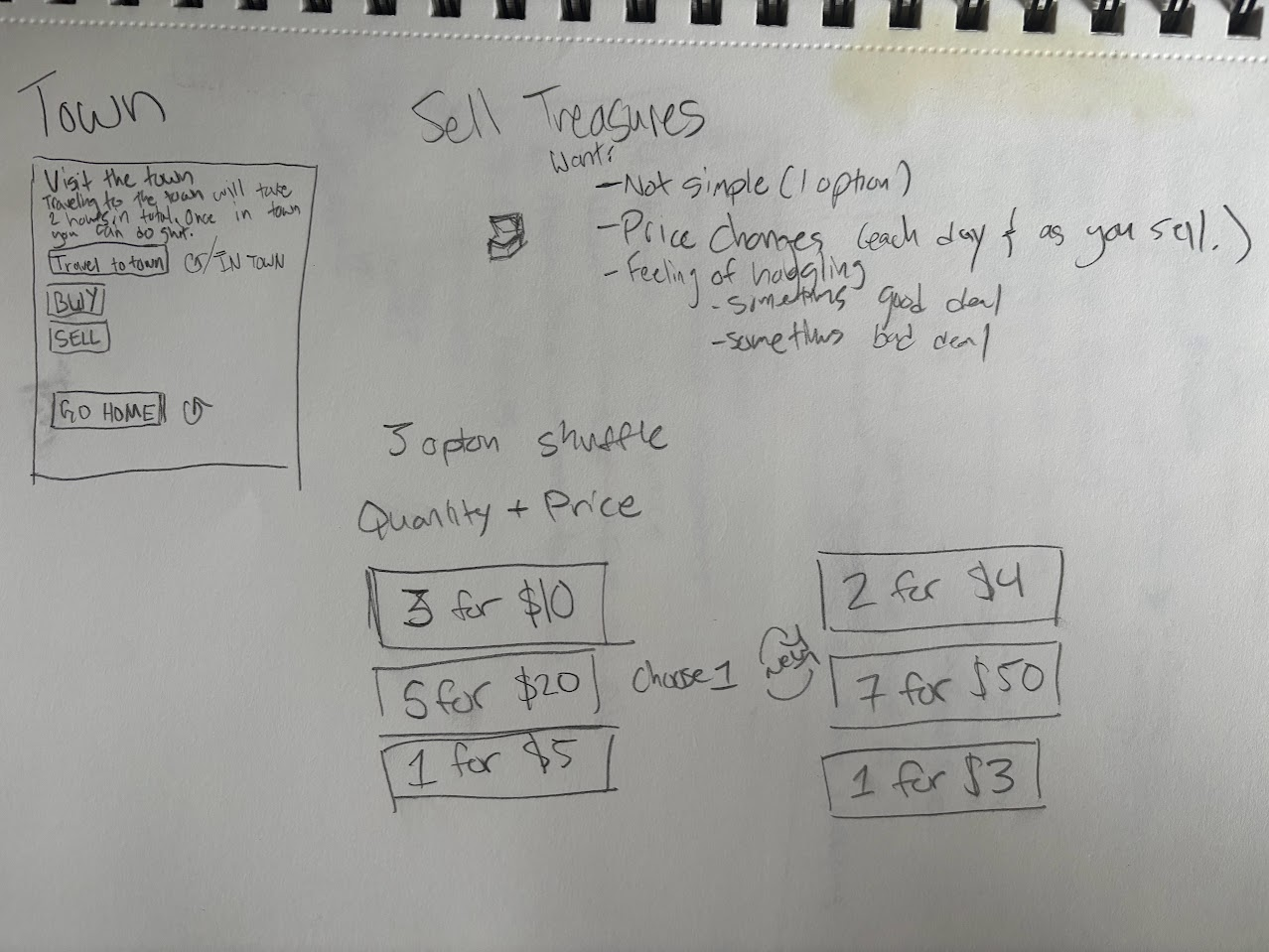
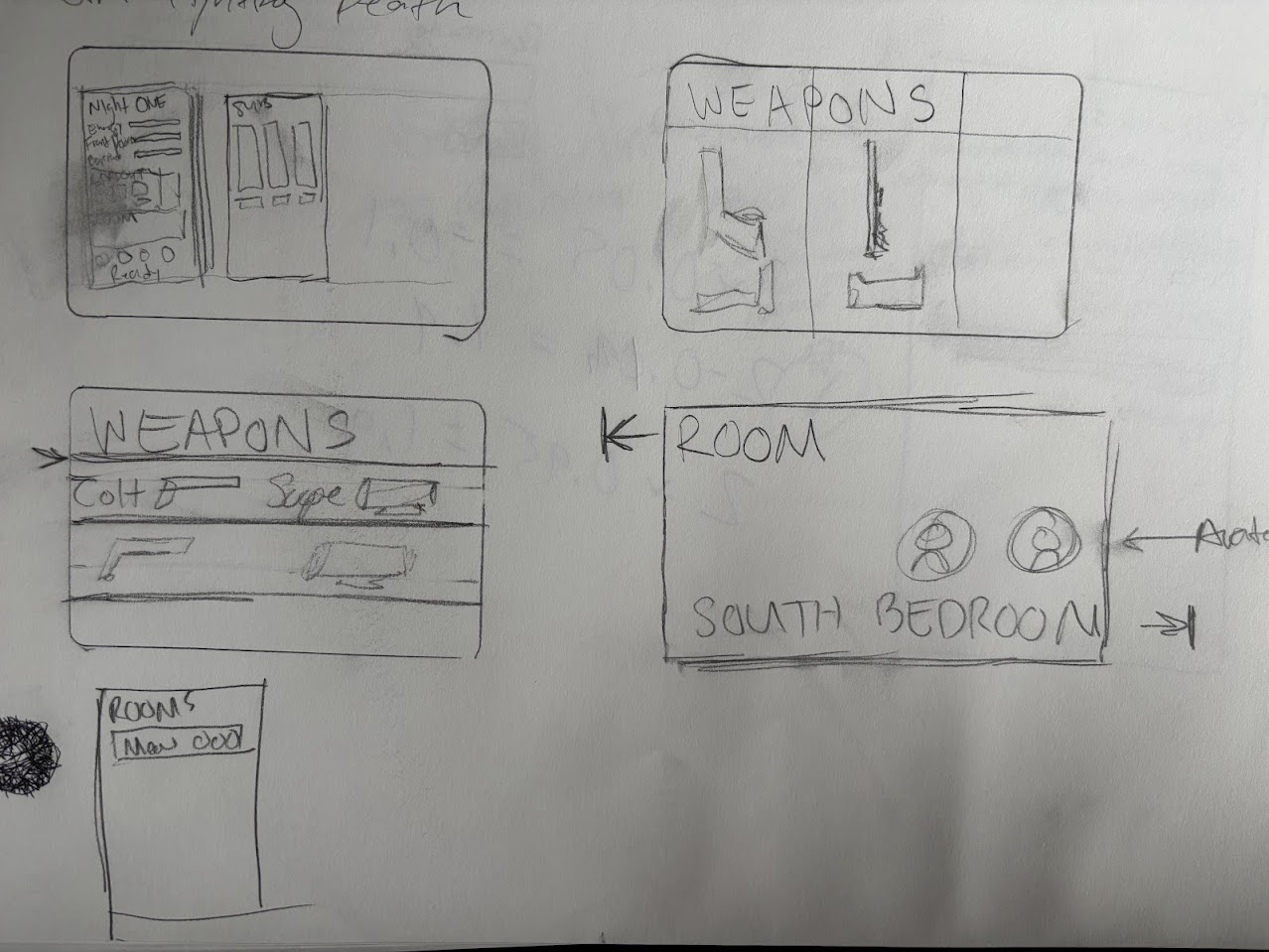
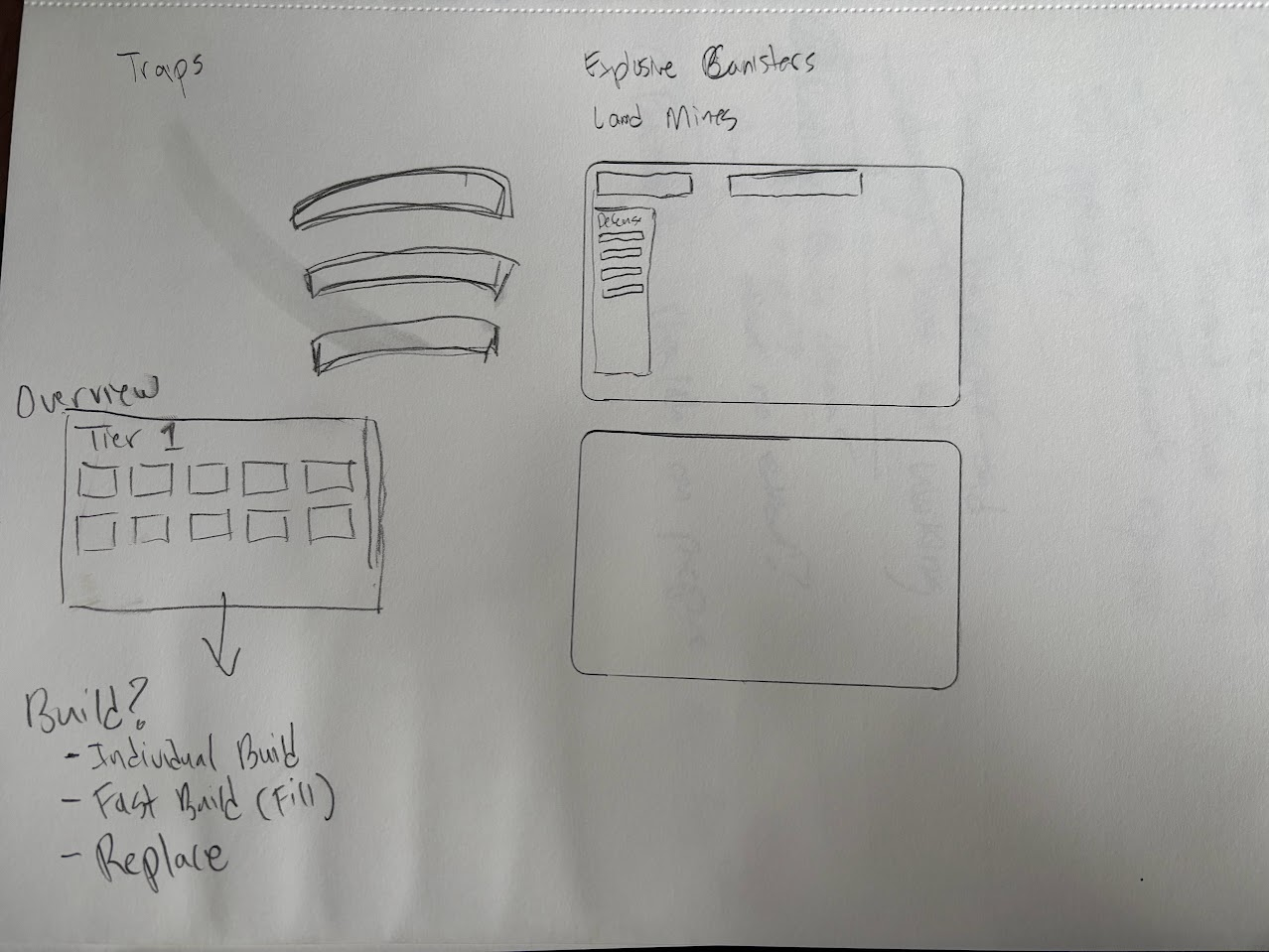
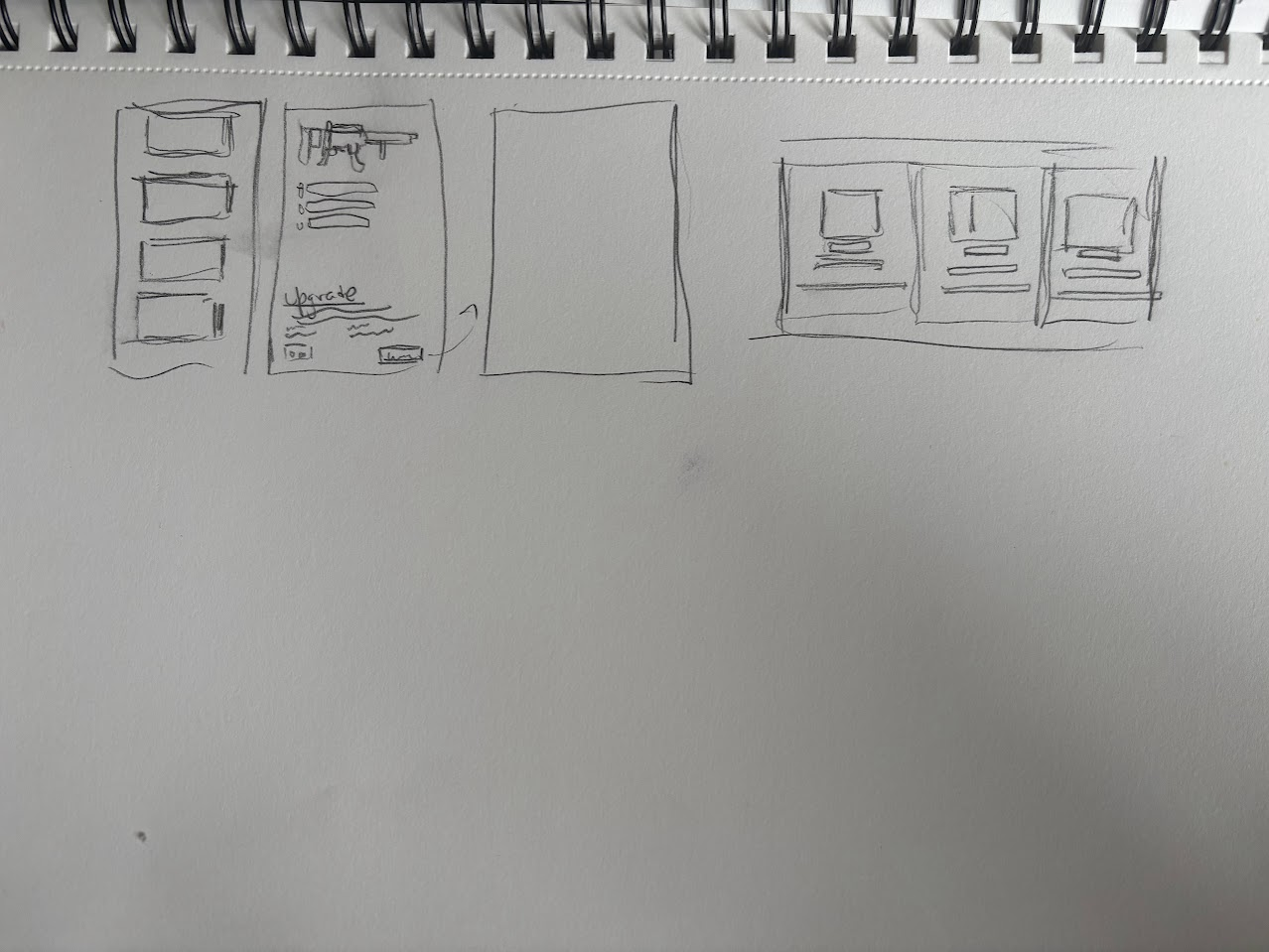
Bonus: UI Sketches
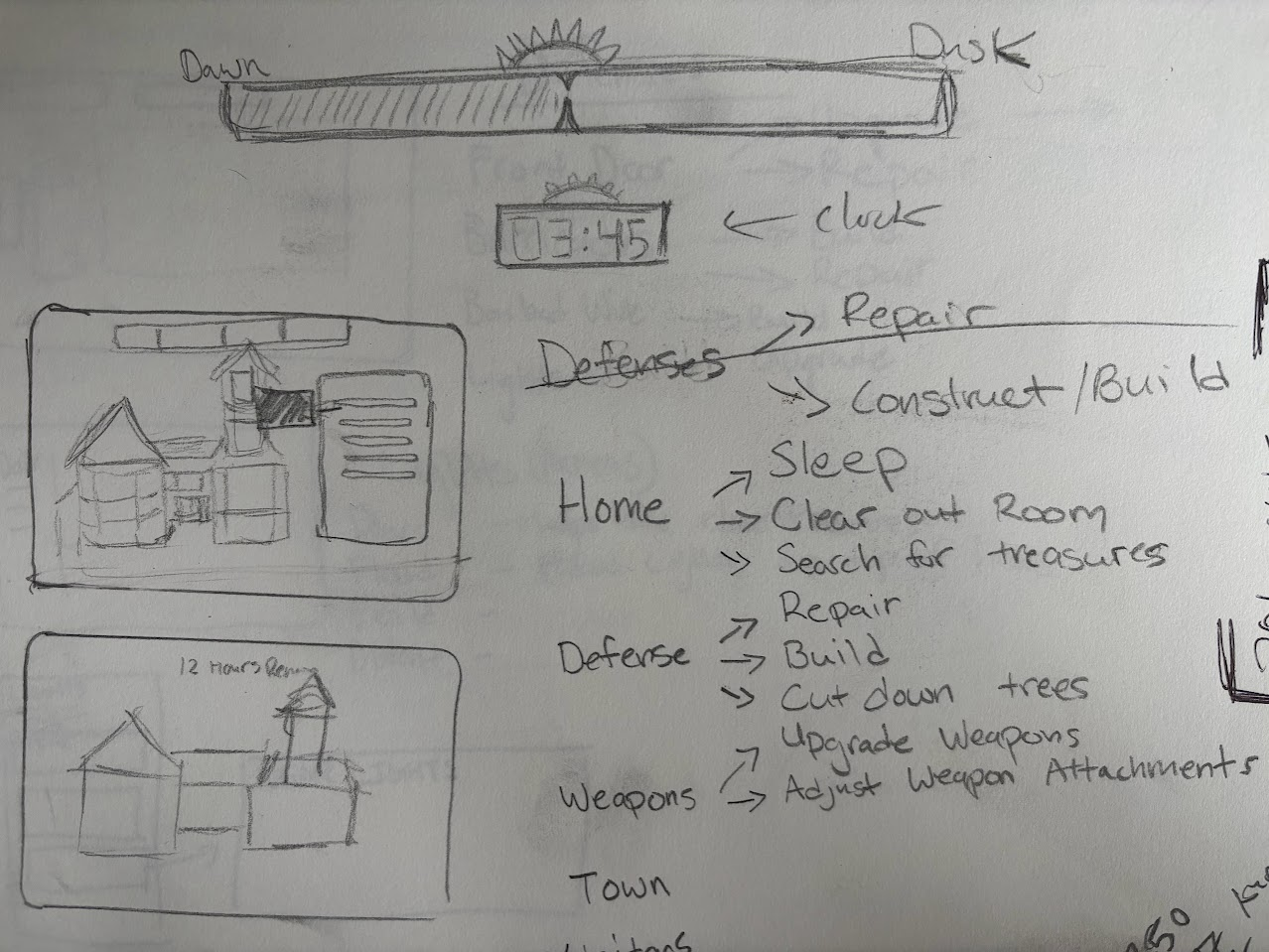
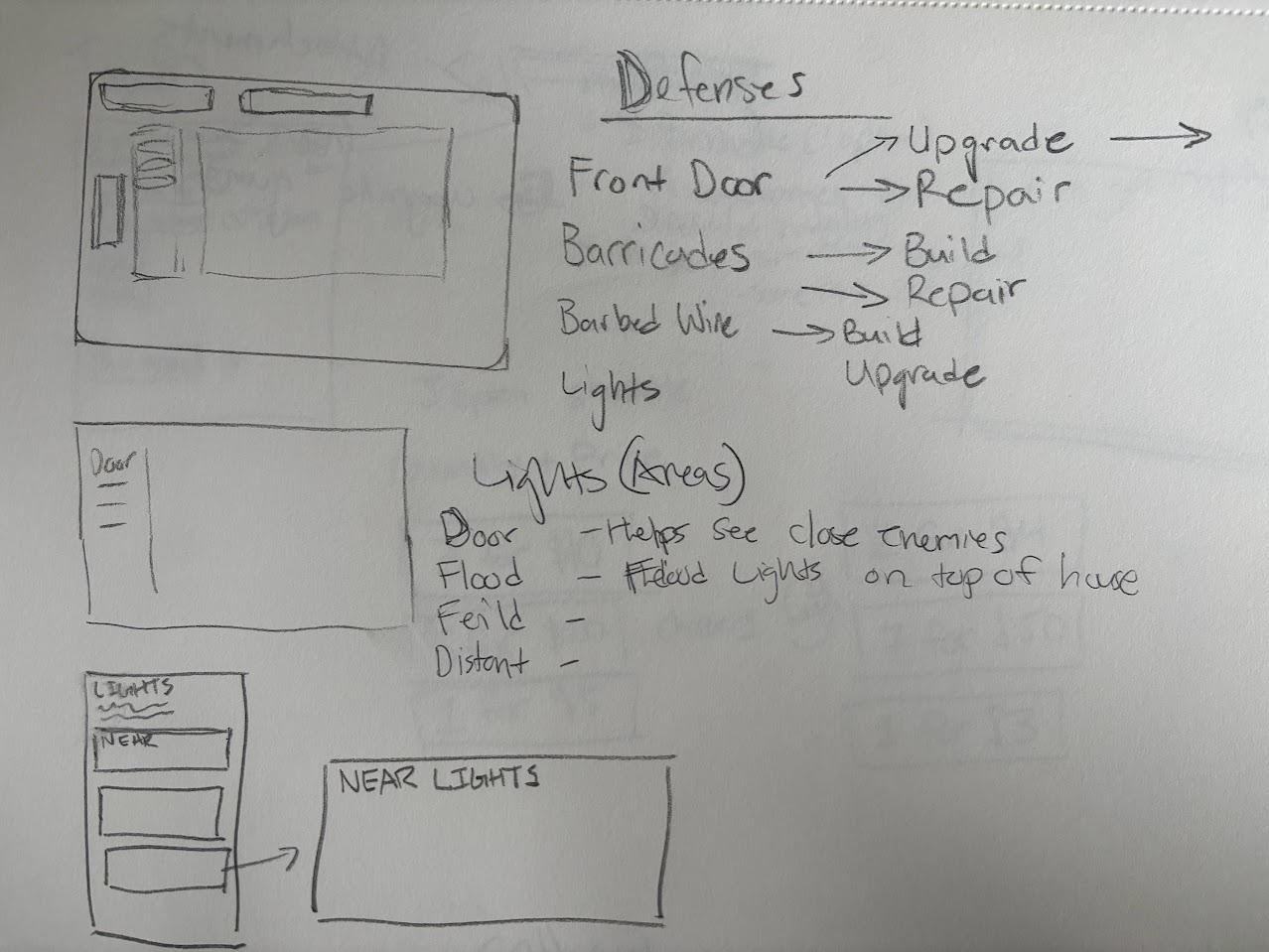
I usually sketch out UI before I make it. I reccomend you do the same. As you can see many of the sketches aren't even finished, sometimes it just helps get my brain going and the first 30% figured out for me to then finish the rest in code.
My protip: Use a credit card and trace out a rectangle, treat this as your entire screen. Make UI sketches in this tiny space. It prevents you from getting too detailed and you should be able to tell from a single glance if the UI makes sense or not.
This also works for individual windows or elements.
Razor is great, it's like React but in C#. There are some annoying bugs and intellisense is somewhere between garbage and not great. I made a handful of reusable components during development but kept finding myself wishing I had made more of them. However when you start getting deep into a project it becomes harder to refactor a bunch of repeated components into a single one, mainly because you start getting lazy and going and checking them all sounds like a pain.
Common CSS classes are a must, even if you're not going to be using reusable razor components. CSS Mixins sound awesome but I never used them because they were released too late in development to warrant a refactor. From the very beginning I defined CSS variables which were super helpful.
Learnings
Reusable components create consistent UI's
Don't use inline styles, just use CSS classes
Separate out SCSS/CS/Razor into 3 separate files
Do as little code as possible in the .razor files, create properties in the .cs file that Razor reads from
Use CSS Mixin's
Define common style things into CSS variables, things like colors, fonts, font sizes
I really liked how I implemented traps in Shoothouse.
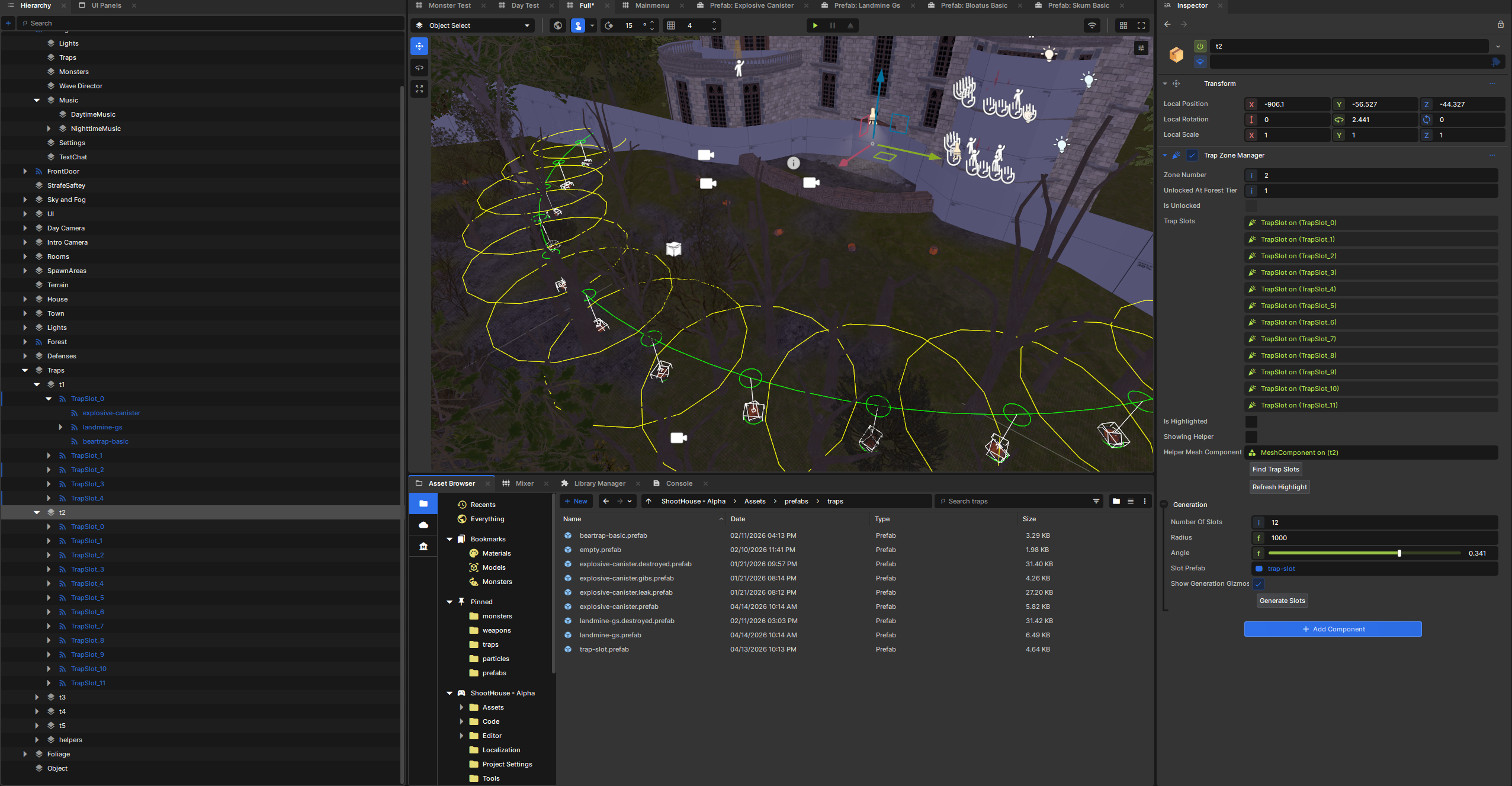
I had 3 different traps the user could place. I decided to make a system where there were "trap slots" that indicated where a player could place a trap. These slots were organized in different "tiers" which had to do with how far they were from the house. You can imagine each tier as a half circle and they get further and further away from the house.
I wanted to be able to preview where each trap would be placed, and I wanted to see how each trap looked in it's placed location in the scene. To accomplish this I made a handful of components.
Trap Tier Manager
This represents a tier of traps. It has a property which allows me to configure how far away this tier is from the house (radius of a circle), what is the max angle of this tier (half a circle, quarter circle, etc), and how many traps were on this tier.
It then had a button in the property editor to "place traps" where it would then create N gameobjects, evenly spaced, across the arc defined by the components parameters. The traps that were placed were game objects with the "Trap Slot" component.
Trap Slot
This represents a location that a trap can be placed.
It has properties that say "this is what trap is currently placed here" (an enum)
It had 3 child objects, each child object was an instance of each trap prefab. Based on which trap was currently placed in that slot, it would enable/disable the appropriate child objects. For reference, when a trap was "used" it's gameobject was disabled instead of deleted from the scene. Any post trigger effect you saw was a temporary effect prefab spawned and then deleted.
The property editor had a button "place traps" which would spawn an instance of each trap prefab, trace to the ground (where the trap should be placed), choose a random yaw rotation, and place the trap prefab. This place trap function was also triggered by the trap tier manager if it had just created a trap.
Result
This system allowed me to very quickly place all the traps I need, properly locate them in the scene (and with slight random variations to make it look natural.) I could preview them in the scene editor and make tweaks if needed.
Learnings
Don't manually place stuff in the scene you could automate
Use buttons on components to trigger placement logic
Gizmos to preview placement locations work great
Consider enabling/disabling objects instead of creating/destroying them
There are some bugs with networking on this though, but ideally those will be fixed
Barricades were fun to make and surprisingly easy in the end.
I had a few different models which I used for the barricade models. I used two techniques to create the destroyed effects for when a barricade is broken.
Technique 1 - Prefab Rigid Body and Colliders
Imagine my barricade is a box made up of lots of boards. In this technique I create a model that's just one board, and then I create a prefab where I construct the box model using a bunch of game objects + model renderers + physics components and each game object is a component of the whole box, ie a single board.
When my barricade is broken, I destroy the barricade object, and spawn this prefab with the same rotation/scale/position as the barricade. Since they look almost identical the user doesn't notice it's actually a different box. Then i turn the physics on for the prefab, maybe apply random forces to each board object, and voila the box falls apart.
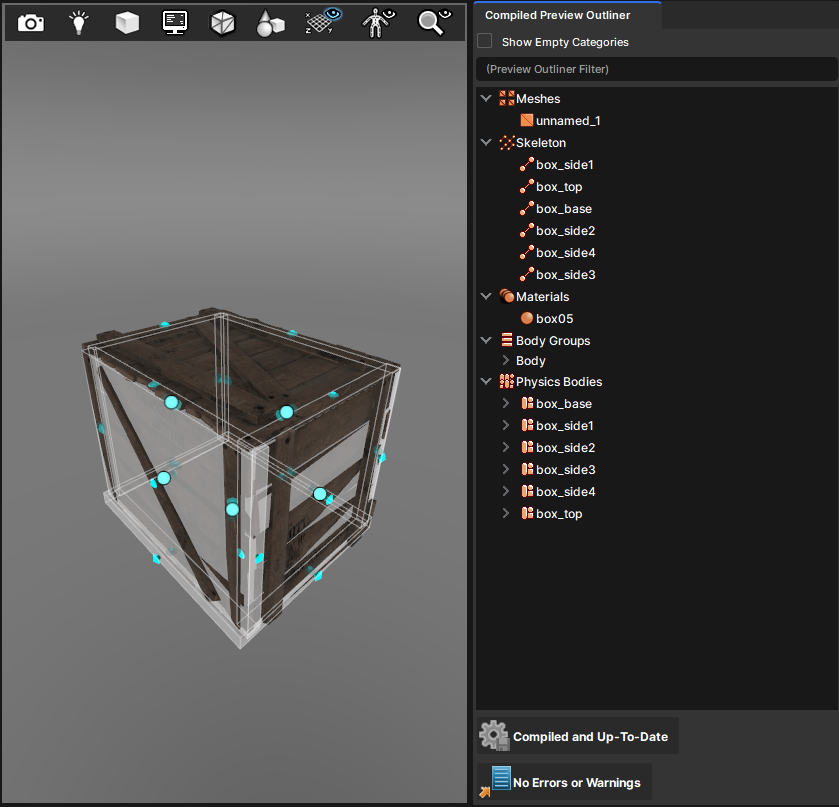
Ragdolls are essentially a mesh where you've attached a physics shape to different bones, perhaps applied some constraints on these shapes, and then turn physics on. But what if we didn't have contraints between two bones?
Back to our box made up of a lot of boards. What if we opened it up inside of Blender/Maya, made it so each board had it's own bone? Then inside of model doc we create a physics shape (a box in our case) that is the size of each board. Then we spawn it in to replace our box and turn the physics on.
Results
Both methods worked. One of them involved messing around in Blender + ModelDoc more. The other involved importing more meshes into the engine and playing around in the prefab editor. I'm not sure which I prefer more.
Learnings
You can do some interesting things with what's supposed to be ragdolls
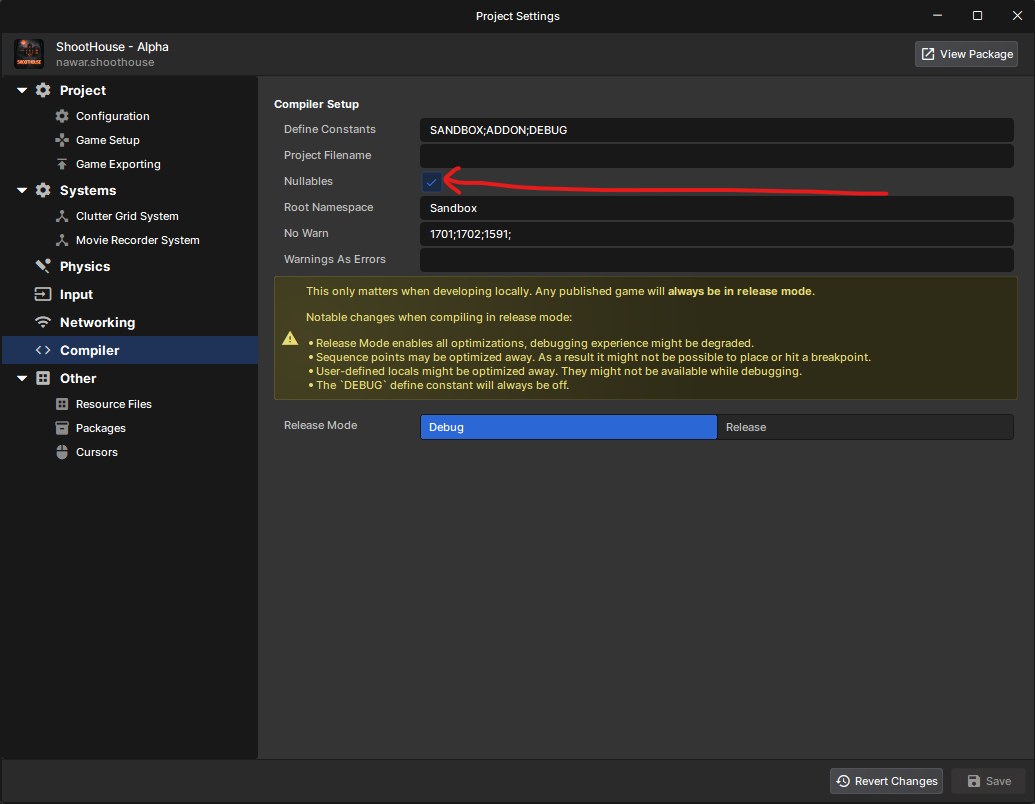
If nulls can exist you should be explicit about them. It honestly baffles me that C# doesn't force you to indicate if something can or can not be nullable by default. Maybe it's because I came from a strongly typed C++ background, or even TypeScript.
Nothing is more infuriating to me than working with an API, being told that you're going to receive a NicePackage and then finding out that NicePackage is null and now your code just threw an exception and everyone's laughing at how incompetent you are.
Turn nullables on and say your library is returning a NicePackage? which means it's either going to be nice or null.
This forces you to think more, and write better code. You can get rid of doing is not null inside of every function and you can just have faith that something isn't null. Unless you're a bozo and do the thing with someVar! which forces the type to not be null.
Game state logic, we love it, we hate it, but it's probably going to need to be centralized somewhere.
In Shoothouse I originally had a ton of game states; DayIntro, Day, DayEnd, NightIntro, Night, NightEnd, Victory, GameOver, Start, Intro.
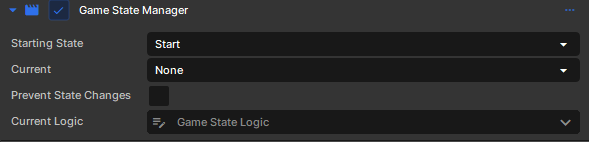
When I added multiplayer support I wanted it so everyone is in the same state at the same time. I for some reason didn't like the ideo of having components for each game state so instead I had a "logic class" for each state, and then I had a "game state manager" component which would instantiate the proper logic.
Game state logic classes could have state, but usually it was just the host that needed this state. However whenever I thought that perhaps it would be nice for some shared state to exist I realized I had shot myself in the foot by making the logic classes not components so I couldn't use Sync properties. I also don't think RPC instance methods would've worked either.
Learnings
Game State Logic should probably be a component
Just create/enable & destroy/disable the component as needed
Have a master manager that actually triggers the logic in the component
Separating host/client methods in game state logic is helpful
OnEnter vs OnClientEnter when you enter a game state
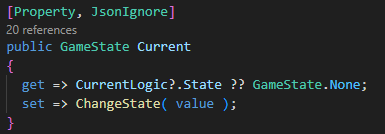
Probably the singlehandedly best property I could edit in the editor was the "Current Gamestate" enum. I had it setup so whenever i changed the property via the editor, it would also change the game state to that state. It made it a breeze to switch from state to state while testing. It called all the proper exit/enter logic and everything.
Learnings
Think about your developer experience and how you're going to be tweaking things in the editor
I used Simple Weapon Base (SWB) by Zombie Extinguisher in the project. I had high hopes of contributing changes back to SWB as I discovered ways to improve the library. I think it was a great start but I eventually gave up contributing upstream for a number of reasons. I at first had the code all cordoned off and avoided letting any of my code mingle with SWB.
This is a great practice for then being able to contribute back the main SWB repo, but it made developing with SWB harder. There were a lot of times it would've just been simpler to integrate my player controller / pawn into the SWB code instead of communicating through interfaces. As I became more familiar with SWB I also realized it was a lot less "simple" than I thought and it did some things I really disagreed with.
I had to modify a bunch of the code in the end, and there's probably no way I could contribute anything back to the original project. I don't think i'd recommend anyone else to use SWB unless you're never going to add your own gun. Like seriously, just try to add your own gun and make it support all the attachments. You will want to off yourself by the time you've placed the 2nd attachment in the right place.
But please don't take this as an admonishment of Zombie Extinguisher. I think he's a great guy and i'm incredibly grateful for his creation of SWB. It helped me out a lot and when I inevitably create my own weapon base for my next game I'm sure I will borrow a lot of concepts from his SWB. In the end the library is just not my cup of tea.
Learnings
You're not going to contribute upstream
Keep library code in it's own folder, but know you're going to stink it up with your own code sooner or later
Libraries are a great starting point to learn from
I'm a good coder though. I don't need AI to write code but my god if I have to write one more game state manager in my life. I used AI to help me write code in Shoothouse. There were like 3 things it did that I probably couldn't of done myself. I reviewed almost every line of code it wrote (except for some of the UI code cause ah who care it works well enough.)
I don't know what % of the code was written by me vs an AI because there were a lot of days I just wanted to write code myself. And there were some days where I really didn't want to track down how to fix a bug so I asked the AI to do it for me. For bug fixes it was really really nice to use AI. As for making UI, it was surprisingly good when I gave it proper guardrails and instructions. UI slop code isn't too bad.
Personally i use Cursor. I find it to be the best IDE experience out there, especially for people like me who like to have a close hand to the code that gets generated. Also their tab complete is great.
I think one of the coolest, not quite coding, usages I had for AI was when I was importing a bunch of models and textures/materials. These were the models I wanted to use for the house itself. I had a metric ton of FBX's and PNG's.
I asked the AI to generate me VMDL and VMAT files based on the FBX's and PNG's it found. I gave it 1-3 instances of properly made VMDL's and VMAT files. It did such a good job and it saved me so many mouse clicks in the editor.
Learnings
AI is excellent at grunt work
AI is great at shaders
AI is pretty good at tweaking UI's, just give it verbose instructions
I hope this has been helpful in some way, to someone. If you've made it this far, thank you! There's so much I learned in the past few months that I've probably forgotten in this. Making games is hard, and doing so in a newer engine like S&Box is even more difficult. There are a lot of weird gotchas, bugs, and strange behavior that is poorly documented. My final advice would be to just to keep trying. A lot of people give up but it's those who keep going that make a difference.
If there's anything you want to know more about, or maybe you have specific questions or want advice on something, please feel free to reach out to me on Discord (Remscar) or via email (remscar @ gmail.com).
Oh and you should play the game!
people
Log in to reply
You can't reply if you're not logged in. That would be crazy.