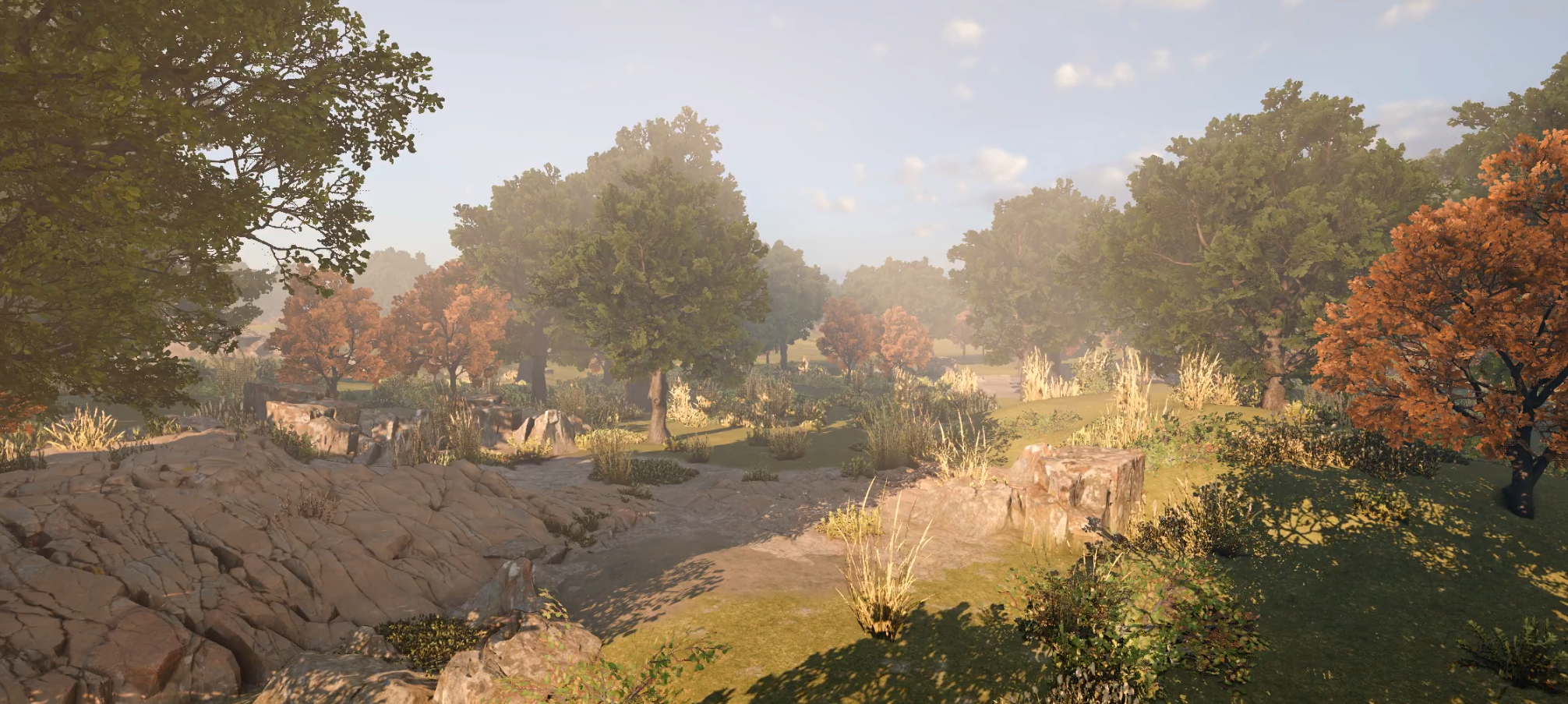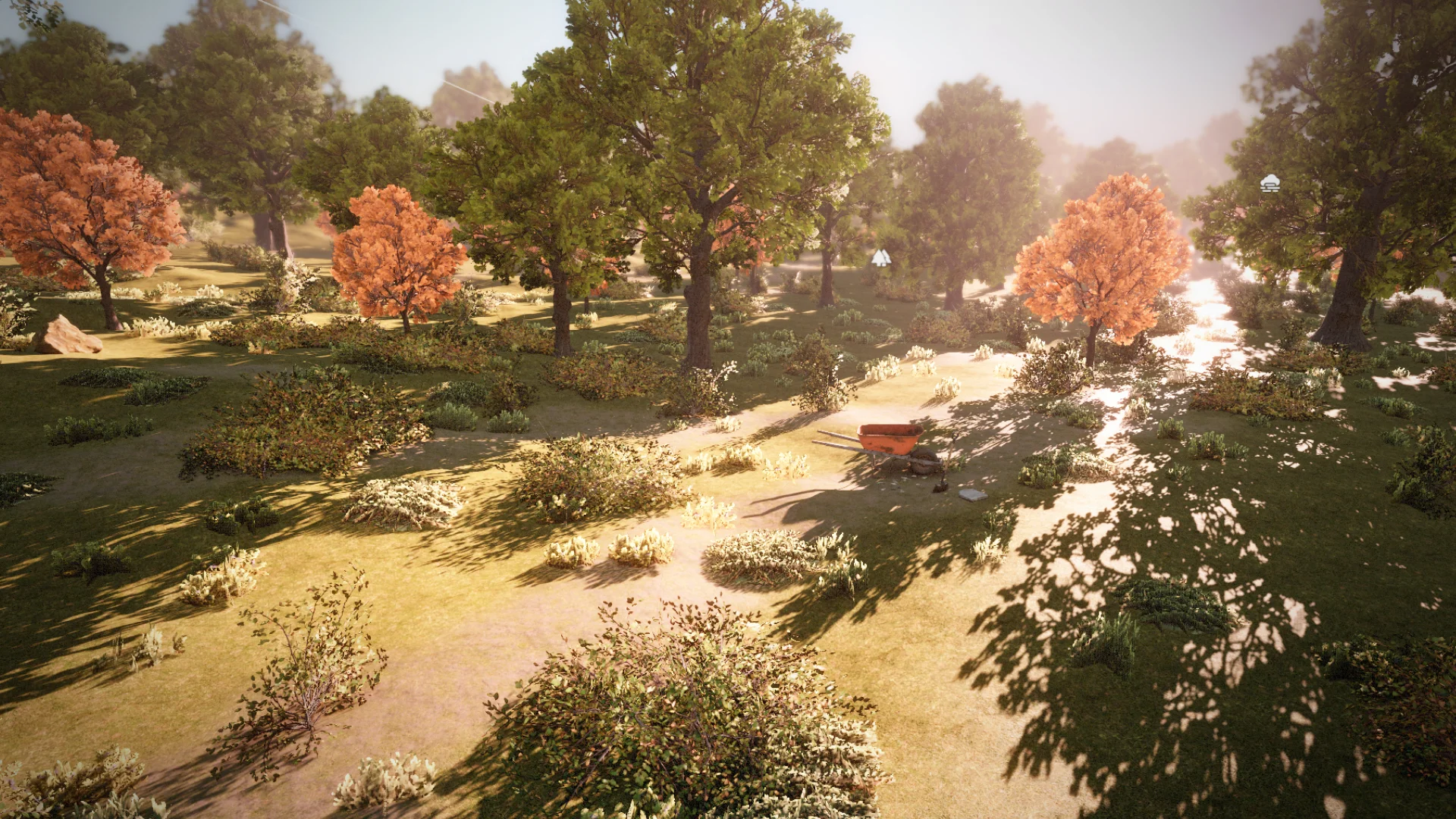
A new tool has been added to procedurally place objects in your scenes. It is completely independent from the terrain system and supports both prefabs and instanced models.
It can be used to automate tasks such as procedurally generating landscapes, painting enemies, or even acting as a world grid system.
Clutter Resource
We've added a new resource that defines a palette of objects, a scattering algorithm, and world partition settings. Entries You can drag and drop prefabs or models into a palette. Each entry has its own weight to control the balance between assets.
Scatterer You can choose from a list of scatterers, which can be extended by defining your own. Each scatterer can expose various settings to tweak object placement. A few are provided by default (Simple, Slope based, and Terrain based).
You can create your own by inheriting from the Scatterer class and overriding a single method.
List<ClutterInstance> Generate( BBox bounds, ClutterDefinition clutter, Scene scene )
{
// return a list of clutter instances
}


Streaming Infinite scattering is supported by dividing the world into tiles, which you can configure directly on the clutter resource. Larger clutter typically needs bigger tiles than smaller clutter items.
As you edit these settings, the changes should be visible instantly in your scene, making the iteration process very fast and interactive.
Clutter Component
This component supports two mode: Volume: Will execute over a fixed volume Infinite: Will procedurally execute around the camera as it moves in the world. Generation uses a deterministic seed using tile coordinates.
Painting
A new scene tool lets you paint clutter resources with a brush. It uses the scatterer algorithm, allowing you to create dynamic brushes. Like one that reacts to the underlying terrain, or nearby structure. You can define those rules by implementing your own scatterer. A lot of prerequisites were needed to implement this tool but overall I'm really happy with where it currently sits in our toolset. It solves a bunch of problem and it's flexible enough that allows people to customize it to fit their needs.
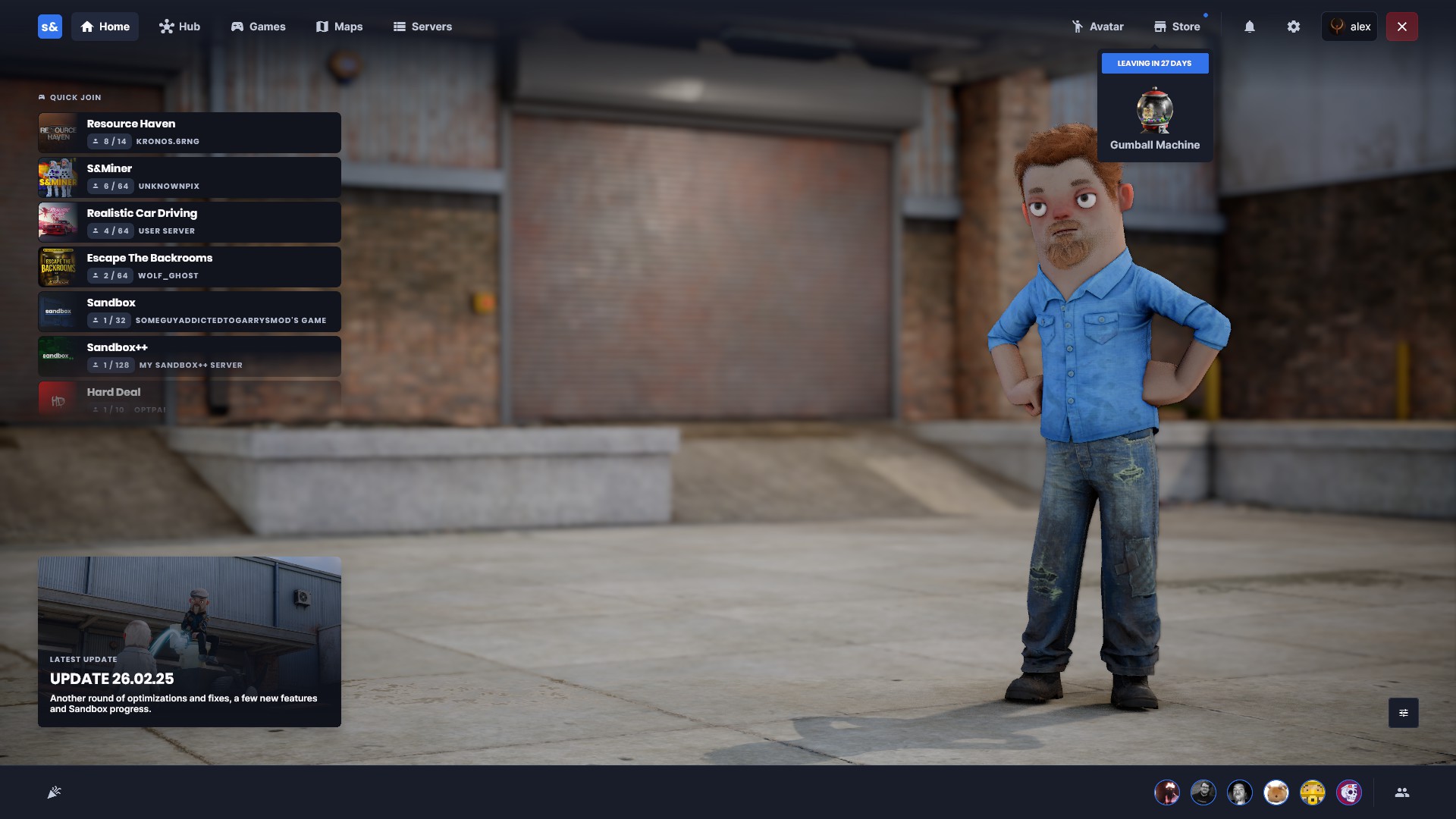
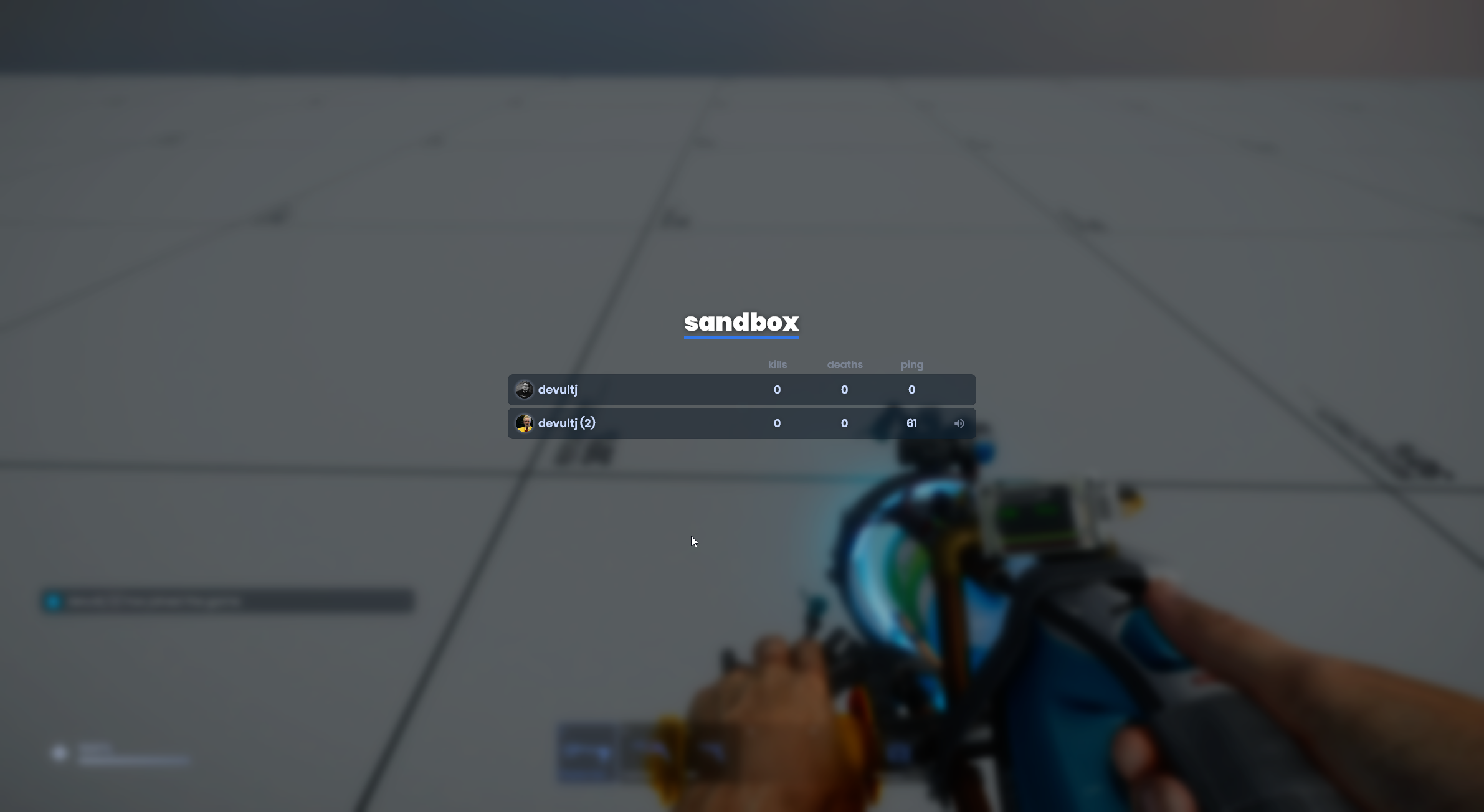
We're polishing the menu ready for release, nothing is significantly different but we're making it all look pretty.
The depressing dark foggy scene is gone and replaced with Flatgrass. The header bar has been spaced out and made transparent. And the latest update is display on the front page.
We used to render UI trees as we were traversing it. This approach works but it didn't give use the flexibility we needed to optimize further.
We now perform the UI rendering in two passes.
First we build a list of GPU commands as we traverse the UI. Then, we execute that command list and render it. This allows us to perform a multitude of different optimizations.
The first is caching. Panels that haven’t changed don’t rebuild their command list anymore. That saves us from re-traversing large parts of the UI every frame.
It also opens the door for batching later on which will group together similar draw calls reducing GPU load.
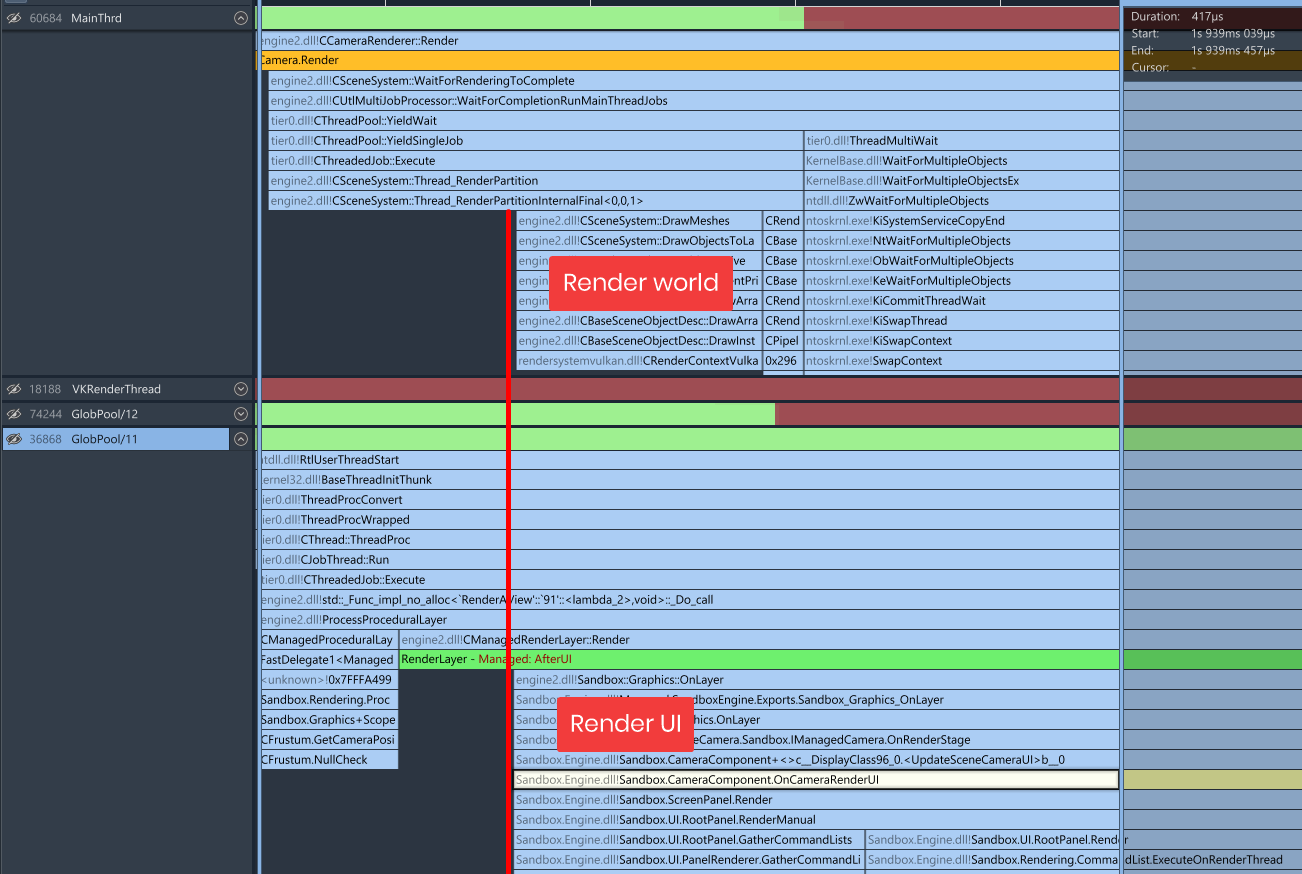
UI could only render on the main thread - now it can render on any thread thanks to command lists. This means whilst your game is rendering the 3D world it can also start rendering the UI layers.
You'll notice a performance boost mostly on low-mid range CPUs and in games with a considerable amount of UI and 3D at the same time.
It can be toggled with the convar r_ui_multithreaded to measure impact.
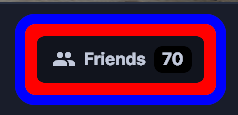
I've added the CSS feature outline. Outline is a line outside of a panel's border. Outlines don't take up space, so they don't affect the layout of the document in any way.
These can render alongside borders, but are most notably used to outline textboxes when focusing them on the web without affecting layout. In this example blue is outline, red is border, both are 10px thick. You can see outline does not bloat the container.
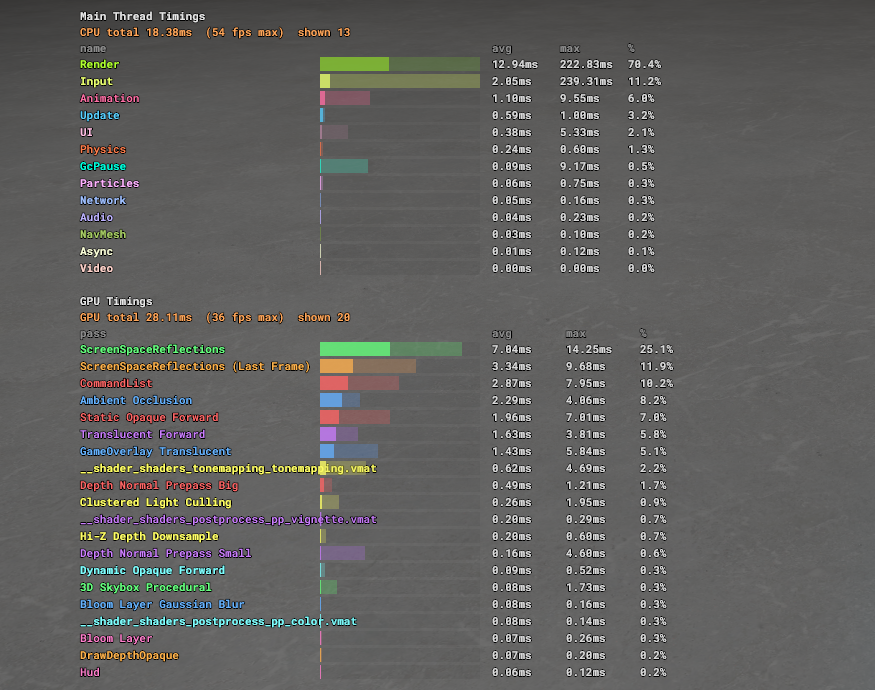
We reorganized the timings so they now more accurately break down the time needed to render a frame. Garbage collection pauses are now also tracked as individual timings, and subtracted from other timing scopes.
We also improved the visuals for various overlays with significant community contributions from @darkfated.
Last week, we improved incremental compiles and processing for .cs files. This week, we've extended those concepts to Razor files too.
Previously, every Razor file was reparsed and reprocessed from scratch every time you recompiled. Now, we reuse what we can. If your project makes heavy use of Razor, you should notice recompile times are much faster, regardless of whether the changes were in Razor files or not.
This is another step from us toward shrinking iteration times in your projects. The goal is for this to be as quick as possible, and we think we can get it even faster.
We use a clustered culling technique where lights, envmaps and decals are grouped into clusters which is later queried when rendered. We were getting some bad artifacting occassionally on various GPUs, the cause of this was cluster boundary instability.
On the left you can see on the boundaries of the quad there is a lot of noise where it can't decide which cluster it belongs to - this would create visual artifacts. On the right we've switched to deriving the cluster from screen position, this gives us stable cluster selection.
The Clutter system has been a long time coming, we wanted something that wasn't restricted to terrain and could be freely used in maps — I think we hit a really good balance here and it unlocks a lot of potential for games.
We've been polishing the editor a lot and now the main menu is getting the same treatment, as the central part of the game and platform it feels like it's bringing it all together.
We've really been hacking away at optimizations; UI has always been a pain point and shifting it to command lists and multi-threading it is a big step forward; we've been drastically reducing allocations and continue to do so making less garbage meaning less hitches; as well as a lot of micro-optimizations that continue to add up week after week. And finally improving our overlays to better show and diagnose problems.
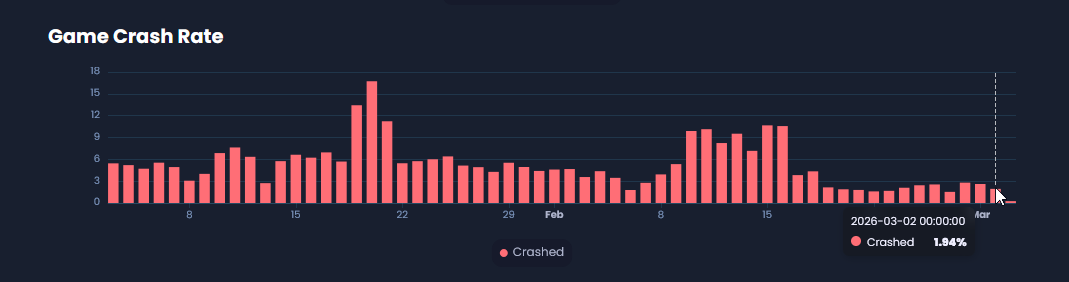
Our crash rates have been stabilizing around 1-2% with less and less crashes every week.And finally we continue to push on with Sandbox features as well as experimenting with what we can do differently to Garry's Mod.
Everything continues to move at a nice steady pace, focusing on the right things and bringing it all together.
26.03.04
26.03.04
4 March 2026
🎁 Added
Clutter system — the clutter/scatter tool and system has been moved in-engine
CSS outline property — outline draws outside a panel's border without affecting layout, matching web standards
Multithreaded UI rendering — UI can now render off the main thread
New main menu front page — redesigned around flatgrass, refreshed navbar and footer
ContentBlock row scroll buttons — left/right scroll arrows appear on hover as an alternative to drag-scrolling
DepthTextureRef on RenderTargetHandle — lets you access the depth buffer of a render target in command lists, not just the colour buffer
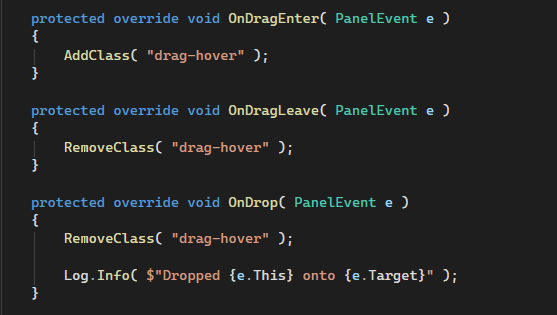
Improved UI drag & drop — new OnDragEnter, OnDragLeave, and OnDrop panel events matching standard web behaviour
AdvancedDropdown — ComponentTypeSelector abstracted into a reusable dropdown that supports foldered menus
SerializedProperty.GetCustomizable() — creates a customisable copy of a property with an overridable display name and other metadata
MemberDescription.DeclaringType — exposes the type that declared the member
Json.Serialize / Json.Deserialize — low-level methods plus object/Type overloads for use with IJsonConvert
Package.MountAsync() — public API equivalent of the internal PackageManager.InstallAsync
Json.Patch, Json.CalculateDifferences, Json.ApplyPatch and related types are now public, along with GameObject.DiffObjectDefinitions and Scene.SerializeProperties()
TestAppSystem exposed to user unit test projects, replacing the old Application.InitUnitTest flow
Vector2Int and Vector3Int added to TryToType
Mirror tool now supports mirroring any selected object type, not just meshes
🧼 Improved
UI rendering now uses command lists — panels only rebuild their command lists when something actually changes, reducing per-frame work
Audio mixing allocations reduced — temp lists are reused in-place and the occlusion sort predicate is cached as a static
CommandList attribute access — switched from ConcurrentDictionary to a regular dictionary, cheaper and avoids expensive clears
Cluster lighting — Cluster::Query now takes a screen-space position instead of world-space, which was unstable near cluster boundaries
Razor incremental processing — only re-runs RazorProcessor on changed files and reuses SyntaxTree instances, speeding up hot reloads
Debug overlay visual clarity — render stats grouped into categories, timing fixed to CPU/GPU order, new metrics added, low-signal rows removed. Thanks @darkfated
SerializedProperty.TryGetAsObject now returns a SerializedObject of the actual runtime derived type, not just the declared property type
Close game if Steam is not running — instead of cryptic errors, the game now exits cleanly with a clear message
Error reports now correctly embed user information
Editor unit tests can now reference built-in tool packages (Shader Graph, Action Graph, Hammer, Movie Maker)
🪛 Fixed
DetermineHuman not checking the base model first, breaking dresser clothing for characters with a base model
PropertySignal.Compile(timeRange) not clamping the first/last blocks to the requested time range, causing "blocks must not overlap" errors when compiling Movie Maker recordings
:last-child pseudo-class updating a frame late when adding child panels
Cancelling a purchase incorrectly showing "You purchased X!" after the 20-second timeout
DefaultMaterialGroup not working for .vmdl files exported from MeshComponent
Clothing properties not serializing to JSON when marked internal — free clothes referenced by resource ID now save correctly
ScenePanel — render scenes are now kicked off during Tick, decoupling them from the render texture step.
CBaseFileSystem::AddSymLink overwriting the target path of an existing symlink
NavArea toggling behaving incorrectly due to stale MakeDirty usage
The M key resetting the active mapping subtool when merging vertices
Editor splash screen losing its taskbar window icon
Minor prefab serialisation and instance ID edge cases
An array pool use-after-free exploit — game code's ArrayPool.Shared usages are remapped to Sandbox.PublicArrayPool to prevent reading memory from other sandboxed games
Missing HTTP redirect URL validation — redirects are now manually followed so blacklisted local URLs cannot be reached through redirect chains
Hammer entity placement always inserting info_player_start instead of the selected entity type. Thanks @Kaikenny
Gizmo.Hitbox.Sphere behaving differently from all other hitbox functions, causing rotation gizmo priority and clickability issues. Thanks @nixxquality
Dropping Clutter is huge for S&box too!.