Requirements
- Full version of s&box
- Required to publish on sbox.game
- s&box Editor
- Required to create, edit, and test the project
Instructions
- Create a Startup Scene
- Open the Publish menu
- In the top-right corner of the s&box Editor, click your game's name next to the cog wheel
- A dropdown menu will appear
- Click Publish
- Complete the Publish Wizard
- Fill out the required game information
- Follow each step in the wizard
- Submit the game once everything is complete
- Done
- Your game will now be submitted for publishing on sbox.game
Making Your Game Public
- Open your s&box organization
- Go to your organization's packages page
- Example:
https://sbox.game/{orgname}/~packages?type=game
- Select your game
- Find the game you just published
- Click it to open the package page
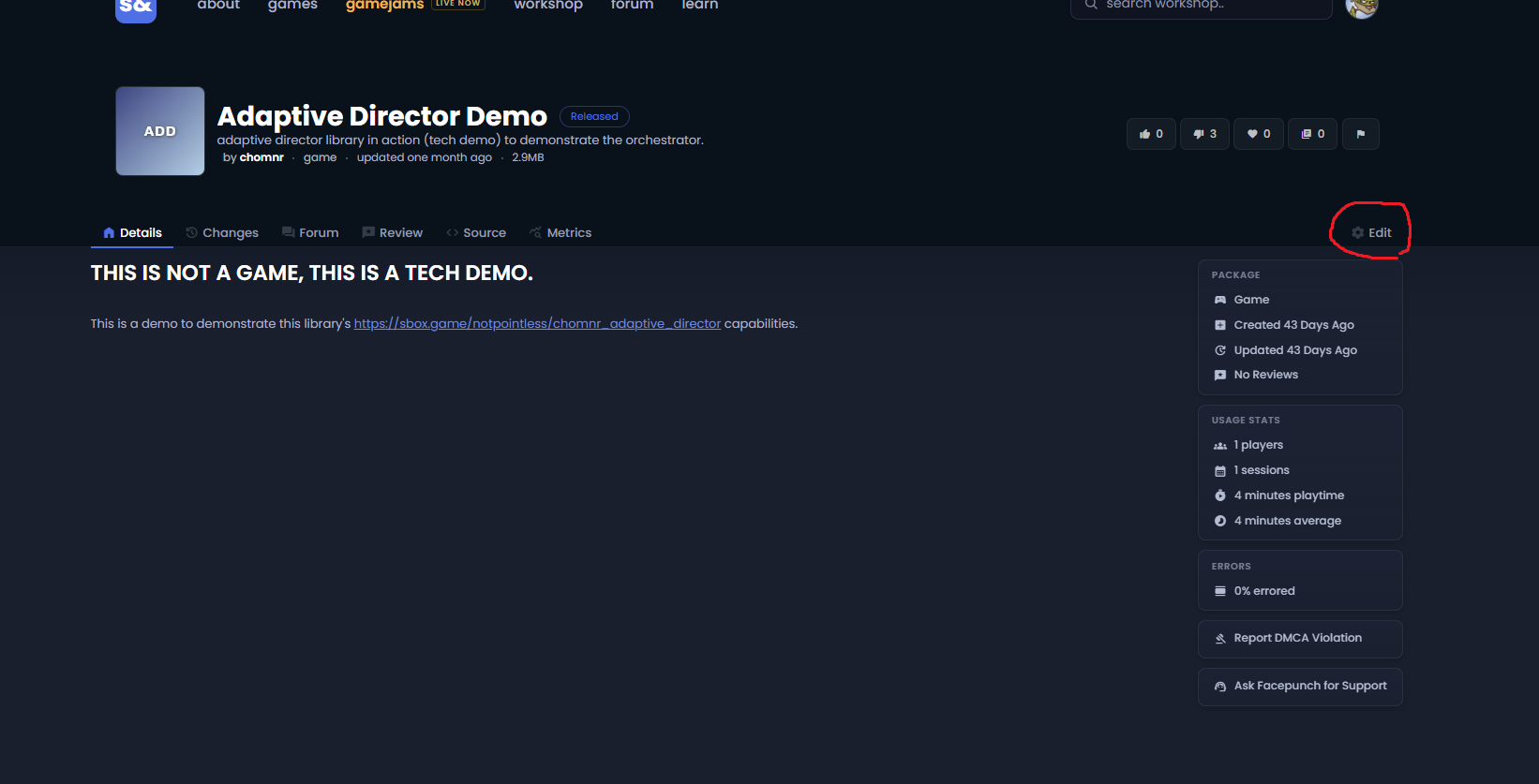
- Click Edit
- On the right side of the page, click Edit
- Fill out the game information
- Add any required information, images, descriptions, or other package details
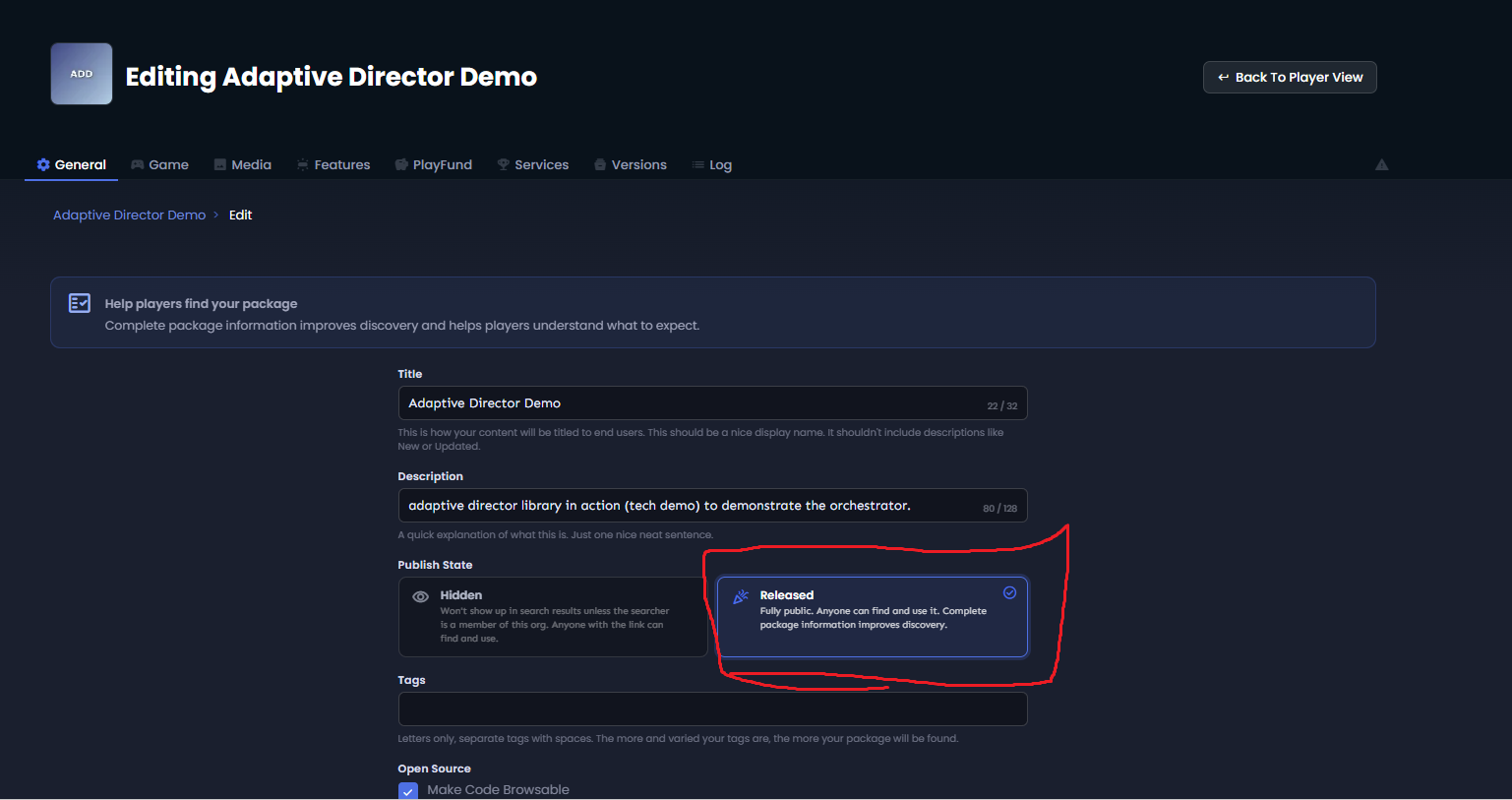
- Change the Publish State
- Change the publish state from Hidden to Released
- Click Save Changes
- Once everything is filled out correctly, click Save Changes
- Your game will now be publicly visible on sbox.game