1.0.0 - 2026-11-18
1.0.0
17 November 2026
Areas
40 changes in this update
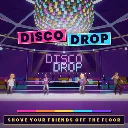
Colour calls - the DJ calls a colour and every tile of another colour drops after the countdown
Four rounds - Warm-up, Getting Lively, Pressure's On and Party Panic, with tiles that shrink every round
Scoring - surviving a call gives +1 and winning a round gives +3, and the most points after round four wins the party
Shove - left click knocks rivals back and can push them off a safe tile
Jumping - gaps between tiles in later rounds can be crossed with a jump
Spectating - fallen dancers watch from the bleachers with an overview camera and rejoin the floor next round
Ties - tied scores share the win and the results screen shows the shared rank
Leaving players - a player who leaves takes their score with them
Round end - dancers stand still and celebrate once a round is decided
Anti-hover - the host eliminates a dancer who stays over a gap for more than 1.5 seconds, so hovering over holes does not work
Parties - host or join a public party of up to four dancers
Lobby - dancers ready up with R and pick a Citizen or Human with C
Force start - the host can start the match with G or the START NOW button without waiting for dancers who have not readied
Host migration - if the host leaves mid-match, a remaining player becomes the host and the match continues
Rematch - the host restarts with E or returns everyone to the lobby from the results screen
Late join - players who join mid-match watch from the bleachers and start on the floor next round
Host authority - the host decides shoves, knockback, teleports and eliminations, and only the host can trigger effects and sound cues
Bots - MELLOW MEL plays it safe, BRUISER BO hunts for shoves and WILD CARD is unpredictable
Difficulty - EASY, NORMAL and HARD set how sharp the bots start, and they sharpen every round
Soundtrack - six original tracks and two CC0 tracks, shuffled between matches
Round sections - each round plays its own section of the song and the drum layer builds up round by round
Shared clock - the host publishes the track and start time and every client follows the same position
Sound effects - generated in code at runtime
Disco venue - a procedural venue with a mirror ball, moving spotlights, speaker stacks, a DJ booth and a dancing crowd
Dancers - bone-driven dancing that follows the beat
PSX look - a retro screen filter with dither and scanlines
Fog - a soft purple volumetric haze in the game and menu scenes adds depth to the venue
Player stats - personal records, career, round, combat, movement and Solo Practice stats are saved through the s&box Stats service
Stats screen - a main-menu page with tabs for career, combat, movement, rounds, solo, records and community
Match summary - the results screen shows the player's own match and any new bests
Menus - main menu, Solo Practice, settings, dancer choice, how to play, credits and stats
Keyboard and mouse - menus, pause and results work with arrows and Enter or with the mouse
HUD - round banner, colour call with countdown, shove meter, score chips and speech bubbles
Controller - the whole game plays on a gamepad, with prompts that match Xbox, PlayStation and other controllers: sticks move and look, the bottom face button jumps, the right trigger shoves, the left face button readies up, the bumpers change dancer and start the match, the top face button asks for a rematch, the menu button pauses, and the D-pad or left stick with the bottom and right face buttons drives the menus
Input prompts - every hint shows controller glyphs or keyboard keys depending on the device last used, with text when a glyph is not available
Vibration - tasteful controller haptics for jump, landing, shove, hits, falling, round start, a safe landing and the round and match result, with a Settings switch
Beat Rumble - optional controller pulse on the beat of the music during a round, stronger on the downbeat, off by default, strength 25% to 150% in Settings and the pause menu, with a sample pulse when changed
Colour modes - Standard, Protanopia, Deuteranopia, Tritanopia, High Contrast and Monochrome palettes, applied on the local client only
Tile symbols - an optional circle, triangle, square or cross on every tile and on the call card, always on in Monochrome
Settings - sound, controls, camera and colour accessibility sections with master, music and effects volume, mouse sensitivity, invert Y, vibration, beat rumble, field of view, colour mode and tile symbols, a live preview of the colours and their symbols, and out-of-range saved values clamped