
Mesh Splitter
Released
Split mesh files (.fbx, .obj and .dmx) into their submeshes/children/parts and combine them in a prefab file.
This library helps split mesh files (.fbx, .obj, and .dmx) into their parts/children/submeshes, then combine them into a prefab file.
This mimics how Unity handles its mesh files and allows you to manipulate each object in the mesh individually.
How to use
This mimics how Unity handles its mesh files and allows you to manipulate each object in the mesh individually.
How to use
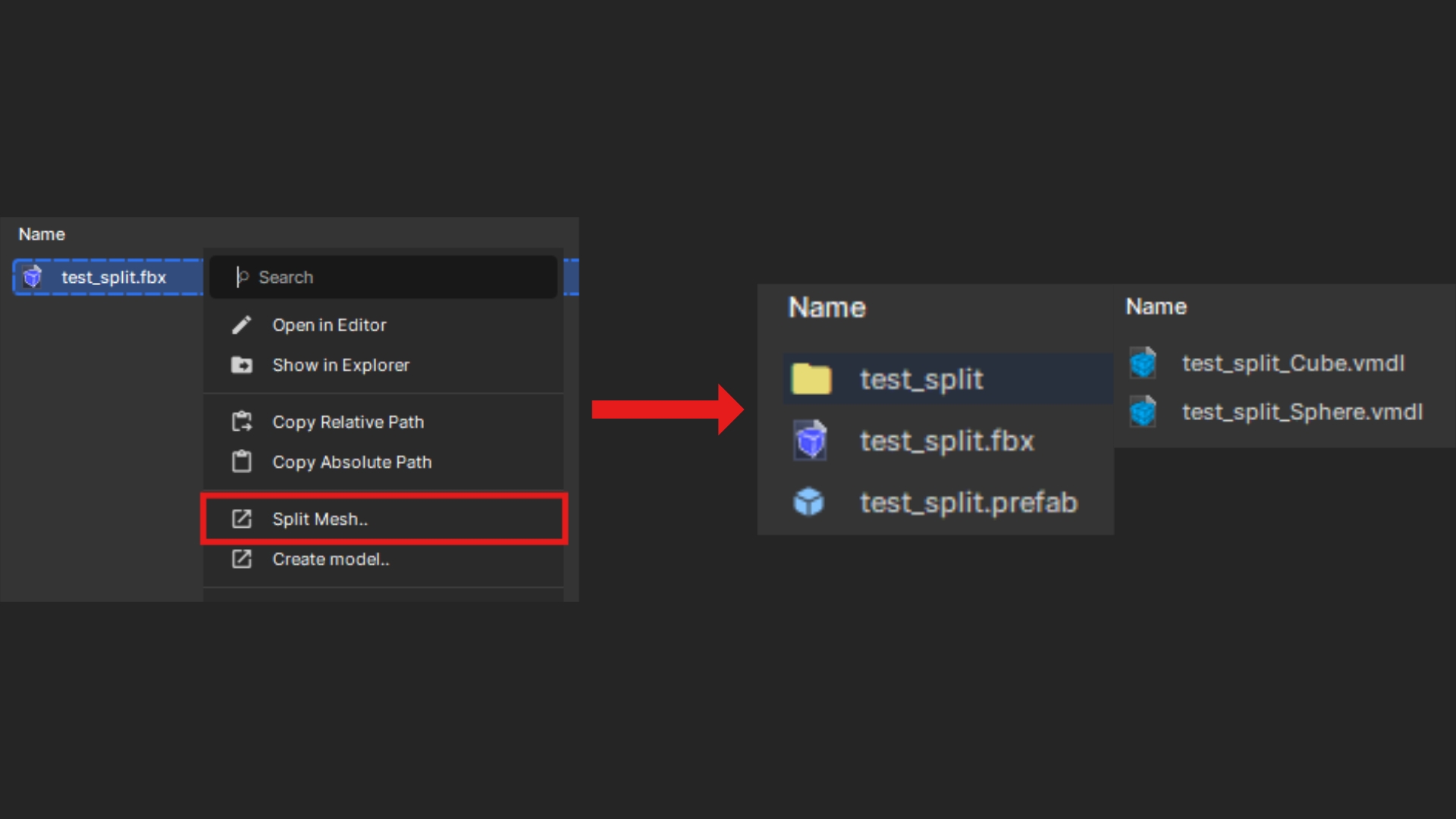
To use the library, right-click a mesh file in your
Assets/models folder, and an option called Split Mesh should appear. This will prompt you to select a location for the resulting prefab, and the model files (.vmdl) will be placed in a subfolder named after the initial mesh file.