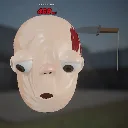
Squish Terry
Released
Stretch Terry's face. Squish Terry's face. Terry did not consent. Terry never consents. Go for the combo.
UI/PullPrompt.razor
@using Sandbox;
@using Sandbox.UI;
@namespace SquishyTerry
@inherits PanelComponent

@*
	The original's in-canvas overlay: the scene fades in from black over 30 frames, and a "pull"
	prompt hangs under the chin until 60 frames after the first grab. The original prompt image
	(pull.png) was not recovered, so this is a text stand-in.
*@

<root>
	<div class="fade" style="opacity: @(1f - _fade)"></div>

	@if ( _promptAlpha > 0.001f )
	{
		<div class="prompt" style="opacity: @_promptAlpha; top: @(_top)%;">
			<div class="arrow">↔</div>
			<div class="label">pull</div>
		</div>
	}
</root>

@code
{
	/// <summary>The face to follow; found automatically when left empty.</summary>
	[Property] public SquishyFace Face { get; set; }

	float _fade = 1f;
	float _promptAlpha;
	float _top = 80f;

	protected override void OnUpdate()
	{
		Face ??= Scene.GetAllComponents<SquishyFace>().FirstOrDefault();
		if ( Face is null || Scene.Camera is null ) return;

		_fade = Face.FadeIn;
		_promptAlpha = Face.PromptAlpha;
		// The original put the image's top 6% of the screen above the anchor point.
		_top = Scene.Camera.PointToScreenNormal( Face.PromptAnchor ).y * 100f - 6f;
	}

	protected override int BuildHash() => System.HashCode.Combine( (int)(_fade * 100), (int)(_promptAlpha * 100), (int)_top );
}