using Sandbox;
using Sandbox.Diagnostics;

public class LoggerExample {
    // ConCmd executed via the console command "logger_example"
    [ConCmd("logger_example")]
    public static void ConCmdInstantiatedLoggerExample() {
       // The default (GameMenu) logger accessible via Log.Info, Log.Warning, Log.Error, etc.
       Log.Info("Info");
       Log.Warning("Warning");
       Log.Error("Error");

       // You can also instantiate a Logger with a custom name.
       var myLogger = new Logger("MyLogger");
       myLogger.Info("Info");
       myLogger.Warning("Warning");
       myLogger.Error("Error");
    }
}
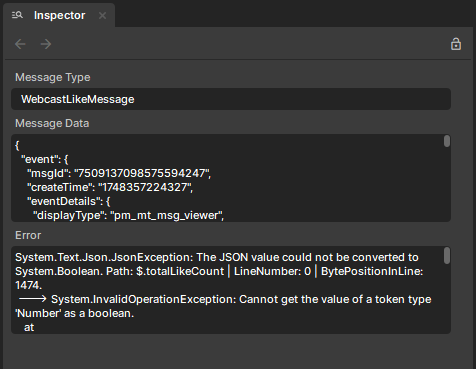
A helpful technique when dealing with verbose logging scenarios is to define a purpose-built struct.
For example, I found this especially useful when I needed to log both a JSON payload and an associated error. Instead of spreading the information across multiple log statements, I encapsulated it in a single struct, making the logs more concise and easier to read through the inspector.