More editor shortcuts

Started by Aedous · 5 months ago · 2 replies · 102 views

edited 5 months ago#1
Aedous
Member
JoinedMar 2026 Posts6 Score70
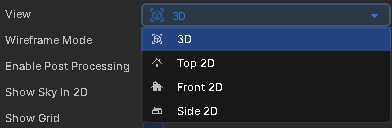
It would be very useful to have shortcuts to switch between the different view modes on the scene, so it's to view objects from different angles, for positioning etc. Just like you would have a small gizmo on the corner of the scene to switch the camera view. CTRL+ SPACE

I'm referring to these modes, unless there's already shortcuts for them and I'm unaware of them.

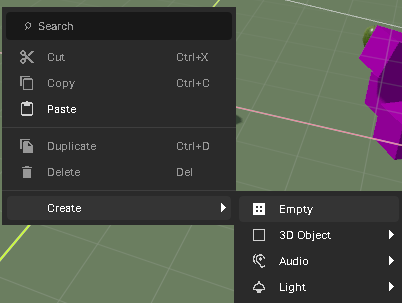
It would also be nice to be able to press a shortcut to create a new gameobject at where my mouse position is, like Ctrl + Shift + N like you have in other editors like Unity, so you don't always have to go through here (by right clicking, or the other menu):

I'm actually really enjoying the tool and it's possibilities, I've developed in Unity for a long time and transitioning has been a bit of work but I think this is a great engine. These are just the things I've noticed so far, but please point me in the right direction if it already exists :D

#2
kirkkaf13
Member
JoinedApr 2026 Posts11 Score65
CTRL-SPACE will toggle between view modes.
#3
Aedous
Member
JoinedMar 2026 Posts6 Score70
omg... thanks lol
CTRL-SPACE will toggle between view modes.
people
Log in to reply
You can't reply if you're not logged in. That would be crazy.