I'm having a small issue with Grid snap and Local Positions when copying meshes or other objects in S&box editor. (I know its recommended to use hammer for map making right now but I prefer the editor)
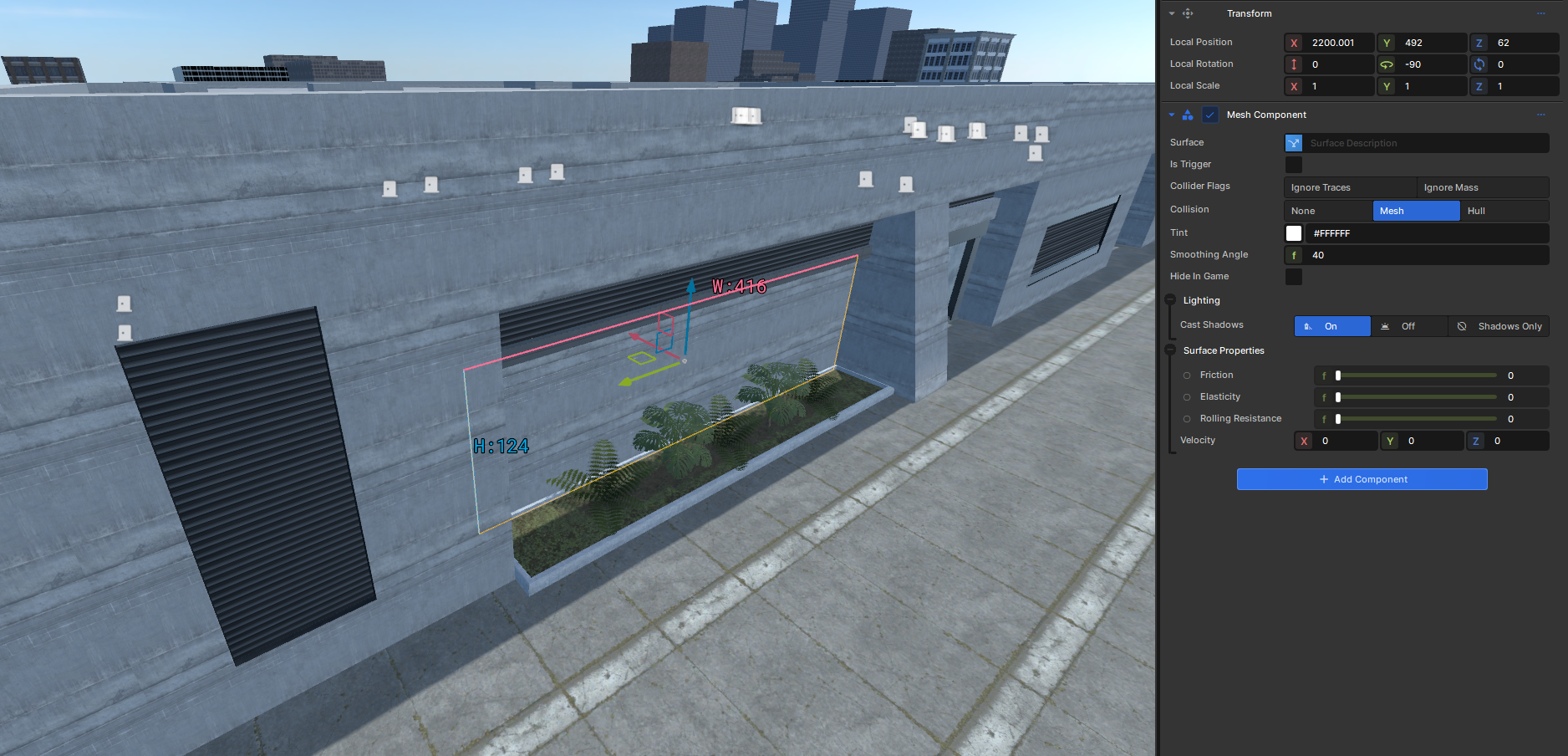
Meshes or blocks in the editor after an update about 2 or 3 months ago all had their local positions adjusted by .001 in any direction (X,Y,Z) I thought this was a one time thing because the editor is always being improved/updated but this has happened again with the most recent update.
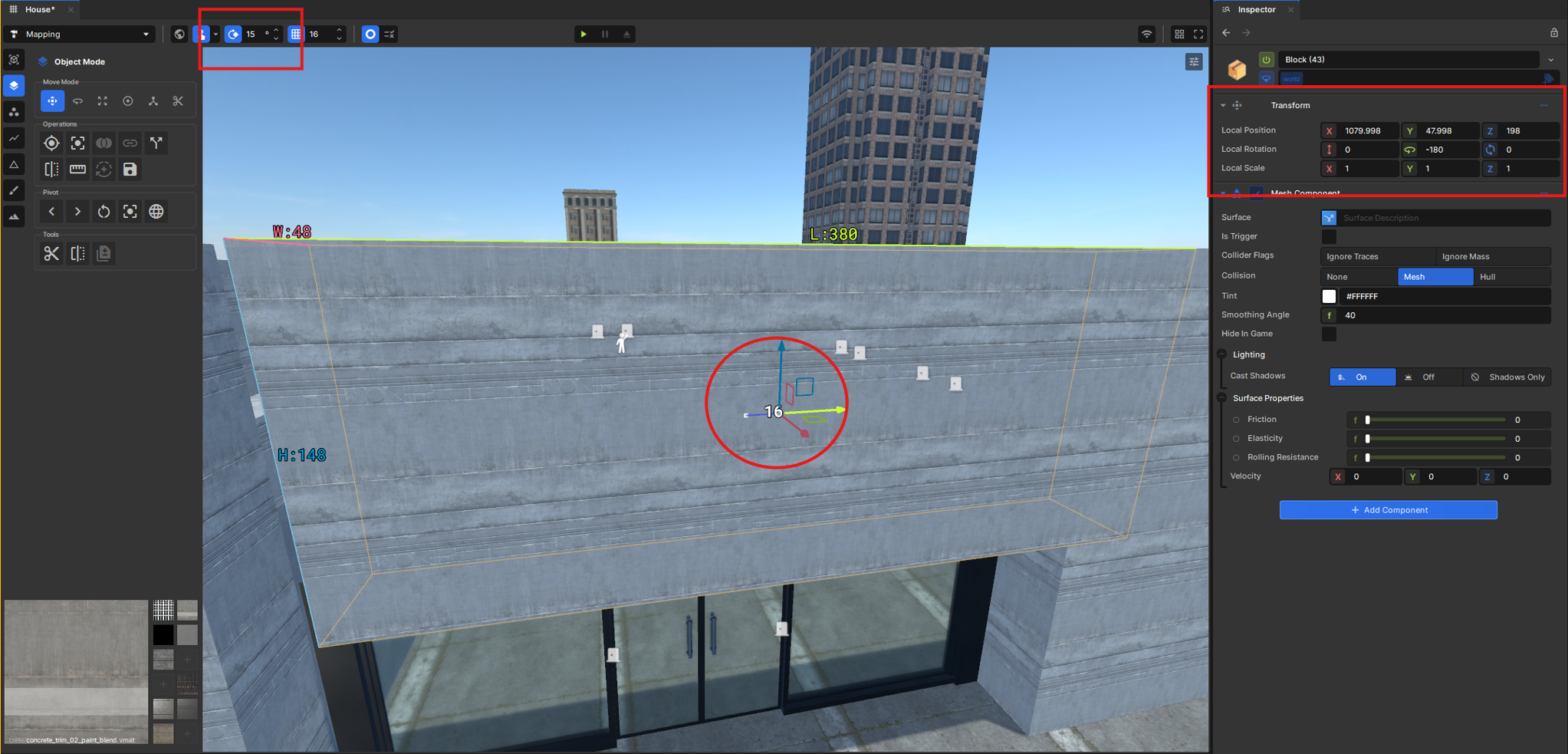
In addition when copied meshes or models are moved via object move/position tool with grid snap enabled and set to a whole number the local position of the new object can be a decimal. This is not the behavior I expected from grid snapping and creates small gaps or overlaps in some cases.
I've got into the habit of moving copied or new meshes in all directions (X,Y,Z) to make sure I'm building on grid. My confirmation that I am on grid at first comes from the black and white number that shows you how far objects or faces are being transformed but I've found this doesn't always mean the local position is a whole number or even one that is a multiple of the current grid step at the time of the move.
This creates many tiny errors, overlaps, or gaps in meshes and objects in my maps. Am I doing something wrong here? Is grid snapping working as intended right now? Has anyone else had an update to S&box change the positions of meshes and objects in their maps/scenes?
edited:
Not sure if this post is better suited in the mapping threads. Let me know and i can move there.