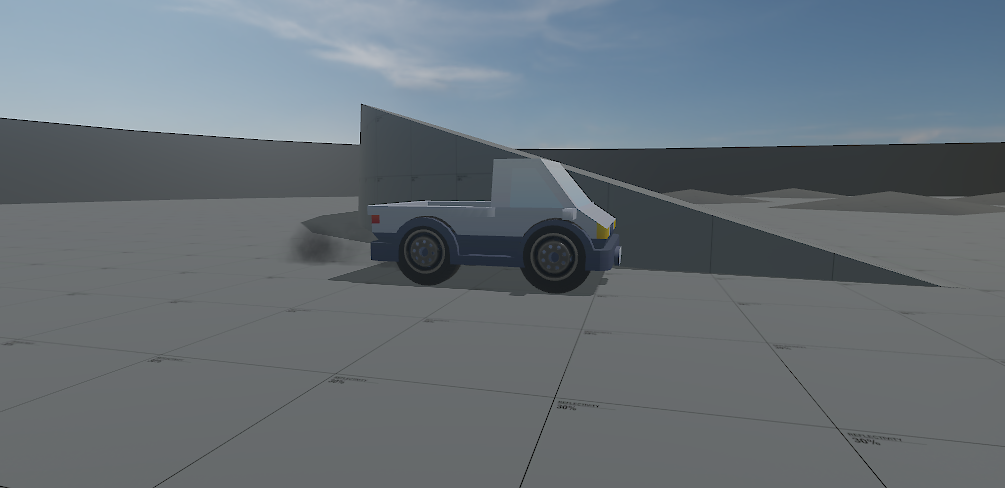
Simple Camera Controller. Feel free to use, extend and share. ❤
Uses a CameraComponent and GameObject as Property. <- You could also get these in OnEnabled().
Uses a CameraComponent and GameObject as Property. <- You could also get these in OnEnabled().
using Sandbox;
using System;

public sealed class OrbitalCameraController : Component
{
	[Property, Description("Camera to control")] CameraComponent MainCamera;
	[Property, Description("GameObject to follow")] GameObject Player;

	[Property, Description("Starting distance")] int DistanceToPlayer = 2000;
	[Property, Description( "Minimal distance to player" )] int MinDistanceToPlayer = 600;
	[Property, Description( "Maximal distance to player" )] int MaxDistanceToPlayer = 10000;
	[Property, Description("Units one step zooms")] int ZoomStrength = 200;

	float Pitch = 0;
	float Yaw = 0;

	protected override void OnUpdate()
	{
		// Capture mouse and add to pitch and yaw angles
		Angles mouseMove = Input.AnalogLook;
		Pitch = (Pitch + mouseMove.pitch).Clamp( -85, 85 ); // Up&Down clamped in degrees
		Yaw += mouseMove.yaw;
		Rotation rotation = Rotation.From( Pitch, Yaw, 0 );

		SceneTraceResult checkingSightline = Scene.Trace
			.Ray( MainCamera.WorldPosition, Player.WorldPosition )
			.Radius(1)
			.IgnoreGameObjectHierarchy(GameObject) // Ignores itself. Use tags depending on your setup
			.Run();
		// DebugOverlay.Trace( checkingSightline );

		if ( Input.MouseWheel.y < 0 ) { DistanceToPlayer = Math.Min( DistanceToPlayer + ZoomStrength, MaxDistanceToPlayer ); }
		if ( Input.MouseWheel.y > 0 ) { DistanceToPlayer = Math.Max(DistanceToPlayer - ZoomStrength, MinDistanceToPlayer); }

		if ( checkingSightline.Hit ) // If sightline is blocked change distance to be in front of hit collider
		{
			DistanceToPlayer = Math.Max( (int)(checkingSightline.HitPosition - Player.WorldPosition).Length, MinDistanceToPlayer );
		}

		// Apply Position and Rotation
		MainCamera.WorldPosition = Player.WorldPosition - rotation.Forward * DistanceToPlayer;
		MainCamera.WorldRotation = rotation;

	}
}
Not sure if this is the nicest way of doing this, but I'm happy with it. 🙂 Please report any bugs or give tips!
Remember to edit the Pitch.Clamp(-85, 85) for your usecase.