Seam-Less Material Suite
Released
A full suite to quickly make images seamless, reduce repetitive texture tiling, and generate full stack PBR Maps.
Seam-less Major update.
Seam-Less material suite has had a MAJOR performance overhaul.

chat_bubble 0
visibility 173

Seamless 0.6.0 Update
Seamless has had a lot of work done over the last few versions, so this update post is a full catch up on what changed, what improved, and what the tool is becoming.
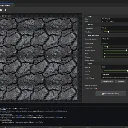
Seamless started as a tool for making textures tile better. It has now grown into Seam-Less Material Suite, with seamless texture cleanup, repeat reduction, PBR map generation, preview tools, and a workflow built for game artists, level designers, and developers who want usable materials from simple color images without jumping between separate programs.
This is the tool I've always wanted and needed. I know there are tools like this that already exist but they are never in engine or quick and easy to use.
Large texture edits should no longer freeze the editor in the same way. Seamless image processing now runs off the main editor thread, so changing settings, testing seam methods, and working with bigger textures should feel much more responsive.
The tool also now uses multiple CPU cores for a lot of the heavy pixel work. This affects things like offset blending, seam blending, irregular patch processing, brick and tile processing, and the final blend pass.
You can now keep experimenting without the editor freezing every time you touch a slider.
New Graph Cut Seam Repair
A new Graph Cut Synthesis seam method has been added.
This mode repairs seams by copying texture strips and finding a lower error path through the overlap. In plain terms, it looks for a better place to hide the seam instead of just blending straight across it.
Graph Cut also works with Randomize for choosing candidate strips, and Mask Softness controls how soft the cut edge feels.
This is useful when a basic offset blend is not enough, especially on textures where the seam needs to follow the natural texture detail instead of being a simple straight fade.
This mode repairs seams by copying texture strips and finding a lower error path through the overlap. In plain terms, it looks for a better place to hide the seam instead of just blending straight across it.
Graph Cut also works with Randomize for choosing candidate strips, and Mask Softness controls how soft the cut edge feels.
This is useful when a basic offset blend is not enough, especially on textures where the seam needs to follow the natural texture detail instead of being a simple straight fade.
Seam Method And Repeat Reduction Are Now Separate
Seam Method and Repeat Reduction are now split into separate controls.
You can now choose how the seam is handled, then choose how texture repetition is reduced. For example, you can use Graph Cut, Offset Blend, or Brick and Tile seam handling together with Irregular Patch or Texture Bombing.
This gives more control without forcing one big mode to do everything.
You can now choose how the seam is handled, then choose how texture repetition is reduced. For example, you can use Graph Cut, Offset Blend, or Brick and Tile seam handling together with Irregular Patch or Texture Bombing.
This gives more control without forcing one big mode to do everything.
Better Background Job Handling
The tool should behave better when settings are changed quickly.
When processing starts, Seamless now snapshots the current settings. If you move a slider again, load a new image, clear the tool, close the window, or start a newer process, older results are ignored.
That means old previews should not suddenly flash back in after you already changed something.
Exporting also waits for the active preview job to finish, so you do not accidentally export while the tool is still building an older result.
When processing starts, Seamless now snapshots the current settings. If you move a slider again, load a new image, clear the tool, close the window, or start a newer process, older results are ignored.
That means old previews should not suddenly flash back in after you already changed something.
Exporting also waits for the active preview job to finish, so you do not accidentally export while the tool is still building an older result.
PBR Generator Performance Overhaul
Height, roughness, ambient occlusion, normal, ORM, and output pixel passes are now faster. Independent pixel work uses safer multi core processing where possible, with a small CPU limit so the tool does not try to take over the whole machine.
Just like the Seamless tool, the PBR Generator now only accepts the newest useful result. If you move settings quickly, old background jobs should not overwrite the newer preview.
This makes the generator feel much better when tuning large texture maps.
3D Preview Rebuild Improvements
PNG encoding now happens away from the editor thread, and preview texture encoding can use more than one CPU core. This should make slider changes feel much smoother.
A small Rebuilding Material badge now appears in the top right so it is clear when the 3D preview is still updating.
Dynamic Lights have also been added as an optional preview setting. By default, the preview uses the older static sun setup, but you can turn on moving lights to better check roughness and normal map detail from different angles.
The preview cache system was also cleaned up. It now stages files through a temp folder before applying them to the live preview material, and it no longer creates a pile of numbered preview folders while dragging sliders.
Advanced Heightmap Generation
Advanced Heightmap Generation was added for users who want more control than a simple brightness based height map.
The advanced mode looks at local texture detail and gives controls for fine, medium, large, and broad detail. It also includes final contrast, bias, gain, smoothing, and invert controls.
This helps pull out things like cracks, grout, chips, broad surface forms, and medium scale texture variation more clearly.
Simple height mode is still there and still behaves like the easier default option. Advanced height is for when you want more control and better results from difficult textures.
people
Log in to reply
You can't reply if you're not logged in. That would be crazy.