Git Version Control
Released
Provides a git version control interface within the s&box editor.
(Git) Version Control
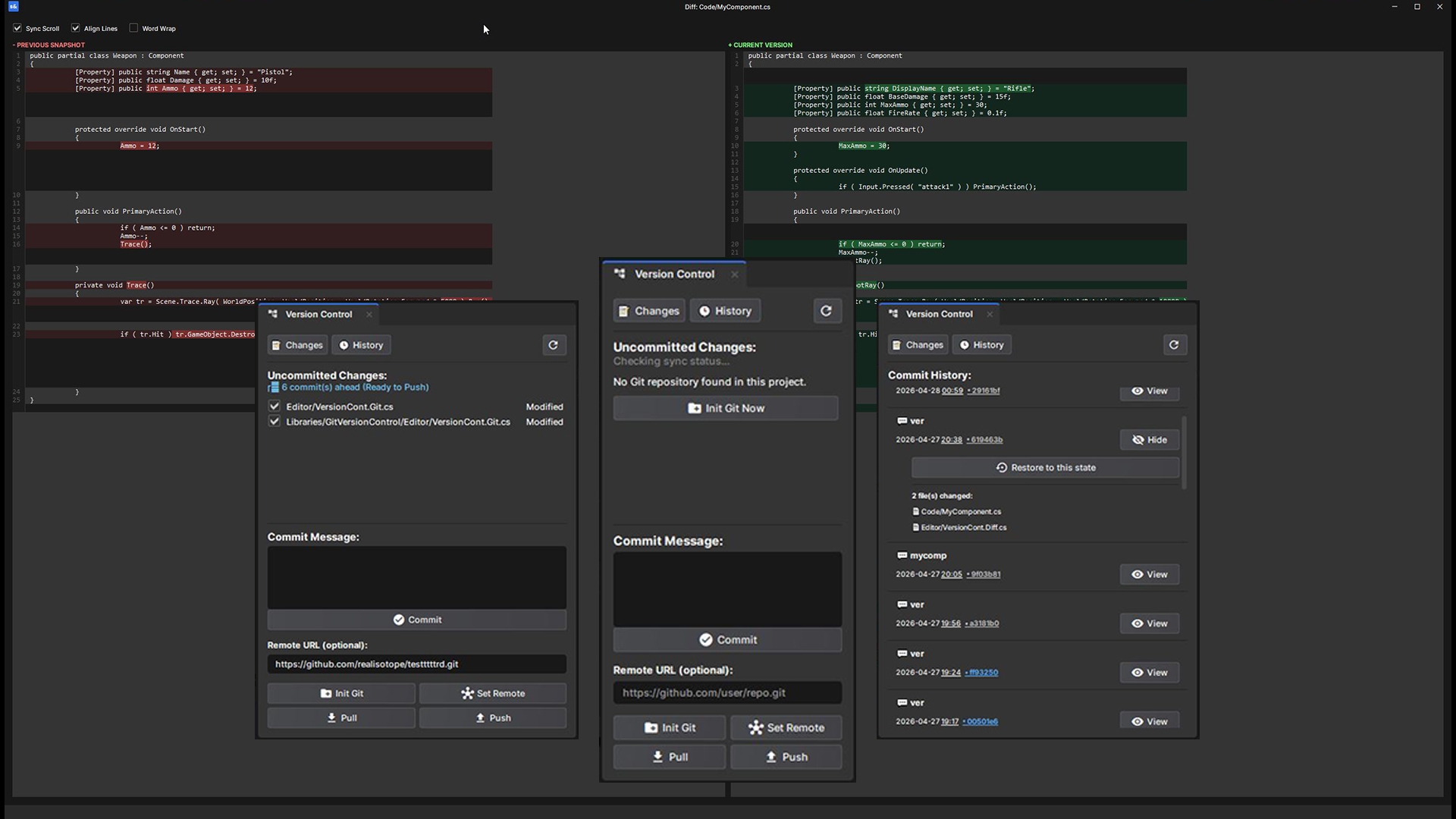
A Visual Git integration panel for s&box editor. This tool allows you to manage your project, compare changes, push/pull to GitHub without ever leaving the editor.
It can be opened from: View > Version Control
It can be opened from: View > Version Control
Features
- Track Changes: Real-time list of modified, added, or deleted files.
- Remote Sync: Push and Pull directly to your remote origin.
- Commit History: Browse past commits, view changed files, and restore the project to any previous state.
- Side-by-Side Diff: Compare changes with synchronized scrolling and character-level highlighting.
- Web Integration: Clickable commit hashes that open directly in your browser (GitHub/GitLab).
- Auto-Refresh: Automatically detects when you save files in external editors like VS Code and updates the UI.
- Smart Ignoring: Right-click files or folders in the changes list to instantly add them to .gitignore.
Requirements
Git Installed: This tool acts as a wrapper for Git. Ensure Git is installed and available in your system PATH.
Note:
Do not install this/any library plugin if you have active errors in your project.
(This will stop the hot loading and require multiple restarts of the editor to get the Library working, even after fixing the error)
Note:
Do not install this/any library plugin if you have active errors in your project.
(This will stop the hot loading and require multiple restarts of the editor to get the Library working, even after fixing the error)