Fence Builder
Released
Fence Builder
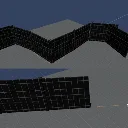
Fence Builder is a s&box editor library for placing fence pieces from reusable Fence Definition assets.
Setup
1. Install the library in your project.
2. In the Asset Browser, create a `Fence Definition` asset.
3. Add one or more entries. Each entry can use a `Model` or a `Prefab`; prefabs take priority.
4. Set `RotationOffset` so the segment's forward direction matches how it should run along the fence.
Use
1. Open a scene and activate the `Fence` tool, or press `Ctrl+Shift+B`.
2. Assign your `Fence Definition` in the tool sidebar.
3. Use `Mode = Line` for a straight run: click once to set the start, click again to place.
4. Use `Mode = Spline` for a curved run: hold left mouse, draw on a surface, then release to place.
5. Press `Escape` to cancel the current run.
- If you've placed an object/a lot of objects that the navmesh ignores/nav mesh agents walk through, I have added an ability to apply a nav-mesh blocker to them, it creates a new component inside the fence game object called nav mesh - area, the size of the fence/game object's collider that blocks the navmesh's creation around it. That is also present as a setting inside the fencedef files
Fence Builder measures each segment's bounds and advances placement by the measured length, so authored pieces line up without needing a fixed segment size.
Fence Builder is a s&box editor library for placing fence pieces from reusable Fence Definition assets.
Setup
1. Install the library in your project.
2. In the Asset Browser, create a `Fence Definition` asset.
3. Add one or more entries. Each entry can use a `Model` or a `Prefab`; prefabs take priority.
4. Set `RotationOffset` so the segment's forward direction matches how it should run along the fence.
Use
1. Open a scene and activate the `Fence` tool, or press `Ctrl+Shift+B`.
2. Assign your `Fence Definition` in the tool sidebar.
3. Use `Mode = Line` for a straight run: click once to set the start, click again to place.
4. Use `Mode = Spline` for a curved run: hold left mouse, draw on a surface, then release to place.
5. Press `Escape` to cancel the current run.
- If you've placed an object/a lot of objects that the navmesh ignores/nav mesh agents walk through, I have added an ability to apply a nav-mesh blocker to them, it creates a new component inside the fence game object called nav mesh - area, the size of the fence/game object's collider that blocks the navmesh's creation around it. That is also present as a setting inside the fencedef files
Fence Builder measures each segment's bounds and advances placement by the measured length, so authored pieces line up without needing a fixed segment size.