
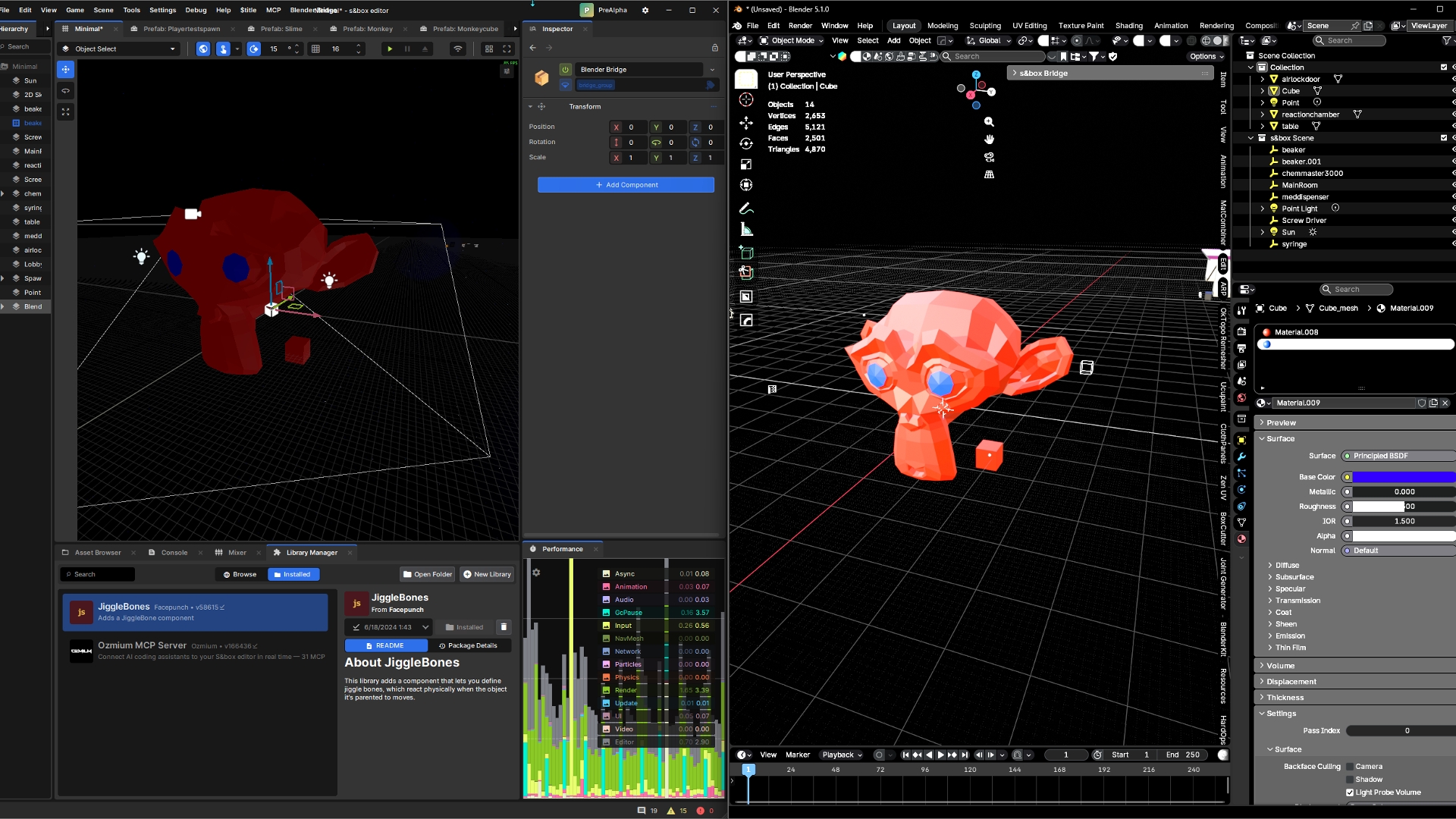
Blender s&box Bridge — Blender Addon
Real-time bidirectional scene sync between Blender and the s&box editor.
Model, transform, texture, and map from Blender directly to the s&box scene editor.
Installation
Requirements
Install the Addon
- Download
sbox_bridge.zip from the latest release - In Blender: Edit > Preferences > Add-ons > Install from Disk
- Select the downloaded
sbox_bridge.zip - Enable "s&box Bridge" in the addon list
Connect to s&box
- Open your s&box project — the bridge server starts automatically on port
8099 - In Blender, open the N-panel (press
N) > s&box tab - Set your Assets Path to your s&box project's
Assets/ folder (needed for materials) - Click Connect
Features
- Mesh streaming — Create/edit meshes in Blender, they appear in s&box in real time
- Bidirectional transforms — Move objects in either editor
- Light sync — Point, Spot, and Sun lights sync between Blender and s&box
- PBR materials — Principled BSDF nodes auto-generate
.vmat files with textures - Chunked transfer — Large meshes (20k+ vertices) stream without freezing
- Auto-reconnect — Connection recovers automatically if s&box restarts
- Send to Scene — Manually push selected objects with one click
- Grid alignment — Match Blender's grid to s&box units
Panel Overview
The addon adds an s&box tab to Blender's N-panel with:
SectionDescriptionConnection | Connect/disconnect, host/port settings
Grid Size | Quick buttons to match s&box grid (2, 4, 8, 16, 32)
Sync | Auto Sync toggle, Scale Factor, Assets Path, Sync All / Force Resync / Send to Scene
Info | Synced object count, latency, play mode indicator
Pending Deletes | Confirm or cancel deletions (5-second safety window)
Warnings | Unsupported feature warnings
Materials | Manage generated .vmat files
Supported Object Types
Blender Types&box ResultNotesMesh | MeshComponent | Full geometry + per-face materials
Point Light | PointLight | Color, radius
Spot Light | SpotLight | Color, radius, cone angles
Sun Light | DirectionalLight | Color
Area Light | — | Not supported (warning shown)
Curve/Surface/Meta | Mesh (auto-converted) | Converted to mesh on sync
Settings
SettingDefaultDescriptionHost | localhost | s&box bridge server hostname
Port | 8099 | s&box bridge server port
Auto Sync | On | Automatically sync scene changes
Scale Factor | 1.0 | Blender-to-s&box unit multiplier
Assets Path | — | Path to s&box project Assets/ folder
Auto Reconnect | On | Reconnect automatically on connection loss
Troubleshooting
- Can't connect: Make sure the bridge server is running in s&box (Editor > Blender Bridge)
- Objects don't appear: Check that Auto Sync is enabled, or use Send to Scene
- Materials show pink/error: Set your Assets Path. New
.vmat files need a moment to compile in s&box - Area light warning: s&box doesn't support area lights — use point or spot instead
- Frozen UI on large mesh: If you hit this, the mesh exceeded the chunk threshold. Try reducing polygon count
- Hammer editor might need to be open to place meshes can be closed after.
- To Play a scene you might need to save (ctrl + S) the scene after editing to see geometry appear in Play mode (s&box).
License