A very simple guide on how to quickly create a button. Basically, I'm testing the "Learn" section here, which Garry added a few minutes ago.
1. Make the right way for panels
there is the simple way for make razor + scss files
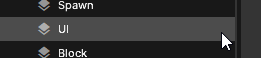
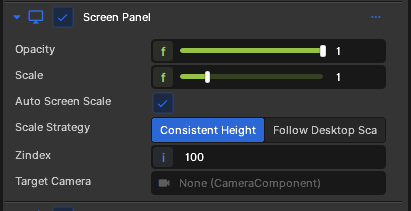
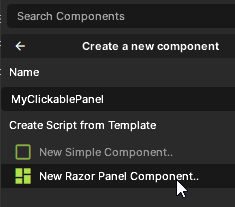
1. Make "UI" gameobject (You can name it whatever you want) 2. Add "Screen Panel" component 3. Press "Add Component" 4. Create a Razor component and give it a nice name, scss file will created automatically 5. Ok, press "CTRL + P" and let's go to code
2. Add button
In Razor, it's simple, just add a button and attach an event to it. It's not difficult at all it's just HTML and C#. If the syntax highlighting isn't showing up in Visual Studio, just restart that (don't confuse with vscode)
<button class="close-button" onclick="@CloseMenu">✕</button>

@code
{

  private void CloseMenu()
  {
	  Log.Info("ok, Garry, we closed 👽");
  }

// BuildHash and the other
}
Now comes the interesting part: the element responsible for displaying the cursor is that
pointer-events: all;
If you want the panel to be closed by default, add this selector to the class that controls when the menu is open (for example, "visible-panel"). Otherwise, when the game starts, the cursor will appear even though the panel isn't visible.
3. Why you shouldn't use Mouse.Visible
This method is obsolete and will be removed in the future. SCSS has everything you need it’s easy to do!