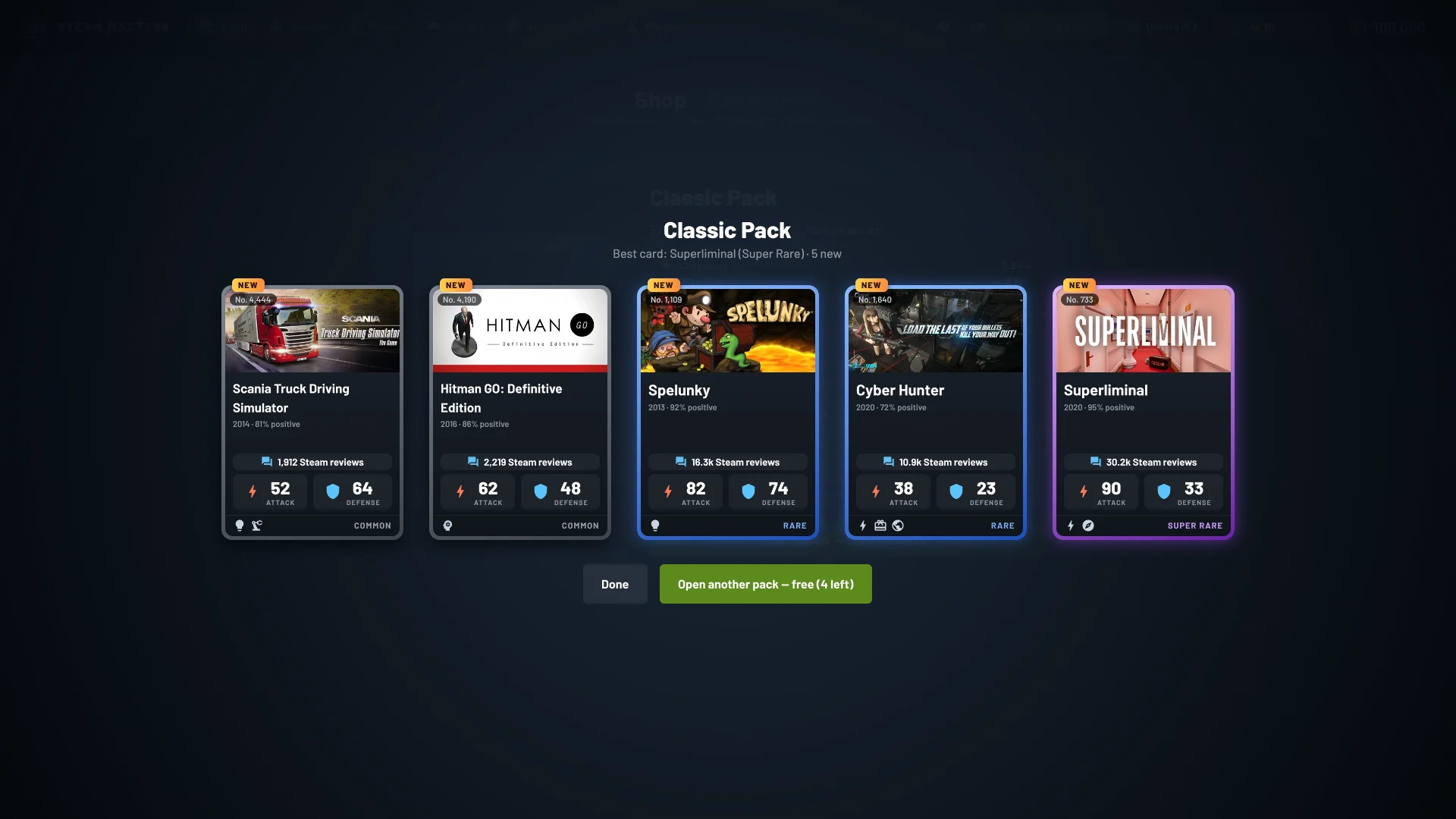
Steam Masters came out one week ago, and this morning we passed 100 players, that means a lot. Thanks to everyone who opened a pack, sold a card at the auction house, played Guess the Game, or left a review. Your feedback shaped almost every update so far, this one included.
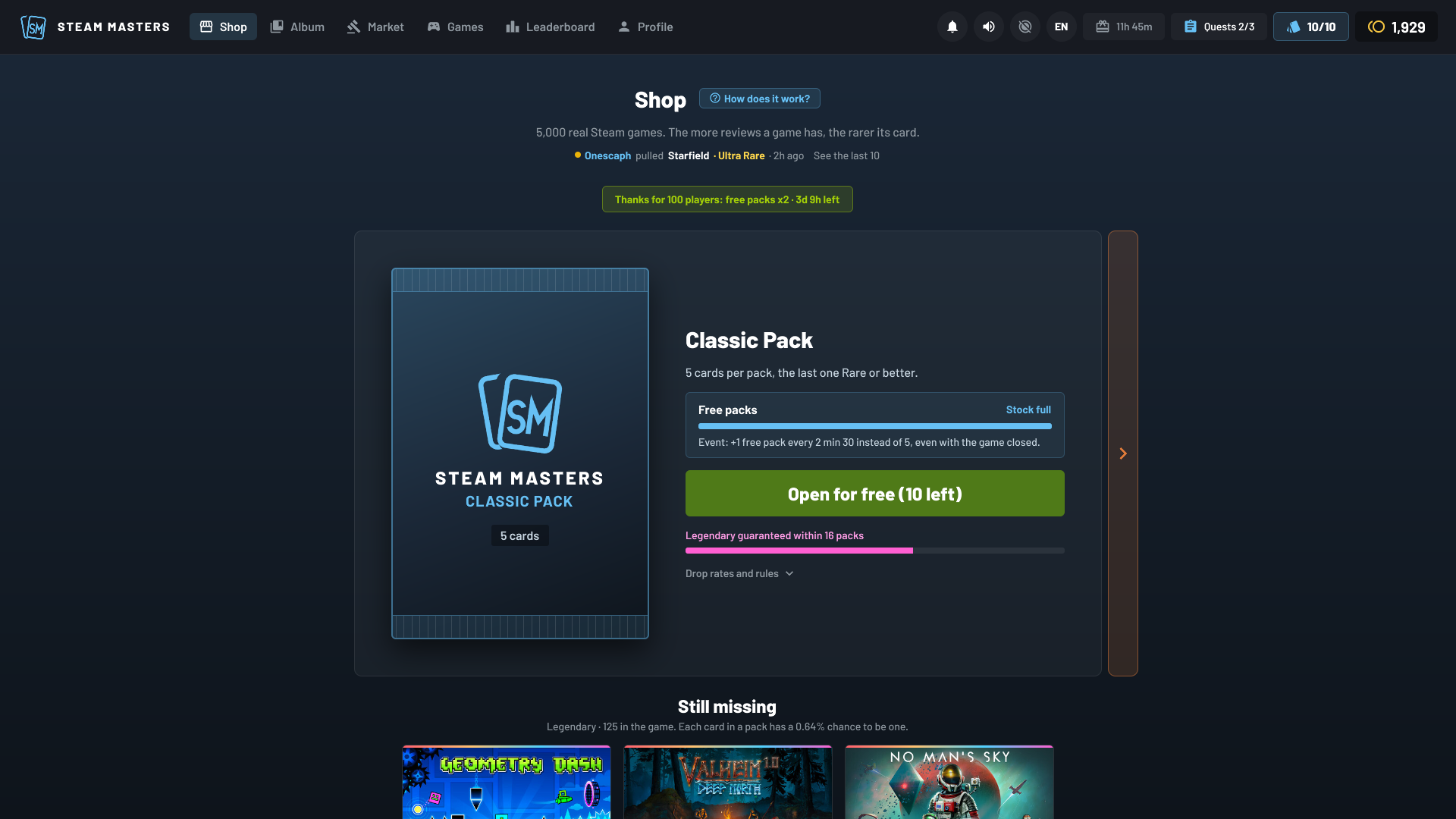
To celebrate, free packs come twice as fast: one every 2 min 30 instead of every 5 minutes, even with the game closed, until Tuesday, October 20 at midnight (Paris time, 22:00 UTC). The stock still holds 10, so drop by a few times a day. A green banner in the Shop shows how much time is left.
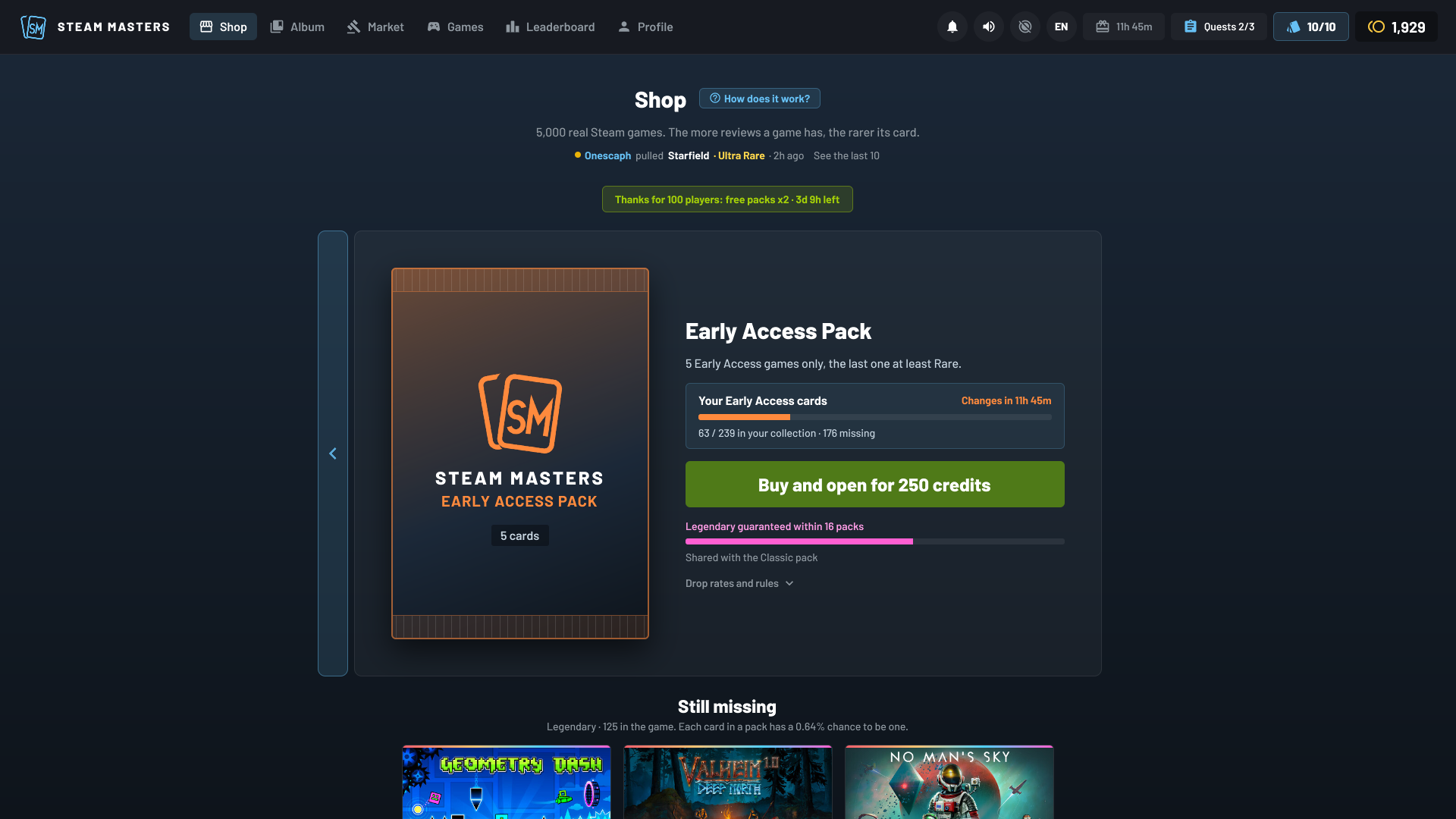
Next to the Classic pack, the Shop now has a daily pack themed on one genre: RPG, Strategy, Casual, MMO, Simulation, Racing, Free to Play, Early Access or Sports. It changes every day at 00:00 UTC, and each genre has its own colour. It costs 250 credits and only contains games of that genre, so it's the way to hunt down the cards you're missing in a genre you like. It shows how many of that genre's cards you already own, and it counts toward the guaranteed Legendary, like the Classic pack. To find it, click the coloured strip next to the Classic pack, or press the right arrow key.
There's a new Leaderboard tab. Every card you pull from a pack scores points: 1 for a Common, 5 for an Uncommon, 20 for a Rare, 100 for a Super Rare, 500 for an Ultra Rare and 1,000 for a Legendary. There are two boards. This week resets every Monday at 00:00 UTC, and last week's podium stays on display. All time adds up everything, and the collection you already had counts too. The top 50 show with their Steam avatar and their best pull of the period, and you'll see how many points you need to pass the player above you.
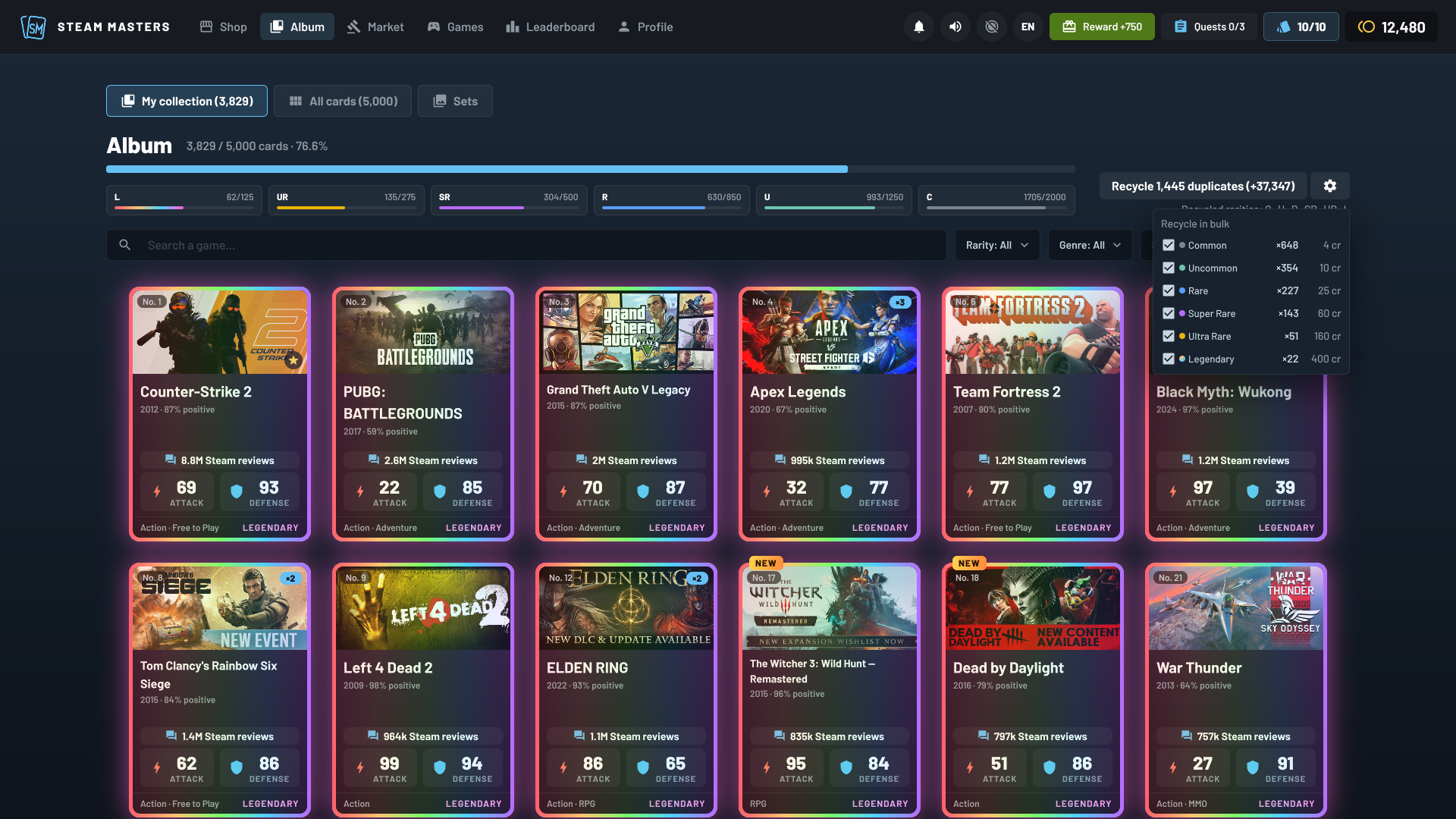
The recycle button in the Album has a cog now. It lets you pick, rarity by rarity, which duplicates "Recycle all" takes, and it shows how many duplicates you have of each. By default it stays on Common, Uncommon and Rare, like before. If you tick Super Rare or higher, the button asks for a second click, so nothing precious leaves by accident.
- A "Reduce animations" button sits next to the sound button. It stops the shines, holo and glows that loop, but keeps the animations that answer what you do.
- The card flip and pack opening sounds now land exactly with the animation. Some of them were up to a fifth of a second late.
- Card text is a little bigger and easier to read.
- On 4:3 and 5:4 screens, the top bar switches to icons so everything fits.
- There's a new pack opening video on the game page.
people
Log in to reply
You can't reply if you're not logged in. That would be crazy.