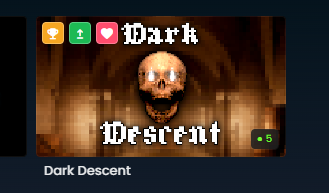
The package tiles can now show more information about the package. by overlaying an icon on top. We're calling these flair, like in Office Space. Right now we supply these types of flair:
  • Workshop Approved - a clothing item that has been accepted
  • Updated Since Played - this game or map has been updated since you last played it
  • Favourite - you have favourited this package.
  • Contest Winner - this package won a prize in a Game Jam
This is a system I am hoping we'll be able to expand in a few different ways in the future.
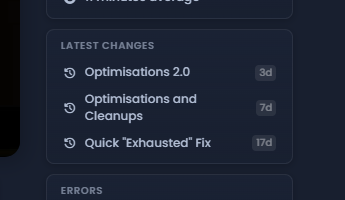
We figured out that change lists are pretty important when it comes to games and maps. If you play a game that you like then when you're not playing it you're probably waiting for it to update. So we need to be better at showing you the games that you have enjoyed that have now had an update.
We've made the change lists independent of news on the packages, so you can add a change list without needing to post news. Change lists get their own dedicated section on the package's page and show on the front page.
The backend now has a new quality metric for games and maps. These packages will be punished if they don't have a completed profile. 

For example, if someone publishes a game with no thumbnail, no description, no tags, no categories, no screenshots and no videos - then it will be treated as a low quality upload, and will be punished in discovery.

This is a response to a bunch of orgs that had fired out 7 games with no real effort or care. This stuff makes us all look bad, so it's pushed off the front screen.
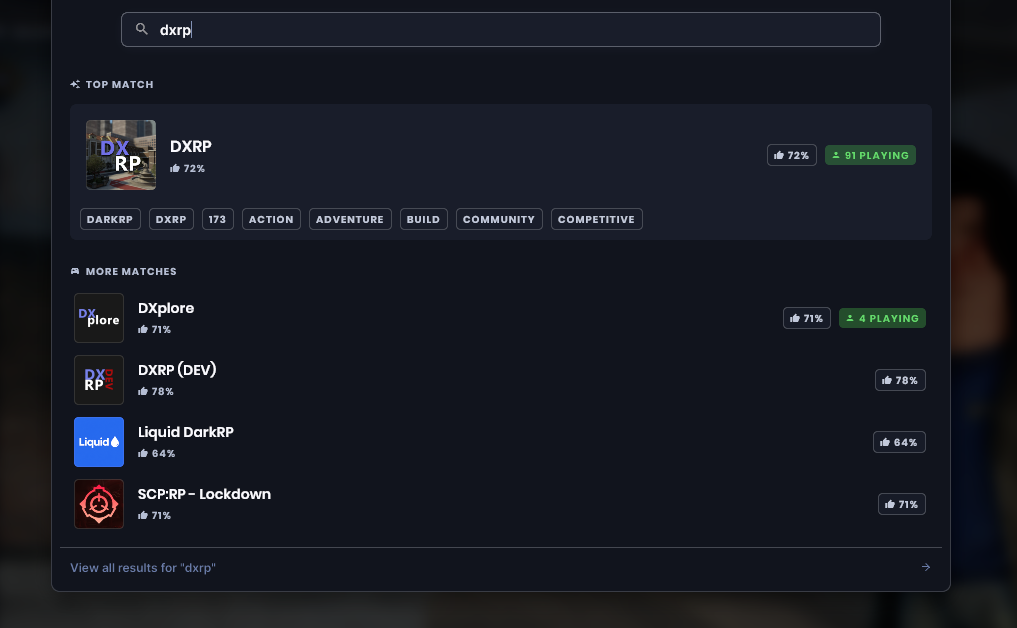
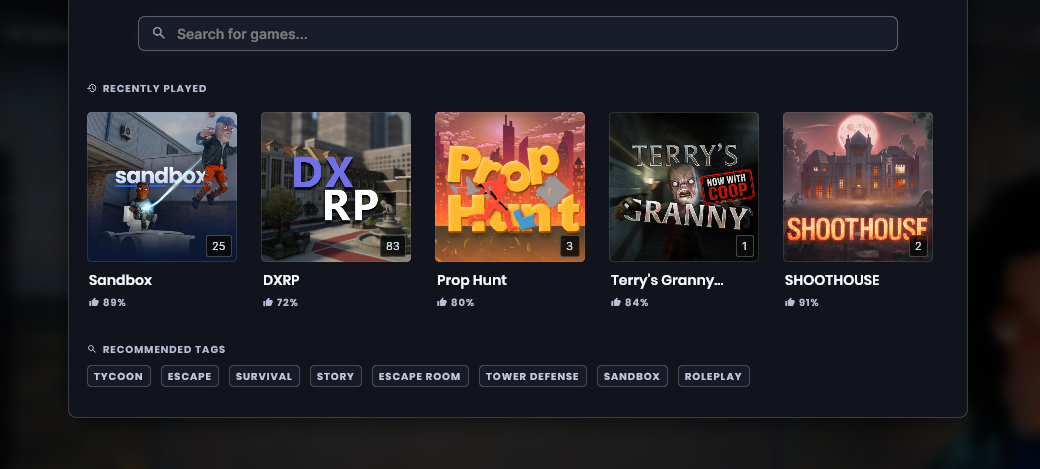
I iterated on the search bar, here's what's new and improved:
  • Recommended tags and recently played games are now displayed front and center when you first click the search bar
  • We've improved how searches are queried, which should mean that you're seeing more relevant search results.
  • The most relevant search entry is also now highlighted, with slightly more information than other results
  • It's more obvious that you can view more search results (either by clicking the button at the bottom, or by pressing enter)
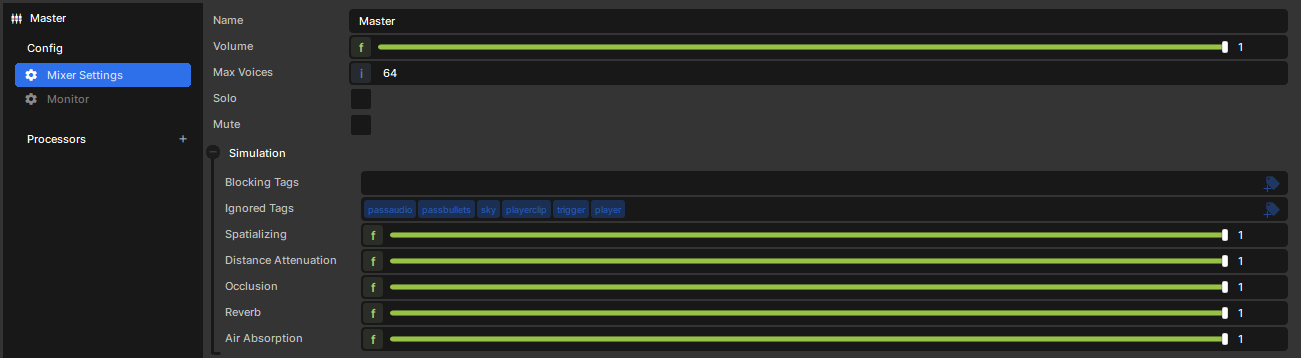
We've overhauled how sound propagates in s&box. This new system adds physical sound simulation, sounds now behave more like they do in the real world.

Under the hood we're using Steam Audio's effects (HRTF, reverb, distance attenuation), but with our own lightweight propagation simulation.

Headphones recommended for the video:


Occlusion & Transmission

Previously, occlusion was binary. If a wall was between you and a sound source, the volume dropped by a flat 20%. Now the system counts how many obstacles a sound passes through and factors in the material.

For example, wood will resonate differently to concrete. Each physics material defines how much it transmits in the low, mid and high frequency ranges.

Reverb

Room reverb is now fully dynamic. Instead of having to manually place DSP volumes , the system automatically approximates room size and material characteristics and then feeds that into a dynamic reverb processor.

Diffraction

Sound bends around corners. Standing just outside a doorway or around a corner, you'll still clearly hear what's on the other side instead of it cutting off the moment LoS breaks.

This is a basic implementation. It handles simple single corners and openings but doesn't do any path tracing, so complex geometry won't be handled perfectly.

Performance

The system should run well below sub millisecond, on mid to high end machines.
Very low core count CPUs may see some more impact.
If you run into issues the simulation can be disabled in the audio settings.
As always Performance will also improve over time.
This is a first release and most games should sound better out of the box. Sound is subjective though, so several settings are configurable if you want to tune things and more will likely be added in the future.

Let us know what you like and what you hate, and we'll keep iterating.


We've tidied up how player names work throughout the engine. Previously we were networking player's display names for other players, if a lobby host had a nickname for a player everyone got that nickname for them.

Now we've got a clear split:
  • Connection.Name - is now the formalized player's name, where as before it was sort of a debug name for the connection sometimes - use this when dealing with networking / dedicated hosting.
  • Connection.DisplayName - is now always grabbed from Steam along with any personal nicknames or filtering settings you have in Steam. This is for displaying names in UI contexts.
We swapped most instances of Connection.DisplayName in the engine for Connection.Name, typically for internal logic, logging and identity checks.

Local instances now get a random name outside of the networking layer, instead of appending a number to the end of your local username.
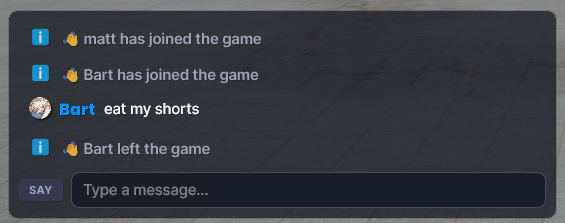
Join/leave messages are now pushed to chat at the platform level, so game code no longer needs to wire this up manually. We're trying to provide a nice default consistent experience.
Our Volumetric Fog uses a novel denoising technique based on traditional AABB-Clamp TAA in a froxel.

This works really great and is incredibly reactive to changes, however it had a few issues where it would jitter a lot specially as you would move away from the center of the world, all of these are fixed and it should be stable now.

I've also optimized it so instead of using 27 texture fetches for denoising, it uses 8 hardware filtered fetches, denoising should be much faster now.

While working at it, I noticed the Henyey-Greenstein Phase Function formula was inverted, corrected it and make actual fog density contribute to it, Volumetric Fog should look much more natural now
Can tint volumetric fog too, I'd like to see to just use it for underwater fog so it's all unified without needing a special different system.
The terrain component has gotten some much needed love. Previously our terrain was pretty limited with a lot of loose ends that we never tidied up, but as we evolved our APIs we can make it a lot better now.
  • Terrain creation - creating terrain is instant now, you don't need to set it up or save to a file
  • Resource improvements - terrain resources are now stored as binary data
  • Dynamic Resolution - Change storage resolution dynamically without losing your data

We removed the creation dialog and directly create the terrain in the scene making the overall workflow much smoother. It's still possible to do everything you could do before, except it's all now in the component properties where it belongs.

Terrain storage resource will now be embedded directly in your scene by default.  It can still be saved as a standalone resource if you ever need to share it between scenes.  It's also now stored as a binary data making serialization faster. You will notice a new terrain_d files show up as a consequence(or scene_d if embedded).
Previously, if you wanted to change terrain resolution, you would lose your heightmap data(not good). It's now
possible to change the storage resolution dynamically without losing your terrain data. A mixture of upscaling & downscaling is used.
Note that the transformation is not lossless if downscaling then upscaling

When we improved our painting system to support up to 64 materials, we introduced the concept of painting layers. As we got more feedback we realized it got confusing to have to select which layer to paint on. 

The paint tool now will automatically handle and select the appropriate layer to paint.
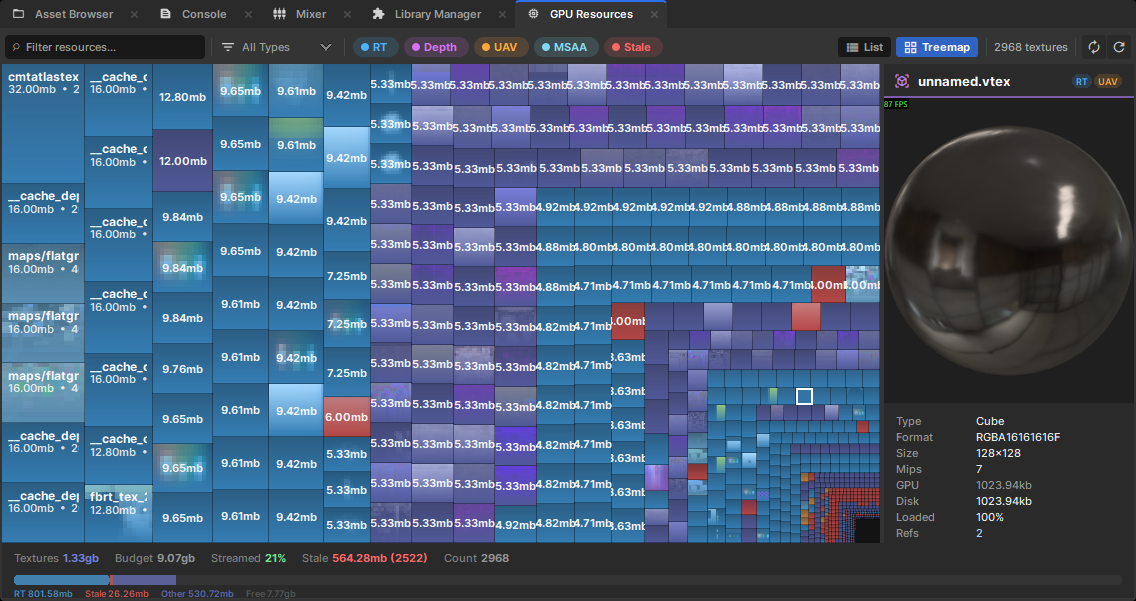
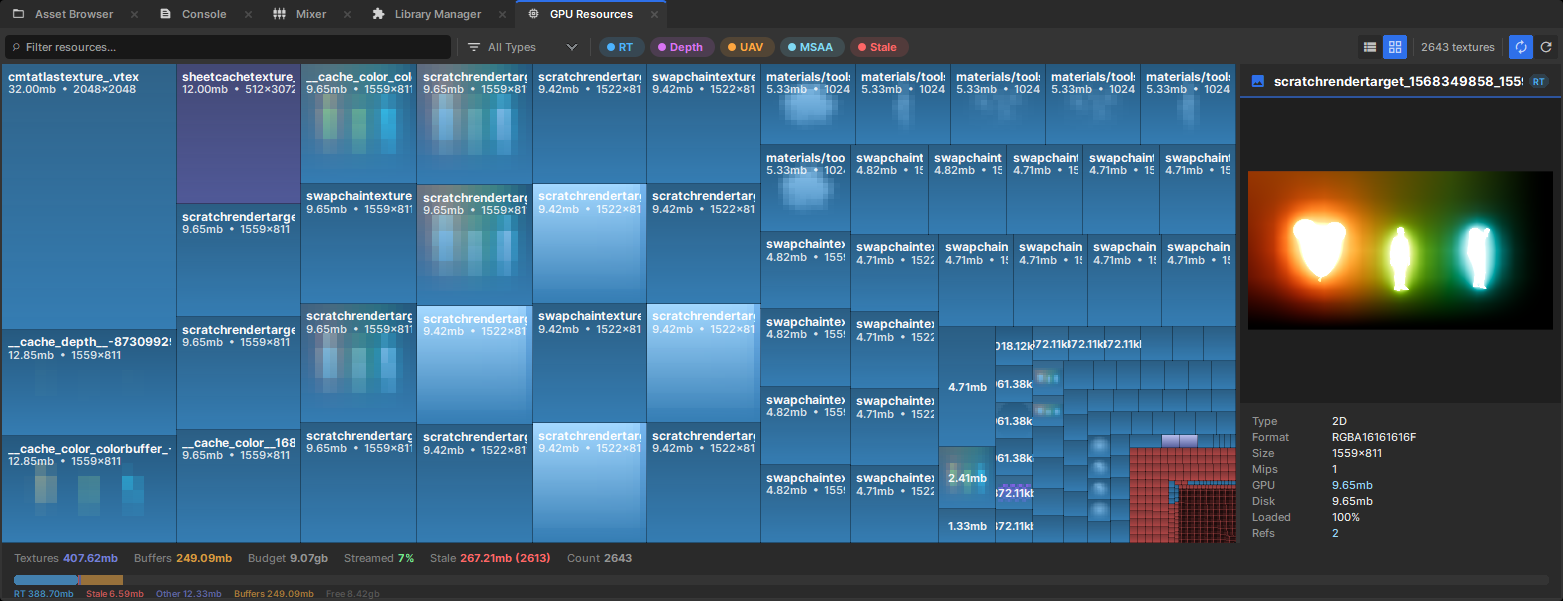
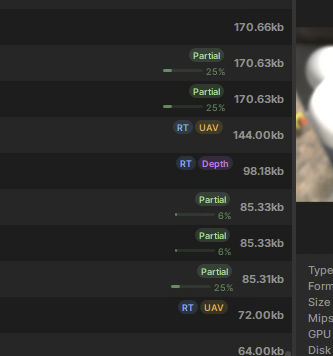
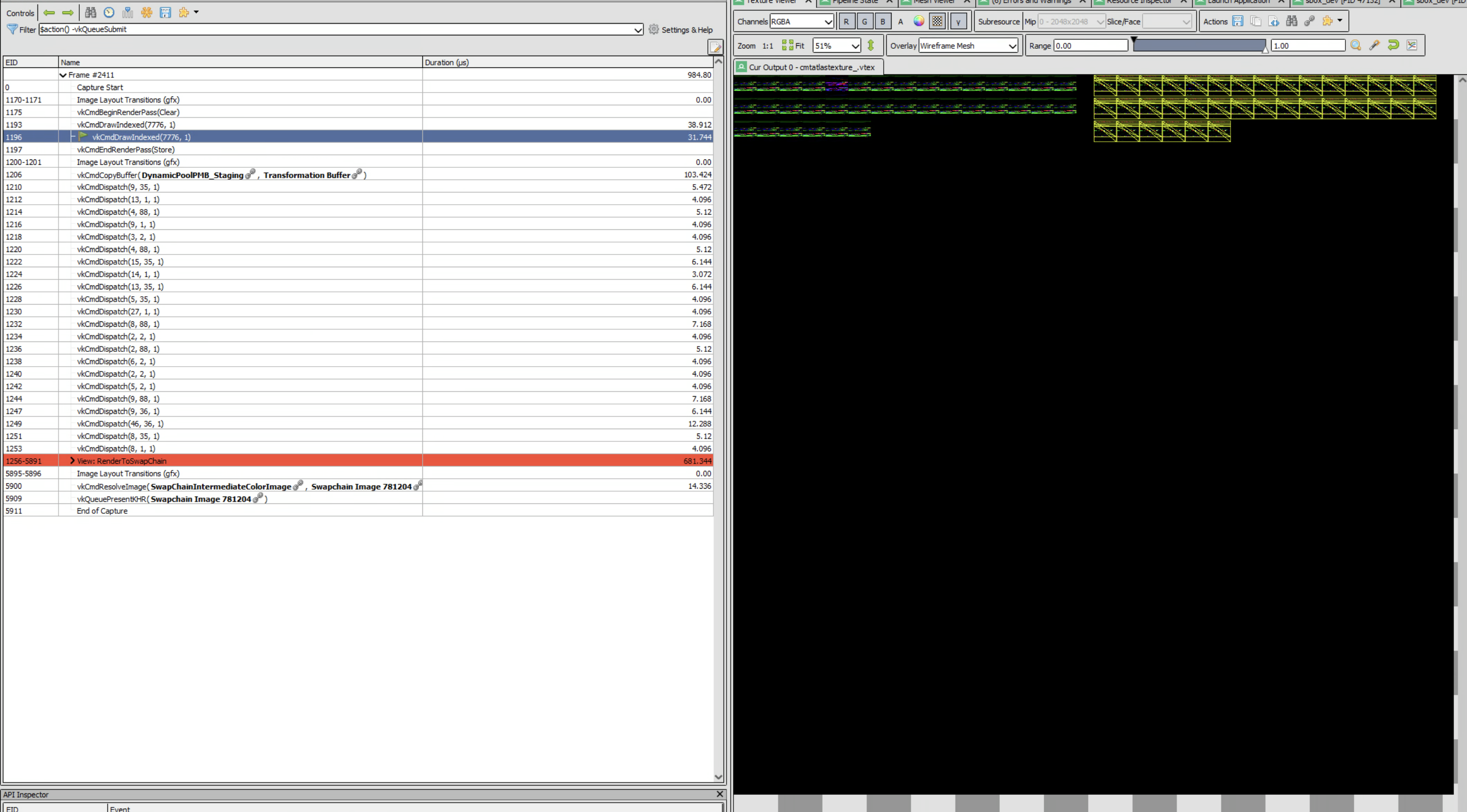
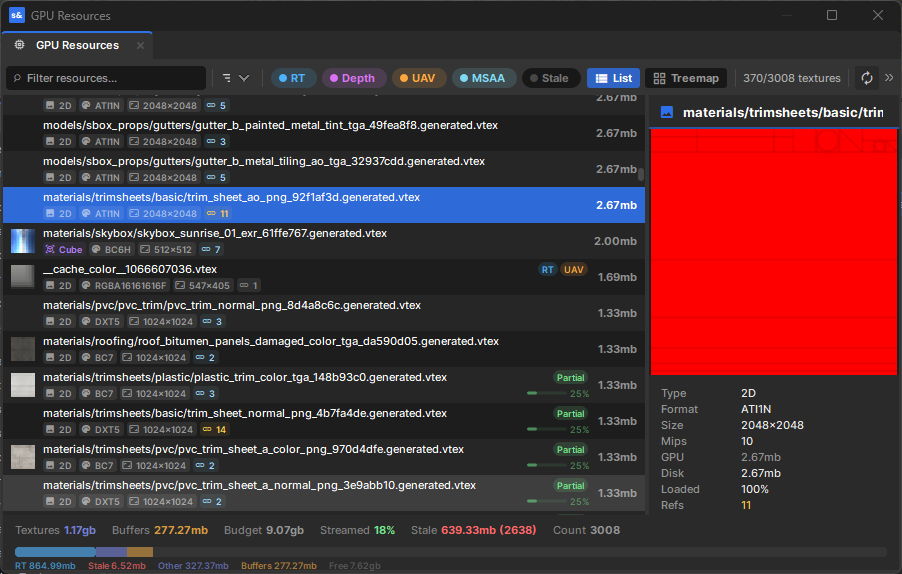
We deprecated the old GPU Resident Textures viewer for a proper GPU Resources Viewer, with live preview, live updates, memory stats, and integrated properly as an editor tool.

At a glance you can see which textures are being actively used on the scene, live preview render targets, see if there are any memory leaks, etc.

There's also a treemap view, so you can see worst offenders at a glance.


Textures that are not fully loaded by texture streaming will show the amount of mips that are streamed in.

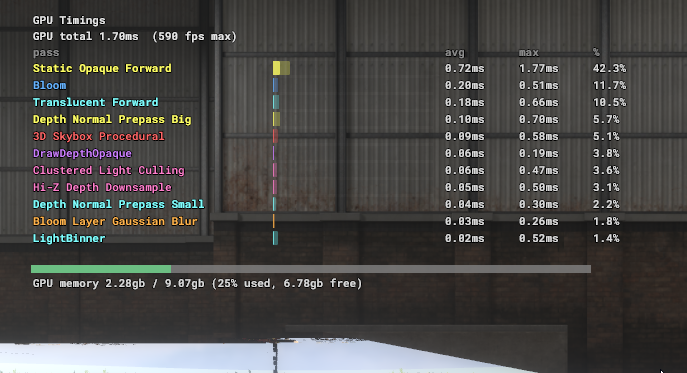
Some GPU memory stats available to the game as well
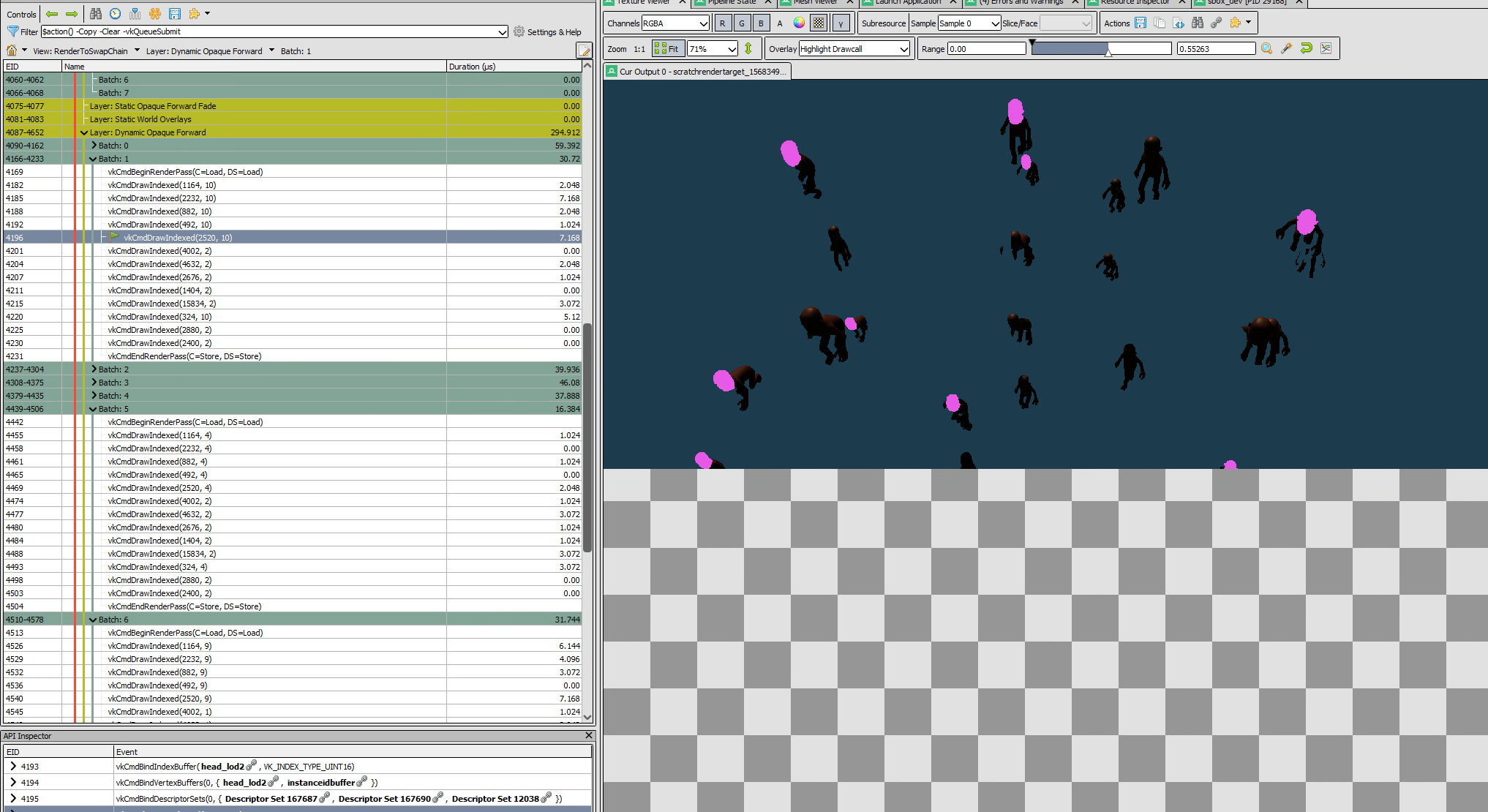
We have instancing for common objects, if you spawn a bunch of boxes on Sandbox mode they're all drawn in one go on the GPU.

Characters are more complex and we would draw them one at the time, we've reworked how we batch them so we can group all transforms together, even if they're animated, tinted, and so on.

Instancing for skinned objects works everywhere and without changing any shaders.

There are ways we can make it better, right now we're breaking batches through spatial partitions, looking to simplify the entire scene system out of these soon.
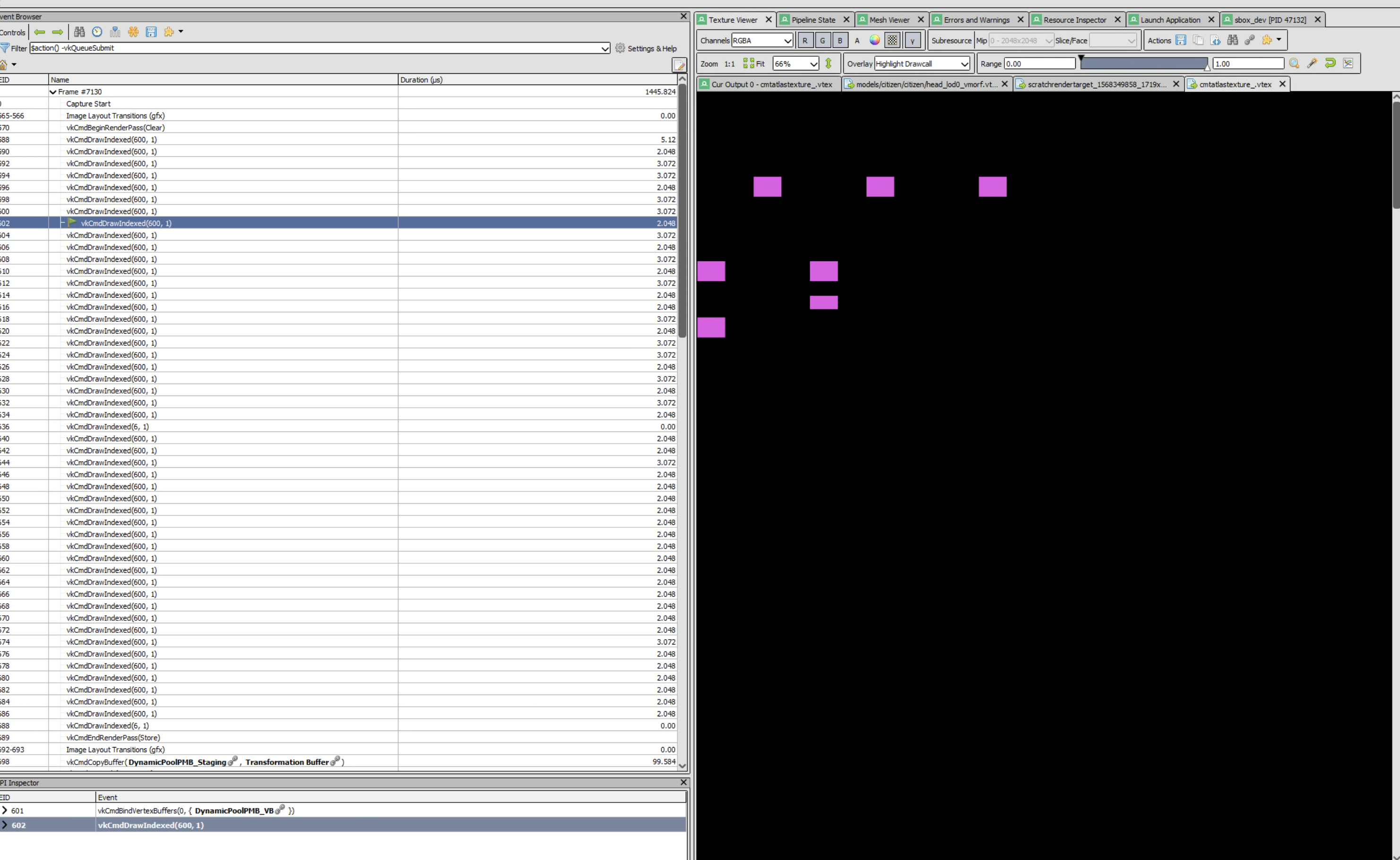
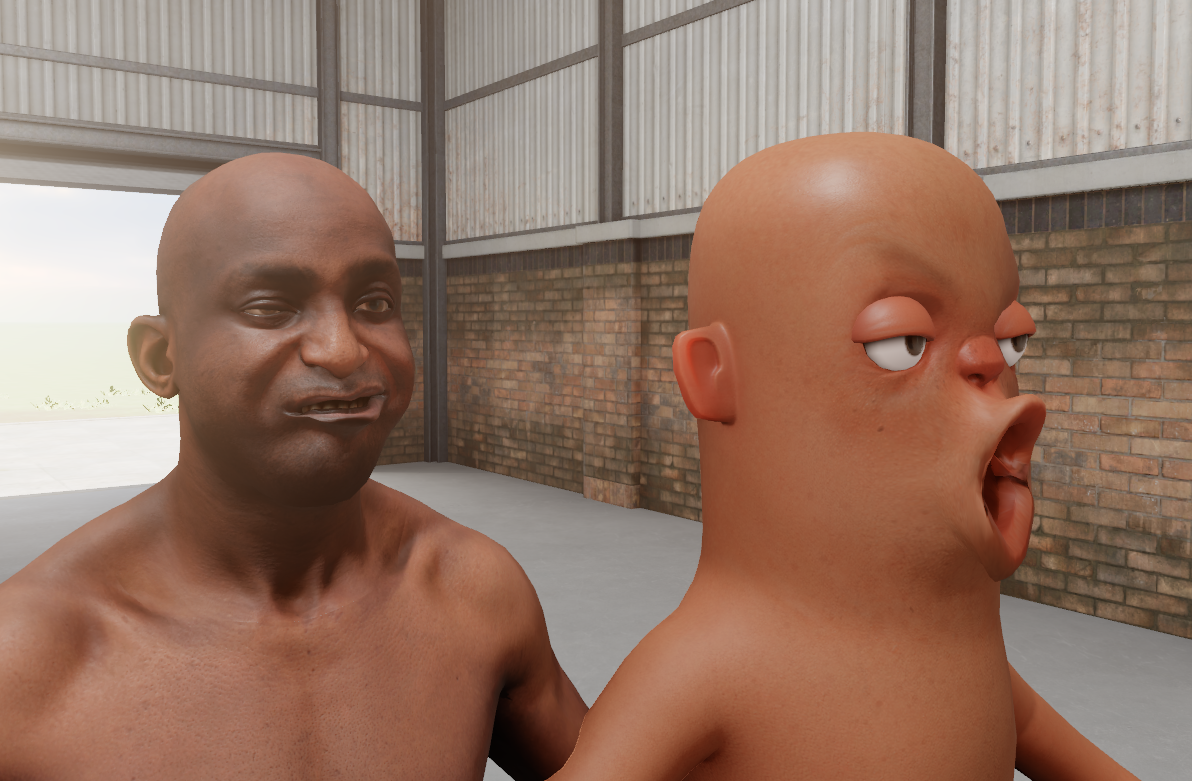
Morphs are used for facial animations of characters and other per-vertex animation driven by artists.

Whenever we have a bunch of skinned objects like players, we would individually update their morphs at start of frame individually, even with Instanced Skinning.

This doesn't scale well at all, specially as you have a crowd.

Now all morphs are batched and executed in a single drawcall with bindless targeting, even with multiple different models.
I've updated our CSS parsing system with as much missing stuff as I could find. The system was pretty much all fully functional but it was missing a bunch of shortcuts. For example, you could do font-family: poppins but you couldn't do font: 20px poppins. There was a lot of that kind of stuff - check the changelist for more information.

As well as that, there's some optimizations and a couple of new features.

  • Can now use  inherit, initial, unset, revert.
  • Can use none in a bunch of places that make sense
  • Animations accept ms units
  • font-family can take generic font type (like monospace)
  • Stylesheet recovers properly when one property is wrong, instead of failing the whole sheet.
  • Can use currentColor in properties
  • Added css text-align: justify

I made some changes to how input scoping works this week. Input scoping is our API that handles multiple game controllers, for local multiplayer / couch co-op. Previously, we had no way of splitting a keyboard and mouse user from the first gamepad. That is now possible.

For example:
if ( Input.PlayerScope( PlayerIndex.KeyboardAndMouse ) ) { ... } 
Will only parse inputs from the keyboard and mouse.
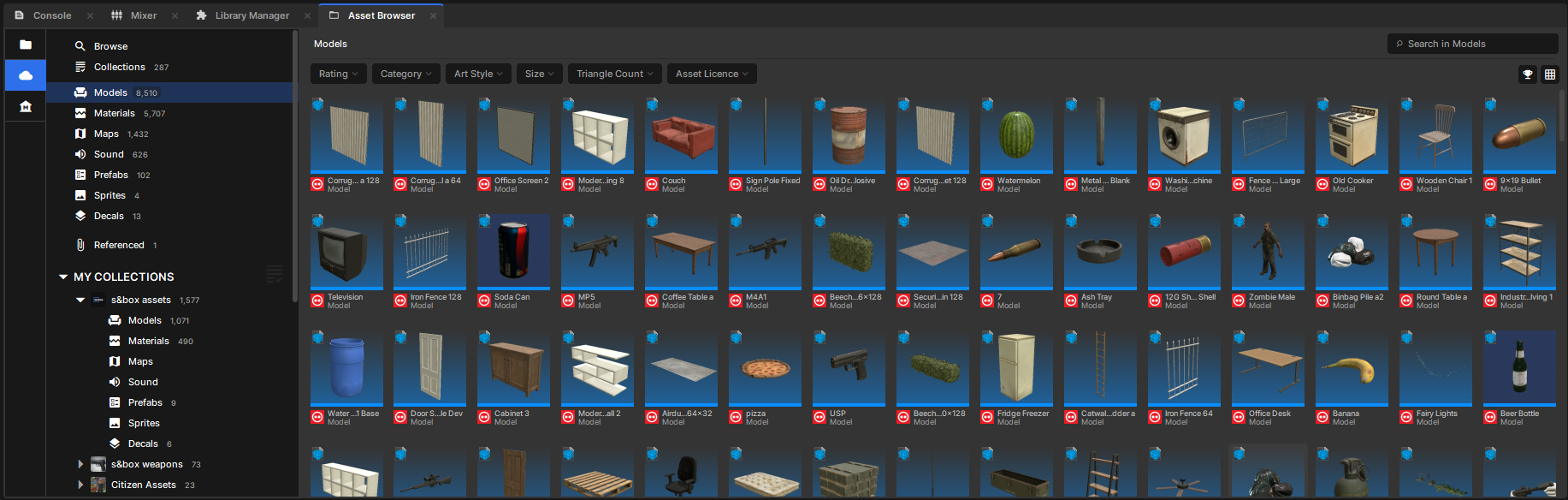
We've made some much-needed improvements to our cloud browser.
  • You can browse more things now - with the addition of collections, prefabs, sprites, and decals
  • Adding a collection to the sidebar applies instantly - you don't have to restart the editor anymore, and you can search for collections inside the editor itself too now
  • Filters are now shown in their own separate area rather than trying to squeeze them next to the search bar
  • Sorting through orgs collections should be easier: there are submenus for all the different asset types now
  • We've added an "update all" button to the referenced assets tab, so you can update everything at once
We've got a big batch of Movie Maker editor improvements this week. Special attention has been given to the Create Targets option, which automatically creates any missing GameObjects and Components needed to play back your movie. Many edge cases have been fixed, and now you can easily promote these objects to be saved in your scene just by dragging them around in the hierarchy.
Check out the patch notes at the bottom of the page for a complete list of fixes.
We changed our API endpoints from services.facepunch.com to public.facepunch.com at the start of last month. 
The old endpoint is going away now so update your shit, there's a small grace period with auth tokens.

The paths are the same, only the domain is changed, check out the API usage routes here:
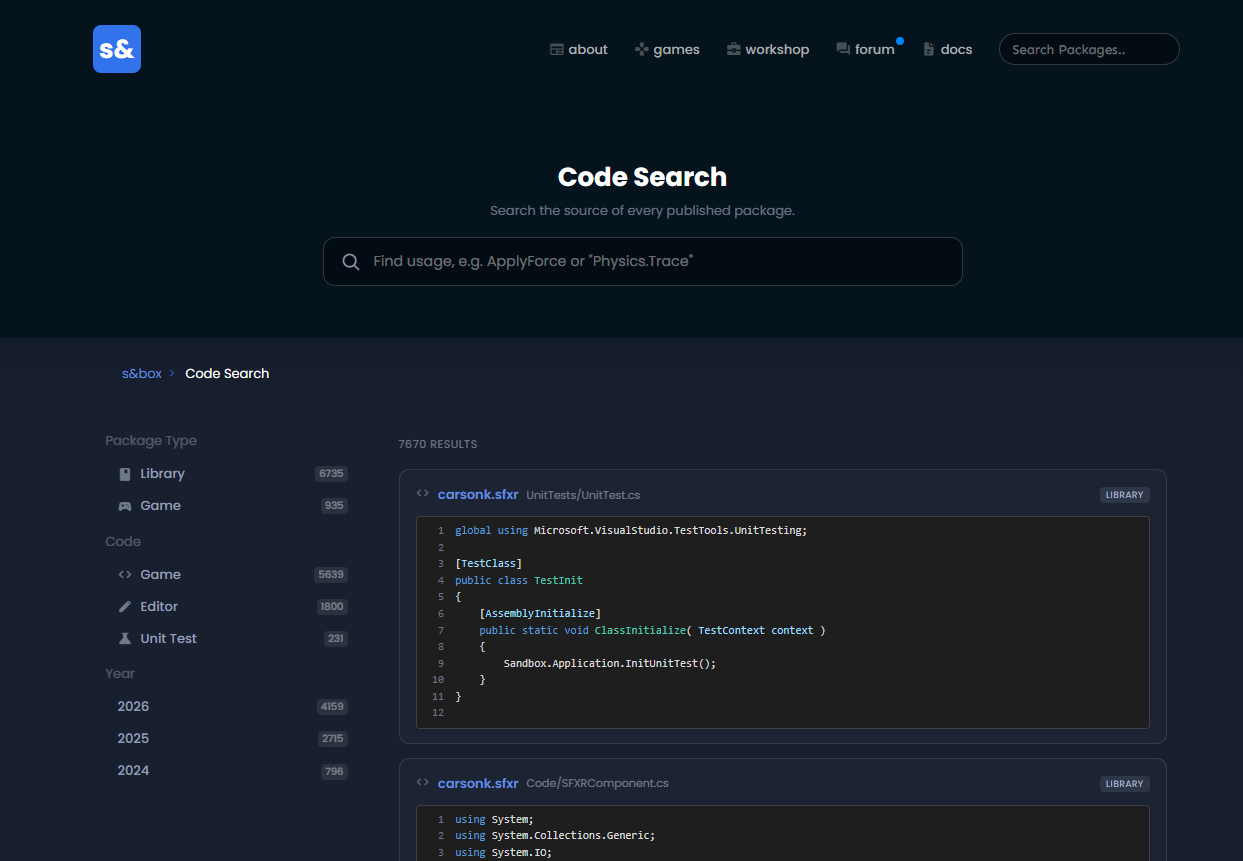
You now have an option to make your game open source. If you opt to do this, your code will be searchable in our new Code Search page and be fully browsable on your package page.


The aim of this is to build up a library of code so that anyone learning or unsure how to achieve something will be able to search for a specific class or function and see real world usage straight away.
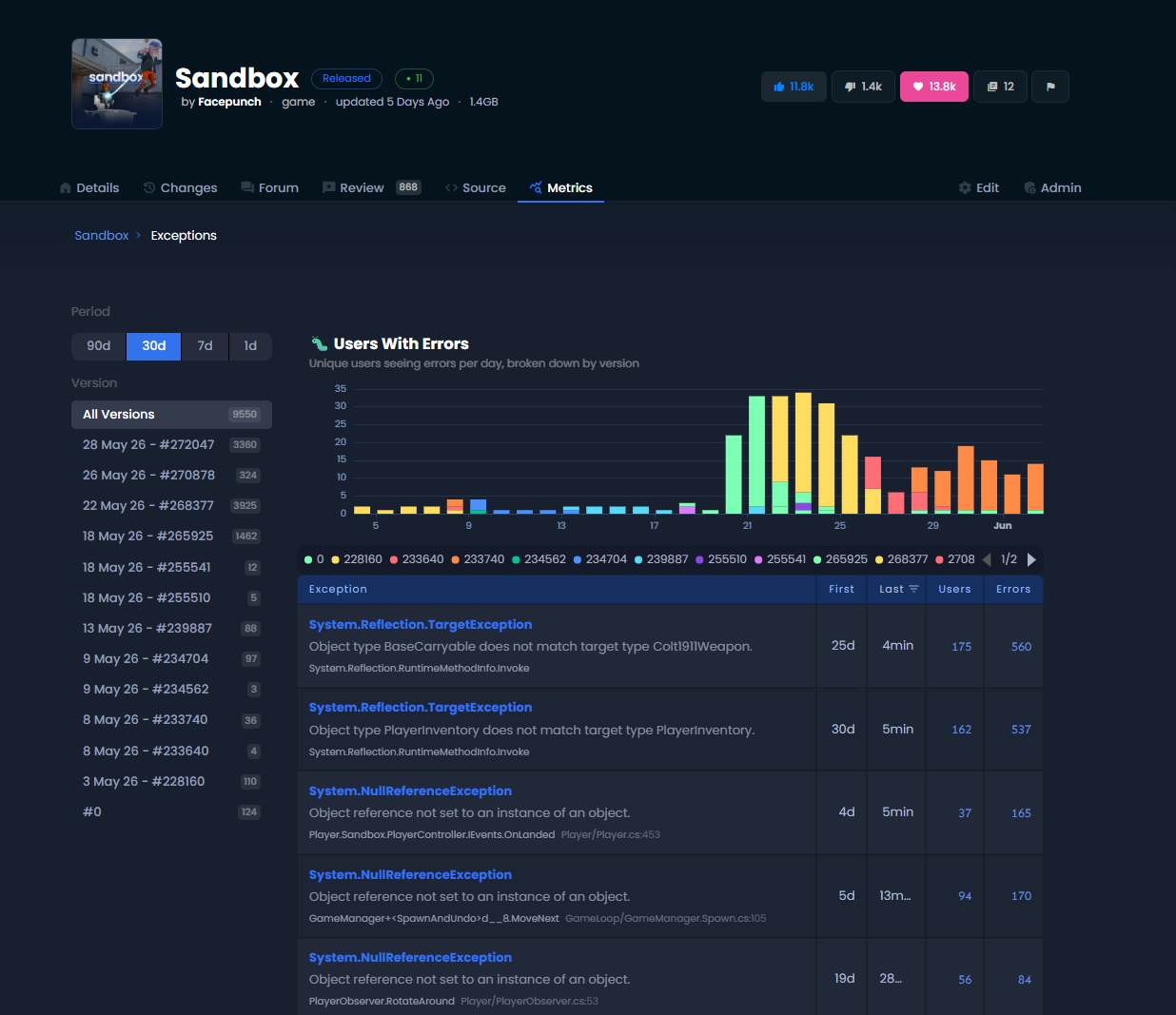
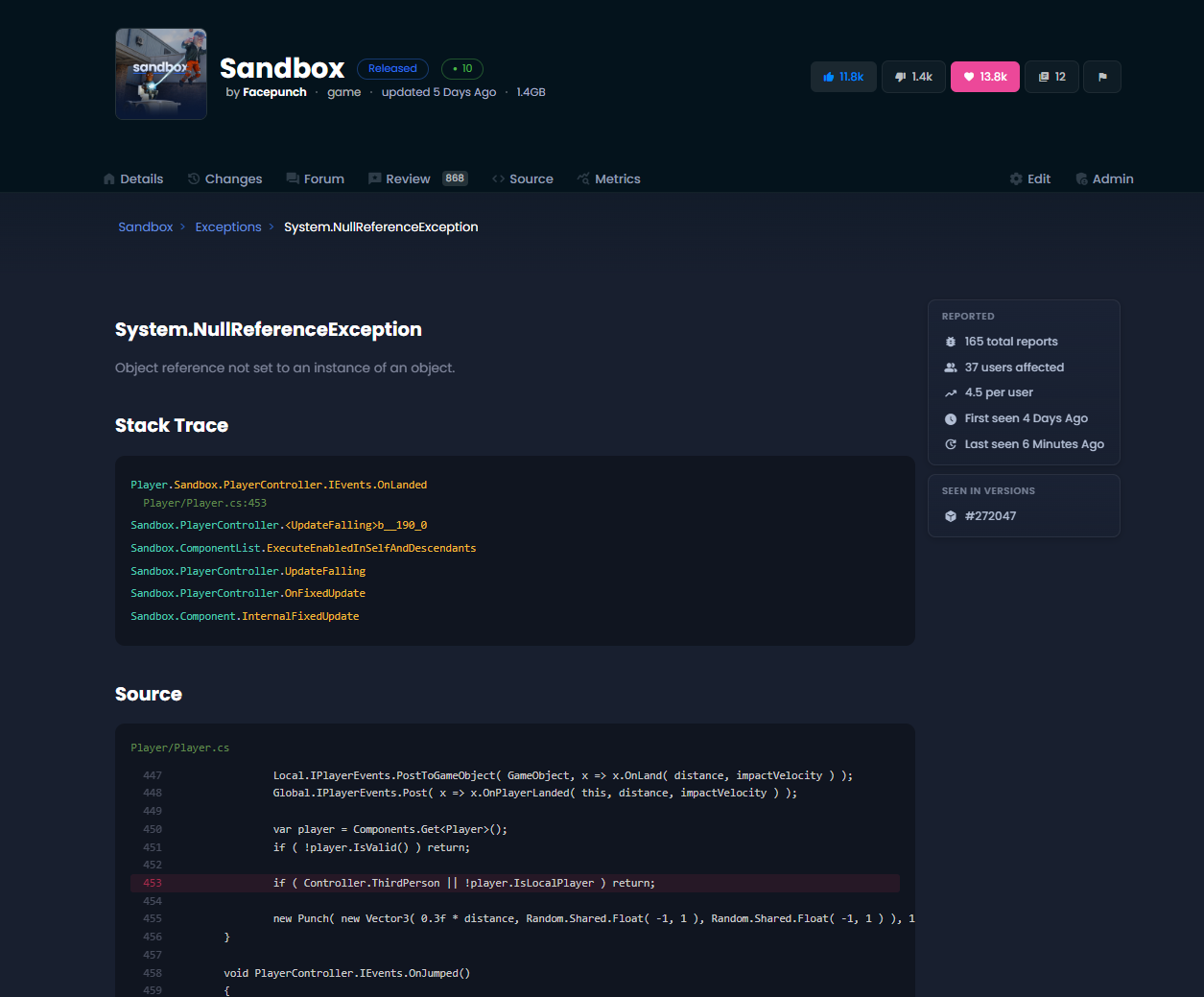
I've improved the package exceptions pages. They load more reliably now and feel a bit more accessible. When viewing an exception it'll try to show the source code where the exception happened.
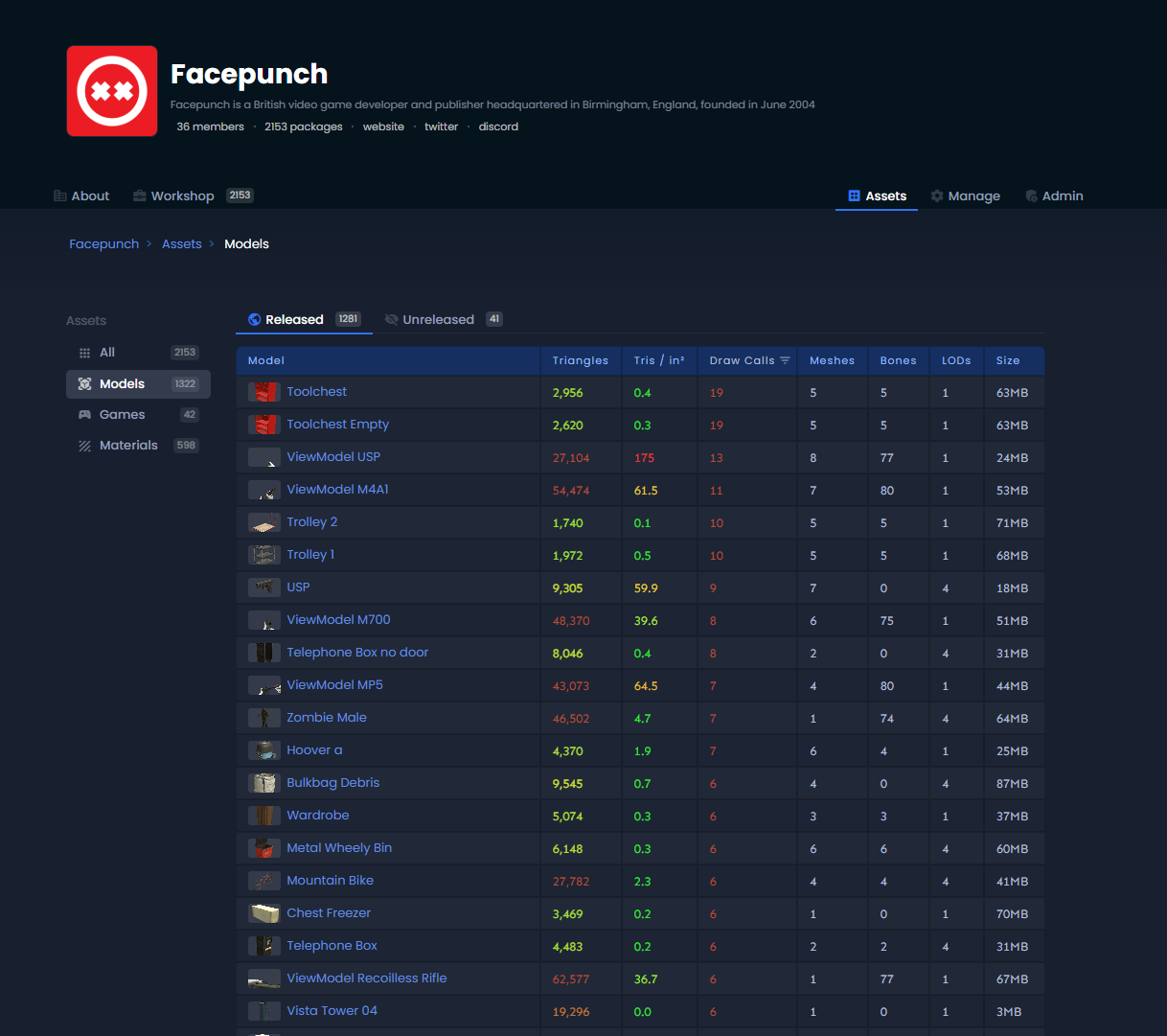
If you have a lot of models uploaded to your org (like facepunch does) it could be hard work to release them, hide them, or change the license on them. This week we added the asset batch editor. You can find it under the Assets tab on your Org's page.

This lets you go in, tick boxes, and apply licenses and release mode quickly and easily.
We also have special views for Models, Games and Materials where you can view and sort by some stats unique to each type of asset.
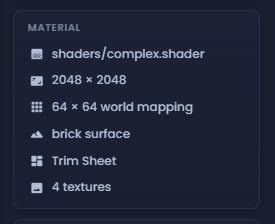
Similar to the Model stats, Material Assets are also now enriched with information about their contents. These show on the package's page and are available via the API, so we can show them in game.
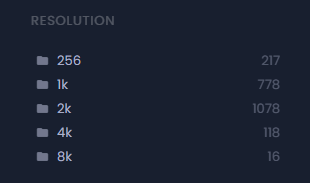
You can also now filter by alphatest, hdr, nomips, sky, translucent, trimsheet, uncompressed and worldmapped - which are all automatically tagged in the appropriate material packages. We have an extra facet too, which is the representative texture size.
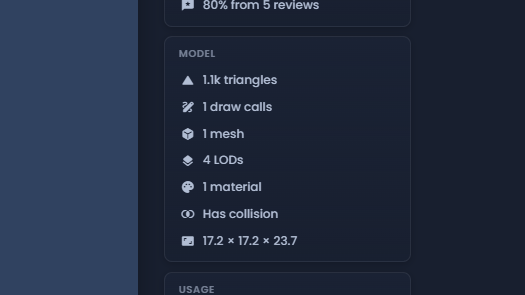
We now extract a bunch of model stats on any published models. They show on the model's page but the stats are also available to the engine.
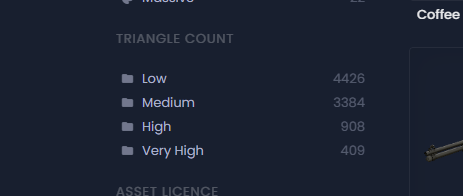
This in turn lets you filter models that have animations, bones and hitboxes.  You can also filter by triangle count.
In our efforts to reduce file sizes on the platform, we've been using the above new tools to target and optimize models & materials across our official asset libraries - namely s&box assets & Trimsheets.

We've added more LODs, reduced drawcalls and trimmed down on texture resolutions where appropriate without compromising visuals. Expect a file size reduction of up to 70% per asset in some cases. We'll obviously keep optimizing where possible moving forward.

Any existing projects already using our assets can benefit from these changes by updating the assets in-editor. 
Update 26.06.03
26.06.03
2 June 2026
🎁 Added
  • Audio: Physical sound simulation - a new physically based sound propagation system, using Steam Audio for reverb, HRTF and distance attenuation.
  • Audio: Basic reverb and occlusion settings to tune the new sound simulation.
  • API: `Mesh.AddSubMesh` lets a single mesh carry multiple materials as separate draw calls, sharing one vertex and index buffer instead of duplicating them.
  • Editor: GPU Resources Viewer with live preview, live updates and memory stats, plus exposed refcounts and a treemap view to spot leaks
  • Added package flair (updated, favourite, contest winner)
  • Added change lists to package view
  • UI: css min(), max() and clamp() for lengths
  • UI: css-wide keywords inherit, initial, unset, revert (incl. shorthands)
  • UI: added currentColor keyword to css
  • UI: colors can parse oklch(), lab() and hwb()
  • UI: added css text-align: justify
  • UI: css white-space: pre-wrap and break-spaces
  • UI: added css word-break: break-word
  • UI: parses css image-rendering: crisp-edges (point sampling)
  • UI: added css inset shorthand
  • UI: now parses 1–4 values in the css border-width shorthand
  • UI: added css transition-duration, -delay, -property and -timing-function longhands
  • UI: css :has() now supports descendant selectors
  • UI: added css opacity percentages
  • UI: added css overflow: auto (maps to scroll)
  • UI: added css gap: normal
  • UI: added css filter: none
  • UI: css transform: scale() now takes comma-separated args
  • UI: css animations now accept ms units
  • UI: added more css justify-content, align-* and text-align keywords (start, end, …)
  • UI: parses css dvh/svh/lvh/dvw viewport units (treated as vh/vw)
  • UI: parses css object-fit: scale-down (treated as contain)
  • UI: added css margin-block / margin-inline (+ the logical margin sides)
  • UI: added css padding-block / padding-inline (+ the logical padding sides)
  • UI: added css inset-block / inset-inline (+ the logical inset sides)
  • UI: added the css flex-flow shorthand
  • UI: added the css font shorthand
  • UI: added css font-size keywords (xx-small … xxx-large)
  • UI: css letter-spacing and word-spacing now accept normal
  • UI: added css font-smooth: none
  • UI: css aspect-ratio now accepts the auto form
  • UI: css font-family now maps generic families (serif, sans-serif, monospace)
  • UI: added css flex-flow
  • UI: added css font
🧼 Improved
  • Updated SDL to 3.4.8.
  • Skinned meshes now render with instanced skinning, cutting draw call overhead for scenes with many skinned objects.
  • Morph targets are processed in a single bindless draw call instead of one update per mesh, improving performance for animated characters.
  • Volumetric fog no longer jitters when far from the world origin or in high-contrast areas, and the denoise pass is much cheaper (8 trilinear taps instead of 27).
  • Procedural render layers now run in parallel jobs, improving performance when rendering multiple views.
  • Reworked input scoping to cleanly separate keyboard/mouse from controllers, improving local multiplayer support.
  • Overhauled the main search bar with structured autocomplete, better result sorting and a more prominent top result.
  • Cleaner, less cluttered cloud browser with filters moved below the search bar.
  • Terrain tools improvements: auto-create terrain, prompt to save `.terrain` on scene save, a resolution dropdown and a clipmap preview.
  • Terrain painting now automatically decides which layer to paint on based on opacity.
  • UI sounds now target the UI mixer by default when no mixer is set, so 2D sounds aren't spatialized like world sounds.
  • Rebuild model hitboxes when the renderer scale changes.
  • UI: css rule matching is ~3–5× faster on large stylesheets (rules indexed by class)
  • UI: ~2× fewer allocations in css transitions (snapshot styles once, not per property)
  • UI: finished css animations no longer re-layout every frame
  • UI: less GC in css sibling/child selector queries (no list copies or wrappers)
  • UI: less GC diffing active css rules (no LINQ or hashsets)
  • UI: faster, lower-GC Yoga layout wrapper
  • UI: css stylesheet hotload now watches newly imported files
  • Movie Maker: Don't show redundant full path to GameObjects in the track list, just show the name
  • Movie Maker: Created targets are now nested under a NotSaved GameObject parented to the MoviePlayer's GameObject
  • Movie Maker: You can promote a created target into a saved object in the scene by dragging it out of the MoviePlayer's ancestors
  • Movie Maker: Wait a little before updating export preview when changing res, so it doesn't try to allocate an RT on every key press
  • Movie Maker: Support capturing BeamEffects with a MovieRecorder
  • Movie Maker: Add icon / tool tip text in track list to easily see which tracks are bound to a created target
  • StringControlWidget now selects its entire contents on click. Thanks @Matt9440!
🪛 Fixed
  • Fixed a NaN assertion when running physics traces with invalid translation values.
  • Removed lingering invalid bodies from the physics world.
  • Fixed `OnEnabledInternal`/`OnDisabledInternal` being called out of order.
  • Fixed regular world panel transforms and world panel custom draw transforms.
  • Fixed a race in `SoundHandle.Time` so only the mix thread advances the native sampler.
  • Fixed a race condition when destroying sound streams by queuing destruction to a safe time.
  • Fixed stereo sounds (music and some SFX) being incorrectly spatialized in mono.
  • Fixed a performance regression when many sound handles exist.
  • Fixed inspecting procedural textures that aren't backed by a disk source, such as those from mounts.
  • Fixed dedicated server connection names by resolving them during the handshake.
  • Fixed cloud asset directory serialization exceptions.
  • Validate `ObjectCreateMsg`/`ObjectCreateBatchMsg` so clients can't create objects on behalf of other clients.
  • ServerPackages fixes, including no longer shipping the game package in the server package table.
  • UI: fixed css !important dropping the whole declaration
  • UI: css line-height without units is now a multiplier
  • UI: fixed css calc() division and full-expression parsing
  • UI: fixed the css flex shorthand for single-number and three-value forms
  • UI: fixed the css transition shorthand when the property is omitted
  • UI: css font-family now uses the first family in a comma stack
  • UI: colors now parse fully in the css background shorthand
  • UI: an unknown css @-rule no longer drops the whole stylesheet
  • UI: css variables no longer match on partial tokens
  • UI: injected css variables are kept across stylesheet hotloads
  • UI: fixed css selector specificity overflowing when comparing rules
  • UI: css background: none now resets the background (image and colour)
  • UI: css filter: none now overrides a filter set by a base class
  • UI: css transform: none now overrides a transform set by a base class
  • Movie Maker: Avoid animgraph playback going crazy when scrubbing
  • Movie Maker: Fix animations updating at the wrong speed when previewing sequences
  • Movie Maker: Immediately repaint scrub bars if their background colour changes
  • Movie Maker: Make sure timeline tracks get created when track list changes, fixing keyframes not always getting created
  • Movie Maker: Fix created targets escaping to the scene root if their parent changes
  • Movie Maker: Fix lots of edge cases where created targets aren't created / removed when changing movie / toggling CreateTargets
  • Made the stylesheet cache context aware to stop styles bleeding between games and the menu. Thanks @Matt9440!
  • Don't normalize remote URIs. Thanks @Noztik!
trophy 1575
Apr 2021 218 posts
Update 26.06.03 : news/update-26-06-03
trophy 730
Aug 2023 15 posts
 Thanks for the devblog 
trophy 960
Jul 2022 6 posts
new cloud browser looking good
trophy 2680
Apr 2026 17 posts
Oh s&box oh s&box LETS PLAY SOME S&BOOOOOOX!
trophy 230
Feb 2023 4 posts
love the new terrain stuff
trophy 2414
Apr 2026 2 posts
LET'S GOOO
trophy 821
Jul 2022 37 posts
Dope
trophy 8735
Dec 2024 29 posts
This week is fat with updates 
trophy 1480
Feb 2024 62 posts
nice

trophy 1720
Apr 2026 2 posts
good work guys
people
Log in to reply
You can't reply if you're not logged in. That would be crazy.