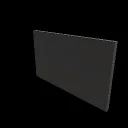
Media Screen
Released
A TV screen that everyone can watch together: YouTube, Twitch, live streams and media links, in sync.
Media Screen
A TV screen for Sandbox that everyone on the server watches together, in sync. Spawn one, paste a link, and play videos with your friends.
Features
- Plays YouTube, Twitch, Kick and other media links, plus live streams and plain video files (mp4, webm).
- Paste a link to play it right away, or add it to the queue. A Recent list brings back earlier links.
- Seek, pause, skip and set the volume.
- Pick your own quality, from 144p up to 4K where the video offers it.
- Switch between 3D positional audio and flat 2D audio.
- On-screen controls appear when you look at the screen and fade out on their own.
- Physics object: grab it with the physgun and resize it with the tool gun. A bigger screen is heard from further away.
- Works with a controller.
How to use
- Press Q, open Entities -> Fun (or search "Media") and spawn Media Screen.
- Look at it and press E to open the remote.
- Paste a link and press Play now or Queue. Press E or the X to close the remote.
- While it plays, point at the screen to see its controls, and press E on a button to use it.
Anyone can play, pause and queue, and everyone sees the same video in sync.
Source and issues: https://github.com/Claw256/sbox-bimp-addon
Built on the BIMP media player library: https://github.com/Claw256/sbox-bimp