
Checkpoint Tool
Released
Place and manage checkpoints in your s&box game with a built-in editor tool.
Checkpoint System for the S&box engine
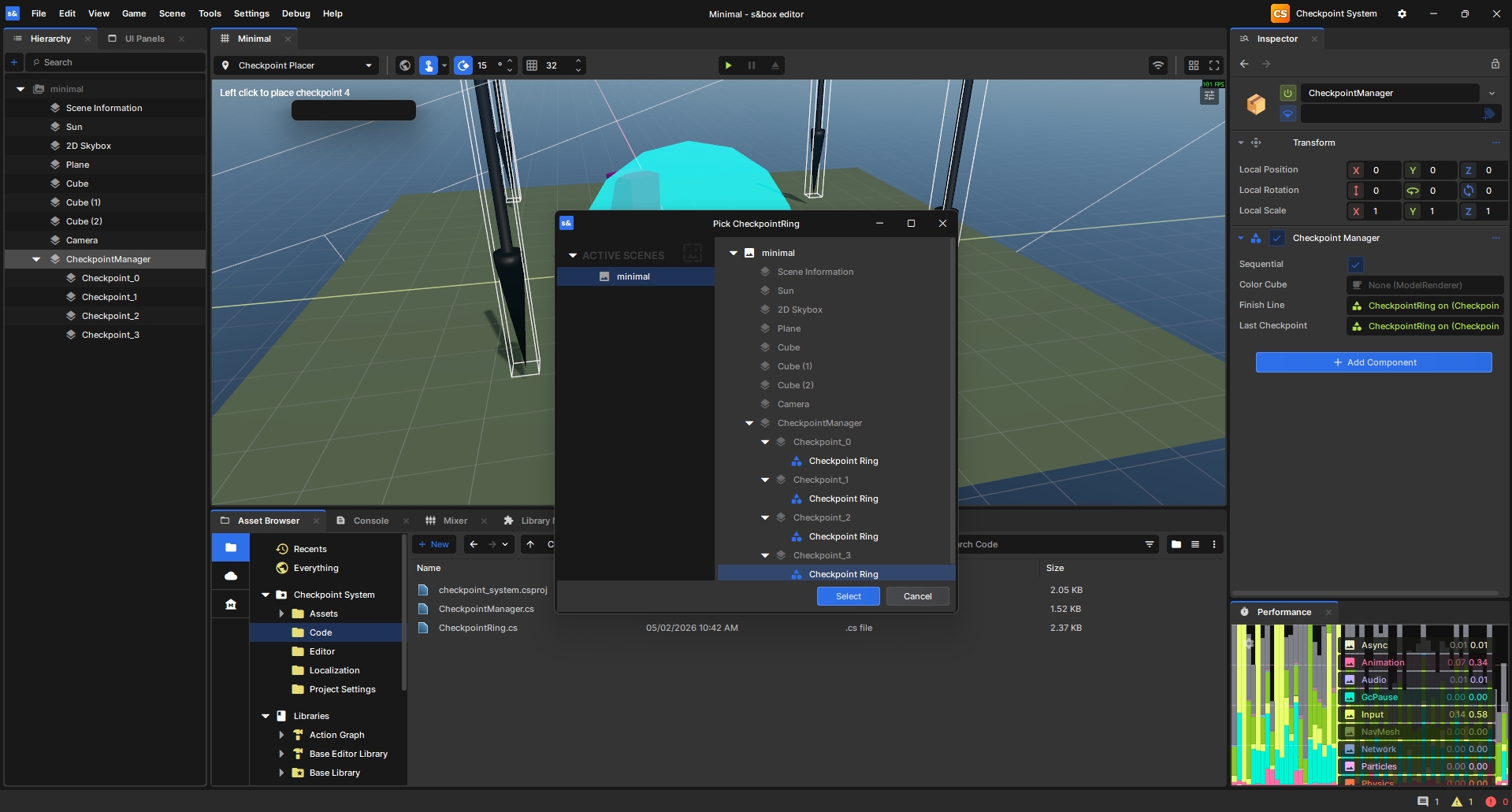
Place and manage checkpoints in your S&box game with a built-in editor tool. Left-click to place checkpoints directly in the scene — no manual component wiring required.
How It Works
Three pieces work together:
CheckpointPlacer— an editor tool (toolbar icon:add_location) that lets you left-click to place checkpoints in your scene. It auto-creates aCheckpointManagerif one doesn't exist, and auto-increments the checkpoint index as you place each one.CheckpointRing— the runtime component on each checkpoint. Detects any GameObject taggedplayerentering its radius and fires events. Supports sequential or free-order modes.CheckpointManager— singleton that tracks overall progress (NextCheckpoint), enforces sequential ordering, and exposes events your gamemode can subscribe to.
Installation
Add the package into the S&box editor:
1. Select the Asset Browser tab in the S&box editor.
2. Navigate to the Asset Browser tab -> Find the cloud asset store
3. Search for Checkpoint System from rwtrcsc

https://sbox.game/rwtrcsc/checkpoint_system/
Open your project in S&box. The Checkpoint Placer tool will appear in the editor toolbar.
Docs
"Documentation" starts below this section on the GitHub repo.