s&
About
The Project
info
About s&box
map
Roadmap
monitoring
Metrics
Engine startup and usage numbers
Updates
newspaper
Latest News
published_with_changes
Changes
Release-by-release changelog
Games
Browse Games
Discover Games
gamejams
results
Game Jam III
Crowned
Sat 3 Oct
Winner
🏆 GAMMA ☢ TEAM
Theme
One More Round
This jam is over. The next one will show up here.
See the results
Workshop
Playable
sports_esports
Games
Standalone games and gamemodes
Assets
landscape
Maps
view_in_ar
Models
texture
Materials
apparel
Clothing
apps
Everything
Every asset type in one list
Forum
Learn
Documentation
rocket_launch
Getting Started
docs
Documentation
api
API Reference
Resources
school
Tutorials
manage_search
Code Search
Get s&box
Sign in with Steam
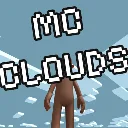
MC Clouds
Released
3D Clouds from that one Block Game
by
trende
library
updated
3 months ago
144.4KB
thumb_up_alt
1
thumb_down_alt
0
favorite
1
library_books
0
home
Details
reviews
Review
code
Source
How to use
Right click
anywhere in the Hierarchy or empty space in the viewport
> Create > Minecraft Clouds
You may need to change the ZFar on your Camera to see the clouds.
Change the
Z
axis to any desired height you want the clouds to be at.
Package
collections_bookmark
Library
add_box
Created 4 Months Ago
update
Updated 4 Months Ago
reviews
No Reviews
Tags
3d
clouds
library
gavel
Report DMCA Violation