Patch Notes v1.1.3
v1.1.3
20 June 2026
25 changes in this update
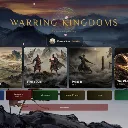
New guided tutorial for Skirmish at the Crossroads. We pick the Wei deck for you and stack it so your best opening cards show up first.
Nine quick tips walk you through your first match, one mechanic at a time. Skip them whenever you want.
A welcome screen for new players that points you to Story Mode and covers the basics.
You can now drag cards straight onto the battlefield. Grab a card and a full size copy follows your cursor, then drop it on a lane.
More music
Main buttons are now proper bronze plaques.
Council, Warpath, and Missions buttons each wear their faction color.
The Settings gear is jade with a gold trim.
Every deck button is color coded to its faction now, not just the starters.
The faction seal sits behind the lobby title.
Join Duel is green so it reads as go.
Rematch is green, Withdraw is red.
The Battle Chronicle moved up under your name plate where you can actually see it.
Story menus all line up at the same width now.
The chapter fight title matches the fight header font.
Cards make a sound as they pop out of a War Chest pack.
Victory and defeat music actually plays now, and the background track drops so you can hear it.
AI no longer gets stuck on mulligan. If a bot stalls for 10 seconds, it just keeps its hand and moves on.
Drag and drop works. The old version used the wrong kind of event, so it never fired.
Fixed defeat/victory music not playing
Default SFX lowered and Music increased
Added a (Good for new players) next to Wei starter deck
Shortened load time for card glossary
Dropped the deck count from the corner of the battle screen. It was just clutter.
Placing a card is click to grab, click to drop, not a press and hold drag. The card follows your cursor either way.