
what's Doo?
No Stupid Questions
Started by · one year ago · 39 replies · 4,549 views

This response was for TheDoomLord. Me too, kid. I doubt it at this point. It's better to just learn C# in the end. But because the engine's open source, someone can make their own actiongraph as a library addon for S&box.


Thats Doo
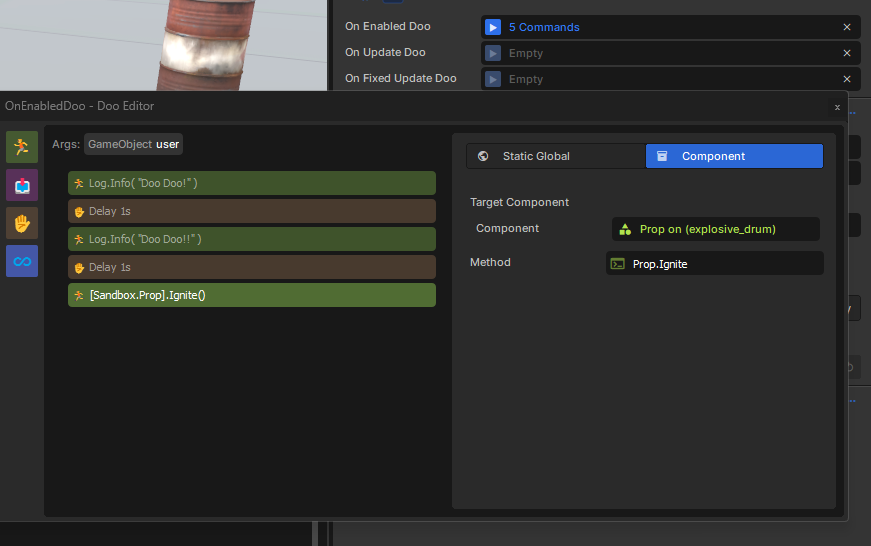
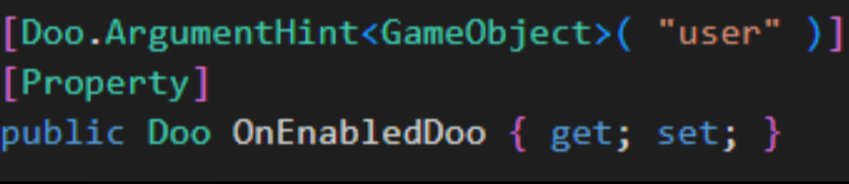
what's Doo?



This response was for TheDoomLord. Me too, kid. I doubt it at this point. It's better to just learn C# in the end. But because the engine's open source, someone can make their own actiongraph as a library addon for S&box.
edited 4 months ago#36

So apparently I need a code editor. Visual studio is referenced. Is this the way to go or can I use an alternative not to support Microsoft?
What Does the S& Box community recommend?
What Does the S& Box community recommend?

So apparently I need a code editor. Visual studio is referenced. Is this the way to go or can I use an alternative not to support Microsoft?
What Does the S& Box community recommend?
Alternatively, people use Jetbrain Rider which is a paid alternative, although they have a free non-commercial license available.
I recommend you stick with Visual Studio regardless of any personal feelings about Microsoft. It is a good and free product.

Thank you Very much. Exactly what I needed to hear.
C# is a programming language made by Microsoft; Visual Studio Community is the 'default' choice, and offers very good first-party support for all language features.
Alternatively, people use Jetbrain Rider which is a paid alternative, although they have a free non-commercial license available.
I recommend you stick with Visual Studio regardless of any personal feelings about Microsoft. It is a good and free product.

Thank god theres a thread for this.
How do I make an outline for a Hud? This is def different from java, I just dont know how to put a square outline over a screen component, much less make an object clickable to bring up various menu options. Ive only worked with Eclipse IDE so working with a game engine like this is totally new.
Any resources would be great too, anything to push forward really!
How do I make an outline for a Hud? This is def different from java, I just dont know how to put a square outline over a screen component, much less make an object clickable to bring up various menu options. Ive only worked with Eclipse IDE so working with a game engine like this is totally new.
Any resources would be great too, anything to push forward really!
The HUD using Razor Pages is basically a standard website, but with C# replacing Javascript.
Anything* that you can do with css you can do in Sandbox. Adding an outline should be trivial, but if you want a step by step tutorial, there is a great (but somewhat lengthy) video on the topic of UI in Sandbox.
* almost all css; it's not a 1:1 copy but it's pretty close.
Anything* that you can do with css you can do in Sandbox. Adding an outline should be trivial, but if you want a step by step tutorial, there is a great (but somewhat lengthy) video on the topic of UI in Sandbox.
* almost all css; it's not a 1:1 copy but it's pretty close.
Thank god theres a thread for this.
How do I make an outline for a Hud? This is def different from java, I just dont know how to put a square outline over a screen component, much less make an object clickable to bring up various menu options. Ive only worked with Eclipse IDE so working with a game engine like this is totally new.
Any resources would be great too, anything to push forward really!
people
Log in to reply
You can't reply if you're not logged in. That would be crazy.