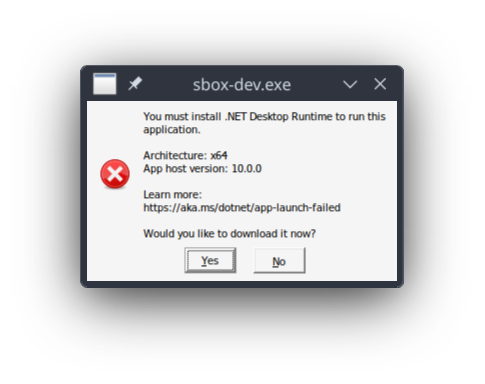
This thread will contain troubleshooting steps for common issue experienced on Linux when using the s&box editor.
Problem: "You must install .NET Desktop Runtime" appears when launching the s&box editor
The below error message is appearing when launching the s&box editor:This problem occurs when the WINE prefix that Proton uses for the s&box editor does not have .NET installed.
Solution: Run the .NET 10 SDK installer on the s&box editor WINE prefix
You can get the installer from Microsoft.com here. IMPORTANT: Choose the Windows (not Linux) version of the SDK (not Runtime) installer.
We will be using winetricks to easily configure the WINE prefix of the s&box editor.
If winetricks is not already installed, run the below terminal command:
sudo apt install winetricks
To run winetricks using the WINE prefix of the s&box editor, run the below terminal command:
NOTE: This command assumes that Steam is installed in your home directory, which may not necessarily be the case. Adjust the path if needed.
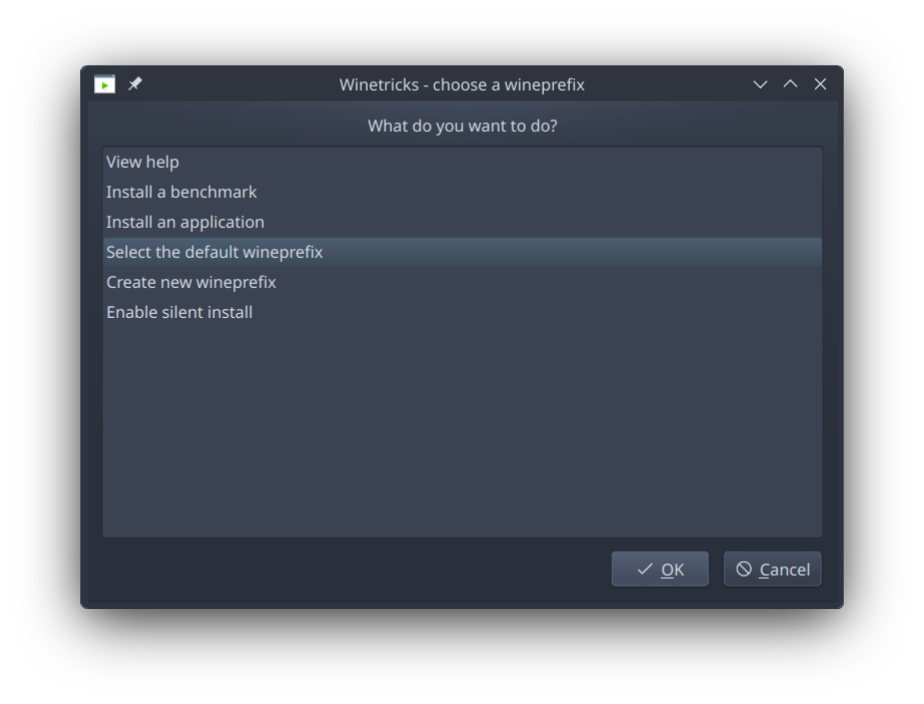
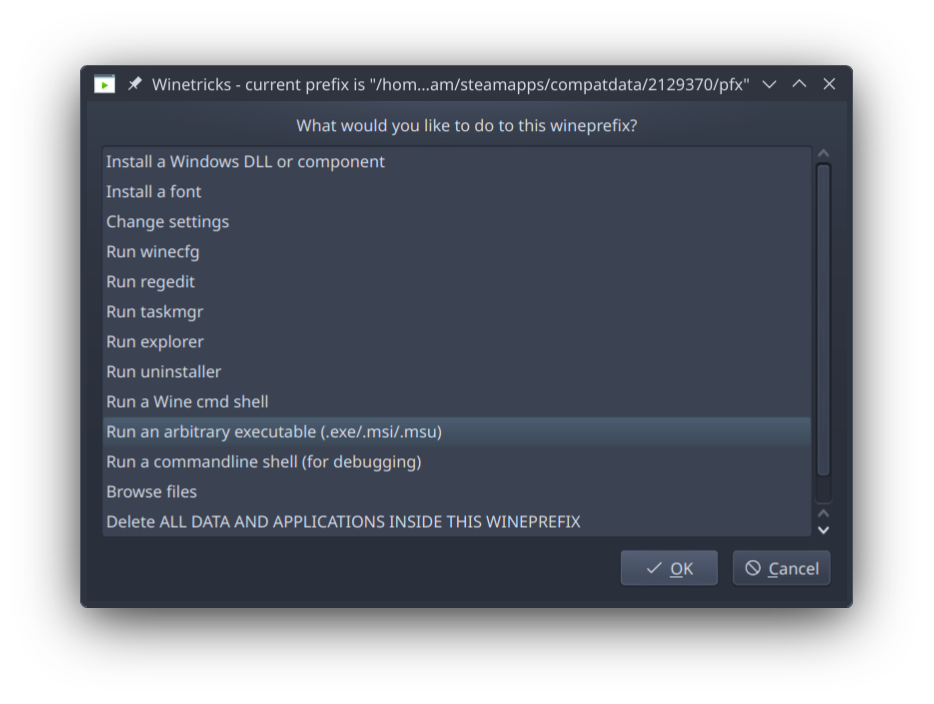
On the "choose a wineprefix" window, choose "Select the default wineprefix". This will use the WINEPREFIX variable we set earlier. On the "current prefix is" window, confirm that the prefix listed in the window title is correct. Choose "Run an arbitrary executable", then choose the .NET 10 SDK installer you had downloaded.
Proceed through the installation as normal, then close winetricks, and launch the s&box editor through Steam.
The "Welcome to the s&box editor" window should now appear.
TODO: Explain how to use winecfg to disable custom window decorations. TODO: Determine the cause of the main viewport flashing, and devise a fix, if possible.
After some fucking around and a little (a lot) of AI help because google sucks nowadays apparently, I've come up with this disgusting mega command, run this in your terminal after booting the editor once (click no when it asks to install wine) and it should: - remove the window decorations - install dotnet to the wine prefix - fix font smoothing - use a better file browser than the wine default
if you would like the "open solution" or open component.cs buttons to actually work in the editor, here's an extension I made that adds support for vscode. You can change the path at the top of the .cs file to any code editor you want, feel free to make a pr (link to github page in description) https://aur.archlinux.org/packages/code-marketplace
was able to get the editor to open on fedora by installing .net on my wine prefix, but the DPI scaling made the UI very small. I've been building my game in Godot engine and have been considering a switch to s&box once it releases and I can access it again - it's just the editor experience that's the major roadblock for me. Would be really nice to have a linux native editor or 3rd party IDE.