This update is all about giving builders more control.
The Toolgun now has a full building suite with new tools for Precision, Stacker, Material, Color, Light and Text Sign. You can move props more accurately, duplicate layouts in a clean direction, recolor builds, apply materials, place configurable lights and add floating world text.
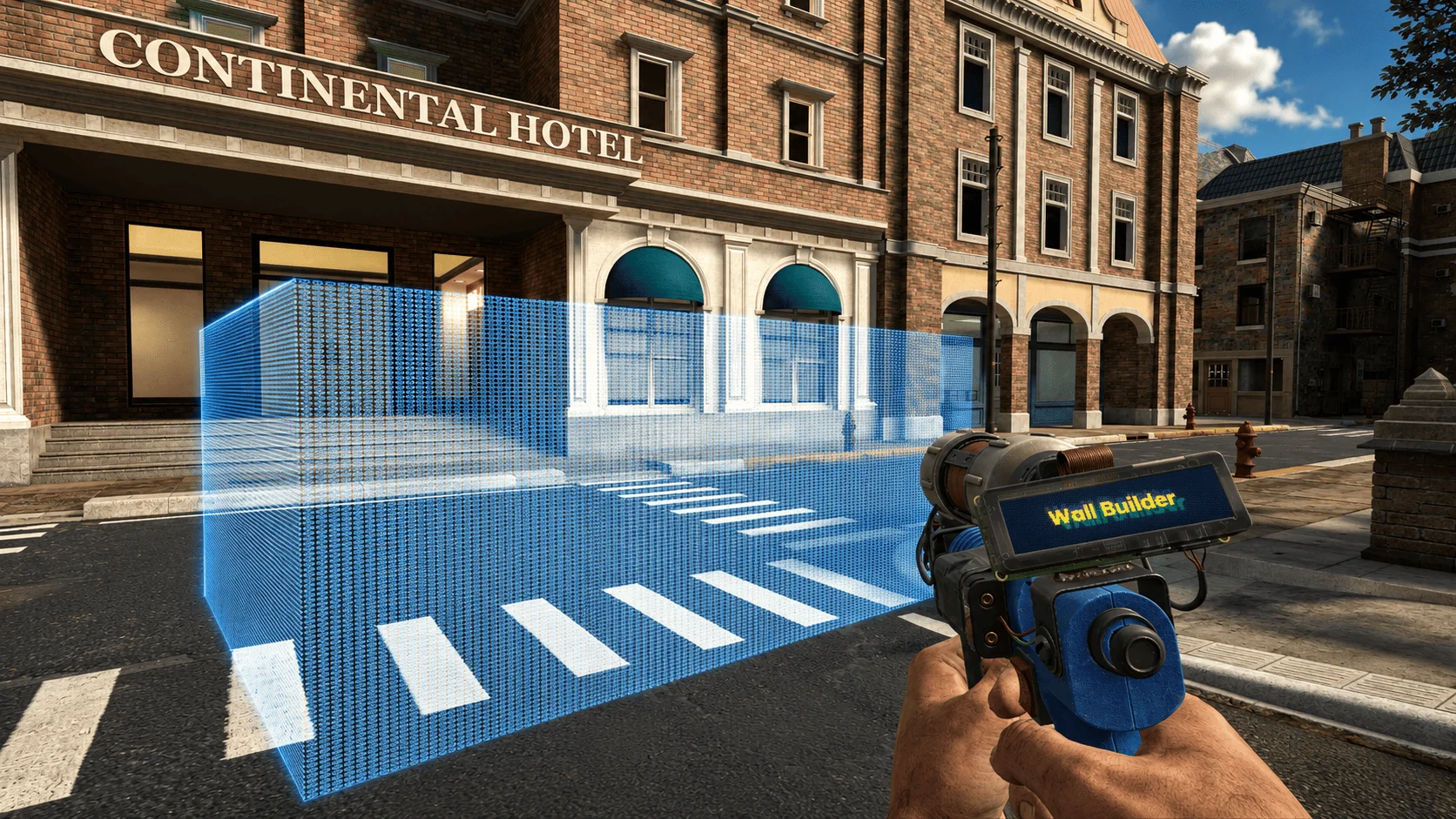
The new Wall Builder lets you create custom walls directly in-game. Pick two corners, choose the depth, preview the shape, then place it. It is built for quick interiors, shop layouts, bases and custom RP spaces without needing to hunt for the perfect prop.
The new Blueprint tool lets you select owned props, save them locally, and paste them again later.
You can build something once, save it as a blueprint, then bring it back with preview and rotation controls. Connected selections are supported too, so bigger builds with linked pieces are much easier to preserve.
The Duplicator also received a large safety and reliability pass. Pasted builds now validate object counts, transforms, bounds, packages and allowed components before spawning. Fading doors, keypads and the new buttons are preserved more reliably across duplication and blueprint workflows.
The modern spawn menu now has a cleaner building workflow.
Tools are grouped properly, resource and blueprint selectors have dedicated popups, and new prop management panels have been added. Prop Access lets you grant trusted players toolgun and physgun access to your props without transferring ownership.
There is also a Prop Cleanup panel, so you can remove your own spawned removable objects with a confirmation prompt.
A new Linked Objects panel helps you understand what is connected to what.
You can scan an aimed prop, inspect related constraints, keypads, buttons and fading doors, then highlight linked objects directly in the world. This should make larger builds much easier to debug, especially when something is connected behind a wall or hidden inside a contraption.
Building Update
0.6.7
11 May 2026
🎁 Added
Wall Builder tool: create custom walls from two corners with adjustable depth and placement preview.
Blueprint tool: select owned props, save local blueprints and paste them later with preview and rotation controls.
New building tools: Precision, Stacker, Material, Color, Light and Text Sign.
Button tool: place physical buttons linked to fading doors alongside keypad support.
Modern spawn menu building workflow with grouped tools, resource selectors and blueprint selector popups.
Prop Access panel lets owners grant trusted players toolgun and physgun access to their props.
Prop Cleanup panel lets players remove their spawned removable objects with confirmation.
Linked Objects panel highlights and manages constraints, keypads, buttons and fading-door links.
🧼 Improved
Duplicator and blueprint pastes now validate object counts, bounds, transforms, packages and allowed components before spawning.
Placement validation now blocks spoofed positions, invalid coordinates, range abuse and protected targets.
Fading doors, keypads and buttons are preserved more reliably across duplication and blueprint workflows.
Toolgun and prop permission checks are stricter and more consistent across building tools.
Expanded English, French and German localization for building, admin and spawn-menu UI.
people
Log in to reply
You can't reply if you're not logged in. That would be crazy.