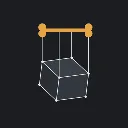
Geppetto
Released
Two editor tools in one package: Effigy (parametric CAD, sculpt, skinned vmdl export) and Marionette (control-rig animation)
RigControl/RigAnimDocument.cs
Asset type and data model for a rig animation document used by the Marionette editor. Defines RigAnimDocument with lists of bone tracks, objects, reference props, lights, cameras, events and morphs, plus supporting types (RigObject, RigObjectPart, BoneTrack, BoneKeyframe, interpolation, etc.) and evaluation/utility methods for tracks and part transforms.
using Sandbox;
using Sandbox.Utility;
using System.Collections.Generic;
using System.Linq;

namespace Marionette;

// A keyframed clip authored against a RigDocument: a diamond-per-bone timeline of FK poses,
// plus AnimEvents (prop attach/detach) and morph triggers layered over the same frame range.
// Replaces the older RigEventsAsset, which only carried events and had nothing to actually pose
// or play back - this is the real shape of the tool (see RigDocument for the rig/constraint half).
[AssetType( Name = "Rig Animation", Extension = "riganim", Category = "Marionette" )]
public sealed class RigAnimDocument : GameResource
{
	[Property, Group( "Source" )] public Model SourceModel { get; set; }
	[Property, Group( "Source" ), Title( "Rig Asset Path" )] public RigDocument RigAsset { get; set; }
	[Property, Group( "Source" ), Title( "Animation Speed" )] public int AnimationSpeed { get; set; } = 30;
	/// <summary>How many frames long the clip is.
	///
	/// 900 - thirty seconds at the default 30fps. The old default of 30 gave a clip exactly ONE
	/// SECOND long, which read as the timeline being broken rather than as the clip being short.
	///
	/// The editor's timeline never goes below thirty seconds regardless of this value, so an
	/// existing clip saved at the old default still gets room to work in; see
	/// RigTimeline.MinimumTimelineFrames. This number is what the clip itself claims to be.</summary>
	[Property, Group( "Source" ), Title( "Frame Count" )] public int FrameCount { get; set; } = 900;

	/// <summary>
	/// Models shown in the viewport to pose against - the switch a hand reaches for, the weapon it
	/// grips, the surface it rests on.
	///
	/// A prop stays static until you key it. Left alone it is pure reference: somewhere real to aim
	/// a grip, instead of guessing at empty space and discovering you were wrong once it's in game.
	/// Key it and it becomes a PART - a whole object animated on the same timeline as the bones,
	/// which is what a door, a lever or a magazine actually is. See TrackTarget, and
	/// RigAnimPlayerComponent.Parts for how a part is wired up at runtime.
	///
	/// A prop that carries its own skeleton gets its bones posed as well, alongside the main
	/// model's and on the same playhead - a weapon's bolt, a magazine's follower, a door on a
	/// hinge. Its tracks are named for the prop as well as the bone, so two objects are each
	/// allowed a bone called "root"; see RigTrackName.
	///
	/// Distinct from AnimEvents, which attach a prop TO a bone for a frame range and are part of
	/// the clip. A reference prop stays where the world puts it; an event prop follows the hand.
	/// </summary>
	[Property, Group( "Reference" )] public List<ReferenceProp> ReferenceProps { get; set; } = new();

	/// <summary>
	/// The objects in this clip that are not the main model - a door and its handle, a weapon and
	/// its magazine, anything imported from a mesh file.
	///
	/// NOT REFERENCE PROPS. A reference prop is scenery: something to aim a grip at. An object is
	/// part of the animation - it has parts, each part moves on its own, and every one of them
	/// records to the timeline exactly as a bone does. That difference is why they are two lists
	/// rather than a flag on one: a prop that is only there to be looked at should not be asking
	/// you which of its parts you meant.
	///
	/// ReferenceProps is still here and still works, because clips already exist that use it.
	/// </summary>
	[Property, Group( "Objects" )] public List<RigObject> Objects { get; set; } = new();

	/// <summary>
	/// Lights for the Marionette viewport to render this clip under.
	///
	/// A LIGHT IS WORKSPACE UNTIL YOU SAY OTHERWISE. Every one of these starts as viewport-only:
	/// lighting is mostly how you SEE what you are posing, and a light added to make out an
	/// elbow has no business turning up in somebody's game. Tick a light's Export With Clip and
	/// it becomes part of the shot instead, spawned beside the model by
	/// RigAnimPlayerComponent when the clip plays - a desk lamp authored with the pose it lights.
	///
	/// Either way it stays out of an exported .vmdl, because a .vmdl animation is bone channels
	/// and there is nowhere in the format for a light (see RigAnimExport, which says so rather
	/// than dropping them quietly).
	///
	/// It is stored on the clip rather than in an editor cookie because the useful lighting is
	/// per-shot, not per-person: a clip of him at the desk wants the desk's key light, and the
	/// next clip wants something else. Kept as a preference it would follow you between clips and
	/// be wrong for most of them.
	///
	/// EMPTY MEANS THE DEFAULT LIGHTING, not darkness. Every clip authored before this existed
	/// has an empty list and has to keep looking exactly as it did - so the viewport's built-in
	/// sun and ambient stay on until this list says otherwise, at which point these replace them
	/// wholesale. See RigViewport.BuildLights.
	/// </summary>
	[Property, Group( "Lighting" )] public List<RigLight> Lights { get; set; } = new();

	/// <summary>
	/// Camera shots for this clip - where you looked from when a moment read right.
	///
	/// LIKE LIGHTS, A CAMERA IS WORKSPACE UNTIL TICKED OTHERWISE. Every one of these starts as
	/// viewport-only: framing is how you SEE what you are posing, and a camera dropped to look at
	/// an elbow has no business turning up in somebody's game. Tick a camera's Export With Clip and
	/// it becomes part of the shot instead - spawned by RigAnimPlayerComponent when the clip plays,
	/// and baked out by the export.
	///
	/// It is stored on the clip rather than in an editor cookie because the useful framing is
	/// per-shot, not per-person: a clip of him at the desk wants the shot over the desk's shoulder,
	/// and the next clip wants something else.
	/// </summary>
	[Property, Group( "Cameras" )] public List<RigCamera> Cameras { get; set; } = new();

	[Property] public List<BoneTrack> BoneTracks { get; set; } = new();
	[Property] public List<RigEvent> Events { get; set; } = new();
	[Property] public List<MorphEvent> MorphEvents { get; set; } = new();

	public RigObject FindObject( string name ) =>
		Objects?.FirstOrDefault( o => o is not null && o.Name == name );

	/// <summary>The object or part a track name means, or null for a name nothing owns. Splitting
	/// here rather than at every call site is what keeps "door" and "door/handle" one idea.</summary>
	public (RigObject Object, RigObjectPart Part) FindPartTarget( string key )
	{
		if ( string.IsNullOrEmpty( key ) || Objects is null )
			return (null, null);

		if ( FindObject( key ) is { } whole )
			return (whole, null);

		var (objectName, partName) = RigTrackName.Split( key );

		if ( FindObject( objectName ) is not { } owner )
			return (null, null);

		return (owner, owner.FindPart( partName ));
	}

	public BoneTrack FindTrack( string bone ) =>
		BoneTracks.FirstOrDefault( t => t.Target == TrackTarget.Bone && t.BoneName == bone );

	public BoneTrack GetOrAddTrack( string bone ) => GetOrAddTrack( bone, TrackTarget.Bone );

	/// <summary>The track for a whole part - a reference prop moved as one object rather than a
	/// bone inside the skeleton. See TrackTarget.</summary>
	public BoneTrack FindPartTrack( string part ) =>
		BoneTracks.FirstOrDefault( t => t.Target == TrackTarget.Part && t.BoneName == part );

	public BoneTrack GetOrAddPartTrack( string part ) => GetOrAddTrack( part, TrackTarget.Part );

	private BoneTrack GetOrAddTrack( string name, TrackTarget target )
	{
		var track = BoneTracks.FirstOrDefault( t => t.Target == target && t.BoneName == name );

		if ( track is null )
		{
			track = new BoneTrack { BoneName = name, Target = target };
			BoneTracks.Add( track );
		}

		return track;
	}

	/// <summary>Only the tracks that drive real skeleton bones. Anything that walks the skeleton -
	/// playback, .vmdl export - wants this rather than BoneTracks, or it will go hunting for a bone
	/// named after a prop and quietly find nothing.</summary>
	public IEnumerable<BoneTrack> SkeletonTracks => BoneTracks.Where( t => t.Target == TrackTarget.Bone );

	/// <summary>Only the whole-part tracks.</summary>
	public IEnumerable<BoneTrack> PartTracks => BoneTracks.Where( t => t.Target == TrackTarget.Part );

	/// <summary>A part's own transform, relative to whatever it follows: its keyframes at
	/// <paramref name="frame"/> when it has any, otherwise where it was placed. A null frame means
	/// where it was placed, which in the editor is also where the last scrub left it.</summary>
	public Transform PartLocalAt( RigObject owner, RigObjectPart part, float? frame )
	{
		if ( frame is { } f && FindPartTrack( RigTrackName.Qualify( owner.Name, part.Name ) ) is { Keyframes.Count: > 0 } track )
			return track.Evaluate( f );

		return part.LocalTransform;
	}

	/// <summary>
	/// Where a part sits inside its object, following every part it follows up the chain.
	///
	/// The one place that chain is walked, so the editor placing a part, the editor converting a
	/// part's keys when what it follows changes, and the game playing it all agree.
	/// </summary>
	public Transform PartInObject( RigObject owner, RigObjectPart part, float? frame )
	{
		var result = PartLocalAt( owner, part, frame );

		// ParentOf breaks loops, so this chain always ends.
		for ( var leader = owner.ParentOf( part ); leader is not null; leader = owner.ParentOf( leader ) )
			result = PartLocalAt( owner, leader, frame ).ToWorld( result );

		return result;
	}
}

/// <summary>
/// What a track drives: a bone inside the skeleton, or a whole part.
///
/// A PART IS A WHOLE OBJECT, NOT A JOINT. A lever, a fridge door, a magazine, a light switch's
/// toggle - things Marionette could previously only place statically as reference props, when
/// half of what an interaction clip is made of is those props moving. A part track keys exactly
/// what a bone track keys (a local transform per frame, with the same easing), so everything the
/// timeline already does - dragging keys, marquee select, copy/paste, interpolation modes - works
/// on a part without knowing it is one.
///
/// Both kinds live in the same BoneTracks list so they share one timeline and one undo history.
///
/// NEW VALUES ARE APPENDED, NEVER INSERTED - these serialize by ordinal, and Bone MUST stay 0 so
/// every .riganim written before parts existed still reads back as bone tracks.
/// </summary>
public enum TrackTarget
{
	/// <summary>A named bone in the source model's skeleton.</summary>
	Bone,

	/// <summary>A named entry in ReferenceProps, moved as one whole object.</summary>
	Part
}

/// <summary>One static model in the viewport to pose against. See RigAnimDocument.ReferenceProps.</summary>
public sealed class ReferenceProp
{
	[Property] public string Name { get; set; } = "reference";

	[Property] public Model Model { get; set; }

	/// <summary>
	/// Further models carried by this same prop, sharing its transform.
	///
	/// A "prop" is usually more than one model - a light switch is a plate and a toggle, a door is
	/// a frame and a leaf. Held as separate props they had separate transforms, so lining them up
	/// meant placing each one and then moving both every time you changed your mind, keeping two
	/// sets of numbers in agreement by hand.
	///
	/// Extra rather than replacing Model, because Model is what every existing .riganim on disk
	/// already stores. Renaming it would silently drop the prop out of clips that already work.
	/// </summary>
	[Property, Title( "Extra Models" )] public List<Model> ExtraModels { get; set; } = new();

	/// <summary>Every model this prop draws - the primary and the extras, skipping empty slots.
	/// One place to ask, so nothing has to remember that Model is special.</summary>
	public IEnumerable<Model> AllModels
	{
		get
		{
			if ( Model is not null )
				yield return Model;

			if ( ExtraModels is null )
				yield break;

			foreach ( var extra in ExtraModels )
			{
				if ( extra is not null )
					yield return extra;
			}
		}
	}

	/// <summary>Hidden rather than deleted, so a prop can be got out of the way for a moment
	/// without losing the placement you spent time getting right.</summary>
	[Property] public bool Visible { get; set; } = true;

	[Property, Group( "Transform" )] public Vector3 Position { get; set; }
	[Property, Group( "Transform" )] public Angles Rotation { get; set; }
	[Property, Group( "Transform" )] public float Scale { get; set; } = 1f;

	/// <summary>Optional. Named bone this prop follows, for a reference that should move with the
	/// rig rather than sit still in the world - a weapon already in the hand, say. Empty means it
	/// stays where Position puts it.</summary>
	[Property, Group( "Transform" ), Title( "Follow Bone" )] public string FollowBone { get; set; } = "";

	/// <summary>Position/Rotation/Scale as one transform, for the viewport. Hidden from the
	/// property sheet - it's derived from the three fields directly above it, so showing it gave
	/// every prop a second, read-only copy of its own transform sitting under the real one.</summary>
	[Hide]
	public Transform LocalTransform => new( Position, Rotation.ToRotation(), Scale );
}

/// <summary>
/// One object in the clip: a thing with parts, each of which animates on its own.
///
/// THE OBJECT IS THE PARENT AND THE PARTS ARE ITS CHILDREN. Moving the object moves everything in
/// it; moving a part moves it within the object. That is the whole reason an imported mesh is
/// split at all - a door you can only move as one lump is a door that cannot open, and welding the
/// handle to the leaf is exactly what an exporter's o/g markers were trying to avoid.
///
/// Its own transform is keyed under its name; a part's under "object/part". See RigTrackName.
/// </summary>
public sealed class RigObject
{
	[Property] public string Name { get; set; } = "object";

	/// <summary>Hidden rather than deleted, so something can be got out of the way for a moment
	/// without losing its placement or its keyframes.</summary>
	[Property] public bool Visible { get; set; } = true;

	/// <summary>
	/// A Wavefront OBJ every part is read out of, and which lump each part is - see
	/// RigObjectPart.ObjPart.
	///
	/// The mesh is NOT in the document: a 60k-triangle import would be megabytes of vertices in a
	/// file whose virtue is being small and readable. Relative paths are relative to the .riganim,
	/// which is where an import copies the file once the clip has been saved, so the clip travels
	/// with its meshes.
	/// </summary>
	[Property, Title( "OBJ File" )] public string ObjSource { get; set; } = "";

	[Property] public List<RigObjectPart> Parts { get; set; } = new();

	[Property, Group( "Transform" )] public Vector3 Position { get; set; }
	[Property, Group( "Transform" )] public Angles Rotation { get; set; }
	[Property, Group( "Transform" )] public float Scale { get; set; } = 1f;

	/// <summary>Optional. A bone of the main model this object follows, for something already in
	/// the hand - a weapon being reloaded, rather than one lying on a table.</summary>
	[Property, Group( "Transform" ), Title( "Follow Bone" )] public string FollowBone { get; set; } = "";

	[Hide]
	public Transform LocalTransform => new( Position, Rotation.ToRotation(), Scale );

	public RigObjectPart FindPart( string name ) =>
		Parts?.FirstOrDefault( p => p is not null && p.Name == name );

	/// <summary>
	/// The part this one follows, or null when it follows only the object.
	///
	/// Null as well for a name that is not in this object, and for a loop - a part that ends up
	/// following itself, which the editor refuses but a hand-edited file can still contain. A loop
	/// is broken rather than followed, because following one would place its parts forever.
	/// </summary>
	public RigObjectPart ParentOf( RigObjectPart part )
	{
		if ( part is null || string.IsNullOrEmpty( part.ParentPart ) )
			return null;

		var leader = FindPart( part.ParentPart );

		if ( leader is null || leader == part )
			return null;

		// Up from the leader: arriving back at this part is a loop, running out of parents is not.
		var up = leader;

		for ( var guard = 0; guard < 256; guard++ )
		{
			if ( string.IsNullOrEmpty( up.ParentPart ) )
				return leader;

			var next = FindPart( up.ParentPart );

			if ( next is null || next == up )
				return leader;

			if ( next == part )
				return null;

			up = next;
		}

		return null;
	}
}

/// <summary>One moving piece of an object - a handle, a hinge, a bolt, a magazine follower. Its
/// transform is relative to the object it belongs to, so the object can be placed once and its
/// parts animated within it.</summary>
public sealed class RigObjectPart
{
	[Property] public string Name { get; set; } = "part";

	[Property] public bool Visible { get; set; } = true;

	/// <summary>Which lump of the object's OBJ this part draws - the o/g name the exporter wrote.
	/// Empty means the whole file, which is what a file with no markers comes back as.</summary>
	[Property, Title( "OBJ Part" )] public string ObjPart { get; set; } = "";

	/// <summary>A compiled model instead of an OBJ lump, for a part assembled by hand rather than
	/// imported.</summary>
	[Property] public Model Model { get; set; }

	/// <summary>
	/// Another part of the same object this one follows - the eyes following the head. Empty means
	/// it follows only the object.
	///
	/// A FOLLOWING PART IS STORED RELATIVE TO WHAT IT FOLLOWS, keyframes included, the same way a
	/// part is stored relative to its object. That is what makes it follow: move the head and the
	/// eyes' numbers don't change, so they stay where they sit on the head. They can still be moved
	/// on their own - a look to the side is the eyes' own keyframes, on top of wherever the head is.
	///
	/// By name, and empty by default, so every clip saved before this existed reads back exactly as
	/// it was: every part following only its object.
	/// </summary>
	[Property, Title( "Follows" )] public string ParentPart { get; set; } = "";

	[Property, Group( "Transform" )] public Vector3 Position { get; set; }
	[Property, Group( "Transform" )] public Angles Rotation { get; set; }
	[Property, Group( "Transform" )] public float Scale { get; set; } = 1f;

	[Hide]
	public Transform LocalTransform => new( Position, Rotation.ToRotation(), Scale );
}

public sealed class BoneTrack
{
	/// <summary>The bone's name, or - when Target is Part - the reference prop's name. One field
	/// because a track is a name and a list of keys either way, and splitting it would have meant
	/// a second copy of Evaluate, a second timeline and a second undo path for no gain.</summary>
	[Property] public string BoneName { get; set; } = "";

	/// <summary>Bone or whole part. Defaults to Bone, which is what every clip written before
	/// parts existed is.</summary>
	[Property] public TrackTarget Target { get; set; } = TrackTarget.Bone;

	/// <summary>What the timeline shows in the gutter: the thing's own name, with whatever owns it
	/// in brackets. Whether a row drives a bone or a whole object is carried by colour instead -
	/// the gutter paints parts green, matching their handles in the viewport.</summary>
	public string DisplayName => RigTrackName.Display( BoneName );
	[Property] public List<BoneKeyframe> Keyframes { get; set; } = new();

	/// <summary>The bone's local (parent-space) transform at a given frame, interpolated between
	/// the keyframes either side of it. Constant before the first key and after the last.
	///
	/// The easing between two keys is set by the FIRST of them - a key governs the segment leaving
	/// it. See KeyInterpolation for why the default isn't linear.</summary>
	public Transform Evaluate( float frame )
	{
		if ( Keyframes.Count == 0 )
			return Transform.Zero;

		EnsureSorted();

		if ( frame <= Keyframes[0].Frame )
			return Keyframes[0].Local;

		if ( frame >= Keyframes[^1].Frame )
			return Keyframes[^1].Local;

		for ( var i = 0; i < Keyframes.Count - 1; i++ )
		{
			var a = Keyframes[i];
			var b = Keyframes[i + 1];

			if ( frame < a.Frame || frame > b.Frame )
				continue;

			var span = b.Frame - a.Frame;
			var t = span > 0 ? (frame - a.Frame) / span : 0f;

			return Transform.Lerp( a.Local, b.Local, a.Ease( t ), true );
		}

		return Keyframes[0].Local;
	}

	/// <summary>Evaluate walks the list in order, so it has to be in order. This used to be an
	/// OrderBy().ToList() inside Evaluate itself - a sort and an allocation per bone per frame,
	/// which at ~95 bones and 60fps is thousands of throwaway lists a second. Keyframes are
	/// almost always already sorted (they're inserted in place), so this scans first and only
	/// sorts - in place, no allocation - when something actually moved.</summary>
	private void EnsureSorted()
	{
		for ( var i = 1; i < Keyframes.Count; i++ )
		{
			if ( Keyframes[i - 1].Frame <= Keyframes[i].Frame )
				continue;

			Keyframes.Sort( ( x, y ) => x.Frame.CompareTo( y.Frame ) );
			return;
		}
	}

	public void SetKeyframe( int frame, Transform local )
	{
		var existing = Keyframes.FirstOrDefault( k => k.Frame == frame );

		if ( existing is not null )
		{
			existing.Local = local;
			return;
		}

		// Inserted in place rather than appended, so the list stays sorted and EnsureSorted's
		// scan stays the fast path.
		var index = Keyframes.FindIndex( k => k.Frame > frame );

		if ( index < 0 )
			Keyframes.Add( new BoneKeyframe { Frame = frame, Local = local } );
		else
			Keyframes.Insert( index, new BoneKeyframe { Frame = frame, Local = local } );
	}
}

/// <summary>
/// How a keyframe eases into the next one.
///
/// Smooth is the default, deliberately. Straight linear interpolation moves a bone at a constant
/// speed and then stops dead - no acceleration, no settle - which reads as robotic no matter how
/// good the poses either side of it are. It's the most common reason hand-keyed animation looks
/// amateur, and it isn't fixable by posing harder.
/// </summary>
/// <summary>
/// How a keyframe's outgoing segment is timed.
///
/// NEW VALUES ARE APPENDED, NEVER INSERTED. These serialize into .riganim by ordinal, so putting
/// EaseIn between Smooth and Linear would silently turn every existing Linear key into an EaseIn
/// one - a corruption with no error and no obvious symptom beyond "my clip feels different".
/// </summary>
public enum KeyInterpolation
{
	/// <summary>Ease out of this key and into the next. The sane default for body motion.</summary>
	Smooth,

	/// <summary>Constant speed. Right for mechanical motion, and for a straight pass between two
	/// breakdowns you intend to smooth later.</summary>
	Linear,

	/// <summary>Hold this pose until the next key, then snap. For pops, blinks, and anything that
	/// should read as instant.</summary>
	Stepped,

	/// <summary>Start slow, arrive at full speed. The wind-up half of an action - a limb loading
	/// before it fires.</summary>
	[Title( "Ease In" )]
	EaseIn,

	/// <summary>Leave at full speed, settle slowly. The half you want arriving at a pose, and the
	/// one that makes a movement look like it has weight rather than being switched off.</summary>
	[Title( "Ease Out" )]
	EaseOut
}

public sealed class BoneKeyframe
{
	[Property] public int Frame { get; set; }
	[Property] public Transform Local { get; set; } = Transform.Zero;

	/// <summary>Governs the segment LEAVING this key, not arriving at it.</summary>
	[Property] public KeyInterpolation Interpolation { get; set; } = KeyInterpolation.Smooth;

	/// <summary>
	/// Remap a 0..1 position within this key's outgoing segment.
	///
	/// THE CURVES COME FROM Sandbox.Utility.Easing, not from here. This used to hand-roll its own
	/// smoothstep, which is a curve the engine already ships - and shipping only one eased mode
	/// meant there was no way to ask for ease-in without ease-out, which is the distinction an
	/// animator reaches for most: a limb loads slowly and arrives fast on the way out, and the
	/// reverse on the way in.
	///
	/// MovieMaker maps its own InterpolationMode onto the same functions
	/// (editor/MovieMaker/Code/Interpolation.cs), so a clip authored here eases the way the rest
	/// of the editor does.
	/// </summary>
	public float Ease( float t ) => Interpolation switch
	{
		KeyInterpolation.Smooth => Easing.QuadraticInOut( t ),
		KeyInterpolation.EaseIn => Easing.QuadraticIn( t ),
		KeyInterpolation.EaseOut => Easing.QuadraticOut( t ),
		KeyInterpolation.Stepped => 0f,
		_ => t
	};
}

public sealed class MorphEvent
{
	[Property] public string Name { get; set; } = "morph";
	[Property, Title( "Start Frame" )] public int StartFrame { get; set; }
	[Property, Title( "End Frame" )] public int EndFrame { get; set; } = 1;
	[Property, Title( "Morph Name" )] public string MorphName { get; set; } = "";
	[Property] public float Value { get; set; } = 1f;

	public bool IsActive( float frame ) => frame >= StartFrame && frame <= EndFrame;
}