s&
About
The Project
infoAbout s&box mapRoadmap monitoringMetricsEngine startup and usage numbers
Updates
newspaperLatest News published_with_changesChangesRelease-by-release changelog
Games
Browse Games Discover Games
gamejamslive now

Game Jam III

Ends Fri 25 Sep
ThemeOne More Round

The jam is running. Build something, or play the entries.

£50,000
prizepool
View the jam
Workshop
Playable
sports_esportsGamesStandalone games and gamemodes
Assets
landscapeMaps view_in_arModels textureMaterials apparelClothing
appsEverythingEvery asset type in one list
Forum
Learn
Documentation
rocket_launchGetting Started docsDocumentation apiAPI Reference
Resources
schoolTutorials manage_searchCode Search
inputLog in with Steam
Custom Player Model Assigner
Released
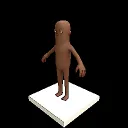
This is used to assign any model to ur player. Drag it in to the box then walk through it.
by rabbi32 sent
updated 3 months ago
29.5MB
thumb_up_alt6 thumb_down_alt0 favorite7 library_books3
homeDetailsnewspaperNewsreviewsReview1
How to use Custom Player Model Assigner
  1. Place Assigner on ground 
  2. Take any model and drag in to box to assign to the tool
  3. Walk in to it and you will be changed into model (if u want an animated model see guide below)

How To make Custom Player Models for Converter
(use this really awesome guide !!!)
steamcommunity.com
Steam Community :: Guide :: Bob’s Guides : S&box Custom Playermodel Guide [V1.31]
Welcome to the S&box Model Port Guide !. S&box is based on heavily modified Source 2 which is newer and more complex than Source 1 . In this guide, I’ll guide you through the proce

Package

inventory_2sent add_boxCreated 4 Months Ago updateUpdated 4 Months AgosavingsIn Play Fundreviews100% from 1 reviews

Tags

assigneravatarscustommodelsplayerswitchtransform
gavelReport DMCA Violation
Facepunch
  • News
  • Docs
  • Metrics
  • FAQ
  • Forum
  • Discord
  • Twitter