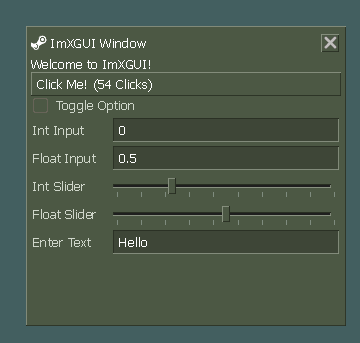
XGUI-3
Released
Code/XGUI/Elements/Toolbar.cs
using Sandbox;
using Sandbox.UI;
using System;
using System.Linq;

namespace XGUI;

/// <summary>
/// A toolbar component that can contain menu items, buttons, separators, and other controls.
/// Supports horizontal or vertical arrangement, and optional drag-to-reorder functionality.
/// </summary>
[Library( "toolbar" )]
public class Toolbar : Panel
{
	public Panel ToolbarItems { get; private set; }
	public Panel DragHandle { get; private set; }

	private bool _isDraggable = false;
	private bool _isVertical = false;
	private bool _isDragging = false;
	private Vector2 _dragStartPosition;
	private Panel _dragGhost;

	/// <summary>
	/// Gets or sets whether this toolbar can be dragged to reposition.
	/// </summary>
	public bool IsDraggable
	{
		get => _isDraggable;
		set
		{
			_isDraggable = value;
			DragHandle.Style.Display = _isDraggable ? DisplayMode.Flex : DisplayMode.None;
			SetClass( "has-drag-handle", _isDraggable );
		}
	}

	/// <summary>
	/// Gets or sets whether this toolbar is arranged vertically.
	/// </summary>
	public bool IsVertical
	{
		get => _isVertical;
		set
		{
			_isVertical = value;
			SetClass( "vertical", _isVertical );
			Style.FlexDirection = _isVertical ? FlexDirection.Column : FlexDirection.Row;
			ToolbarItems.Style.FlexDirection = _isVertical ? FlexDirection.Column : FlexDirection.Row;
		}
	}

	public Toolbar()
	{
		AddClass( "toolbar" );

		// Create the drag handle
		DragHandle = AddChild<Panel>( "drag-handle" );
		DragHandle.AddClass( "toolbar-drag-handle" );
		DragHandle.Style.Display = DisplayMode.None; // Hidden by default

		// Add drag event handlers
		DragHandle.AddEventListener( "onmousedown", OnDragHandleMouseDown );

		// Create container for toolbar items
		ToolbarItems = AddChild<Panel>( "toolbar-items" );
		ToolbarItems.AddClass( "toolbar-items" );

		// Set default orientation
		IsVertical = false;
	}

	public override void Tick()
	{
		base.Tick();

		if ( _isDragging )
		{
			UpdateDragPosition();
		}
	}

	private void OnDragHandleMouseDown( PanelEvent e )
	{
		if ( !_isDraggable || _isDragging )
			return;

		_isDragging = true;
		_dragStartPosition = Mouse.Position;

		// Create a ghost representation of this toolbar for dragging
		CreateDragGhost();

		// Add global mouse event handlers
		AddEventListener( "onmousemove", OnMouseMove );
		AddEventListener( "onmouseup", OnMouseUp );

		e.StopPropagation();
	}

	private void OnMouseMove( PanelEvent e )
	{
		if ( !_isDragging )
			return;

		UpdateDragPosition();
		e.StopPropagation();
	}

	private void OnMouseUp( PanelEvent e )
	{
		if ( !_isDragging )
			return;

		FinishDrag();
		e.StopPropagation();
	}

	private void CreateDragGhost()
	{
		_dragGhost = new Panel();
		_dragGhost.AddClass( "toolbar-drag-ghost" );
		_dragGhost.Style.Position = PositionMode.Absolute;
		_dragGhost.Style.Width = Box.Rect.Width;
		_dragGhost.Style.Height = Box.Rect.Height;
		_dragGhost.Style.BackgroundColor = Color.White.WithAlpha( 0.5f );
		_dragGhost.Style.Opacity = 0.7f;

		// Add the ghost to the root panel to make it float above everything
		var root = FindRootPanel();
		if ( root != null )
		{
			root.AddChild( _dragGhost );
		}
	}

	private void UpdateDragPosition()
	{
		if ( _dragGhost == null )
			return;

		var delta = Mouse.Position - _dragStartPosition;
		_dragGhost.Style.Left = Box.Rect.Left + delta.x;
		_dragGhost.Style.Top = Box.Rect.Top + delta.y;

		// Check for potential toolbar reordering with parent container
		CheckForReordering( delta );
	}

	private void CheckForReordering( Vector2 delta )
	{
		// Find other toolbars in the same container
		var parent = Parent;
		if ( parent == null ) return;

		var siblings = parent.Children.OfType<Toolbar>().Where( t => t != this ).ToList();

		foreach ( var sibling in siblings )
		{
			// Check if we're hovering over this sibling
			var siblingRect = sibling.Box.Rect;
			var ghostPos = new Vector2( _dragGhost.Style.Left.Value.Value, _dragGhost.Style.Top.Value.Value );

			bool isOver = siblingRect.IsInside( ghostPos );

			if ( isOver )
			{
				// Highlight the sibling to show it's a drop target
				sibling.AddClass( "toolbar-drop-target" );
			}
			else
			{
				sibling.RemoveClass( "toolbar-drop-target" );
			}
		}
	}

	private void FinishDrag()
	{
		_isDragging = false;

		// Find the toolbar we're hovering over
		var parent = Parent;
		if ( parent != null )
		{
			var siblings = parent.Children.OfType<Toolbar>().Where( t => t != this ).ToList();
			var targetToolbar = siblings.FirstOrDefault( s => s.HasClass( "toolbar-drop-target" ) );

			if ( targetToolbar != null )
			{
				// Get the index of the two toolbars
				int myIndex = parent.GetChildIndex( this );
				int targetIndex = parent.GetChildIndex( targetToolbar );

				// Move this toolbar to before or after the target
				if ( myIndex != targetIndex )
				{
					parent.SetChildIndex( this, targetIndex );
				}

				// Remove highlight
				targetToolbar.RemoveClass( "toolbar-drop-target" );
			}
		}

		// Clean up
		if ( _dragGhost != null )
		{
			_dragGhost.Delete();
			_dragGhost = null;
		}

		//RemoveEventListener( "onmousemove", OnMouseMove );
		//RemoveEventListener( "onmouseup", OnMouseUp );
	}

	/// <summary>
	/// Adds a menu item to the toolbar that will open a context menu when clicked.
	/// </summary>
	public Button AddMenuItem( string text, Action<ContextMenu> menuPopulator = null )
	{
		var menuItem = new Button();
		menuItem.AddClass( "menu-item" );
		menuItem.Text = text;

		menuItem.AddEventListener( "onclick", () =>
		{
			// Close any existing menus first
			CloseAllMenus();

			// Create and show the context menu
			var contextMenu = new ContextMenu( menuItem, ContextMenu.PositionMode.BelowLeft, 0 );
			menuPopulator?.Invoke( contextMenu );

			// Mark this menu item as active
			menuItem.AddClass( "active" );

			// Listen for menu close event to remove active class
			contextMenu.AddEventListener( "onmousedown", ( e ) => e.StopPropagation() );
		} );

		// Handle mouse enter for menu navigation
		menuItem.AddEventListener( "onmouseenter", () =>
		{
			// If any context menu is open and this isn't already active,
			// trigger click to switch menus
			if ( FindRootPanel().Children.OfType<ContextMenu>().Any() &&
				!menuItem.HasClass( "active" ) )
			{
				menuItem.CreateEvent( "onclick" );
			}
		} );

		ToolbarItems.AddChild( menuItem );
		return menuItem;
	}

	/// <summary>
	/// Adds a standard button to the toolbar.
	/// </summary>
	public ToolbarButton AddButton( string text = null, string icon = null, Action onClick = null )
	{
		var button = new ToolbarButton( text, icon );

		if ( onClick != null )
			button.AddEventListener( "onclick", () => onClick() );

		ToolbarItems.AddChild( button );
		return button;
	}

	public Panel AddDropdownButton(
		string text,
		string icon = null,
		Action onClick = null,
		Action<ContextMenu> dropdownMenuPopulator = null
	)
	{
		// Create a container panel for the split button
		var splitPanel = new Panel();
		splitPanel.AddClass( "toolbar-split-button" );

		// Main button
		var mainButton = new ToolbarButton( text, icon, split: true );
		if ( onClick != null )
			mainButton.AddEventListener( "onclick", () => onClick() );
		mainButton.AddClass( "toolbar-split-main" );
		splitPanel.AddChild( mainButton );

		// Dropdown arrow button
		var dropdownButton = new ToolbarButton( split: true );
		dropdownButton.AddClass( "toolbar-split-dropdown" );
		dropdownButton.AddClass( "toolbar-button" );
		dropdownButton.AddEventListener( "onclick", e =>
		{
			if ( dropdownMenuPopulator != null )
			{
				var menu = new ContextMenu( splitPanel, ContextMenu.PositionMode.BelowLeft, 0 );
				dropdownMenuPopulator( menu );
			}
			e.StopPropagation();
		} );

		// Hover events to color the main icon
		splitPanel.AddEventListener( "onmouseover", e =>
		{
			if ( mainButton.ToolbarIcon != null )
				mainButton.ToolbarIcon.Variant = null; // colored
		} );
		splitPanel.AddEventListener( "onmouseout", e =>
		{

			// if mouse still within the split button, don't reset icon
			if ( splitPanel.HasHovered )
				return;

			if ( mainButton.ToolbarIcon != null )
				mainButton.ToolbarIcon.Variant = "greyscale";
		} );

		// Add a down arrow icon
		var arrowIcon = new Label { Text = "▼" };
		arrowIcon.AddClass( "toolbar-split-arrow-icon" );
		dropdownButton.AddChild( arrowIcon );

		splitPanel.AddChild( dropdownButton );

		ToolbarItems.AddChild( splitPanel );
		return splitPanel;
	}

	/// <summary>
	/// Adds a separator to the toolbar.
	/// </summary>
	public Panel AddSeparator()
	{
		var separator = new Panel();
		separator.AddClass( "toolbar-separator" );
		ToolbarItems.AddChild( separator );
		return separator;
	}

	/// <summary>
	/// Adds a generic panel to the toolbar.
	/// </summary>
	public T AddItem<T>() where T : Panel, new()
	{
		var item = new T();
		item.AddClass( "toolbar-item" );
		ToolbarItems.AddChild( item );
		return item;
	}

	/// <summary>
	/// Adds a generic panel to the toolbar.
	/// </summary>
	public Panel AddItem( Panel item )
	{
		item.AddClass( "toolbar-item" );
		ToolbarItems.AddChild( item );
		return item;
	}

	/// <summary>
	/// Clear all items from the toolbar.
	/// </summary>
	public void Clear()
	{
		ToolbarItems.DeleteChildren();
	}

	/// <summary>
	/// Close all open context menus in the application
	/// </summary>
	public void CloseAllMenus()
	{
		// Find and remove active class from all menu items
		foreach ( var menuItem in ToolbarItems.Children.OfType<Button>()
			.Where( b => b.HasClass( "menu-item" ) && b.HasClass( "active" ) ) )
		{
			menuItem.RemoveClass( "active" );
		}

		// Delete all context menus
		foreach ( var menu in FindRootPanel().Children.OfType<ContextMenu>().ToList() )
		{
			menu.Delete( true );
		}
	}
	public override void SetProperty( string name, string value )
	{
		switch ( name )
		{
			case "draggable":
				{
					IsDraggable = bool.Parse( value );
					return;
				}
			default:
				{
					base.SetProperty( name, value );
					break;
				}
		}
	}
}

[Library( "toolbarcontainer" )]
public class ToolbarContainer : Panel
{
	public ToolbarContainer()
	{
		AddClass( "toolbar-container" );
	}
}


public class ToolbarButton : Button
{
	public XGUIIconPanel ToolbarIcon;
	public ToolbarButton( string text = null, string icon = "", bool split = false )
	{
		AddClass( "toolbar-button" );

		if ( !string.IsNullOrEmpty( icon ) )
		{
			ToolbarIcon = new XGUIIconPanel( icon, iconSize: 20 );
			AddChild( ToolbarIcon );
			ToolbarIcon.Variant = "greyscale";
		}

		if ( !string.IsNullOrEmpty( text ) )
			AddChild( new Label() { Text = text } );

		if ( split )
			return;
		AddEventListener( "onmouseover", OnMouseEnter );
		AddEventListener( "onmouseout", OnMouseLeave );
	}

	private void OnMouseEnter( PanelEvent e )
	{
		if ( ToolbarIcon != null )
			ToolbarIcon.Variant = null;
	}
	private void OnMouseLeave( PanelEvent e )
	{

		if ( ToolbarIcon != null && !HasHovered )
			ToolbarIcon.Variant = "greyscale";
	}
}