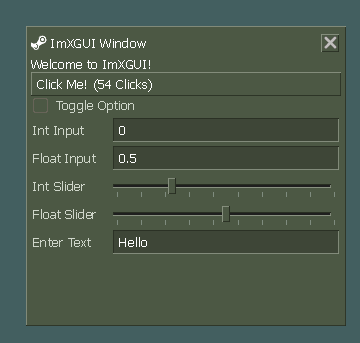
XGUI-3
Released
XGUI/Elements/GroupBox.cs
using Sandbox;
using Sandbox.UI;
using Sandbox.UI.Construct;

namespace XGUI;

[Library( "groupbox" )]
public class GroupBox : Panel
{
	public string Title { get; set; }
	private Label titleElement;

	public GroupBox()
	{
		AddClass( "group-box" );
	}

	protected override void OnAfterTreeRender( bool firstTime )
	{
		base.OnAfterTreeRender( firstTime );

		// Add or update title element
		if ( !string.IsNullOrEmpty( Title ) )
		{
			// Check if we already have a title element
			if ( titleElement == null )
			{
				titleElement = Add.Label( "", "group-box-title" );
				titleElement.Text = Title;
			}
			else
			{
				titleElement.Text = Title;
			}

			// Apply parent's background color to the title element
			// This creates the "cut-out" effect for the border
			UpdateTitleBackground();
		}
	}

	// Call this whenever the background might change
	public override void Tick()
	{
		base.Tick();

		if ( titleElement != null )
		{
			UpdateTitleBackground();
		}
	}

	private void UpdateTitleBackground()
	{
		if ( titleElement == null )
			return;

		// Find the first ancestor with a defined background color
		Color? backgroundColor = FindAncestorBackgroundColor();

		// Apply the found background color or default to transparent
		titleElement.Style.BackgroundColor = backgroundColor ?? Color.Transparent;
		titleElement.Style.Dirty();
	}

	private Color? FindAncestorBackgroundColor()
	{
		// Start with the parent (skip the GroupBox itself)
		Panel current = Parent;

		// Traverse up the hierarchy
		while ( current != null )
		{
			if ( current.ComputedStyle?.BackgroundColor == null )
			{
				current = current.Parent;
				continue;
			}

			// Check if this panel has a defined background color
			Color bgColor = current.ComputedStyle.BackgroundColor.Value;

			// If the alpha is greater than 0, it's a visible color
			if ( bgColor.a > 0 )
			{
				return bgColor;
			}

			// Move up to the next ancestor
			current = current.Parent;
		}

		// No suitable background color found
		return null;
	}
}