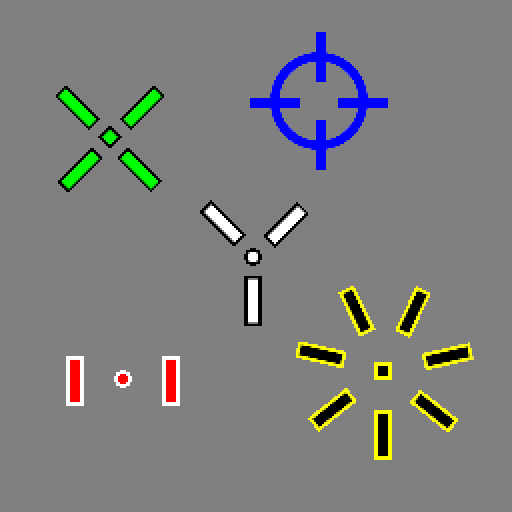
Crosshair Maker
Released
CustomCrosshair.cs
using CrosshairMaker.Abstract;
using Sandbox.Rendering;
using Sandbox;
using CrosshairMaker.Interfaces;
using CrosshairMaker.Animator;
using System;
namespace CrosshairMaker
{

	public class CustomCrosshair :
		BaseCrosshair
		//#Inherit ONE of the following depending on what you want:
		// - BaseCrosshair: Minimal features,(Position, Rotation and Visibility)
		// - BarCrosshair: length/thickness/offset properties acessible in the editor
		// - TexturableCrosshair: Adds texture support (inherits BarCrosshair)

		//#implement interfaces
		// - IAnimatableCrosshair: makes component usable by CrosshairAnimator
		// - ICircleCrosshair: exposes methods for Radius and CircleThickness
	{
		[Property, Feature("General"),Group( "Dev" ), Title( "Description" )]
		[ReadOnly]
		[TextArea]
		public string Description => "Open this file in your IDE to create your own crosshair";

		public override void Paint( HudPainter hud )
		{
			return;


			// #if this Inherits BarCrosshair
			//-*-*-*-*-*-*-*-*-*-*-*-*-*-*-*-*-*-*-*-*-*-*-//
			//
			// IHudPaintable.HudAction toPaint; //Saves drawing action of one branch
			// Vector2 originPx = IHudPaintable.GetOriginPx( this );
			//
			// #if this Inherits TexturableCrosshair
			//[][][][][][][][][][][][][][][][][][][][][][][][]
			// if(this.TextureFeature)
			//		toPaint = new((ref HudPainter hp) => ITexturable.RenderTextured( this, hp , originPx));
			// else
			//[][][][][][][][][][][][][][][][][][][][][][][][]
			//		toPaint = new((ref HudPainter hp) => IBarCrosshair.RenderBar( this , hp , originPx ));
			//
			// #Creates the crosshair around the origin
			// BaseCrosshair.PaintRepeating(
			//	hud, //HudPainter
			//	originPx, //Crosshair center
			//	toPaint, //Paint action to repeat
			//	4, //Number iteration of the paint action (4 means it will be repeated 4 times, with 90 deg offset)
			//	GetRotation() // rotation offset
			//	);
			//-*-*-*-*-*-*-*-*-*-*-*-*-*-*-*-*-*-*-*-*-*-*-//
		}

		//#IAnimatable implementation
		// Setup :
		// - Add the interface
		// - Uncomment the following section
		// - Create Setters and Getters for your animatable properties in _animFactory() (as Action<IAnimatable,T> and Func<IAnimatable,T>
		// - [Optional] Set property names in ap.TsPropertyNames to have them displayed in the editor
		/*

		//Singleton
		private static AnimationValueSetter _AnimationSetters
		{
			get
			{
				if ( _animationSetters == null ) lock ( _locker ) _animationSetters ??= _animFactory();
				return _animationSetters;
			}
		}
		private static AnimationValueSetter _animationSetters = null;
		private static readonly object _locker = new();

		private static AnimationValueSetter _animFactory()
		{
			List<Action<IAnimatableCrosshair, float>> fs = new()
			{
				(self,val) => (self as CustomCrosshair).SetRotation(val),
				(self,val) => (self as CustomCrosshair).SetOrigin(new(val,self.GetOrigin().y)),
				(self,val) => (self as CustomCrosshair).SetOrigin(new(self.GetOrigin().x,val)),

				// those only exist if you Inherit IBarCrosshair, you may replace them with other value setters
				//(s,v) => (s as CustomCrosshair).SetBarLength(v),
				//(s,v) => (s as CustomCrosshair).SetBarThickness(v),
				//(s,v) => (s as CustomCrosshair).SetBarOffsets(v)

			};
			List<Action<IAnimatableCrosshair, Color>> cs = new()
			{
				(s,v) => (s as CustomCrosshair).SetCrosshairColor(v),
				// if you Inherit IOutlinable (or BarCrosshair)
				//(s,v) => (s as CustomCrosshair).SetOutlineColor(v)
			};
			//You need value getters that can be paired with the setters
			//this allows the animator to know the starting properties of your crosshair
			List<Func<IAnimatableCrosshair, float>> fg = new()
			{
				(s) => (s as CustomCrosshair).GetRotation(),
				(s) => (s as CustomCrosshair).GetOrigin().x,
				(s) => (s as CustomCrosshair).GetOrigin().y,

				// IBarCrosshair,
				//(s) => (s as CustomCrosshair).GetBarLength(),
				//(s) => (s as CustomCrosshair).GetBarThickness(),
				//(s) => (s as CustomCrosshair).GetBarOffsets()

			};
			List<Func<IAnimatableCrosshair, Color>> cg = new()
			{
				(s) => (s as CustomCrosshair).GetCrosshairColor(),
				//#if you Inherit IOutlinable (or BarCrosshair)
				//(s) => (s as CustomCrosshair).GetOutlineColor(),
			};
			// if you have animatable ints, make sure to add them to the arguments
			AnimationValueSetter avs = AnimationValueSetter.FromActions(
				floatSetters: fs,
				colorSetters: cs,
				floatGetters: fg,
				colorGetters: cg
				);
			return avs;
		}
private static AnimationDictionary CrossAnimations
{
	get
	{
		AnimationDictionary ap = new AnimationDictionary();
		// #The dictionary needs to be initialised with the value getters/setters
		ap.Init( _AnimationSetters );
		// #here create a default animation
		int k = ap.AddNewAnimation();
		ap[k].Floats[2] = 5; //shifts origin down
		ap[k].Colors[0] = new InterpolatableColor( Color.White ); // fade to white (white is the default color)

		//#PropertyNames are optional, they will be displayed in the editor above your properties
		//#Up to 16 properties can be edited in the editor, but you can edit CrosshairMaker.Animator.CrosshairAnimatorProperties.cs to add more
		ap.FloatsPropertyNames = new string[]
		{
			"Extra Rotation (deg)",
			"Extra X offset (%)",
			"Extra Y offset (%)",

			//"Extra bar length",
			//"Extra bar thickness",
			//"Extra bar offset"

		};
		ap.IntsPropertyNames = Array.Empty<string>(); // no int properties in this template
		ap.ColorsPropertyNames = new string[]
		{
			"Target crosshair color"
			//#if you Inherit IOutlinable (or BarCrosshair)
			//"Target outline color"
		};
		return ap;
	}
}
public AnimationDictionary GetAnimationDictionary() => CrossAnimations;

*/

	}
}