Prefabs
A prefab is a GameObject that can be used in multiple places. They're usually used to contain an object that is used across multiple scenes, or needs to be instantiated at runtime.
Assets
Prefabs are saved to disk as a PrefabFile. These assets can be referenced in Components anywhere a GameObject can be referenced. When the PrefabFile is updated, all instantiations of the prefab in scenes are updated, too.
To create a PrefabFile, right-click on a GameObject in the scene and select Convert to Prefab.
In Scene
In the scene view, GameObjects that are instantiations of Prefabs are made obvious by their colour.
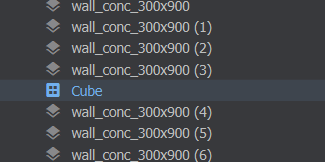
You can expand a prefab instance in the hierarchy, select its children, and edit its properties or add components and GameObjects. These changes are stored as Instance Overrides, so the instance stays linked to the prefab and continues receiving updates from it.
To remove that link entirely, right-click the instance and choose Unlink From Prefab. It becomes a normal hierarchy of GameObjects.
In Code
To spawn Prefabs at runtime via code, you treat them like a regular GameObject. A GameObject property on your Component can be populated by dragging a PrefabFile into it.
public sealed class MyGun : Component
{
	[Property]
	GameObject BulletPrefab { get; set; }


	protected override void OnUpdate()
	{
        // throw an error if BulletPrefab wasn't defined
        Assert.NotNull( BulletPrefab );

		if ( Input.Pressed( "attack1" ) )
		{
            // create a new instance of the bullet prefab at the gun's position
			GameObject bullet = BulletPrefab.Clone( WorldPosition );

			// bullet is now in the current scene, what do you want to do with it?
			// maybe get components and set the velocity or something?
		}
	}
}
Note that a cloned prefab will still be linked to the prefab. You can call bullet.BreakFromPrefab() to remove that link and have it appear as a normal stack of GameObjects if you want to.