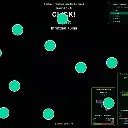
splitclicker
Released
Be the best clicker and win
Audio/SoundPlayer.cs
Static utility that plays UI sound effects for the game. It exposes methods to play arming, armed, click, disarm and throttle sounds, plus PlayPip which plays the click sound with altered pitch and volume.
using Sandbox;

namespace Splitclicker.Audio;

// Thin wrapper over the five UI sound effects (see scripts/gen_sounds.py). Every voice
// is a square + triangle blend around G; together they form the round's audio motif:
// arming heartbeat → armed "go" → click blips → disarm bookend, with throttle as the
// "nope" for clicking while the button is dormant. Driven from ClickController.
public static class SoundPlayer
{
	public static void PlayArming()   => Sound.Play( "sounds/arming.sound" );
	public static void PlayArmed()    => Sound.Play( "sounds/armed.sound" );
	public static void PlayClick()    => Sound.Play( "sounds/click.sound" );
	public static void PlayDisarm()   => Sound.Play( "sounds/disarm.sound" );
	public static void PlayThrottle() => Sound.Play( "sounds/throttle.sound" );

	// An opponent's scoring click during the live window: the click blip a major
	// fifth up (3:2 ratio ⇒ Pitch 1.5) at half volume, so the field of other
	// players' clicks reads as related-but-subordinate to your own click.
	public static void PlayPip()
	{
		var h = Sound.Play( "sounds/click.sound" );
		if ( h != null && h.IsValid )
		{
			h.Pitch = 1.5f;
			h.Volume = 0.5f;
		}
	}
}