

26.09.22
26.09.22
16 September 2026
Areas
128 changes in this update
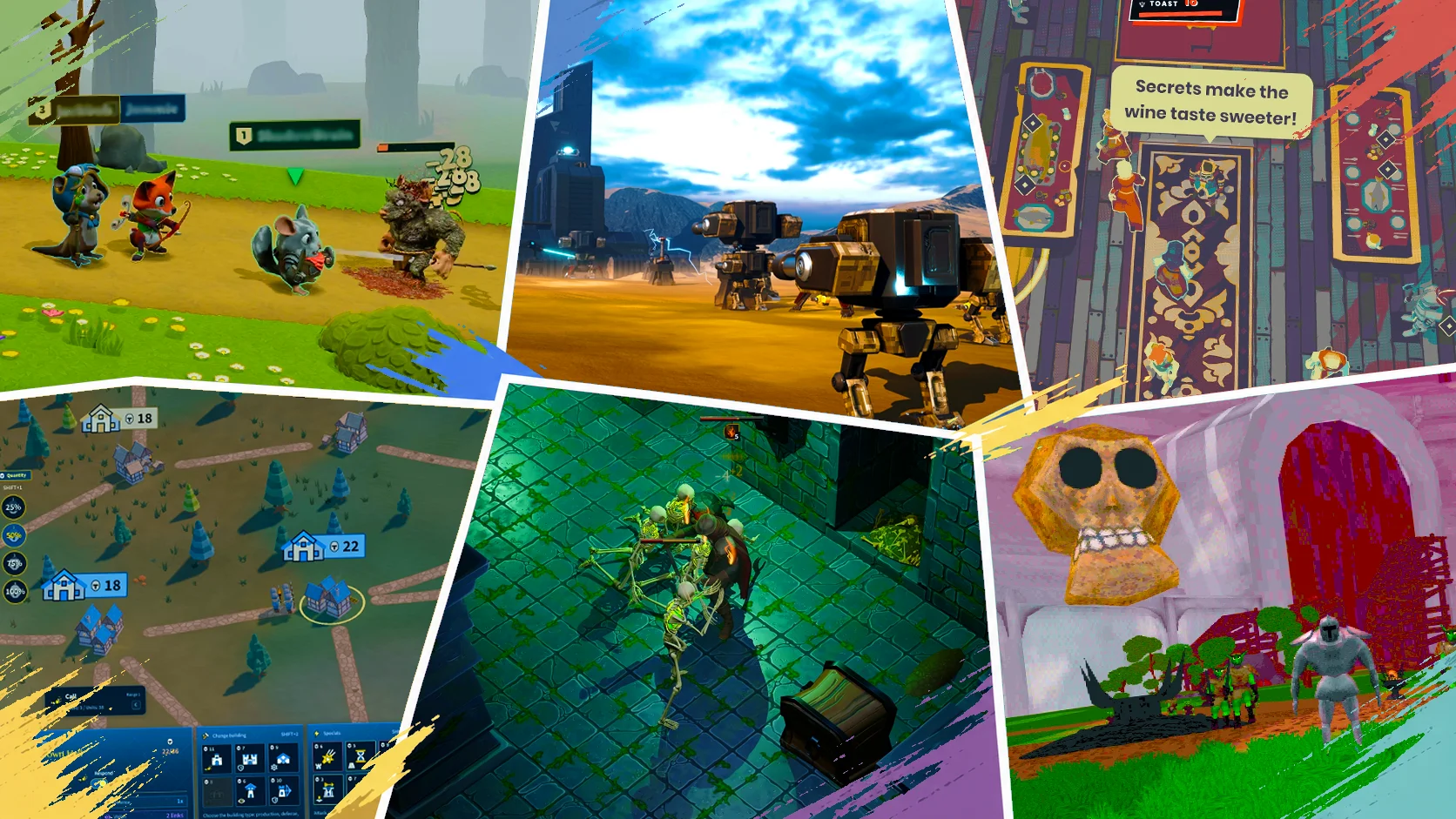
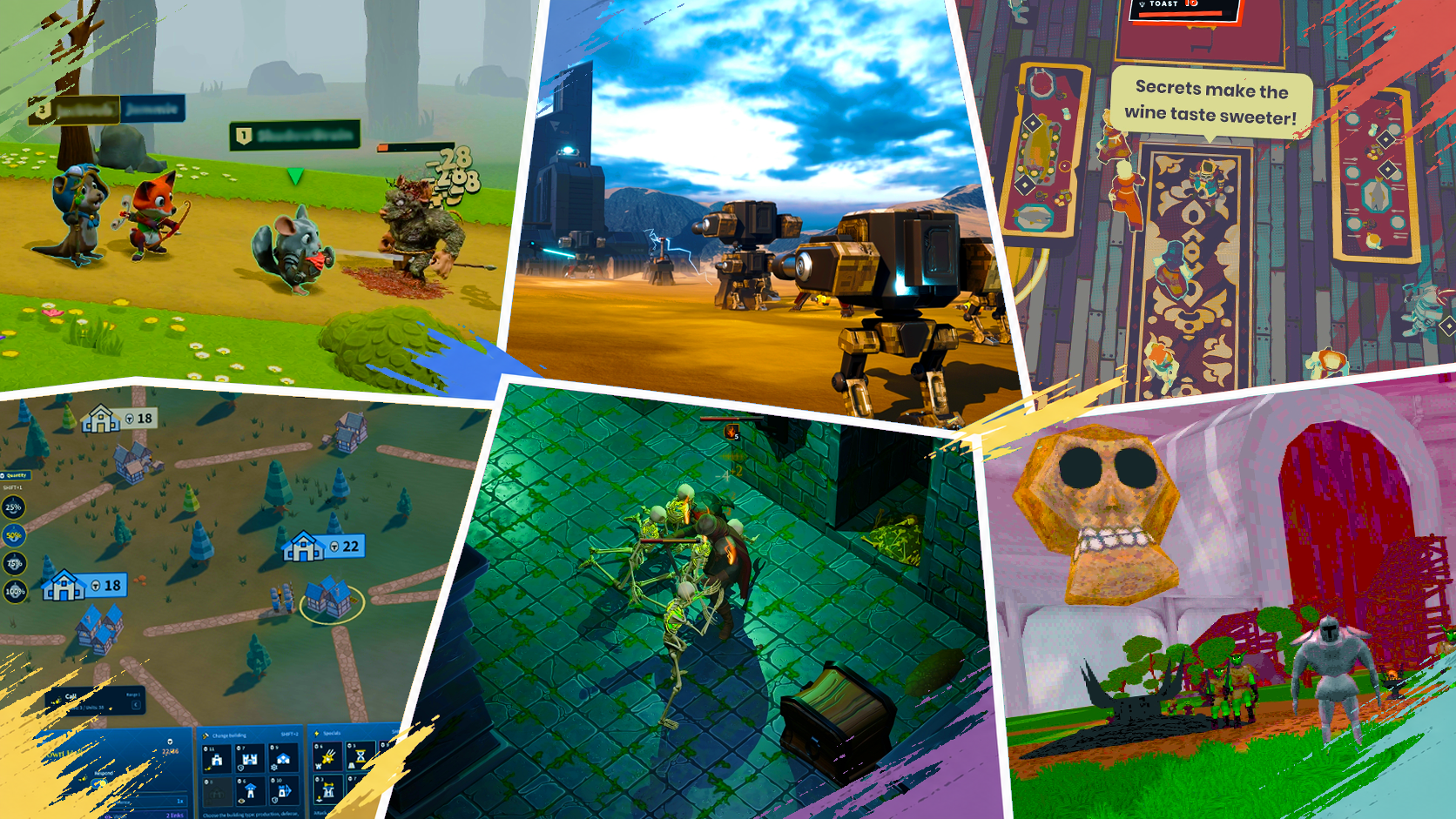
We're still game jammin', parties are bigger & better, and we've got scripting, smaller shaders, cleaner shadows, and more new toys for creators.









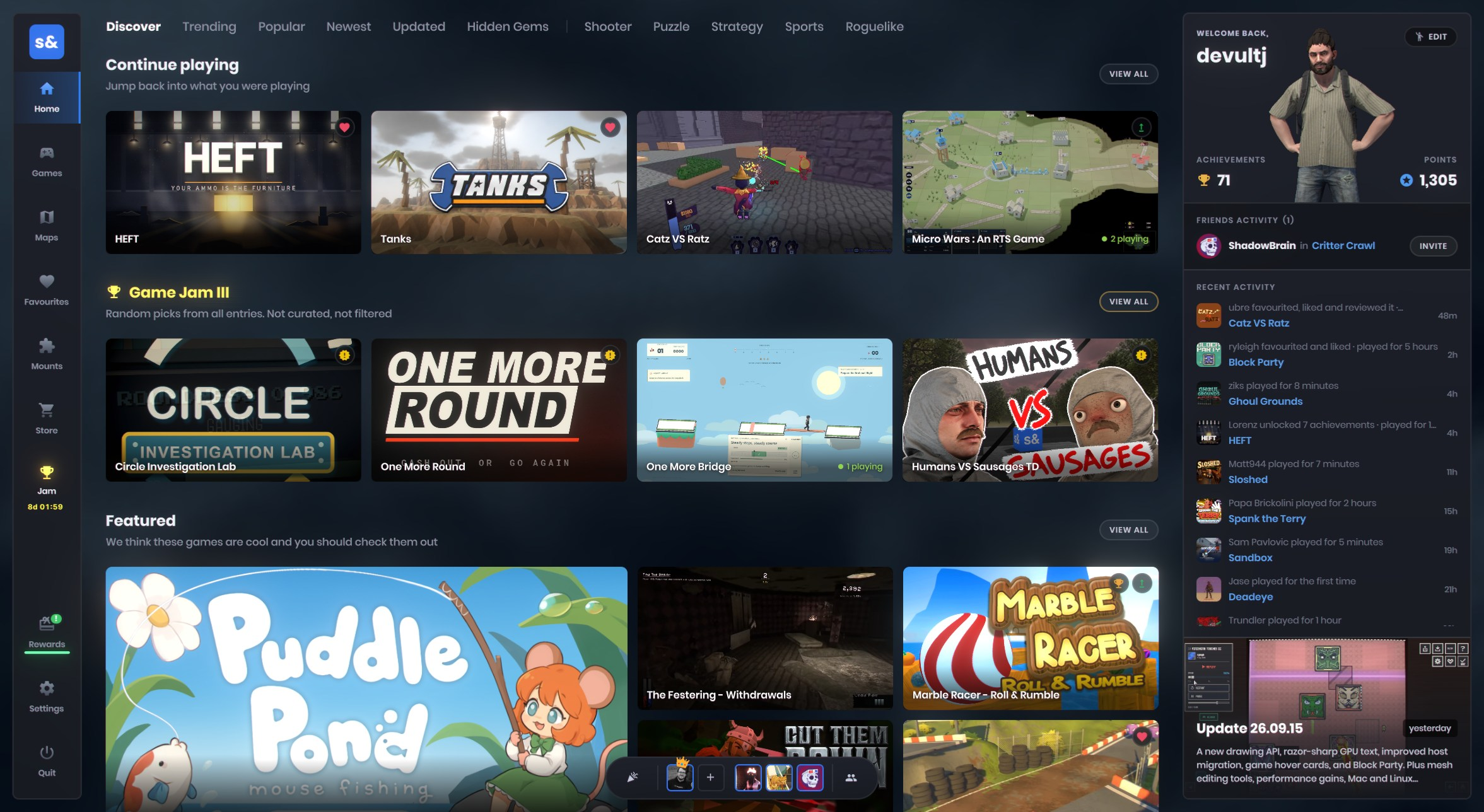



.meta file, and any references to that resource will store this ID alongside the path. On load, we'll try to resolve the resource by this ID first, and fall-back to the last known path if needed.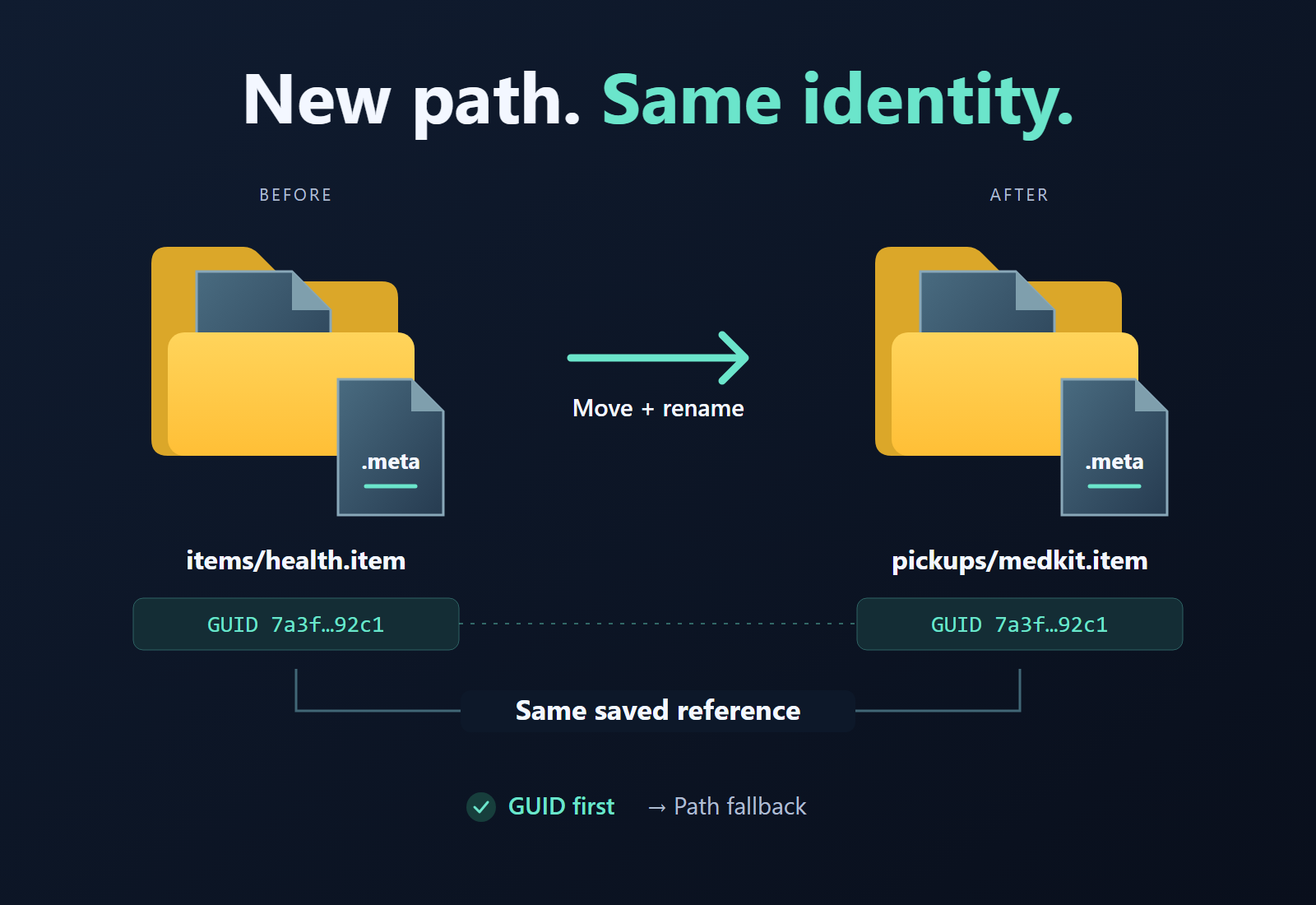
.meta files travel with your assets and go into source control.
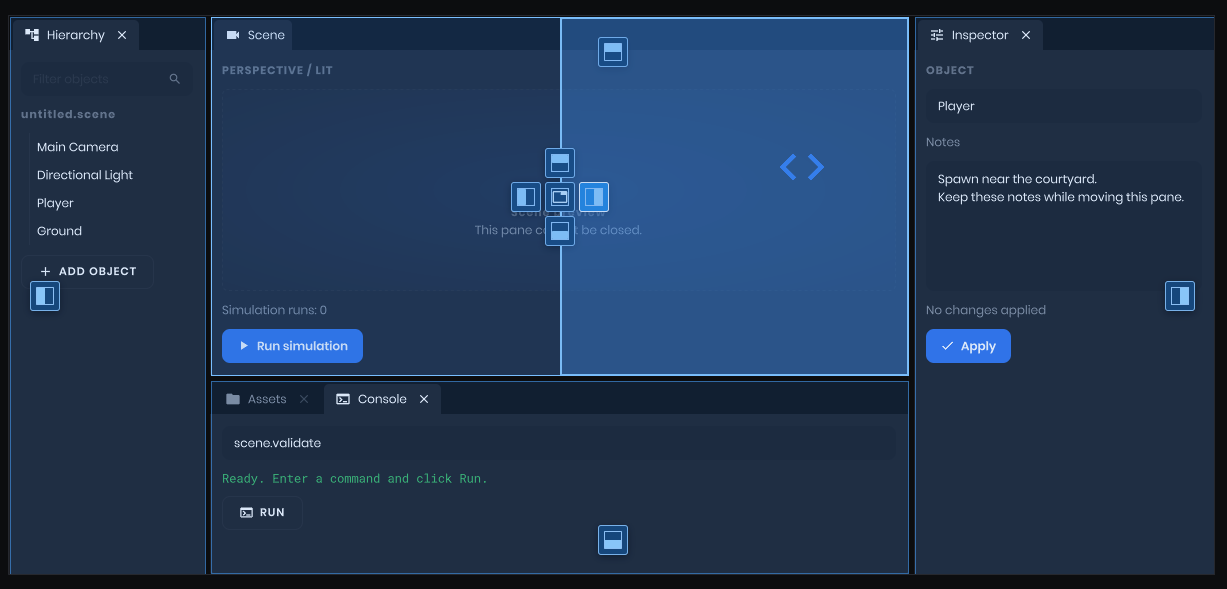
CurveEditor lets you edit curves, just like the editor one. Well, that's a lie. It's better than the editor one.
PanelWindow code, with SDL event routing, cursors and controller connections handled there too.
movie command) now more accurately captures your scene. We've added support for fog and skybox related components, and various bugs with first-person view models are fixed.
SpriteInstance keeps track of playback independently of the sprite asset itself. This allows you to draw sprites in your panels and on your HUD without needing to do anything special.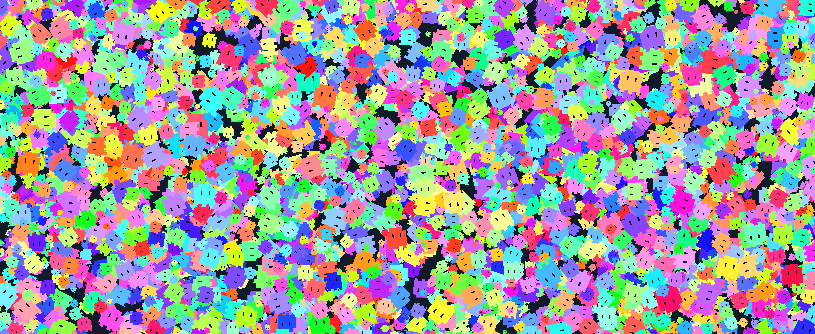
Try generating materials to automatically set up materials for your model. _color, _normal, _rough etc... These suffixes must match what is expected by the shader, you can check that from Material Editor.my_cool_material, then texture set for this slot must start with this name too. For example, my_cool_material_color.
LowPrecisionUv2 and LowPrecisionUv3 vertex-input semantics.VS
{
// Adding fields for UV2/UV3 channels on top of standard vertex input
#include "common/vertexinput.hlsl"
float2 vTexCoord3 : TEXCOORD4 < Semantic( LowPrecisionUv2 ); >;
float2 vTexCoord4 : TEXCOORD5 < Semantic( LowPrecisionUv3 ); >;
}
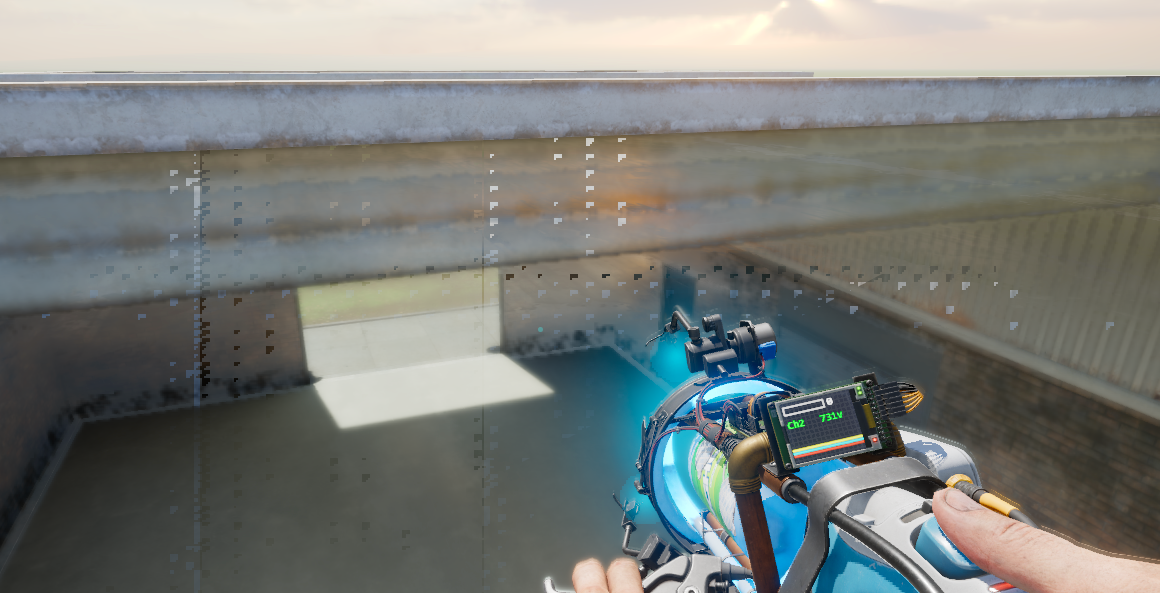
NonUniformResourceIndex. Miss that annotation and the GPU can sample the wrong texture. It can look fine on your machine and turn into the mess above on someone else's.Texture2D texture = Bindless::GetTexture2D( textureIndex );cbuffer DrawConstants
{
uint g_nTextureIndex;
};
// This index is shared by the draw, so use the uniform path.
Texture2D texture = Bindless::GetTexture2D( UniformIndex( g_nTextureIndex ) );terrain/TerrainCommon.hlsl in pixel shader section (PS) and simply use Terrain::Sample( float3 WorldPosition, bool bUseGeometricNormals ). It will return a Material struct that contains blended terran material with all textures - albedo, roughness, normal, ambient occlusion, etc...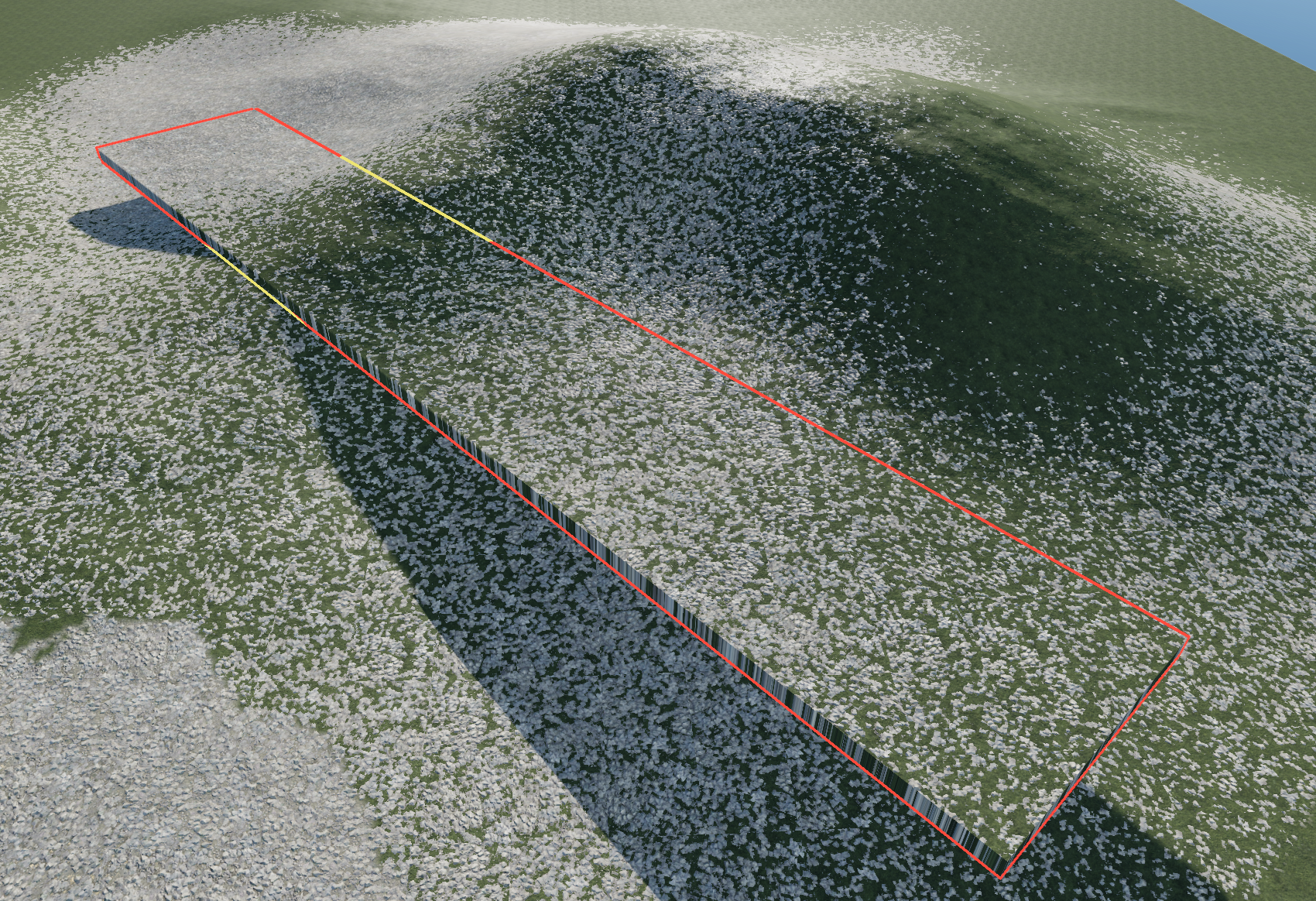

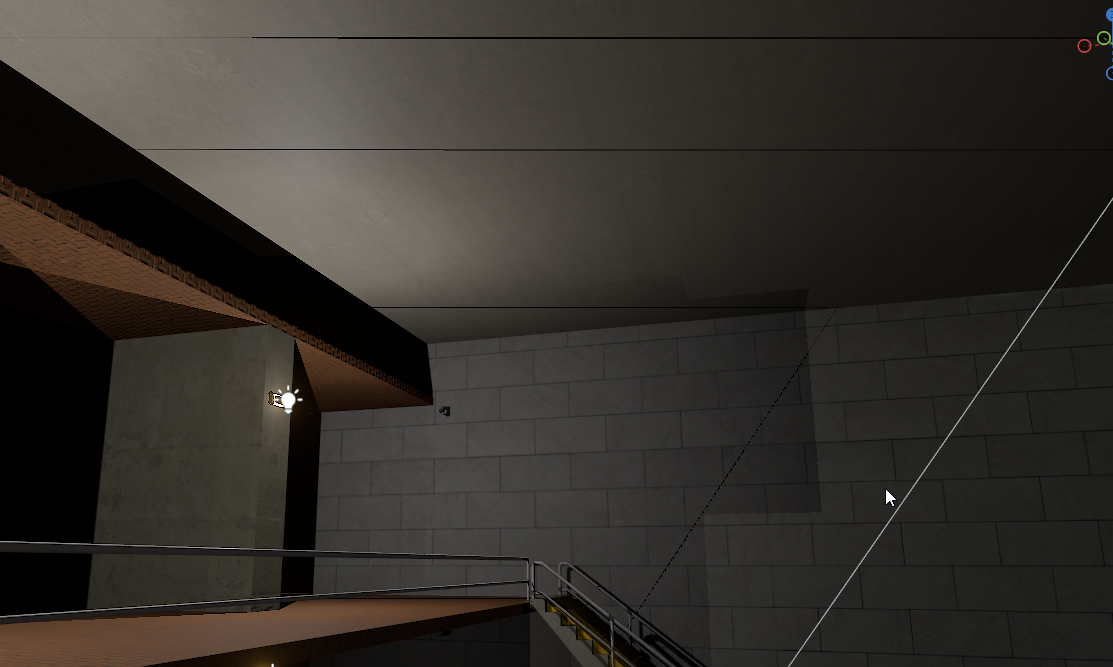
Light::From, Light::Init and Light::Shadows. Thanks to CorentArts for the fix and everyone who supplied examples in the original report.
Camera piloting - position cameras through the scene viewport with camera-matched settings, 16:9 framing and rule-of-thirds guides; record movement in Movie Maker with Alt+F8PR #5803 by @metapyziks
Panel docking - added DockHost tab groups, resizable splits, lazy panel registration and JSON layout statePR #5716 by @garrynewman
Floating panel windows - added PanelDockWindows for moving panels between editor windows and saving/restoring workspace layouts and window geometryPR #5716 by @garrynewman
Doorway shapes - choose which outer wall faces to generate while keeping doorway jambs and the inner archPR #5826 by @aylaylay
Automatic materials - optionally generate and assign materials when creating models from meshes, matching texture names and shader suffixes in the model folder and subfolders98b0152 by @wheatleymf
Model placement - added a Scene View preference to control whether models with colliders are placed as propsec89dcc by @wheatleymf
Animated sprites - added SpriteInstance playback and Painter.Sprite drawing, with independent animation selection, pause, speed, reverse playback and loop supportPR #5812 by @garrynewman, @handsomematt
Panel layout controls - added Toolbar, StatusBar, TabBar and TabPanel controls, plus texture icons through Button.IconTexturePR #5854 by @garrynewman
Canvas and graphs - added CanvasPanel with pan, zoom and draggable handles, plus GraphPanel and GraphAxis with configurable ticks, labels and gridsPR #5854 by @garrynewman
Curve editing - added CurveEditor with key and tangent handles, snapping, undo and presets, plus curve and curve-range property controlsPR #5854 by @garrynewman
ScriptControl - added a panel-based script editor with syntax highlighting, diagnostics, completion, hover information and signature helpPR #5852 by @garrynewman
Label style spans - style ranges of plain text through SetStyleSpan and ClearStyleSpansPR #5852 by @garrynewman
Material applicability - added ActiveIf() annotations for feature-dependent material controls and texture inputs, preserving saved values while inactivec5ac37a by @handsomematt
Custom light loops - added explicit shadow receiver normal overloads to Light::From, Light::Init and Light::Shadows; compute the normal before entering the light loop12bd1db by @handsomematt
Extra UV channels - added UV3 and UV4 support through explicit LowPrecisionUv2 and LowPrecisionUv3 shader inputsc6032f0 by @wheatleymf
Shader schema - exposed texture filename suffixes through Shader.VariableDescription.TextureEnding11ed06b by @wheatleymf
Sampler filtering - accept Linear as an alias for trilinear filtering in shader sampler statesa1e8c1b by @lolleko
Vulkan diagnostics - added -vulkan_validation_stack_trace to print a call stack with validation messagescf78218 by @lolleko
Shader specialization - added StaticCombo(..., ShaderConstant()) declarations with automatic Vulkan constant IDs, shared compiler jobs and specialization-aware pipelines28d80c9 by @handsomematt
Terrain material sampling - added Terrain::Sample() for sampling blended terrain materials in custom shaders using local UVs or world-space coordinates, including transformed terrainPR #5694 by @wheatleymf
Video encoder readiness - exposed VideoWriter.ReadyForVideoFrame so callers can wait for space in the encoding queuePR #5880 by @metapyziks
VP8 playback - added support for VP8 WebM videos, including companion alpha streams for transparency9b11bb8 by @lolleko
Experimental scripting - added Game.Scripting with reusable scripts, typed return values, bound arguments and local/global stores, backed by Breen and TypeLibraryPR #5852 by @garrynewman
Environment recording - capture gradient fog, cubemap fog, volumetric fog volumes and 2D skyboxes, plus light contribution and directional contact-shadow settingsPR #5881 by @metapyziks
Text editing - added selection drag-and-drop within and between text entries, including copy and move handlingPR #5852 by @garrynewman
Directional shadow filtering - smooth hard shadow edges at the highest filter quality while preserving soft filtering45501b3 by @polepie
Bindless textures - sampled-texture lookups now support non-uniform indices in every shader stage by default, with an explicit UniformIndex path for known-uniform indicesba36487 by @handsomematt
SpriteRenderer - now shares SpriteInstance playback and dispatches frame events during the component updatePR #5812 by @garrynewman, @handsomematt
Shader compilation - consolidate SPIR-V optimization into one pipeline using SPIRV-Tools, followed by binding fixups and final cleanup9fb368c by @lolleko
Shader errors - reject unknown render-state enum names during compilation and report the accepted values30d0bdb by @lolleko
Shared shader storage - deduplicate shader modules per program and compress them in shared groups; new output uses VCS 67 while retaining VCS 65-66 loading supportd18c6b8 by @handsomematt
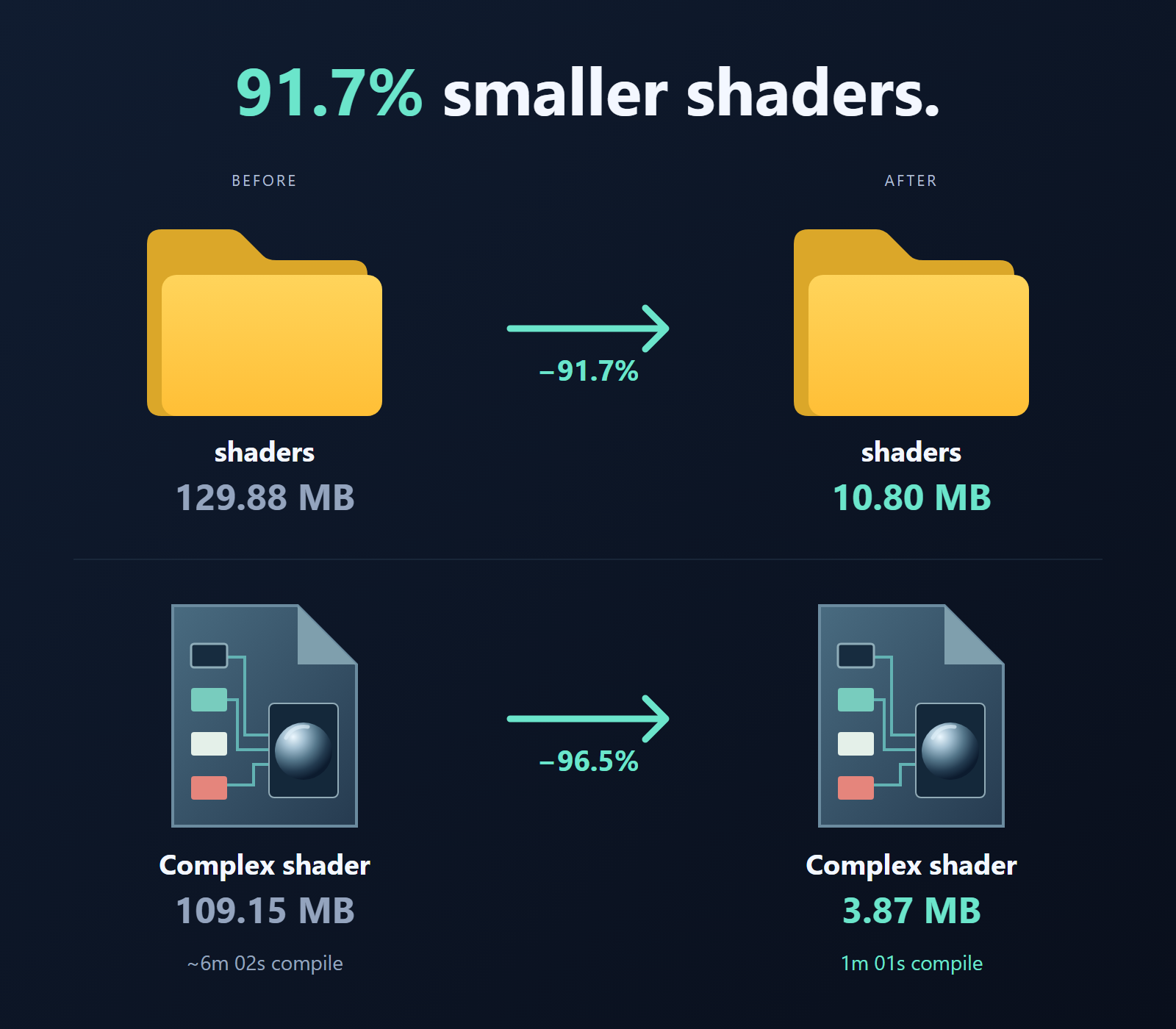
Complex shader - specialize bent normals, normal scaling, normal self-shadow, cloth and transmission, reducing pixel-shader compiler jobs from 5,728 to 8569c3b64b by @handsomematt
Skin and generic shaders - specialize skin bent normals and age textures and use material-controlled backfaces in generic; pixel-shader compiler jobs fall from 512 to 128 and 144 to 72 respectively1e867c5 by @handsomematt
Flatten tool - added Align to Surface to flatten along the slope at the start of a stroke, with clearer plane guidesPR #11397PR #5509 by @polepie, @antopilo, @handsomematt
Game hover cards - limit preview growth on large cards, position away from the footer and screen edges, and avoid covering overlays or lingering after scrolling awayPR #5864 by @devultj
Party size - increased the party limit from 8 to 16 playerscea5870 by @lolleko
Party joining - added a bottom-right status card with leader and follower download progress, connection status, cancel and retry controls4961ff5 by @lolleko
Friends list - show Main Menu when a friend has no game titlebaccd7d by @lolleko
Party joining - display the game thumbnail on the join status carddf943f8 by @lolleko
Rewards - open item-drop progress and objectives in a compact popup beside the navigation railPR #5847 by @devultj
Menu scaling - use consistent-height scaling so the interface stays readable at higher resolutionsPR #5847 by @devultj
Game previews - reduced the hover delay on game cardsPR #5847 by @devultj
Menu polish - refreshed the friends list, party popup and game jam layouts, standardized loading spinners and made store discounts clearerPR #5847 by @devultj
Scene queries - reduce allocations with a dedicated Scene.GetAll enumerator and struct-based internal scene lookupsdb03fa8f67cb55 by @lolleko
HashSetEx - make iteration allocation-free768ac48 by @lolleko
Trace results - pre-size RunTraceAll result lists to reduce resizing allocations6dd3c6a by @lolleko
Hot lookups - avoid closure allocations in input actions, render-target caching, Razor render trees and performance timingsf930a7b by @lolleko
Particle gradients - reuse the default white gradient instead of rebuilding it for every instance0075320 by @lolleko
Steam integration - updated the bundled Steam client libraries to the September 2026 releasec7aba4a
Managed windowing - moved game and panel window ownership, SDL input routing, cursors and controller handling into C#PR #5858 by @garrynewman, @handsomematt
Configuration - moved key bindings, console configuration and config-script execution into C#, with migration of legacy user settings to JSONPR #5858 by @garrynewman, @handsomematt
Uniform scale gizmo - use camera-facing, screen-relative dragging for consistent scaling#11315PR #5734 by @handsomematt
Fast texturing - respect the scene grid spacingPR #5827 by @aylaylay
Function-key shortcuts - remain available while flying or piloting the viewport camera, including Movie Maker recordingPR #5803 by @metapyziks
Startup shaders - reload shaders after compiling them when opening a project, so already-loaded resources use the updated files8d512db by @handsomematt
Launcher news - reserve the news area during startup to prevent layout jumps, load thumbnails instead of full-size images and keep Open button text on one line81f56d9 by @handsomematt
Images - update layout when asynchronously loaded textures change sizedfb7fb7 by @handsomematt
Transparent backgrounds - fixed fully transparent background images tinting the box background in both standard and batched CSS rendering#2881a3ea7fb61bcea by @lolleko
Preformatted text - fixed alignment for white-space: pre text45ac820 by @xezno
Filtered panel shadows - include box shadows in layer bounds so filters do not clip themPR #5836 by @polepie, @handsomematt
Mouse dragging - stop dispatching mouse events to an active panel deleted or rebuilt by its drag-start handler65ebede by @samfadi-dev
Mouse active state - preserve active styling when another mouse button still holds a panel or its descendantsPR #5854 by @garrynewman
Text-entry validation - validate Unicode code points and account for selected text when entering decimal separators or minus signs in numeric fieldsPR #5852 by @garrynewman
Steam lobbies - fixed connection cleanup and stale join attempts; improved timeout handling and error details for lobby, Steam route and game-handshake failures92860cb by @lolleko
TCP fake lag - keep delayed receive callbacks on the tick thread#11786PR #5727 by @handsomematt
Directional shadow hardness - preserve the softness control in later cascades instead of clamping different settings to the same resulta669733 by @polepie
Clustered shadow artifacts - calculate receiver normals outside per-light loops to fix dark lines at cluster boundaries that crawl with camera movementcc9179212bd1db by @corentarts, @handsomematt
Orthographic shadows - skip perspective-only screen-space shadow masks for orthographic viewsPR #5875 by @sampavlovic
Inactive material textures - use explicit fallback bindings without missing-texture diagnostics for disabled features, while retaining diagnostics for active missing texturesc5ac37a by @handsomematt
Environment probes - use non-uniform-safe cubemap indexing when sampling reflectionse834b54 by @handsomematt
Legacy dev materials - restored vertex paint support#11286PR #5723 by @handsomematt
Clutter shadows - respect disabled shadow casting for screen-space shadowsPR #5614 by @polepie, @sampavlovic
Shader sampler defaults - use sampler-state defaults instead of interpreting sampler IDs as render-state IDs0f2c391 by @lolleko
SPIR-V optimizer - match the optimizer environment to the SPIR-V 1.5 modules emitted by Slangf86456e by @lolleko
Linux and macOS shaders - preserve the leading slash on absolute shader paths so compiled shaders are found instead of repeatedly recompilede940641 by @sampavlovic
GPU text - fixed flickering with many TextRenderers by uploading shared glyph and instance data before render display lists are submittedPR #5810 by @sampavlovic
SceneObject batching - split batches when render attributes differ while keeping objects with equal attributes batchable7565be0 by @handsomematt
Decal sampling - use non-uniform sampler access when clustered decal selection differs between pixels08a4d2f by @handsomematt
Slang capabilities - explicitly declare supported capabilities to prevent implicit shader-profile upgrades90e3b6f by @handsomematt
Shader compatibility - explicitly mark the fixed dynamic-reflection texture slot as uniform and remove deprecated HLSL inheritance from MaterialMultiblend56c8c0c35f2efa by @handsomematt
Realtime cubemaps - finish rendering environment maps before building camera views that sample them, fixing one-frame black flickers in gamePR #5859 by @sampavlovic
Cubemap captures - exclude UI from managed and native cubemap rendering, preventing UI in reflections and associated rendering errorsPR #5859c37d247 by @sampavlovic, @lolleko
Vulkan barriers - only include the ray-tracing shader stage in buffer barriers when ray tracing is enabled06c204b by @lolleko
Material expressions - warn instead of asserting on evaluation failures and only mark texture results after a successful lookup5e9b3e138c232e by @lolleko
Recycled scene objects - clear stale tags when creating SceneObjects and SceneModels from recycled native objects97d1b8eebf1fee by @samfadi-dev, @handsomematt
Ambient occlusion - explicitly mark the fixed SSAO texture slot as uniform to resolve shader warnings after the bindless changes630910c by @polepie
Resource bindings - synchronize resource-name allocation and release, and retrieve native resource GUIDs through strong handlesf6eca9a7ca9815 by @solwllms
Asset GUIDs - do not treat duplicate BuildFileList entries as collisions or generate replacement GUIDs for themPR #5843 by @solwllms
Texture GUIDs - fetch the GUID from the loaded texture handlePR #5844 by @solwllms
Brush preview - clear the preview when the cursor no longer intersects terrainPR #5509 by @polepie, @antopilo, @handsomematt
Terrain normals - refresh the baked normal map after sculpting for live lighting feedbackPR #5569 by @polepie, @handsomematt
Concurrent terrain traces - stop sharing a scratch list between simultaneous tracesdf203cf by @lolleko
Party joining - fixed following the leader into a game, cancelling obsolete join attempts and handling download/connection failuresf25715c by @lolleko
Lobby invites - ignore duplicate invitations7b87a8b by @lolleko
Party avatars - fixed clicks being intercepted by avatar contentsbbc913e by @lolleko
Friend invites - fixed clipped invite button textafd93a3 by @lolleko
Context menus - prevent multiple menus stacking on top of each other#1186815e7e75 by @lolleko
Game shelves - fixed shelves containing one game stretching the card across the full width2533e20 by @lolleko
Party download progress - refresh progress indicators as values change and report completion for cached downloads too773c007 by @lolleko
Waiting for the leader - keep downloaded content and wait while the leader sets up a server in the game menu68c3446 by @lolleko
Party invitations - restore invite notifications to the top of the screendb98dea by @lolleko
Game loading - cancel and tear down an in-flight load before starting another, preventing duplicate loading screens, overlays and a potential freezePR #5840 by @devultj
Menu alignment - centered the party deck and fixed clipped news descriptions, store alignment and the leaving countdownPR #5847 by @devultj
Achievement totals - use lifetime achievement and score totals instead of the limited recent-achievement overviewPR #5862 by @devultj
Video exports - wait for space in the encoder queue before submitting each frame, preventing dropped frames when rendering outpaces encodingPR #5880 by @metapyziks
Demo visibility - capture Renderer.RenderOptions so first-person and world-model visibility changes are preserved in recordingsPR #5857 by @metapyziks
Demo prefab targets - defer component initialization until unrecorded components are stripped and prevent Dresser from changing body groups in prefab cache scenesPR #5857 by @metapyziks
Async waits - correctly respect zero and finite timeouts, including time spent processing queued workPR #5812 by @garrynewman, @handsomematt
Exported games - fixed Windows standalone games failing to launch by using an unbundled launcher with embedded game configurationPR #5855 by @devultj
Game data - use the standalone data root directly instead of creating an extra game subfolderPR #11737PR #5856 by @boxrocket6803
Inventory - equip the initial active item when the component starts, including items received in an initial network snapshot, without double-equipping#11787PR #5732 by @handsomematt
macOS content builds - restore executable permissions on downloaded content-builder binaries34a2253 by @polepie
Public repository sync - allow long Windows paths when cloning the public repository49ac137 by @handsomematt
Bindless sRGB argument - replaced GetTexture2D(index, true) with GetTexture2DSrgb(index); use GetTexture2D(index) for linear samplingba36487 by @handsomematt
NonUniform sampler wrapper - replaced the wrapper overloads with GetSamplerNonUniform(index) and GetSamplerComparisonNonUniform(index); compute RW texture indices must remain uniformba36487 by @handsomematt
UV aliases - removed the uv and uv1 semantic aliases; use LowPrecisionUv and LowPrecisionUv1c6032f0 by @wheatleymf
Resolution presets - removed legacy launch presets such as -720; use explicit -width and -height argumentsPR #5858 by @garrynewman, @handsomematt
Good devblog, well done.
A really well rounded update , congratulations.
Glad to see so many entrances at the GameJam, such a nice experience in development💪🏻 There are so many unique ideas, I love it!