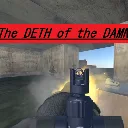
The Deth of the Damned
Released
4 player co-op heist game made for Game Jam III. You go in with what you have and you either escape or lose your gear.
InteractionPromptHud.cs
using Sandbox;
using Sandbox.UI;
using Sandbox.UI.Construct;
using System.Linq;

// Draws "Hold E to ..." plus a fill bar for whichever IInteractable the
// player is currently standing in.
//
// Put this on the player prefab, not in a scene - then it follows the
// player into every map and picks up any interactable automatically,
// including ones added later. It creates its own ScreenPanel.
public sealed class InteractionPromptHud : PanelComponent
{
	Label _promptLabel;
	Panel _barFill;

	protected override void OnStart()
	{
		// Somebody else's copy of the player - their prompts are not our
		// business, and drawing them would put another player's UI on our
		// screen.
		if ( IsProxy )
		{
			Enabled = false;
			return;
		}

		Components.GetOrCreate<ScreenPanel>();

		Panel.StyleSheet.Load( "/InteractionPromptHud.cs.scss" );

		var wrapper = Panel.Add.Panel( "prompt" );
		_promptLabel = wrapper.Add.Label( "", "text" );

		var bar = wrapper.Add.Panel( "bar" );
		_barFill = bar.Add.Panel( "fill" );
	}

	protected override void OnUpdate()
	{
		var active = FindActiveInteractable();

		Panel.SetClass( "show", active is not null );

		if ( active is null )
			return;

		_promptLabel.Text = active.PromptText;

		// Width as a percentage so the bar fills left to right. Only shown
		// once the hold actually starts, so an idle prompt isn't sitting
		// there with a distracting empty bar under it.
		var fraction = active.HoldFraction.Clamp( 0f, 1f );
		_barFill.Style.Width = Length.Fraction( fraction );
		_barFill.SetClass( "active", fraction > 0f );
	}

	// Interfaces work with GetAllComponents, so this picks up anything
	// implementing IInteractable without needing a registry or any manual
	// wiring per interactable.
	//
	// Only one can realistically be in range at a time (their triggers
	// would have to overlap), so first match wins.
	IInteractable FindActiveInteractable()
	{
		return Scene.GetAllComponents<IInteractable>()
			.FirstOrDefault( i => i.PlayerInRange && !i.SuppressPrompt );
	}
}