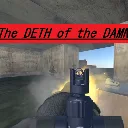
The Deth of the Damned
Released
4 player co-op heist game made for Game Jam III. You go in with what you have and you either escape or lose your gear.
MissionBoardMenu.cs
using Sandbox;
using Sandbox.UI;
using Sandbox.UI.Construct;
using SWB.Player;
using System.Collections.Generic;

// The job board UI. Lists every mission configured on the MissionBoard;
// clicking one loads that mission's scene.
//
// Same no-Razor PanelComponent pattern as the vendor. Put this on the same
// GameObject as the MissionBoard and assign Board; it creates its own
// ScreenPanel, so no extra editor wiring.
public sealed class MissionBoardMenu : PanelComponent
{
	[Property]
	public MissionBoard Board { get; set; }

	Label _cashLabel;
	Panel _list;

	Panel _board;
	Panel _pendingPopup;
	Label _pendingProposer;
	Label _pendingMission;
	Label _pendingPrompt;

	// Mission index -> its "READY n/n" label, so the status can be
	// refreshed without rebuilding the whole list every frame.
	readonly Dictionary<int, Label> _statusLabels = new();

	bool _wasOpen = false;

	protected override void OnStart()
	{
		Components.GetOrCreate<ScreenPanel>();

		Panel.StyleSheet.Load( "/MissionBoardMenu.cs.scss" );

		// Everything that belongs to the open board lives under one wrapper
		// so it can be shown/hidden as a unit, independently of the
		// pending popup which shows when the board is CLOSED.
		_board = Panel.Add.Panel( "board" );

		var header = _board.Add.Panel( "header" );
		header.Add.Label( "Jobs", "title" );
		_cashLabel = header.Add.Label( "", "cash" );

		var close = header.Add.Label( "✕", "close" );
		close.AddEventListener( "onmousedown", () => Board?.Close() );

		_list = _board.Add.Panel( "list" );

		// Separate from the menu panel above: this one shows while the
		// board is CLOSED, so a player anywhere in the hideout finds out
		// what's been proposed without walking over to read it.
		_pendingPopup = Panel.Add.Panel( "pending" );
		_pendingProposer = _pendingPopup.Add.Label( "", "proposer" );
		_pendingMission = _pendingPopup.Add.Label( "", "mission" );
		_pendingPrompt = _pendingPopup.Add.Label( "", "prompt" );
	}

	protected override void OnUpdate()
	{
		if ( Board is null )
			return;

		// Only the board chrome toggles - the root stays present so the
		// pending popup can show while the board is closed.
		_board.SetClass( "show", Board.IsOpen );
		Panel.SetClass( "interactive", Board.IsOpen );

		// Rebuild on open only, rather than churning panels every frame.
		if ( Board.IsOpen && !_wasOpen )
			Rebuild();

		// Release the cursor so the menu can be clicked - see MenuInput for
		// why this works on mouse-look rather than on Mouse.Visible.
		if ( Board.IsOpen != _wasOpen )
			MenuInput.SetMenuOpen( Board.IsOpen );

		_wasOpen = Board.IsOpen;

		if ( Board.IsOpen )
		{
			var loadout = LocalLoadout();
			_cashLabel.Text = loadout is null ? "" : $"${loadout.Cash}";
			UpdateReadyStatus();
		}

		UpdatePendingPopup();
	}

	// Bottom-right nudge for whoever hasn't got the board open. Hidden
	// while the board IS open, since the full list already shows all of
	// this and the two would just overlap.
	void UpdatePendingPopup()
	{
		var mission = Board.PendingMission;
		var show = mission is not null && !Board.IsOpen;

		_pendingPopup.SetClass( "show", show );

		if ( !show )
			return;

		var ready = Board.LocalPlayerIsReady;

		_pendingProposer.Text = ready
			? "Waiting on the crew"
			: $"{Board.ProposedBy} wants to run";

		_pendingMission.Text = string.IsNullOrWhiteSpace( mission.DifficultyName )
			? mission.DisplayName
			: $"{mission.DisplayName} — {mission.DifficultyName}";

		// Asked for rather than hardcoded, so the prompt always names the
		// key that's actually bound. The first version said "F1" in text
		// while the binding moved, which is exactly the kind of drift that
		// leaves a player pressing the wrong key. It also reads the right
		// thing on a controller, where the binding isn't a key at all.
		var key = ReadyUpKeyName();

		_pendingPrompt.Text = ready
			? $"READY {Board.ReadyCount}/{Board.CrewSize} — {key} to back out"
			: $"[{key}] Ready up — {Board.ReadyCount}/{Board.CrewSize}";

		_pendingPopup.SetClass( "ready", ready );
	}

	// Whatever "ReadyUp" is currently bound to, as something printable -
	// "X", "SPACE", "A Button". Falls back to the action name if the
	// binding has gone missing, which at least tells you what to go and
	// rebind rather than showing an empty pair of brackets.
	public static string ReadyUpKeyName()
	{
		var origin = Input.GetButtonOrigin( "ReadyUp" );

		return string.IsNullOrWhiteSpace( origin ) ? "ReadyUp" : origin.ToUpperInvariant();
	}

	void Rebuild()
	{
		_list.DeleteChildren();
		_statusLabels.Clear();

		if ( Board.Missions.Count == 0 )
		{
			_list.Add.Label( "No jobs available.", "empty" );
			return;
		}

		for ( var i = 0; i < Board.Missions.Count; i++ )
		{
			if ( Board.Missions[i] is null )
				continue;

			AddEntry( Board.Missions[i], i );
		}
	}

	void AddEntry( MissionEntry mission, int index )
	{
		var row = _list.Add.Panel( "entry" );

		var text = row.Add.Panel( "text" );

		var titleRow = text.Add.Panel( "titleRow" );
		titleRow.Add.Label( mission.DisplayName, "name" );

		if ( !string.IsNullOrWhiteSpace( mission.DifficultyName ) )
			titleRow.Add.Label( mission.DifficultyName, "difficulty" );

		if ( !string.IsNullOrWhiteSpace( mission.Description ) )
			text.Add.Label( mission.Description, "description" );

		row.Add.Label( $"${mission.AdvertisedPayout}", "payout" );

		// Shows "READY 2/3" once anyone has voted for this job, so you can
		// see who you're waiting on rather than clicking and wondering why
		// nothing happened.
		var status = row.Add.Label( "", "status" );
		_statusLabels[index] = status;

		// A job with no scene assigned would silently do nothing on click,
		// so grey it out rather than letting it look launchable.
		var launchable = mission.Scene is not null;
		row.SetClass( "unavailable", !launchable );

		if ( !launchable )
			return;

		row.AddEventListener( "onmousedown", () => Board.ToggleReady( index ) );
	}

	// Refreshed every frame while open rather than on click, because the
	// count changes when OTHER players ready up, which produces no local
	// event to react to.
	void UpdateReadyStatus()
	{
		foreach ( var (index, label) in _statusLabels )
		{
			var isLocalPick = Board.LocalReadyIndex == index;

			label.Text = isLocalPick
				? $"READY {Board.ReadyCount}/{Board.CrewSize}"
				: "";

			label.Parent?.SetClass( "ready", isLocalPick );
		}
	}

	PlayerLoadout LocalLoadout()
	{
		return PlayerBase.Local?.Components.Get<PlayerLoadout>();
	}
}