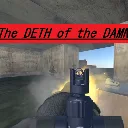
The Deth of the Damned
Released
4 player co-op heist game made for Game Jam III. You go in with what you have and you either escape or lose your gear.
InvestmentMenu.cs
using Sandbox;
using Sandbox.UI;
using Sandbox.UI.Construct;
using SWB.Player;

// The investment table's screen. Shows what you're holding, what you've got
// invested and what that pays per job, with one button to put more in.
//
// Follows the same no-Razor PanelComponent pattern as VendorMenu. Put this
// on the same GameObject as the InvestmentTable and assign Table; it
// creates its own ScreenPanel, so no extra editor wiring.
public sealed class InvestmentMenu : PanelComponent
{
	[Property]
	public InvestmentTable Table { get; set; }

	Label _cashLabel;
	Label _investedLabel;
	Label _returnLabel;
	Panel _depositButton;
	Label _depositLabel;

	bool _wasOpen = false;

	protected override void OnStart()
	{
		Components.GetOrCreate<ScreenPanel>();

		Panel.StyleSheet.Load( "/InvestmentMenu.cs.scss" );

		var header = Panel.Add.Panel( "header" );
		header.Add.Label( "Investments", "title" );
		_cashLabel = header.Add.Label( "", "cash" );

		// Holding Use again also closes it, but a visible way out matters
		// when the cursor is already up and the menu is covering the
		// screen - nothing on screen tells you the hold-to-close trick.
		var close = header.Add.Label( "✕", "close" );
		close.AddEventListener( "onmousedown", () => Table?.Close() );

		var body = Panel.Add.Panel( "body" );

		body.Add.Label(
			"Money left here is safe. It stays put when you go down, and it "
			+ "pays out after every job whether you walk away with the take or not.",
			"blurb" );

		var stats = body.Add.Panel( "stats" );

		var investedRow = stats.Add.Panel( "stat" );
		investedRow.Add.Label( "Invested", "statLabel" );
		_investedLabel = investedRow.Add.Label( "", "statValue" );

		var returnRow = stats.Add.Panel( "stat" );
		returnRow.Add.Label( "Pays per job", "statLabel" );
		_returnLabel = returnRow.Add.Label( "", "statValue" );

		_depositButton = body.Add.Panel( "deposit" );
		_depositLabel = _depositButton.Add.Label( "", "depositLabel" );

		_depositButton.AddEventListener( "onmousedown", () =>
		{
			// TryInvest refuses and changes nothing when you can't afford
			// it, so the result is all there is to check.
			if ( LocalLoadout()?.TryInvest() != true )
				return;

			Refresh();
		} );
	}

	protected override void OnUpdate()
	{
		if ( Table is null )
			return;

		Panel.SetClass( "show", Table.IsOpen );

		// Release the cursor so the menu can be clicked - see MenuInput for
		// why this works on mouse-look rather than on Mouse.Visible.
		if ( Table.IsOpen != _wasOpen )
			MenuInput.SetMenuOpen( Table.IsOpen );

		_wasOpen = Table.IsOpen;

		// Cheap enough to just keep current every frame it's visible -
		// there are four labels, and it means a payout landing while the
		// menu is open shows up immediately.
		if ( Table.IsOpen )
			Refresh();
	}

	void Refresh()
	{
		var loadout = LocalLoadout();

		if ( loadout is null )
			return;

		_cashLabel.Text = $"${loadout.Cash}";
		_investedLabel.Text = $"${loadout.Invested}";
		_returnLabel.Text = $"${loadout.DividendPerJob}";
		_depositLabel.Text = $"Deposit ${loadout.InvestmentIncrement}";

		_depositButton.SetClass( "unaffordable", !loadout.CanAfford( loadout.InvestmentIncrement ) );
	}

	PlayerLoadout LocalLoadout()
	{
		return PlayerBase.Local?.Components.Get<PlayerLoadout>();
	}
}