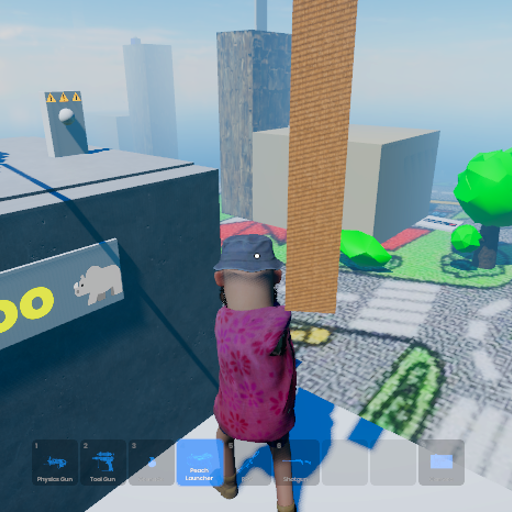
Sand Theft Kart Oh
Released
Conveyance/BasculeBridge.cs
using Sandbox;
using System.Collections.Generic;

/// <summary>
/// Coordinates one or more BasculeLeaf components as a single drawbridge. Exposes the
/// public control surface — Open() / Close() / Toggle() — and fans each command out to
/// every leaf so they move together.
///
/// For a classic double-leaf bascule, you'll wire two BasculeLeaf components in here (one
/// per bank). The coordinator doesn't care how many leaves there are — one, two, or more
/// all work the same way.
///
/// SETUP:
///   - Put this on an empty parent GameObject (e.g. "BasculeBridge") that organizes the
///     whole structure.
///   - Build each leaf separately (leaf rigidbody + hinge + BasculeLeaf component), per
///     the BasculeLeaf docs and the dev tips page.
///   - Drag each leaf's BasculeLeaf component into the Leaves list here.
///   - Wire Open()/Close()/Toggle() to whatever trigger you want — a lever, a pressure
///     plate, a proximity trigger — or just call them from the editor buttons to test.
///
/// MEETING POINT NOTE:
/// For a double-leaf bridge, the two leaves should meet (or nearly meet) in the middle when
/// closed, so a box can roll across the seam. Get this with editor PLACEMENT: position each
/// leaf so that at its ClosedAngle the leaves touch in the middle. Each leaf's hinge
/// MinAngle hard stop then guarantees they return to exactly that meeting position every
/// time — the precision only has to be got right once.
///
/// If the leaves visibly fight or jostle each other at the seam when closing, that's the
/// cue to add a small close stagger (close one leaf a fraction of a second before the
/// other). Not built yet — it's a prototype, and fire-and-forget is the simplest thing
/// that might just work. Add the stagger only if testing shows it's needed.
/// </summary>
public sealed class BasculeBridge : Component
{
	/// <summary>
	/// All the leaves that make up this bridge. One for a single-leaf bridge, two for a
	/// classic double bascule. Every Open/Close/Toggle command is sent to all of them.
	/// </summary>
	[Property] public List<BasculeLeaf> Leaves { get; set; } = new();

	/// <summary>
	/// True if the bridge is currently commanded open. Reflects the COMMAND — use
	/// IsFullyOpen / IsFullyClosed for actual physical state.
	/// </summary>
	public bool IsOpenCommanded { get; private set; } = false;

	/// <summary>Command every leaf to open.</summary>
	[Button( "Open Bridge" )]
	public void Open()
	{
		IsOpenCommanded = true;
		foreach ( var leaf in Leaves )
		{
			if ( leaf.IsValid() )
				leaf.Open();
		}
	}

	/// <summary>Command every leaf to close.</summary>
	[Button( "Close Bridge" )]
	public void Close()
	{
		IsOpenCommanded = false;
		foreach ( var leaf in Leaves )
		{
			if ( leaf.IsValid() )
				leaf.Close();
		}
	}

	/// <summary>Flip the whole bridge between open and closed.</summary>
	[Button( "Toggle Bridge" )]
	public void Toggle()
	{
		if ( IsOpenCommanded )
			Close();
		else
			Open();
	}

	/// <summary>
	/// True only when EVERY leaf has physically reached its open angle. Useful for gating
	/// logic — e.g. "only let the tall load through once the bridge is fully open."
	/// </summary>
	public bool IsFullyOpen
	{
		get
		{
			if ( Leaves is null || Leaves.Count == 0 ) return false;
			foreach ( var leaf in Leaves )
			{
				if ( !leaf.IsValid() || !leaf.IsFullyOpen )
					return false;
			}
			return true;
		}
	}

	/// <summary>
	/// True only when EVERY leaf has physically reached its closed angle. Useful for gating
	/// logic — e.g. "only let players cross once the bridge is fully closed and seated."
	/// </summary>
	public bool IsFullyClosed
	{
		get
		{
			if ( Leaves is null || Leaves.Count == 0 ) return false;
			foreach ( var leaf in Leaves )
			{
				if ( !leaf.IsValid() || !leaf.IsFullyClosed )
					return false;
			}
			return true;
		}
	}
}