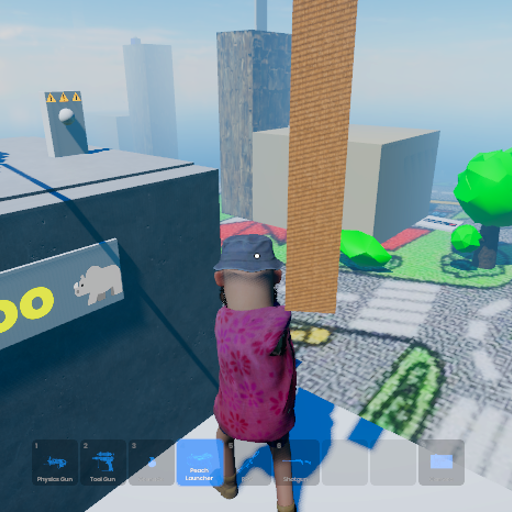
Sand Theft Kart Oh
Released
Conveyance/BasculeLeaf.cs
using Sandbox;

/// <summary>
/// Controls a single leaf of a bascule (drawbridge) — one motorized HingeJoint that swings
/// the leaf between a closed angle and an open angle on command.
///
/// This is the per-leaf worker. For a double-leaf bridge, you'll have two of these (one per
/// leaf) coordinated by a single BasculeBridge component. Build and prove ONE leaf first.
///
/// HOW IT WORKS:
/// The HingeJoint runs in "Target Angle" motor mode (set this in the editor — don't try to
/// set the MotorMode enum from C#, it doesn't resolve cleanly; see the dev tips page).
/// In that mode the motor acts like a spring pulling the hinge toward TargetAngle. So
/// "opening the bridge" is literally just: change TargetAngle from ClosedAngle to OpenAngle.
/// The physics motor animates the swing — we don't interpolate anything per-frame ourselves.
///
/// WEIGHT-BEARING:
/// When closed, the leaf rests against the hinge's MinAngle hard stop (set MinAngle = 0 in
/// the editor, matching ClosedAngle here). The hard stop — NOT the motor — bears the static
/// weight of anything sitting on the closed leaf. The motor only needs enough torque to
/// hold the leaf against load-induced bounce and to lift the leaf when opening. This is why
/// MaxTorque can be moderate rather than enormous.
///
/// GEOMETRY (per the dev tips page, lessons 8 & 9):
///   - Build the leaf rigidbody + its hinge child at identity rotation, internally
///     consistent with whatever axis the hinge naturally uses.
///   - Keep the leaf rigidbody's scale uniform-ish; attach visual detail as child objects.
///   - Rotate a PARENT object to place the whole leaf in the world.
///
/// SETUP:
///   - Put this on the SAME GameObject as the leaf's HingeJoint.
///   - In the editor: set the HingeJoint's Motor mode to "Target Angle". Set MinAngle and
///     MaxAngle to bracket the leaf's travel (e.g. MinAngle 0 = closed, MaxAngle 85 = open).
///   - The two leaves of a double bridge rotate toward each other to close, so their hinge
///     motors run in opposite directions. Use FlipDirection on one of them if it swings the
///     wrong way.
/// </summary>
public sealed class BasculeLeaf : Component
{
	/// <summary>
	/// The HingeJoint that swings this leaf. Auto-found on the same GameObject if not set.
	/// </summary>
	[Property] public HingeJoint Hinge { get; set; }

	/// <summary>
	/// The hinge angle (degrees) when the leaf is fully CLOSED. Usually 0 — matching the
	/// hinge's MinAngle hard stop, so the closed position is physically backed by the stop
	/// and therefore exactly repeatable.
	/// </summary>
	[Property, Range( -10, 30 )] public float ClosedAngle { get; set; } = 0f;

	/// <summary>
	/// The hinge angle (degrees) when the leaf is fully OPEN. ~80–85 gives a steep,
	/// dramatic raise without going fully vertical (fully vertical can be unstable as the
	/// leaf's centre of mass passes over the hinge).
	/// </summary>
	[Property, Range( 30, 90 )] public float OpenAngle { get; set; } = 82f;

	/// <summary>
	/// Flips which rotational direction counts as "open". The two leaves of a double bridge
	/// face opposite ways, so one of them will need this checked. Toggle it if the leaf
	/// swings down/away when it should swing up, or vice versa.
	/// </summary>
	[Property] public bool FlipDirection { get; set; } = false;

	/// <summary>
	/// Motor stiffness — how hard the motor-spring pulls toward the target angle.
	/// Too low: a loaded leaf won't lift, or sags. Too high: the leaf slams shut hard
	/// enough to crush whatever's under it. Start around 4–6 and tune against the weight
	/// of the boxes/players that will be on the bridge.
	/// </summary>
	[Property, Range( 0.5f, 20f )] public float MotorStrength { get; set; } = 5f;

	/// <summary>
	/// Damping ratio of the motor-spring. 1 = critically damped (reaches the target with no
	/// overshoot or oscillation), which is almost always what you want for a bridge leaf —
	/// you don't want the leaf bouncing past its target angle.
	/// </summary>
	[Property, Range( 0.1f, 2f )] public float MotorDamping { get; set; } = 1f;

	/// <summary>
	/// Maximum torque the motor can apply. Needs to be enough to lift the leaf (plus any
	/// load) when opening, but the closed-position weight is borne by the hinge's MinAngle
	/// hard stop, not this. Start moderate and raise if the leaf won't open under load.
	/// </summary>
	[Property, Range( 0, 100000 )] public float MaxTorque { get; set; } = 20000f;

	/// <summary>
	/// True if the leaf is currently commanded open. Note this reflects the COMMAND, not the
	/// physical angle — the leaf takes time to physically swing there. Use IsFullyOpen /
	/// IsFullyClosed to check actual physical state.
	/// </summary>
	public bool IsOpenCommanded { get; private set; } = false;

	/// <summary>How close (degrees) the leaf must be to a target angle to count as "fully" there.</summary>
	private const float AngleTolerance = 3f;

	/// <summary>The hinge angle we're currently commanding, accounting for FlipDirection.</summary>
	private float CurrentTargetAngle => (IsOpenCommanded ? OpenAngle : ClosedAngle) * (FlipDirection ? -1f : 1f);

	protected override void OnStart()
	{
		if ( Hinge is null )
			Hinge = GetComponent<HingeJoint>();

		if ( Hinge is null )
		{
			Log.Warning( $"{nameof( BasculeLeaf )} on {GameObject.Name}: no HingeJoint assigned or found." );
			return;
		}

		// Push the motor tuning onto the hinge once. We do NOT set the Motor mode here —
		// that's set to "Target Angle" in the editor (the MotorMode enum doesn't resolve
		// cleanly from C#; see dev tips lesson 12). We only ever write numeric properties.
		Hinge.Frequency = MotorStrength;
		Hinge.DampingRatio = MotorDamping;
		Hinge.MaxTorque = MaxTorque;

		// Start in whatever state IsOpenCommanded says (defaults closed).
		ApplyTargetAngle();
	}

	/// <summary>Command the leaf to swing to its open angle.</summary>
	public void Open()
	{
		IsOpenCommanded = true;
		ApplyTargetAngle();
	}

	/// <summary>Command the leaf to swing to its closed angle.</summary>
	public void Close()
	{
		IsOpenCommanded = false;
		ApplyTargetAngle();
	}

	/// <summary>Flip between open and closed.</summary>
	public void Toggle()
	{
		IsOpenCommanded = !IsOpenCommanded;
		ApplyTargetAngle();
	}

	/// <summary>
	/// Write the current target angle to the hinge. The motor does the rest — it springs
	/// the leaf toward this angle at the configured stiffness/damping.
	/// </summary>
	private void ApplyTargetAngle()
	{
		if ( Hinge is null ) return;
		Hinge.TargetAngle = CurrentTargetAngle;
	}

	/// <summary>
	/// Re-pushes the motor tuning. Call this if you change MotorStrength/MotorDamping/
	/// MaxTorque at runtime (e.g. while tuning). The editor calls OnStart on play, so you
	/// don't normally need this.
	/// </summary>
	[Button( "Apply Tuning" )]
	public void ApplyTuning()
	{
		if ( Hinge is null ) return;
		Hinge.Frequency = MotorStrength;
		Hinge.DampingRatio = MotorDamping;
		Hinge.MaxTorque = MaxTorque;
	}

	/// <summary>True if the leaf has physically reached (close to) its open angle.</summary>
	public bool IsFullyOpen
	{
		get
		{
			if ( Hinge is null ) return false;
			float openTarget = OpenAngle * (FlipDirection ? -1f : 1f);
			return AngleDifference( Hinge.Angle, openTarget ) <= AngleTolerance;
		}
	}

	/// <summary>True if the leaf has physically reached (close to) its closed angle.</summary>
	public bool IsFullyClosed
	{
		get
		{
			if ( Hinge is null ) return false;
			float closedTarget = ClosedAngle * (FlipDirection ? -1f : 1f);
			return AngleDifference( Hinge.Angle, closedTarget ) <= AngleTolerance;
		}
	}

	/// <summary>Absolute difference between two angles, as a plain magnitude in degrees.</summary>
	private static float AngleDifference( float a, float b )
	{
		float d = a - b;
		return d < 0f ? -d : d;
	}
}