Character Editor
Released
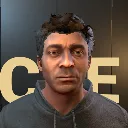
A Character Editor using a Unified Game Character derived from the base s&box human models
CharacterKit/HairColorSquare.cs
UI panel that implements a saturation/value square for hair color selection. It renders saturation and brightness washes, updates a marker position from the current Color, and converts mouse input into an HSV color with the configured hue, invoking OnValueChanged.
using System;
using Sandbox.UI;

namespace CharacterEditor;

/// <summary>Saturation/value surface using the UI's normal visible-pointer drag handling.</summary>
public sealed class HairColorSquare : Panel
{
	public Color Value { get; set; }
	public float Hue { get; set; }
	public Action<Color> OnValueChanged { get; set; }
	readonly Panel marker;

	public HairColorSquare()
	{
		AddChild<Panel>().AddClass("saturation-wash");
		AddChild<Panel>().AddClass("brightness-wash");
		marker = AddChild<Panel>();
		marker.AddClass("color-marker");
	}

	public override void Tick()
	{
		base.Tick();
		Style.BackgroundColor = new ColorHsv(Hue, 1, 1, 1).ToColor();
		var hsv = Value.ToHsv();
		marker.Style.Left = Length.Percent(hsv.Saturation * 100);
		marker.Style.Top = Length.Percent((1 - hsv.Value) * 100);
	}

	void Pick()
	{
		var rect = Box.Rect;
		if (rect.Width <= 0 || rect.Height <= 0) return;
		var position = MousePosition;
		OnValueChanged?.Invoke(new ColorHsv(Hue,
			Math.Clamp(position.x / rect.Width, 0, 1),
			1 - Math.Clamp(position.y / rect.Height, 0, 1), 1).ToColor());
	}

	protected override void OnMouseDown(MousePanelEvent e)
	{
		base.OnMouseDown(e);
		if (e.MouseButton != MouseButtons.Left) return;
		Pick();
		e.StopPropagation();
	}

	protected override void OnMouseMove(MousePanelEvent e)
	{
		base.OnMouseMove(e);
		if (!HasActive || e.MouseButton == MouseButtons.Right) return;
		Pick();
		e.StopPropagation();
	}

	protected override void OnMouseUp(MousePanelEvent e)
	{
		base.OnMouseUp(e);
		if (e.MouseButton == MouseButtons.Left) e.StopPropagation();
	}
}