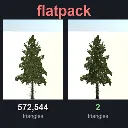
Flatpack
Released
Bakes any model into an impostor card. Thousands of props, a fraction of the GPU cost.
Editor/FlatpackPfm.cs
The FlatpackPfm class is a utility to serialize greyscale float data into the Portable Float Map format. It saves a single channel float image to a given file path.
using System.IO;
using System.Text;
namespace Flatpack.EditorTools;
/// <summary>
/// Writes greyscale PFM (portable float map) files. The baker stores the 16-bit depth atlas this way: s&box's texture
/// compiler reads PNGs at 8 bits whatever their bit depth, but keeps a float source's precision when it builds an R16
/// texture (measured in iteration 8: every value of a 16-bit ramp came back exact).
/// </summary>
static class FlatpackPfm
{
/// <summary>
/// Write <paramref name="pixels"/> (row by row, top row first) as a <paramref name="width"/> x
/// <paramref name="height"/> single-channel float image.
/// </summary>
/// <remarks>
/// The PFM format stores rows bottom first, but the s&box texture compiler reads the first row as the top, so rows
/// go out in image order.
/// </remarks>
public static void WriteGray( string path, float[] pixels, int width, int height )
{
using var file = File.Create( path );
using var writer = new BinaryWriter( file );
// "Pf" is one channel; a negative scale means little-endian floats.
writer.Write( Encoding.ASCII.GetBytes( $"Pf\n{width} {height}\n-1.0\n" ) );
for ( var i = 0; i < width * height; i++ )
writer.Write( pixels[i] );
}
}