MONOLITH
Released
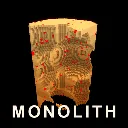
A monolith of solid cubes hangs in the void. Take it apart.
Game/GameBootstrap.cs
using Sandbox.Network;
namespace Monolith;
/// <summary>
/// Starts (or joins) the session and builds this client's local rig. The rig is deliberately
/// NOT a networked object in v1: the only thing that has to be shared is the monolith, and
/// keeping players local removes the whole prefab and ownership surface. Avatars come later.
/// </summary>
public sealed class GameBootstrap : Component, Component.INetworkListener
{
[Property] public bool StartServer { get; set; } = true;
private GameObject rig;
private bool placed;
protected override void OnStart()
{
LogBuildStamp();
if ( StartServer && !Networking.IsActive )
{
Networking.CreateLobby( new LobbyConfig
{
MaxPlayers = 32,
Privacy = LobbyPrivacy.Public,
Name = "MONOLITH",
} );
}
CreateLocalRig();
}
// NAMES ARE NOT LOGGED.
//
// Streamer Mode gives a player a generic anonymous name precisely so it is not shown, and
// neither `Connection.Name` nor `Connection.DisplayName` is documented as honouring it:
// DisplayName is described only as the name "with any potential nicknames or naughty words
// filtered out", which is a profanity filter, not anonymity.
//
// Since the console gets screenshotted and shared, and the join line carries no debugging
// value that the count does not, the safe reading is to print neither. Nothing downstream
// needs a name: the leaderboard is the only place one is displayed, and it uses the
// DisplayName the service itself returns.
public void OnActive( Connection channel )
{
Log.Info( $"A player joined. ({Connection.All.Count} connected)" );
}
public void OnDisconnected( Connection channel )
{
Log.Info( $"A player left. ({Connection.All.Count} connected)" );
}
/// <summary>
/// Prints the tuning values the RUNNING build actually has.
///
/// A clean s&box compile is silent: the log records failures and nothing else. That makes
/// "no errors in the log" indistinguishable from "nothing compiled", and this session has
/// repeatedly reported the first while the second was true, including several times when the
/// editor was not even running. There was no way to tell from the outside.
///
/// This is that way. Grep the log for `[build]` and compare against the source: if the values
/// match, the code you are looking at is the code that is running. If the line is missing or
/// stale, nothing you just changed is live, whatever the absence of errors suggests.
/// </summary>
private static void LogBuildStamp()
{
Log.Info( $"[build] MONOLITH | spotter lock {Tuning.SpotterLockSeconds}s "
+ $"cone {Tuning.SpotterViewCone} | sentinel arm {Tuning.SentinelArmSeconds}s "
+ $"range {Tuning.SentinelRange} | maxproj {Tuning.MaxProjectileCount} "
+ $"visible {Tuning.MaxVisibleProjectiles} | pixel {Tuning.RetroPixelScale} "
+ $"| stage growth {Tuning.StageSizeGrowth}" );
// The systems added most recently, for the same reason the line exists at all: a stamp
// that does not mention the thing you just changed cannot tell you whether it is live.
Log.Info( $"[build] floor from stage {Tuning.FloorHazardFromStage} | "
+ $"tile {Tuning.FloorTileSize}u | phase {Tuning.FloorPhaseSeconds}s "
+ $"warn {Tuning.FloorWarnSeconds}s | dead {Tuning.FloorDeadChance:P0} "
+ $"raised {Tuning.FloorDeadHeight}u | rocket {Tuning.RocketJumpForce} "
+ $"blast {Tuning.RocketJumpBlastFraction:P0} | crawlers {Tuning.CrawlerMaxCount}" );
Log.Info( $"[build] look: ao {Tuning.VoxelAoStrength} | strata {Tuning.StrataBands}x"
+ $"{Tuning.StrataThickness} contrast {Tuning.StrataContrast} | "
+ $"shrapnel {Tuning.ShrapnelMaxPerBurst}/burst | "
+ $"floor hot {Tuning.FloorHotFraction:P0} dead {Tuning.FloorDeadChance:P1}" );
}
// REAL clock, not the game clock. A frozen game clock is one of the things this exists to
// detect, and a GameTimeSince here would never reach its interval in exactly that case: the
// diagnostic would go silent precisely when it was needed.
private TimeSince timeSinceReport = 99f;
private int reportsLeft = 3;
/// <summary>
/// Prints the gating state for the first few seconds of a session.
/// </summary>
/// <remarks>
/// "Cannot shoot" and "spawned inside the shape" both have several possible causes that look
/// identical from the outside: a stuck pause, a stuck cursor, a missing snapshot, or a rig
/// that was never repositioned. This prints all four at once so the next launch answers the
/// question instead of narrowing it.
///
/// Uses the REAL clock, not the game clock, because one of the things it exists to diagnose
/// is the game clock being frozen.
/// </remarks>
private void ReportState()
{
if ( reportsLeft <= 0 || timeSinceReport < 1f )
return;
timeSinceReport = 0f;
reportsLeft--;
var manager = MonolithManager.Instance;
var movement = rig.IsValid() ? rig.Components.Get<PlayerMovement>() : null;
string where = "no movement";
string shape = "no world";
if ( movement.IsValid() )
where = $"{movement.WorldPosition} floorZ {movement.FloorZ:0}";
if ( manager.IsValid() && manager.World != null )
{
var b = manager.World.WorldBounds;
shape = $"centre {b.Center} mins {b.Mins} size {b.Size}";
if ( movement.IsValid() )
{
float flat = (movement.WorldPosition - b.Center).WithZ( 0f ).Length;
shape += $" | player {flat:0}u from centre";
}
}
Log.Info( $"[state] paused {GameTime.Paused} | cursor {Hud.CursorVisible} "
+ $"| snapshot {(manager.IsValid() ? manager.SnapshotReady : false)} "
+ $"| placed {placed} | miner {Scene.GetAllComponents<Miner>().Count()}" );
Log.Info( $"[state] player {where}" );
Log.Info( $"[state] shape {shape}" );
}
private void CreateLocalRig()
{
rig = new GameObject( true, "Player Rig" );
// Never networked: this exists only on the machine that made it.
rig.NetworkMode = NetworkMode.Never;
// The camera lives on its own child object so it can sit behind the body in third
// person. The rig itself stays at the EYE position, which is the space every bit of
// movement, aiming and muzzle code already works in, so none of that has to change.
var cameraObject = new GameObject( true, "Camera Boom" );
cameraObject.Parent = rig;
cameraObject.NetworkMode = NetworkMode.Never;
var camera = cameraObject.AddComponent<CameraComponent>();
camera.IsMainCamera = true;
camera.ClearFlags = ClearFlags.All;
camera.ZNear = 4f;
camera.ZFar = 100_000f;
camera.FieldOfView = 75f;
// Pure black. Devil Daggers is mostly empty screen, and everything reads because it is
// the only lit thing in frame.
camera.BackgroundColor = Color.Black;
// A carved voxel mass is almost all coplanar faces, so direct lighting alone leaves it
// reading as flat colour and you cannot tell what a click actually did. Ambient
// occlusion is what makes craters, ledges and shafts legible.
//
// These are camera effects, so they belong on the camera object, not the rig.
var ao = cameraObject.AddComponent<AmbientOcclusion>();
// Untyped literals: these engine properties differ in type between versions, and an
// integer literal is valid whether the property is int or float.
//
// Dropped from 2 to 1: at full strength, stacked with the retro colour pass, AO was
// filling every crevice with black and the carved surface became a dark smear. It is
// here to READ the geometry, and past a point it hides it instead.
ao.Intensity = 1;
ao.Radius = 90;
// YOU CARRY LIGHT. This is how the reference stays readable while being mostly black:
// the action is lit and the distance falls to nothing, rather than everything being
// uniformly dim. A lamp on the rig means the rock you are actually working is always
// bright, and it solves the readability problem without lifting the void at all.
var lampObject = new GameObject( true, "Player Lamp" );
lampObject.Parent = rig;
lampObject.NetworkMode = NetworkMode.Never;
lampObject.LocalPosition = new Vector3( 40f, 0f, 30f );
var lamp = lampObject.AddComponent<PointLight>();
lamp.LightColor = new Color( 1f, 0.72f, 0.42f ) * Tuning.PlayerLampBrightness;
lamp.Radius = Tuning.PlayerLampRadius;
lamp.Shadows = false;
cameraObject.AddComponent<Bloom>();
cameraObject.AddComponent<Tonemapping>();
ApplyRetroLook( cameraObject );
rig.AddComponent<PlayerMovement>();
rig.AddComponent<PlayerProgress>();
// On the rig rather than on the world, because the score is per listener: it answers to
// what is hunting YOU, and in a shared session two players should not hear one mix.
rig.AddComponent<MonolithMusic>();
var avatar = rig.AddComponent<PlayerAvatar>();
avatar.CameraObject = cameraObject;
var miner = rig.AddComponent<Miner>();
miner.Camera = camera;
var hudObject = new GameObject( true, "HUD" );
hudObject.Parent = rig;
hudObject.NetworkMode = NetworkMode.Never;
hudObject.AddComponent<ScreenPanel>();
hudObject.AddComponent<Hud>();
// Capture tools. Harmless in a shipped build: it does nothing until F9 or F10 is pressed.
rig.AddComponent<PhotoMode>();
}
/// <summary>
/// The Devil Daggers look, as far as it can honestly be applied to what we render.
///
/// The research (GOALS 6d) gives four ingredients: a **320x240 render resolution**,
/// **unfiltered textures with no anti-aliasing**, **low colour depth that is dithered**, and
/// an **unshaded albedo shader with vertex colour faking the lighting**.
///
/// Three of those we can take. The fourth we deliberately cannot, and it is worth being
/// precise about why rather than half-doing it:
///
/// **We keep our lighting and our ambient occlusion.** Devil Daggers can afford to be unlit
/// because it has TEXTURES, and texture detail is what tells you the shape of a surface. Our
/// monolith is untextured coplanar cubes. Strip the lighting and a crater, a ledge and a flat
/// wall all become the same solid orange silhouette, and you can no longer see what your last
/// shot did. AO is doing the job that texture does in the reference, so removing it to match
/// the technique would lose the thing the technique was for.
///
/// Everything else is a post-process, which is exactly where a look like this belongs.
/// </summary>
private static void ApplyRetroLook( GameObject cameraObject )
{
// 1. THE RESOLUTION. The single biggest contributor: chunky pixels, hard edges, no AA.
var pixelate = cameraObject.AddComponent<Pixelate>();
pixelate.Scale = Tuning.RetroPixelScale;
// 2. THE PALETTE. Low colour depth reads as heavy contrast and reduced saturation, which
// is what pushes everything toward the bone-and-ember range rather than full colour.
var colour = cameraObject.AddComponent<ColorAdjustments>();
colour.Saturation = Tuning.RetroSaturation;
colour.Contrast = Tuning.RetroContrast;
colour.Brightness = Tuning.RetroBrightness;
// 3. THE GRAIN. Standing in for dithering, which has no built-in component. Not the same
// technique, but it does the same job: it breaks up flat areas so they stop reading as
// clean modern gradients.
var grain = cameraObject.AddComponent<FilmGrain>();
grain.Intensity = Tuning.RetroGrain;
grain.Response = 0.5f;
// 4. THE DARKNESS. The reference is mostly black with the action lit in the middle.
// A vignette is the cheapest way to stop our arena grid from filling the corners.
var vignette = cameraObject.AddComponent<Vignette>();
vignette.Intensity = Tuning.RetroVignette;
vignette.Roundness = 1f;
vignette.Smoothness = 1f;
vignette.Color = Color.Black;
// Losing a stage had NO feedback at all: the manager recorded the reset and nothing read
// it. Added last so it can find the vignette above and borrow it for the red wash.
cameraObject.AddComponent<StageLostEffect>();
}
protected override void OnUpdate()
{
// The pause clock is driven from here because this is the one component that is never
// itself gated by the pause. Anything that freezes cannot be trusted to count the freeze.
GameTime.Advance();
ReportState();
if ( placed || !rig.IsValid() )
return;
var world = MonolithManager.Instance?.World;
if ( world == null )
return;
// Stand on the arena floor a little back from the shape, looking at it.
var bounds = world.WorldBounds;
float floorZ = bounds.Mins.z;
float distance = MathF.Max( 420f, bounds.Size.Length * 0.85f );
var position = bounds.Center.WithZ( floorZ )
+ new Vector3( 0.35f, -1f, 0f ).Normal * distance;
if ( rig.Components.TryGet<PlayerMovement>( out var movement ) )
{
movement.FloorZ = floorZ;
movement.ArenaCentre = bounds.Center;
var eye = position.WithZ( floorZ + movement.EyeHeight );
movement.PlaceOnFloor( position, Rotation.LookAt( (bounds.Center - eye).Normal ) );
}
placed = true;
}
}