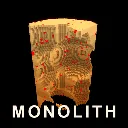
MONOLITH
Released
A monolith of solid cubes hangs in the void. Take it apart.
UI/Hud.razor
@using Sandbox
@using Sandbox.UI
@using System
@using System.Linq
@inherits PanelComponent
@namespace Monolith
<root class="hud @(PhotoHidden ? "photo-hidden" : "")">
@if ( Progress != null )
{
@if ( Manager != null && Manager.StageJustCleared )
{
<div class="cleared">
<div class="big">@Manager.LastClearedName BROKEN</div>
<div class="next">@StageName condensing</div>
</div>
}
<div class="topbar">
@* The shared Monolith is NOT a rung on the solo ladder, so it must not borrow the
ladder's numbering. It was showing "STAGE 48" because Tier is still whatever solo
stage you left, which made a separate destination look like more of the same. *@
<div class="tier">@TierLine</div>
<div class="bar">
<div class="fill" style="width: @(ClearedPercent)%;"></div>
</div>
<div class="counts">
<span class="remaining">@Num.Short( Remaining )</span>
<span class="sep">/</span>
<span class="total">@Num.Short( Total )</span>
<span class="pct">@ClearedPercent.ToString( "0.000" )% cleared</span>
</div>
</div>
<div class="wallet">
<div class="dust">
<span class="label">DUST</span>
<span class="value">@Num.Short( Progress.Data.Dust )</span>
</div>
<div class="line">
<span class="label">Cubes mined</span>
<span class="value">@Num.Short( Progress.Data.LifetimeCubes )</span>
</div>
<div class="line">
<span class="label">Cores</span>
<span class="value">@Progress.Data.Cores (x@(Progress.CoreMultiplier.ToString( "0.00" )))</span>
</div>
<div class="line">
<span class="label">Shots</span>
<span class="value">@($"x{Progress.ProjectileCount}")</span>
</div>
<div class="line timer">
<span class="label">@(InMonolith ? "Monolith run" : "Ladder run")</span>
<span class="value">@Num.Duration( InMonolith ? (Manager?.MonolithSeconds ?? 0f) : Progress.RunSeconds )</span>
</div>
</div>
@if ( Leech.All.Count > 0 )
{
<div class="leeches">
@Leech.All.Count LEECH@(Leech.All.Count == 1 ? "" : "ES")
· -@((Leech.TotalSiphon * 100f).ToString( "0" ))% dust
<span class="sub">shoot them to take it back, with interest</span>
</div>
}
@* No Spotter warning here on purpose. The threat is told entirely by its light: the
beam snapping onto you, reddening, tightening and pulsing faster as the lock fills.
A text overlay would let you read the HUD instead of reading the world.
The LOSS is different, and is the one place text earns its keep. A threat you can see
coming should be read from the world; a stage that has already reset underneath you
has no world-state left to read, and without this the most likely interpretation was
that the game had glitched. *@
@* WELCOME PAGES. Shown once, on a save that has never been played.
Everything in this game is taught by the world rather than by text (GOALS 6b), which
works for a threat you can watch and fails completely for a threat you have not met
yet. Five pages is the smallest thing that stops a new player being killed by a
Spotter, or by the floor, without ever learning what either one was. *@
@if ( ShowTutorial )
{
<div class="overlay">
<div class="sheet">
<div class="sheet-eyebrow">@($"{TutorialPage + 1} / {TutorialPages}")</div>
@if ( TutorialPage == 0 )
{
<div class="sheet-title">MONOLITH</div>
<div class="sheet-lead">A shape of solid cubes hangs in the void. Take it apart.</div>
<div class="sheet-rows">
<div class="srow">
<div class="icon rock"></div>
<div class="stext">
<b>Mine it</b>
Hold left click. Every cube you break pays DUST, and dust buys
upgrades that break more cubes. Clear the shape and the next
one condenses in its place.
</div>
</div>
<div class="srow">
<div class="icon ladder"></div>
<div class="stext">
<b>The ladder is 100 stages</b>
Each is a little bigger than the last. Reaching the end unlocks
COLLAPSE, which resets your dust and upgrades but pays permanent
cores. You come back stronger and climb faster.
</div>
</div>
</div>
}
else if ( TutorialPage == 1 )
{
<div class="sheet-title">YOUR TWO WEAPONS</div>
<div class="sheet-lead">One is constant. One is a decision.</div>
<div class="sheet-rows">
<div class="srow">
<div class="icon bolt"></div>
<div class="stext">
<b>Left click · the drill</b>
A stream of bolts that travel. They can be blocked, and they
can hit things other than rock, so you can shoot down what is
shooting at you.
</div>
</div>
<div class="srow">
<div class="icon bore"></div>
<div class="stext">
<b>Right click · the charge</b>
Fires a charge that bores INTO the shape. Left click sets it
off wherever it has reached. It removes a share of the whole
stage, so it never stops mattering, and burying it deeper
means more of the blast lands in rock instead of air.
</div>
</div>
<div class="srow">
<div class="icon rocket"></div>
<div class="stext">
<b>Shoot the FLOOR to rocket jump</b>
A charge that meets the ground goes off on its own. No
second click and no timing. It throws you, hardest when it
lands closest, and it still mines whatever was beside it,
though less than a charge you let bore in first.
<span class="c-o">Going faster costs you a charge.</span>
</div>
</div>
<div class="srow">
<div class="icon volatile"></div>
<div class="stext">
<b>Red cubes are volatile</b>
Hit one squarely and it detonates. The only large explosion
ordinary fire can produce, so they are worth aiming at, but
<span class="c-r">the blast throws burning chunks of rock outward
and the pieces come down around YOU.</span> Each one marks the
ground with a ring before it lands. Rings creep toward you, so
standing still never works, but they creep slowly, so walking
out always does. Jumping does not: the blast reaches higher
than you can. The real cost is WHERE it makes you go.
</div>
</div>
</div>
}
else if ( TutorialPage == 2 )
{
<div class="sheet-title">WHAT IS OUT THERE</div>
<div class="sheet-lead">
Nothing can kill you. The Spotter can take the stage back.
</div>
<div class="sheet-rows">
<div class="srow">
<div class="icon spotter"></div>
<div class="stext">
<b>Spotter · the searchlight</b>
Sweeps a wide beam. If it finds you it locks on and a line
attaches, and it changes colour as the lock fills:
<div class="ramp">
<span class="c-y">YELLOW</span>
<span class="arrow">›</span>
<span class="c-o">ORANGE</span>
<span class="arrow">›</span>
<span class="c-r">RED, THE LAST SECOND</span>
</div>
Let it finish and the stage restarts. Break line of sight behind
the shape, outrun the beam, or shoot it down.
</div>
</div>
<div class="srow">
<div class="icon sentinel"></div>
<div class="stext">
<b>Sentinel · the turret</b>
Turns to face you, glows brighter as it charges, then fires a
slow pink orb. Dodge it, shoot the orb, or kill the sentinel.
It also radios your position to Spotters, so leaving one alive
is how you get found.
</div>
</div>
<div class="srow">
<div class="icon anchor"></div>
<div class="stext">
<b>Anchor · the tether</b>
Fires a green cable that halves your speed. You cannot outrun
it and cover will not save you. Shoot the far end.
</div>
</div>
<div class="srow">
<div class="icon crawler"></div>
<div class="stext">
<b>Crawler · the one on the floor</b>
Runs at you across the ground and gets FASTER the longer it
chases, glowing from ember to white hot as it winds up. A fresh
one you can walk away from; a wound-up one needs a sprint. If
it reaches you it takes the stage. Cut any Anchor cable first:
<span class="c-r">tethered, you cannot outrun a crawler at all.</span>
</div>
</div>
</div>
}
else if ( TutorialPage == 3 )
{
<div class="sheet-title">THE FLOOR IS A CLOCK</div>
<div class="sheet-lead">
Standing still is the only thing that is always wrong.
</div>
<div class="sheet-rows">
<div class="srow">
<div class="icon warn"></div>
<div class="stext">
<b>Half the floor turns on you</b>
Every three seconds a new half lights up. It goes
<span class="c-o">AMBER</span> first, and that is your one
second to be somewhere else. Then it goes red and takes
the stage.
</div>
</div>
<div class="srow">
<div class="icon dead"></div>
<div class="stext">
<b>The raised violet blocks never turn off</b>
A few squares stand proud of the floor and glow violet.
Lethal permanently: no warning, no cycle, no second
chance. They are the holes in whatever route you were
planning, and they are the only thing out here that is
not orange, so learn them at a glance.
</div>
</div>
<div class="srow">
<div class="icon air"></div>
<div class="stext">
<b>In the air you are safe</b>
The floor can only take you while you are standing on it.
One ordinary jump clears one tile, a sprint clears two, a
good hop chain clears three.
<span class="c-y">Every movement trick you have is a way
of being off the ground for longer.</span>
</div>
</div>
</div>
}
else
{
<div class="sheet-title">AND THE REST</div>
<div class="sheet-lead">Things that cost you, and things that pay you.</div>
<div class="sheet-rows">
<div class="srow">
<div class="icon barrier"></div>
<div class="stext">
<b>Barriers</b>
Frames that orbit the shape and eat any shot fired INTO it.
They cannot be destroyed. Move, or wait for the gap.
</div>
</div>
<div class="srow">
<div class="icon leech"></div>
<div class="stext">
<b>Leeches</b>
Clamp to the shape and siphon your income. They never touch
your cubes. Pop one and it pays back everything it took, with
interest, so letting one feed first is a real choice.
</div>
</div>
<div class="srow">
<div class="icon move"></div>
<div class="stext">
<b>Move like it matters</b>
Speed comes from TIMING your jumps, not from steering: press
jump just as you land for a much bigger hop. A second jump in
the air dashes you along your current direction, which is how
you break a beam.
</div>
</div>
</div>
}
<div class="sheet-actions">
@if ( TutorialPage > 0 )
{
<div class="sheet-btn ghost" onclick=@TutorialBack>BACK</div>
}
<div class="sheet-btn" onclick=@TutorialNext>
@(TutorialPage < TutorialPages - 1 ? "NEXT" : "BEGIN")
</div>
</div>
</div>
</div>
}
else if ( ShowStart )
{
@* START SCREEN. Where every session begins, fresh or returning.
Note for editors: an else must touch the closing brace of its if, a Razor comment
between the two breaks the chain, and there is no such thing as an at-else because
the at sign was already consumed by the opening if.
Also, and this is what broke the build a second time: a Razor comment CANNOT
contain the two character sequence that closes one. Writing it inside the prose
ended the comment early and the remaining words were compiled as C#. *@
<div class="overlay">
<div class="sheet start">
<div class="sheet-title">MONOLITH</div>
<div class="sheet-lead">
@if ( Progress.IsFreshSave )
{
@("A new descent.")
}
else
{
@($"Welcome back. {Num.Short( Progress.Data.LifetimeCubes )} cubes mined, "
+ $"{Progress.Data.Collapses} collapses, {Progress.Data.Cores} cores.")
}
</div>
<div class="sheet-actions column">
<div class="sheet-btn big" onclick=@StartLadder>
@(Progress.IsFreshSave ? "START THE LADDER" : "CONTINUE THE LADDER")
<span class="sub">
@($"stage {Math.Max( 1, Progress.Data.HighestStage )} of {Tuning.PrestigeStageRequirement}"
+ " · climb, upgrade, collapse")
</span>
</div>
<div class="sheet-btn big @(Progress.IsFreshSave ? "locked" : "")"
onclick=@StartMonolith>
THE MONOLITH
<span class="sub">
@if ( Progress.IsFreshSave )
{
@("the shared rock, 16.7 million cubes. Climb a little first: you will not dent it yet.")
}
else
{
@("the shared rock, 16.7 million cubes. Felling it pays cores and prestige.")
}
</span>
</div>
<div class="sheet-btn ghost" onclick=@ReopenTutorial>HOW TO PLAY</div>
</div>
</div>
</div>
}
@* PAUSE MENU. The way out, which the game did not have at all: once you were in, the only
exit was killing the process. Also the only place that tells you the world is frozen. *@
@if ( ShowPause )
{
<div class="overlay transparent">
<div class="sheet pause">
<div class="sheet-title">PAUSED</div>
<div class="sheet-lead">@PauseLead</div>
<div class="sheet-actions column">
<div class="sheet-btn big @(IsPauseSelected( 0 ) ? "selected" : "")"
onclick=@Resume>
RESUME
<span class="sub">or press escape</span>
</div>
<div class="toggle @(IsPauseSelected( 1 ) ? "selected" : "")"
onclick=@ToggleMusic>
<span class="name">MUSIC</span>
<span class="state @(AudioSettings.MusicMuted ? "off" : "on")">
@(AudioSettings.MusicMuted ? "OFF" : "ON")
</span>
</div>
<div class="toggle @(IsPauseSelected( 2 ) ? "selected" : "")"
onclick=@ToggleEffects>
<span class="name">SOUND EFFECTS</span>
<span class="state @(AudioSettings.EffectsMuted ? "off" : "on")">
@(AudioSettings.EffectsMuted ? "OFF" : "ON")
</span>
</div>
<div class="sheet-btn ghost @(IsPauseSelected( 3 ) ? "selected" : "")"
onclick=@ReopenTutorial>HOW TO PLAY</div>
<div class="sheet-btn ghost @(IsPauseSelected( 4 ) ? "selected" : "")"
onclick=@QuitGame>
QUIT
<span class="sub">your progress is saved first</span>
</div>
</div>
</div>
</div>
}
@* The end of the ladder. Stops the run and asks for a decision, instead of silently
condensing stage 101 as if nothing had happened. *@
@if ( Manager != null && Manager.LadderComplete )
{
<div class="ladder-done">
<div class="done-title">LADDER COMPLETE</div>
<div class="done-sub">@($"all {Tuning.PrestigeStageRequirement} stages")</div>
<div class="done-time">@Num.Duration( Manager.LadderCompleteSeconds )</div>
<div class="done-rank">@LadderRankLine</div>
<div class="done-actions">
<div class="done-btn" onclick=@CollapseFromSummary>
COLLAPSE
<span class="sub">
@($"reset to stage 1 and bank {Progress?.PendingCores ?? 0} cores, kept forever")
</span>
</div>
<div class="done-btn" onclick=@GoToMonolith>
THE MONOLITH
<span class="sub">
take your upgrades to the shared rock and keep this run alive
</span>
</div>
</div>
</div>
}
@if ( StageLostEffect.Intensity > 0f )
{
<div class="stage-lost">
<div class="lost-title">STAGE LOST</div>
<div class="lost-sub">a Spotter had you. nothing earned was taken.</div>
</div>
}
@if ( Manager != null && Manager.ShieldActive )
{
<div class="shield-banner">
SHIELDED — DRONES JAMMED @Manager.ShieldSecondsLeft.ToString( "0" )s
<span class="sub">shoot the node above the shape</span>
</div>
}
else if ( Manager != null && Manager.ShieldBroken )
{
<div class="shield-banner broken">
NODE DOWN — DRONES FREE @Manager.ShieldBreakSecondsLeft.ToString( "0.0" )s
<span class="sub">it recharges</span>
</div>
}
@if ( Progress.InHollowRun )
{
<div class="hollow-banner">
HOLLOW RUN · @HollowRuns.Get( Progress.Hollow )?.Name
</div>
}
@* Hidden while the panel is up. It is a live combat readout and it rendered straight
through the upgrade list, on top of the text you were trying to read. *@
@if ( Progress.Resonance > 0 && !PanelOpen )
{
<div class="resonance">
@* Explicit expression, not an implicit one. "[email protected](...) TEXT" is
fragile in Razor: the parser can swallow or mangle the surrounding
literal, which is how this rendered as garbled text. *@
<div class="stacks">@($"RESONANCE x{Progress.ResonanceMultiplier:0.0}")</div>
<div class="rbar">
<div class="fill"
style="width: @((Progress.ResonanceRemaining / Tuning.ResonanceWindow * 100f).ToString( "0.0" ))%;"></div>
</div>
<div class="count">@Progress.Resonance stacks</div>
</div>
}
@if ( Progress.LastMark != null && Progress.TimeSinceMark < 4f )
{
<div class="mark-toast">
<div class="head">MARK EARNED</div>
<div class="name">@Progress.LastMark.Name</div>
</div>
}
@if ( Residue )
{
<div class="residue">
@Remaining @(Remaining == 1 ? "CUBE" : "CUBES") LEFT
<span class="sub">@ResidueHint</span>
</div>
}
@* BURNING. Standing on a live tile no longer kills instantly, so there has to be
something telling you the clock is running. Drawn as a border closing in from the
edges rather than as a bar, because a bar is something you have to look AT and the
whole point is that you are looking at the rock. *@
@if ( Burning )
{
<div class="burn" style="opacity: @(BurnAmount.ToString( "0.00" ));"></div>
<div class="burn-word" style="opacity: @(BurnAmount.ToString( "0.00" ));">MOVE</div>
}
@if ( !PanelOpen && !BlockingScreen )
{
<div class="crosshair @(Aiming ? "on-target" : "")"></div>
@* The charge is buried inside solid rock, so nothing in the world can show you
where it is. Project it onto the screen instead: this is the only reliable way
to know what you are about to detonate. *@
@if ( ChargeOnScreen )
{
<div class="charge-marker" style="left: @(ChargeScreen.x * 100f)%; top: @(ChargeScreen.y * 100f)%;">
<div class="ring"></div>
<div class="label">@((miner.DrillQuality * 100f).ToString( "0" ))% buried</div>
</div>
}
else if ( miner != null && miner.ChargeLive )
{
<div class="charge-offscreen">CHARGE IS BEHIND YOU</div>
}
@if ( miner != null )
{
<div class="charge @ChargeClass">
@* Track A: the charge in the rock, waiting for a left click. *@
@if ( miner.ChargeLive )
{
<div class="live">
CHARGE IN THE ROCK — <b>LMB</b> to detonate
<div class="depth">
<div class="fill" style="width: @((miner.DrillQuality * 100f).ToString( "0" ))%;"></div>
</div>
</div>
}
@* Track B: the reload, entirely independent of the above. *@
@if ( miner.ChargeReady )
{
<div class="ready-line"><b>RMB</b> to fire a charge</div>
}
else if ( miner.ReloadAttemptOpen )
{
@* The 2 second minigame. Target position is rerolled every shot. *@
<div class="reload attempt">
<div class="bar">
<div class="window"
style="left: @((miner.ReloadWindowStart * 100f).ToString( "0.0" ))%;
width: @((miner.ReloadWindowWidth * 100f).ToString( "0.0" ))%;"></div>
<div class="playhead"
style="left: @((miner.ReloadAttemptProgress * 100f).ToString( "0.0" ))%;"></div>
</div>
<span class="sub">
@if ( miner.InActiveReloadWindow )
{
<b>RMB NOW</b>
}
else
{
@("hit the mark to reload instantly")
}
</span>
</div>
}
else
{
<div class="reload">
<div class="bar">
<div class="fill" style="width: @((miner.ReloadProgress * 100f).ToString( "0.0" ))%;"></div>
</div>
<span class="sub">@("reloading " + miner.ChargeCooldownLeft.ToString( "0.0" ) + "s")</span>
</div>
}
</div>
}
@* Prompts follow the DEVICE.
`Input.GetGlyph( action, ... )` returns the icon for whatever the action is bound
to on the connected controller, so an Xbox player sees A where a PlayStation
player sees Cross, from one binding. With no pad it returns an UNBOUND glyph, so
the keyboard branch stays as text rather than showing a row of question marks. *@
@if ( UsingController )
{
<div class="hint pad">
<Image Texture=@Glyph( "Attack1" ) /> <span>mine</span>
<Image Texture=@Glyph( "Attack2" ) /> <span>charge</span>
<Image Texture=@Glyph( "Jump" ) /> <span>jump / hop</span>
<Image Texture=@Glyph( "Run" ) /> <span>sprint</span>
<Image Texture=@Glyph( "Score" ) /> <span>upgrades</span>
</div>
}
else
{
<div class="hint">
<b>LMB</b> mine <b>RMB</b> charge <b>WASD</b> move
<b>SPACE</b> jump / double jump <b>SHIFT</b> sprint <b>TAB</b> upgrades
</div>
}
}
@if ( PanelOpen )
{
@* Full-screen catcher BEHIND the panel. Clicking the play field closes the menu and
hands the mouse back to shooting, alongside TAB, ESC and WASD.
It works because it sits earlier in the tree with a lower z-index, so the panel is
on top and still receives its own clicks. Putting the handler on a backdrop drawn
OVER the panel would eat every purchase. *@
<div class="panel-backdrop" onclick=@ClosePanel></div>
<div class="panel">
<div class="panel-head">
<span class="title @(Tab == 0 ? "on" : "")" onclick=@( () => SetTab( 0 ) )>UPGRADES</span>
@if ( CoresUnlocked )
{
<span class="title @(Tab == 1 ? "on" : "")" onclick=@( () => SetTab( 1 ) )>CORES</span>
}
<span class="title @(Tab == 2 ? "on" : "")" onclick=@( () => SetTab( 2 ) )>MARKS</span>
<span class="title @(Tab == 3 ? "on" : "")" onclick=@( () => SetTab( 3 ) )>RANKS</span>
<span class="dust-inline">@Num.Short( Progress.Data.Dust ) dust</span>
</div>
@* Pad controls are only discoverable if they are shown. A mouse player already
knows to click, so this appears for controllers only. *@
@if ( UsingController )
{
<div class="pad-hints">
<Image Texture=@Glyph( "TabPrev" ) /><Image Texture=@Glyph( "TabNext" ) />
<span>tabs</span>
<Image Texture=@Glyph( "UiConfirm" ) /><span>buy</span>
<Image Texture=@Glyph( "UiAlt" ) /><span>buy max</span>
<Image Texture=@Glyph( "UiBack" ) /><span>close</span>
</div>
}
@if ( Tab == 1 )
{
<div class="upgrades">
<div class="cores-head">
<b>@Progress.AvailableCores</b> cores unspent
· @Progress.Data.Cores earned
</div>
@* None of this was explained anywhere, so it read as three unrelated
currencies. Each block now says what the thing IS before it offers
you anything to spend. *@
<div class="primer">
<div class="ptitle">WHAT ARE CORES?</div>
<div class="ptext">
@($"Cores are permanent. You earn 1 for every {Tuning.StagesPerCore} stages you reached when you COLLAPSE, which resets your dust and upgrade levels back to zero and puts you at stage 1 again. Clearing all {Tuning.PrestigeStageRequirement} stages is worth {Tuning.PrestigeStageRequirement / Tuning.StagesPerCore} cores.")
</div>
<div class="ptext">
@($"You spend them below. Nothing here is lost on a later Collapse, so the point of resetting is that you come back permanently stronger and climb the same ladder faster. You have collapsed {Progress.Data.Collapses} times.")
</div>
<div class="ptext">
@(Progress.CanCollapse
? "You can Collapse right now."
: $"Collapse unlocks at stage {Tuning.PrestigeStageRequirement}. You have reached {Progress.Data.HighestStage}, so {Progress.StagesToCollapse} to go.")
</div>
</div>
@* Slag accrues on a real clock, so it is worth showing even at zero. *@
<div class="slag">
<div class="row">
<span class="name">SLAG <b>@Progress.Data.Slag</b> / @Tuning.SlagMax</span>
<span class="level">
@(Progress.Data.Slag >= Tuning.SlagMax
? "full"
: "next in " + Num.Duration( Progress.MinutesToNextSlag * 60.0 ))
</span>
</div>
<div class="desc">
@($"One Slag every {Tuning.SlagMinutesEach / 60.0:0.#} hours of real time, capped at {Tuning.SlagMax}. It accrues while the game is shut, so there is a reason to open it on a day you do not intend to grind. It is NOT earned by playing.")
</div>
<div class="slag-actions">
<div class="slag-btn @(Progress.Data.Slag >= Tuning.SlagCostFracture ? "on" : "")"
onclick=@Fracture>
FRACTURE <b>@Tuning.SlagCostFracture</b>
<span class="sub">
@($"instantly destroys {Tuning.FractureFraction * 100f:0}% of the cubes left in the current shape ({Num.Short( Remaining * Tuning.FractureFraction )} right now) and pays you the dust for them")
</span>
</div>
<div class="slag-btn @(Progress.Data.Slag >= Tuning.SlagCostReroll && !InMonolith ? "on" : "")"
onclick=@Reroll>
REROLL <b>@Tuning.SlagCostReroll</b>
<span class="sub">
rebuilds this stage as a different shape at full size. For
when you have drawn a shape you find awkward to clear
</span>
</div>
</div>
</div>
@* Hollow runs: restriction plus Collapse, paying Cores only. *@
<div class="hollow">
<div class="row">
<span class="name">HOLLOW RUNS</span>
<span class="level">
@(Progress.InHollowRun
? "active: " + HollowRuns.Get( Progress.Hollow )?.Name
: "+" + Tuning.HollowRunCoreReward + " cores each")
</span>
</div>
<div class="desc">Collapse under a restriction. Pays cores and nothing else.</div>
@foreach ( var run in HollowRuns.All )
{
var cleared = Progress.HasClearedHollow( run.Kind );
var active = Progress.Hollow == run.Kind;
<div class="hollow-btn @(cleared ? "cleared" : "") @(active ? "active" : "") @(Progress.CanCollapse && !Progress.InHollowRun ? "on" : "")"
onclick=@( () => StartHollow( run.Kind ) )>
<span class="hname">@run.Name @(cleared ? " - cleared" : "")</span>
<span class="sub">@run.Rule</span>
</div>
}
</div>
@for ( int i = 0; i < CoreTree.All.Length; i++ )
{
var node = CoreTree.All[i];
var lvl = Progress.CoreLevel( node.Kind );
var cost = Progress.CoreCost( node.Kind );
var affordable = Progress.CanBuyCore( node.Kind );
<div class="upgrade core @(affordable ? "affordable" : "") @(IsSelected( i ) ? "selected" : "")"
onclick=@( () => BuyCore( node.Kind ) )>
<div class="body">
<div class="row">
<span class="name">@node.Name</span>
<span class="level">Lv @lvl</span>
</div>
<div class="desc">@node.Description</div>
<div class="gain">@GainText( node, lvl )</div>
<div class="row">
<span class="current">@(lvl > 0 ? "now: " + FormatText( node, lvl ) : "not taken")</span>
<span class="cost">@cost @(cost == 1 ? "core" : "cores")</span>
</div>
</div>
</div>
}
</div>
}
else if ( Tab == 2 )
{
<div class="upgrades">
<div class="cores-head">
<b>@Progress.MarksEarned</b> / @Marks.All.Length marks
· @($"x{Progress.MarkMultiplier:0.00} to everything")
</div>
<div class="primer">
<div class="ptitle">WHAT ARE MARKS?</div>
<div class="ptext">
@($"One-off achievements. Each one you earn adds a permanent +{Tuning.MarkPowerEach * 100f:0}% to ALL dust you ever collect, and they are never lost, not even to a Collapse. All {Marks.All.Length} of them is x{1f + Marks.All.Length * Tuning.MarkPowerEach:0.00}.")
</div>
<div class="ptext">
You do not buy them and you cannot choose them. They are a
background hum of progress that rewards playing in different
ways rather than doing the same thing faster.
</div>
</div>
@foreach ( var mark in Marks.All )
{
var got = Progress.HasMark( mark.Id );
var pct = got ? 1f : Math.Clamp( mark.Progress?.Invoke( Progress ) ?? 0f, 0f, 1f );
<div class="upgrade mark @(got ? "earned" : "")">
<div class="body">
<div class="row">
<span class="name">@mark.Name</span>
<span class="level">@(got ? "EARNED" : (pct * 100f).ToString( "0" ) + "%")</span>
</div>
<div class="desc">@mark.Hint</div>
@if ( !got )
{
<div class="markbar">
<div class="fill" style="width: @((pct * 100f).ToString( "0.0" ))%;"></div>
</div>
}
</div>
</div>
}
</div>
}
else if ( Tab == 3 )
{
<div class="boards">
@foreach ( var board in Boards )
{
<div class="board">
<div class="board-title">@board.Title</div>
@if ( board.Loading )
{
<div class="board-note">loading...</div>
}
else if ( board.Error != null )
{
<div class="board-note error">@board.Error</div>
}
else if ( board.Rows.Count == 0 )
{
<div class="board-note">
No entries yet. Global boards only populate once the
game is published, so this stays empty while it runs
locally.
</div>
}
else
{
@foreach ( var row in board.Rows )
{
<div class="rank-row @(row.IsMe ? "me" : "")">
<span class="rank">#@row.Rank</span>
<span class="who">@row.Name</span>
<span class="score">@row.Value</span>
</div>
}
}
</div>
}
<div class="refresh" onclick=@RefreshBoards>REFRESH</div>
</div>
}
else
{
<div class="upgrades">
@for ( int i = 0; i < Upgrades.All.Length; i++ )
{
var def = Upgrades.All[i];
var level = Progress.LevelOf( def.Kind );
var cost = Progress.CostOf( def.Kind );
var affordable = Progress.CanAfford( def.Kind );
var bulk = Progress.MaxAffordable( def.Kind );
<div class="upgrade @(affordable ? "affordable" : "") @(IsSelected( i ) ? "selected" : "")">
<div class="body" onclick=@( () => Buy( def.Kind ) )>
@* Header: what it is, and how deep you already are. *@
<div class="head">
<div class="glyph @(def.Kind.ToString().ToLower())"></div>
<span class="name">@def.Name</span>
<span class="level">@level</span>
</div>
@* The one line that answers "what do I get". Given the most weight in the card,
because it is the only part anyone actually reads twice. *@
<div class="gain">@GainText( def, level )</div>
<div class="desc">@def.Description</div>
<div class="foot">
<span class="current">@FormatText( def, level )</span>
<span class="cost">@Num.Short( cost )</span>
</div>
</div>
@if ( bulk > 1 )
{
<div class="buymax" onclick=@( () => BuyMax( def.Kind ) )>
BUY MAX <b>+@bulk</b>
</div>
}
</div>
}
</div>
<div class="travel @(InMonolith ? "back" : "")" onclick=@ToggleMonolith>
@if ( InMonolith )
{
<span class="title">RETURN TO THE LADDER</span>
<span class="sub">Stage @(Tier + 1) · @Stages.NameFor( Tier )</span>
}
else
{
<span class="title">GO TO THE MONOLITH</span>
<span class="sub">Shared. Open to anyone. It will not care that you are here yet.</span>
}
</div>
<div class="collapse @(Progress.CanCollapse ? "ready" : "")" onclick=@Collapse>
<span class="title">COLLAPSE</span>
@if ( Progress.CanCollapse )
{
<span class="sub">
Back to stage 1 for +@Progress.PendingCores cores,
permanently x@((1f + (Progress.Data.Cores + Progress.PendingCores) * Tuning.CorePowerPerCore).ToString( "0.00" ))
</span>
}
else
{
<span class="sub">
@Progress.StagesToCollapse more stages
(reach @Tuning.PrestigeStageRequirement)
</span>
}
</div>
}
</div>
}
}
</root>
@code
{
/// <summary>True while the upgrade panel owns the mouse, so the Miner holds fire.</summary>
public static bool CursorVisible { get; private set; }
private bool PanelOpen;
/// <summary>0 = upgrades, 1 = core tree, 2 = leaderboards.</summary>
private int Tab;
// Deliberately ONE board. Ranking solo progress too would tell players the solo ladder is
// the destination; the only thing worth a global rank is what you take off the Monolith.
private readonly LeaderboardData[] Boards =
{
new( "CUBES REMOVED FROM THE MONOLITH", MonolithStats.StatCubes ),
new( "MOST PRESTIGES", MonolithStats.StatBestCollapses ),
new( "FASTEST FULL LADDER", MonolithStats.StatFastestLadder ) { LowestWins = true },
new( "FASTEST MONOLITH FELLING", MonolithStats.StatFastestMonolith ) { LowestWins = true },
};
// ---------------------------------------------------------------- welcome and start
/// <summary>Number of welcome pages.</summary>
private const int TutorialPages = 5;
private int TutorialPage;
/// <summary>Set once the start screen has been dismissed, for this session only.</summary>
private bool started;
/// <summary>Opened from the start screen, so the pages can be re-read on purpose.</summary>
private bool tutorialReopened;
/// <summary>
/// The welcome pages show automatically on a save that has not seen them, and on demand from
/// the start screen. Waits for Progress to exist, since it is the thing that remembers.
/// </summary>
private bool ShowTutorial
=> Progress != null && (tutorialReopened || !Progress.Data.SeenTutorial);
/// <summary>The start screen sits between the welcome pages and play, once per session.</summary>
private bool ShowStart => Progress != null && !started;
/// <summary>Set while the pause menu is up. Session only, never saved.</summary>
private bool paused;
/// <summary>
/// The pause menu, suppressed behind the welcome and start sheets so escape cannot stack two
/// full-screen sheets on top of each other.
/// </summary>
private bool ShowPause => paused && !ShowTutorial && !ShowStart;
/// <summary>
/// True while any full-screen sheet is up. Firing, movement and the upgrade panel are all
/// suppressed by the same flag that suppresses them for the upgrade panel, so nothing new
/// had to learn about these screens.
/// </summary>
private bool BlockingScreen => ShowTutorial || ShowStart || ShowPause;
/// <summary>
/// Says whether the world actually stopped. Worth stating rather than assuming, because the
/// answer changes with the session: solo really does freeze, and in company it cannot.
/// </summary>
private string PauseLead
=> GameTime.Paused
? "The monolith waits."
: "Others are still playing, so the world keeps going.";
private void Resume()
{
Audio.Close();
paused = false;
PauseSelected = 0;
}
/// <summary>Highlighted row of the pause menu: resume, how to play, quit.</summary>
private int PauseSelected;
private const int PauseItems = 5;
/// <summary>
/// The mute switches. Both play their own confirmation, which is the only feedback that makes
/// sense here: turning effects ON should make a sound, and turning them OFF should be the
/// last sound you hear. The music toggle is silent because the music itself is the answer.
/// </summary>
private void ToggleMusic()
{
AudioSettings.ToggleMusic();
Audio.PlayUi( Audio.UiPress, 0.5f, 1f );
}
private void ToggleEffects()
{
// Ordered so the click lands while effects are still audible when switching OFF, and
// after they are back when switching ON. Either way you hear exactly one.
if ( AudioSettings.EffectsMuted )
{
AudioSettings.ToggleEffects();
Audio.PlayUi( Audio.UiPress, 0.6f, 1.1f );
return;
}
Audio.PlayUi( Audio.UiPress, 0.6f, 0.9f );
AudioSettings.ToggleEffects();
}
private bool IsPauseSelected( int index )
=> UsingController && ShowPause && index == PauseSelected;
/// <summary>
/// Stick and dpad through the pause menu, A to pick, B to resume.
///
/// Not optional the way panel navigation was. The pause menu is the only exit from the game,
/// and on a Steam Deck there is no mouse to reach QUIT with, so a mouse-only pause menu would
/// leave a handheld player with no way out at all.
/// </summary>
private void UpdatePauseSelection()
{
float move = Input.AnalogMove.x;
if ( MathF.Abs( move ) < 0.5f )
timeSinceNav = NavRepeat;
else if ( timeSinceNav >= NavRepeat )
{
timeSinceNav = 0f;
PauseSelected = (PauseSelected + (move > 0f ? -1 : 1) + PauseItems) % PauseItems;
Audio.Navigate();
}
// B always resumes, wherever the highlight happens to be sitting.
if ( Input.Pressed( "UiBack" ) )
{
Resume();
return;
}
if ( !Input.Pressed( "UiConfirm" ) )
return;
switch ( PauseSelected )
{
case 0: Resume(); break;
case 1: ToggleMusic(); break;
case 2: ToggleEffects(); break;
case 3: ReopenTutorial(); break;
case 4: QuitGame(); break;
}
}
/// <summary>
/// Saves before leaving. The autosave runs on a fifteen second timer, so quitting without
/// this can silently discard up to fifteen seconds of mining, which is exactly the kind of
/// loss that makes a player distrust a game that never technically crashed.
/// </summary>
private void QuitGame()
{
Audio.PlayUi( Audio.UiPress, 0.8f, 0.8f );
Progress?.Save();
try { Game.Close(); }
catch ( Exception e ) { Log.Warning( $"Could not close the game: {e.Message}" ); }
}
private void TutorialNext()
{
Audio.Forward();
if ( TutorialPage < TutorialPages - 1 )
{
TutorialPage++;
return;
}
// Recorded on FINISHING rather than on opening, so quitting midway shows them again.
Progress?.MarkTutorialSeen();
TutorialPage = 0;
tutorialReopened = false;
}
private void TutorialBack()
{
Audio.Back();
TutorialPage = Math.Max( 0, TutorialPage - 1 );
}
private void ReopenTutorial()
{
Audio.Open();
TutorialPage = 0;
tutorialReopened = true;
}
private void StartLadder()
{
Audio.Forward();
if ( InMonolith )
Manager?.SetMonolithMode( false );
started = true;
Progress?.StartRunTimer();
}
private void StartMonolith()
{
// A brand new save cannot meaningfully touch 16.7M cubes, so the button says so and
// declines rather than dropping the player somewhere hopeless with no explanation.
if ( Progress?.IsFreshSave ?? true )
{
Audio.Refused();
return;
}
Audio.PlayUi( Audio.UiPress, 0.8f, 1.1f );
Manager?.SetMonolithMode( true );
started = true;
}
/// <summary>
/// One escape key, several meanings, resolved in a fixed order so it is always predictable.
///
/// The engine treats escape and the pad START button as the same press, so this gives the
/// controller a pause button without any binding of our own.
///
/// Escape never dismisses the first-run welcome. It is four pages long, it is the only
/// explanation of the game, and the button that skips it should not also be the button
/// everyone mashes. Reopened on purpose from a menu, it closes on escape like anything else.
/// </summary>
private void UpdateEscape()
{
if ( !Input.EscapePressed )
return;
if ( ShowTutorial )
{
if ( tutorialReopened )
{
TutorialPage = 0;
tutorialReopened = false;
}
return;
}
// Nothing to back out to, and quitting has its own button once you are in.
if ( ShowStart )
return;
if ( ShowPause )
{
Resume();
return;
}
// The panel is a layer over the game, so escape peels that off before it reaches the game.
if ( PanelOpen )
{
PanelOpen = false;
return;
}
// The summary is a decision, not a screen to escape from.
if ( Manager?.LadderComplete ?? false )
return;
Audio.Open();
paused = true;
}
/// <summary>Keyboard and pad paths for the sheets, so neither needs a mouse.</summary>
private void UpdateScreenInput()
{
if ( ShowPause )
{
UpdatePauseSelection();
return;
}
if ( ShowTutorial )
{
if ( Input.Pressed( "UiConfirm" ) || Input.Pressed( "Jump" ) )
TutorialNext();
else if ( Input.Pressed( "UiBack" ) )
TutorialBack();
return;
}
if ( !ShowStart )
return;
if ( Input.Pressed( "UiConfirm" ) || Input.Pressed( "Jump" ) )
StartLadder();
else if ( Input.Pressed( "UiAlt" ) )
StartMonolith();
}
/// <summary>
/// True while a controller is connected, so prompts and navigation follow the device.
///
/// Deliberately based on a pad being PRESENT rather than on the last input used. A Deck
/// player always has one; a desktop player who owns one but is on mouse and keyboard would
/// briefly see the wrong prompts, which is the lesser of the two errors and is easy to
/// revisit if it grates.
/// </summary>
private static bool UsingController
{
get
{
try { return Input.ControllerCount > 0; }
catch ( Exception ) { return false; }
}
}
/// <summary>
/// Glyph for an action on the connected controller. One binding, correct icon per device:
/// Steam Input maps our logical `A` to Cross on a DualSense and A on an Xbox pad, so nothing
/// in this file ever names a physical button.
/// </summary>
private static Texture Glyph( string action )
{
try { return Input.GetGlyph( action, InputGlyphSize.Small, true ); }
catch ( Exception ) { return null; }
}
/// <summary>
/// Closes the upgrade panel. Wired to the backdrop, so clicking the play field dismisses it
/// and hands the mouse straight back to shooting.
/// </summary>
private void ClosePanel() => PanelOpen = false;
/// <summary>
/// Moves along the tabs that are actually open, so a bumper never lands on a hidden one.
///
/// Indices stay fixed rather than being renumbered when Cores unlocks. Renumbering would
/// silently move every hardcoded `Tab == n` check in this file the day the player finishes
/// their first ladder, which is the worst possible moment to introduce a bug.
/// </summary>
private int StepTab( int direction )
{
var open = OpenTabs;
int at = Array.IndexOf( open, Tab );
if ( at < 0 )
return open[0];
return open[(at + direction + open.Length) % open.Length];
}
private void SetTab( int tab )
{
Tab = tab;
// Fetch lazily the first time the boards tab is opened, not on every HUD build.
if ( tab == 3 && Boards.Any( b => !b.HasLoaded && !b.Loading ) )
RefreshBoards();
}
private void BuyCore( CoreNodeKind kind )
{
Progress?.TryBuyCore( kind );
}
private void Fracture()
{
if ( Progress == null || Manager == null ) return;
if ( !Progress.TrySpendSlag( Tuning.SlagCostFracture ) ) return;
Manager.RequestFracture();
}
private void StartHollow( HollowKind kind )
{
if ( Progress == null || Progress.InHollowRun || !Progress.CanCollapse )
return;
Progress.BeginHollowRun( kind );
}
private void Reroll()
{
if ( Progress == null || Manager == null || InMonolith ) return;
if ( !Progress.TrySpendSlag( Tuning.SlagCostReroll ) ) return;
Manager.RerollShape();
}
private void RefreshBoards()
{
foreach ( var board in Boards )
_ = board.Load();
}
private PlayerProgress Progress => PlayerProgress.Local;
private MonolithManager Manager => MonolithManager.Instance;
/// <summary>
/// The "what does the next level buy me" line, made harmless.
///
/// A throwing or NULL Gain used to take the whole list down with it. Razor abandons the
/// render at the point of the exception, so a single bad delegate on the SECOND upgrade left
/// only Rate of Fire on screen and every other upgrade simply gone. Hotload is the usual
/// cause: it cannot always remap lambdas held in a static array
/// ("Unable to find matching substitution for a lambda method"), and leaves them null.
///
/// One missing hint line is a cosmetic problem. An empty upgrade panel is not.
/// </summary>
private static string GainText( UpgradeDef def, int level )
{
try { return def?.Gain?.Invoke( level ) ?? ""; }
catch ( Exception ) { return ""; }
}
private static string GainText( CoreNodeDef def, int level )
{
try { return def?.Gain?.Invoke( level ) ?? ""; }
catch ( Exception ) { return ""; }
}
/// <summary>The same guard for the current-value line, which has the same failure mode.</summary>
private static string FormatText( UpgradeDef def, int level )
{
try { return def?.Format?.Invoke( level ) ?? ""; }
catch ( Exception ) { return ""; }
}
private static string FormatText( CoreNodeDef def, int level )
{
try { return def?.Format?.Invoke( level ) ?? ""; }
catch ( Exception ) { return ""; }
}
/// <summary>
/// The headline. Counts MONOLITHS on the shared rock and STAGES on the solo ladder, because
/// they are different progressions and sharing a number made the Monolith read as stage 48.
/// </summary>
private string TierLine
{
get
{
if ( !InMonolith )
return $"STAGE {Tier + 1} · {StageName}";
int felled = Progress?.Data.MonolithCredits ?? 0;
return $"MONOLITH {felled + 1}";
}
}
private long Remaining => Manager?.World?.SolidCount ?? 0;
private long Total => Manager?.World?.InitialCount ?? 0;
private int Tier => Manager?.Tier ?? 0;
private string StageName => Manager?.StageName ?? "";
/// <summary>How close the player is to burning on a live floor tile, 0 to 1.</summary>
private static float BurnAmount => FloorHazard.BurnFraction;
private static bool Burning => BurnAmount > 0.02f;
/// <summary>
/// Hides the whole HUD for a clean screenshot. Driven by <see cref="PhotoMode"/>.
/// </summary>
/// <remarks>
/// A CLASS rather than disabling the component. `OnUpdate` decides the pause, manages the
/// cursor and projects the charge marker, so switching the component off would quietly change
/// how the game behaves in exactly the frames being photographed.
/// </remarks>
public static bool PhotoHidden { get; set; }
private bool Residue => Remaining > 0 && Remaining <= Tuning.ResidueRevealThreshold;
/// <summary>
/// Turns the leftover cubes into a direction and a distance relative to where the camera
/// is actually looking. In an empty void a compass bearing is useless; "behind you" is not.
/// </summary>
private string ResidueHint
{
get
{
var centre = Manager?.ResidueCentre;
var camera = Scene?.Camera;
if ( !centre.HasValue || !camera.IsValid() )
return "the last of it is lit up";
var delta = centre.Value - camera.WorldPosition;
float distance = delta.Length;
if ( distance < 1f )
return "right here";
var dir = delta.Normal;
var rot = camera.WorldRotation;
float forward = Vector3.Dot( dir, rot.Forward );
float right = Vector3.Dot( dir, rot.Right );
float up = Vector3.Dot( dir, rot.Up );
string where;
if ( forward > 0.75f ) where = "dead ahead";
else if ( forward < -0.5f ) where = "BEHIND YOU";
else if ( right > 0.35f ) where = "to your right";
else if ( right < -0.35f ) where = "to your left";
else if ( up > 0.35f ) where = "above you";
else if ( up < -0.35f ) where = "below you";
else where = "just off to the side";
// Plain text, not an HTML entity: this string is escaped when rendered.
return $"{where} - {distance:N0} units away";
}
}
private float ClearedPercent => Total == 0 ? 0f : (float)(100.0 * (Total - Remaining) / Total);
private Miner miner;
private bool Aiming => miner?.HasAim ?? false;
/// <summary>Screen position of the live charge, 0 to 1 across the viewport.</summary>
private Vector2 ChargeScreen;
private bool ChargeOnScreen;
/// <summary>
/// Projects the live charge to screen space. Computed in OnUpdate rather than lazily in a
/// property, because BuildHash reads it and must see the value for the frame it is hashing.
/// </summary>
private void UpdateChargeMarker()
{
ChargeOnScreen = false;
if ( miner == null || !miner.ChargeLive )
return;
var camera = Scene?.Camera;
if ( !camera.IsValid() )
return;
var world = miner.LiveChargePosition;
// Reject anything behind the camera: the projection wraps round and would place the
// marker on the opposite side of the screen, pointing you the wrong way.
if ( Vector3.Dot( world - camera.WorldPosition, camera.WorldRotation.Forward ) <= 0f )
return;
ChargeScreen = camera.PointToScreenNormal( world );
ChargeOnScreen = ChargeScreen.x >= -0.02f && ChargeScreen.x <= 1.02f
&& ChargeScreen.y >= -0.02f && ChargeScreen.y <= 1.02f;
}
private string ChargeClass
{
get
{
if ( miner == null ) return "";
if ( miner.ActiveReloadJustHit ) return "caught";
if ( miner.InActiveReloadWindow ) return "window";
if ( miner.ChargeLive ) return "armed";
if ( miner.ChargeReady ) return "ready";
return "";
}
}
protected override void OnUpdate()
{
if ( !miner.IsValid() )
miner = Scene?.GetAllComponents<Miner>().FirstOrDefault();
UpdateChargeMarker();
UpdateEscape();
// Freezing the world is decided here, in the one place that knows every sheet that can be
// up. The tutorial used to play out over a live game: hazards hunting you and the run
// timer counting while you read about them.
GameTime.SetPaused( BlockingScreen );
// The sheets own the input while they are up. Checked FIRST so opening the upgrade panel
// or firing cannot happen behind them.
if ( BlockingScreen )
{
PanelOpen = false;
UpdateScreenInput();
CursorVisible = true;
Mouse.Visibility = MouseVisibility.Visible;
SetClass( "panel-open", true );
return;
}
if ( Input.Pressed( "Score" ) )
PanelOpen = !PanelOpen;
if ( PanelOpen && MovementPressed() )
PanelOpen = false;
UpdatePanelInput();
UpdateSummaryInput();
// The summary has buttons, so it needs the cursor exactly like the upgrade panel does.
// Firing is suppressed for the same reason: you are being asked a question, not mining.
bool wantsCursor = PanelOpen || (Manager?.LadderComplete ?? false);
CursorVisible = wantsCursor;
Mouse.Visibility = wantsCursor ? MouseVisibility.Visible : MouseVisibility.Hidden;
SetClass( "panel-open", wantsCursor );
}
/// <summary>
/// Buying was silent whether or not it worked, so a refused purchase and a successful one
/// were indistinguishable without reading the dust counter. The return value was already
/// there; nothing was listening to it.
/// </summary>
private void Buy( UpgradeKind kind )
{
if ( Progress?.TryBuy( kind ) ?? false )
Audio.Purchase();
else
Audio.Refused();
}
private void BuyMax( UpgradeKind kind )
{
int bought = Progress?.BuyMax( kind ) ?? 0;
if ( bought <= 0 )
{
Audio.Refused();
return;
}
Audio.Purchase();
// A block purchase should not sound like a single one. The second, quieter note is the
// whole difference between "bought" and "bought a lot".
if ( bought > 1 )
Audio.PlayUi( Audio.UiReward, 0.4f, 1.35f );
}
private bool InMonolith => Manager?.InMonolith ?? false;
private void ToggleMonolith()
{
Manager?.SetMonolithMode( !InMonolith );
}
/// <summary>
/// Any movement key closes the panel, so you never have to reach for Tab to fly.
/// </summary>
/// <remarks>
/// Jump is EXCLUDED when a controller is connected. On a pad, Jump is bound to A and A is
/// also the confirm button, so leaving it in meant every attempt to buy an upgrade closed
/// the panel instead. The keyboard has separate keys for the two and does not have the
/// problem, which is exactly the kind of thing a keyboard-only test never surfaces.
/// </remarks>
private static bool MovementPressed()
{
bool moved = Input.Down( "Forward" ) || Input.Down( "Backward" )
|| Input.Down( "Left" ) || Input.Down( "Right" )
|| Input.Down( "Duck" );
if ( !UsingController )
moved = moved || Input.Down( "Jump" );
return moved;
}
/// <summary>
/// Pad navigation for the upgrade panel. Runs only while it is open.
///
/// Without this a Steam Deck player has to drive a mouse cursor with the trackpad, which is
/// the thing the whole controller pass exists to avoid. Bumpers cycle tabs because the
/// triggers are mine and charge and the face buttons are wanted for confirm.
/// </summary>
private void UpdatePanelInput()
{
if ( !PanelOpen )
return;
// A progress reset can take Cores away again while the tab is open. Nothing else moves
// the player off a tab that has stopped existing.
if ( Tab == 1 && !CoresUnlocked )
SetTab( 0 );
if ( Input.Pressed( "TabNext" ) )
{
SetTab( StepTab( 1 ) );
Selected = 0;
}
if ( Input.Pressed( "TabPrev" ) )
{
SetTab( StepTab( -1 ) );
Selected = 0;
}
if ( Input.Pressed( "UiBack" ) )
{
PanelOpen = false;
return;
}
UpdateSelection();
}
/// <summary>Tabs in the panel: Upgrades, Cores, Marks, Ranks.</summary>
/// <summary>
/// Whether the permanent Core tree is offered at all.
///
/// **Hidden until a run has been finished.** It was a tab on the panel from the first second
/// of a brand new save, next to the upgrades you actually can buy, explaining a currency you
/// cannot earn for another hundred stages. That is three screens of text about a system that
/// does not apply to you yet, and it made the panel read as a specification rather than as a
/// shop.
///
/// It appears the moment it becomes real: cores in hand, a ladder finished, or a Collapse
/// already behind you. Anything you have earned stays visible forever after.
/// </summary>
private bool CoresUnlocked
=> Progress != null
&& (Progress.Data.Collapses > 0
|| Progress.AvailableCores > 0
|| Progress.Data.Cores > 0
|| Progress.CanCollapse);
/// <summary>Tabs the player can actually reach right now, in order.</summary>
private int[] OpenTabs
=> CoresUnlocked
? new[] { 0, 1, 2, 3 }
: new[] { 0, 2, 3 };
private const int TabCount = 4;
/// <summary>Index of the highlighted card in the current tab.</summary>
private int Selected;
private TimeSince timeSinceNav;
/// <summary>
/// Seconds between steps while the stick is held. Long enough that a flick moves exactly
/// one row, which is what makes a list navigable rather than a slot machine.
/// </summary>
private const float NavRepeat = 0.18f;
/// <summary>
/// How many cards the current tab offers. Marks and Ranks are read-only, so they have no
/// selection and the stick does nothing there rather than moving an invisible cursor.
/// </summary>
private int SelectableCount => Tab switch
{
0 => Upgrades.All.Length,
1 => CoreTree.All.Length,
_ => 0,
};
/// <summary>
/// True if this card is the pad selection. Returns false without a controller, so the
/// mouse experience is untouched and no stray highlight follows a cursor around.
/// </summary>
private bool IsSelected( int index )
=> UsingController && PanelOpen && index == Selected;
/// <summary>
/// Stick or dpad moves the highlight, A buys, Y buys max.
///
/// The stick is free for this because our movement actions are keyboard-only bindings, so
/// pushing it never reaches `MovementPressed` and cannot close the panel. That is a
/// consequence of the binding audit rather than an accident, and it is worth knowing before
/// anyone gives Forward a `GamepadCode`.
/// </summary>
private void UpdateSelection()
{
int count = SelectableCount;
if ( count <= 0 )
return;
// Forward on the stick is +x, and forward should move UP the list.
float move = Input.AnalogMove.x;
if ( MathF.Abs( move ) < 0.5f )
{
// Released: arm the next step so a deliberate flick responds instantly instead of
// waiting out a repeat delay it never earned.
timeSinceNav = NavRepeat;
}
else if ( timeSinceNav >= NavRepeat )
{
timeSinceNav = 0f;
Selected = (Selected + (move > 0f ? -1 : 1) + count) % count;
}
Selected = Math.Clamp( Selected, 0, count - 1 );
if ( Input.Pressed( "UiConfirm" ) )
ConfirmSelected();
if ( Input.Pressed( "UiAlt" ) )
AltSelected();
}
/// <summary>A on the highlighted card: buy one.</summary>
private void ConfirmSelected()
{
if ( Tab == 0 && Selected < Upgrades.All.Length )
Buy( Upgrades.All[Selected].Kind );
else if ( Tab == 1 && Selected < CoreTree.All.Length )
BuyCore( CoreTree.All[Selected].Kind );
}
/// <summary>Y on the highlighted card: buy max. Cores have no bulk purchase, so it is a no-op there.</summary>
private void AltSelected()
{
if ( Tab == 0 && Selected < Upgrades.All.Length )
BuyMax( Upgrades.All[Selected].Kind );
}
/// <summary>
/// Pad navigation for the ladder-complete summary, which had NO keyboard or pad path at all:
/// two clickable buttons and nothing else. Confirm takes the Monolith, Back collapses, so
/// the destructive one is not the default.
/// </summary>
private void UpdateSummaryInput()
{
if ( !(Manager?.LadderComplete ?? false) )
return;
if ( Input.Pressed( "UiConfirm" ) )
GoToMonolith();
else if ( Input.Pressed( "UiBack" ) )
CollapseFromSummary();
}
private void Collapse()
{
Progress?.Collapse();
}
/// <summary>
/// Where this run's time places on the global board. Reads the already-fetched ladder board
/// rather than issuing a request, so the summary never waits on the network to appear.
/// </summary>
private string LadderRankLine
{
get
{
var board = Boards.FirstOrDefault( b => b.Title == "FASTEST FULL LADDER" );
if ( board == null || board.Rows == null || board.Rows.Count == 0 )
return "global rank unavailable";
float mine = Manager?.LadderCompleteSeconds ?? 0f;
// Row is a STRUCT, so FirstOrDefault cannot be null-checked. Ask whether one exists
// before taking it.
if ( board.Rows.Any( r => r.IsMe ) )
return $"global rank #{board.Rows.First( r => r.IsMe ).Rank}";
int beaten = board.Rows.Count( r => r.Raw > mine );
return $"faster than {beaten} of the top {board.Rows.Count}";
}
}
/// <summary>Collapse from the summary. Ends the run and banks the Cores.</summary>
private void CollapseFromSummary()
{
Manager?.ClearLadderComplete();
Progress?.Collapse();
Audio.Collapse();
}
/// <summary>
/// Travel to the shared Monolith instead of collapsing. Keeps the run, and the upgrades,
/// which is the whole reason a fully armed player is the one who should be going there.
/// </summary>
private void GoToMonolith()
{
Manager?.ClearLadderComplete();
Manager?.SetMonolithMode( true );
Audio.PlayUi( Audio.UiPress, 0.8f, 1.1f );
}
protected override int BuildHash()
{
var p = Progress;
int boardHash = 17;
foreach ( var b in Boards )
boardHash = boardHash * 31 + b.Revision;
// Charge state is quantised to a tenth of a second: the cooldown readout needs to tick,
// but rebuilding the whole HUD every frame for it would be wasteful.
// The reload minigame runs for two seconds and needs a smooth playhead, so it is
// quantised finely while it is open and coarsely the rest of the time.
int chargeHash = miner == null ? 0
: HashCode.Combine( miner.ChargeLive, miner.ChargeReady, miner.ReloadAttemptOpen,
miner.InActiveReloadWindow, miner.ActiveReloadJustHit,
(int)(miner.ReloadAttemptProgress * 300f),
(int)(miner.ReloadProgress * 100f),
HashCode.Combine( (int)(miner.DrillQuality * 50f),
(int)(ChargeScreen.x * 400f), (int)(ChargeScreen.y * 400f) ) );
// While hunting the last cubes the hint depends on where you are looking, so refresh it
// several times a second. Outside that state nothing here changes per frame.
int residueTick = Residue ? (int)(Time.Now * 5f) : 0;
// The run timer is always on screen, so the HUD needs to rebuild ten times a second
// regardless of what else changed.
int timerTick = (int)(Time.Now * 10f);
return System.HashCode.Combine(
PanelOpen || (Manager?.LadderComplete ?? false)
|| ShowTutorial || ShowStart || ShowPause || PhotoHidden,
// Selection and device folded into the tab slot: both change what the panel draws,
// and a highlight that does not repaint is a highlight that does not exist.
Tab ^ (Selected * 31) ^ (UsingController ? 7717 : 0) ^ (TutorialPage * 131)
^ (PauseSelected * 1973)
^ (AudioSettings.MusicMuted ? 2609 : 0)
^ (AudioSettings.EffectsMuted ? 3299 : 0),
Aiming,
Remaining ^ residueTick ^ timerTick ^ ((int)(BurnAmount * 20f) * 6151)
^ ((p?.Resonance ?? 0) * 7919) ^ (Leech.All.Count * 104729)
^ ((Manager?.ShieldActive ?? false) ? 31337 : 0),
Tier + (InMonolith ? 100000 : 0),
p?.Data.Dust.GetHashCode() ?? 0,
boardHash ^ chargeHash,
p == null ? 0 : UpgradeHash( p ) );
}
private static int UpgradeHash( PlayerProgress p )
{
int hash = 17;
foreach ( var level in p.Data.UpgradeLevels )
hash = hash * 31 + level;
return hash;
}
}