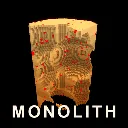
MONOLITH
Released
A monolith of solid cubes hangs in the void. Take it apart.
Voxel/MonolithRenderer.cs
namespace Monolith;

/// <summary>
/// Owns one child GameObject with a ModelRenderer per non-empty chunk, and rebuilds dirty
/// chunk meshes on a per-frame budget so a big blast never stalls the frame.
/// </summary>
public sealed class MonolithRenderer : Component
{
	/// <summary>
	/// Milliseconds of remeshing allowed per frame. See Tuning: this replaced a flat count of
	/// two chunks per frame, which could not keep up with a single large blast and left the
	/// backlog growing forever. Black holes in the shape were a queue that never drained.
	/// </summary>
	[Property] public float RebuildMillisecondsPerFrame { get; set; }
		= Tuning.ChunkRebuildMillisecondsPerFrame;

	/// <summary>
	/// A material that READS VERTEX COLOUR, which `materials/default.vmat` does not.
	///
	/// **This was a live regression and it is most of why the shape looked like a plain box.**
	/// The mesher has always written a per-face shade into vertex colour, and at some point the
	/// material was moved back to `default.vmat` on the reasoning that Tint works everywhere and
	/// vertex colour might not. Tint does work, but it is ONE colour for a whole chunk, so every
	/// face of the shape rendered at identical brightness: a cube lit that way has no form at all,
	/// and no palette or lighting change can put it back.
	///
	/// This is the same bug recorded on 2026-08-02, reintroduced. Vertex colour now carries face
	/// shading, strata banding AND per-corner ambient occlusion, so the material reading it is no
	/// longer optional.
	///
	/// The mesher writes GREYSCALE, and Tint supplies the hue on top. If the shape ever renders
	/// colourless, that means this material is not honouring Tint, and the fix is to bake the
	/// rock colour into the vertex colour in ChunkMesher rather than to revert this line.
	/// </summary>
	[Property] public string MaterialPath { get; set; } = "materials/default/vertex_color.vmat";

	/// <summary>Volatile blocks. Deliberately hot and far brighter than any rock tint.</summary>
	[Property] public Color VolatileColor { get; set; } = new( 1.6f, 0.16f, 0.06f );

	// Devil Daggers palette, applied as Tint. Bright, because the tint is the only thing
	// guaranteed to reach the screen and the shape has to read against a pure black void.
	//
	// Lifted again after the retro colour pass: the reference's rock is closer to lit BONE than
	// to brown, and the gradient from base to top is what stops a carved face from reading as
	// one flat mass. Darkening these to look "gritty" is the mistake the whole look-matching
	// pass nearly made.
	[Property] public Color BaseColor { get; set; } = new( 0.92f, 0.55f, 0.26f );
	[Property] public Color TopColor { get; set; } = new( 1.25f, 1.05f, 0.76f );

	/// <summary>
	/// When true the last few cubes glow so they can actually be found. Driven by
	/// <see cref="MonolithManager"/> once the remaining count drops below the reveal threshold.
	/// </summary>
	public bool HighlightResidue { get; set; }

	private bool lastHighlight;

	private VoxelWorld world;
	private Material material;
	private GameObject[] chunkObjects;
	private ModelRenderer[] chunkRenderers;

	// Volatile faces live in their own object per chunk, purely so they can carry a different
	// Tint. Most chunks never allocate one.
	private GameObject[] volatileObjects;
	private ModelRenderer[] volatileRenderers;
	private readonly List<int> pending = new();

	/// <summary>
	/// Chunk index to its slot in <see cref="pending"/>.
	///
	/// This replaced a plain HashSet, which could answer "is it queued" but not "where". That
	/// gap was a real bug: the queue is LIFO so the newest entry rebuilds first, but a chunk
	/// that was ALREADY queued simply stayed where it was. On a big stage every chunk is queued
	/// at load, so shooting a hole in one left it sitting at the bottom of the initial backlog,
	/// and the shape you had just blown apart did not visibly change until the whole load
	/// finished. Knowing the slot lets a re-dirtied chunk be promoted in O(1).
	/// </summary>
	private readonly Dictionary<int, int> pendingSlot = new();

	public int PendingRebuilds => pending.Count;

	/// <summary>
	/// Queues a chunk, or promotes it to the front of the LIFO if it is already queued.
	///
	/// Promotion is a swap with the last element rather than a remove-and-append, so it stays
	/// O(1) no matter how deep the backlog is.
	/// </summary>
	private void Enqueue( int index )
	{
		if ( pendingSlot.TryGetValue( index, out int slot ) )
		{
			int last = pending.Count - 1;
			if ( slot == last )
				return;

			int moved = pending[last];

			pending[last] = index;
			pending[slot] = moved;

			pendingSlot[index] = last;
			pendingSlot[moved] = slot;
			return;
		}

		pending.Add( index );
		pendingSlot[index] = pending.Count - 1;
	}

	/// <summary>
	/// Removes the entry at a slot in O(1) by swapping the last element into its place.
	/// </summary>
	private int DequeueAt( int slot )
	{
		int index = pending[slot];
		int last = pending.Count - 1;

		if ( slot != last )
		{
			int moved = pending[last];
			pending[slot] = moved;
			pendingSlot[moved] = slot;
		}

		pending.RemoveAt( last );
		pendingSlot.Remove( index );

		return index;
	}

	/// <summary>Takes the most recently dirtied chunk. That is the one you are looking at.</summary>
	private int Dequeue() => DequeueAt( pending.Count - 1 );

	/// <summary>Takes from the far end, which is what stops the backlog starving.</summary>
	private int DequeueStale() => DequeueAt( 0 );

	public void Attach( VoxelWorld voxelWorld )
	{
		Teardown();

		world = voxelWorld;

		material = Material.Load( MaterialPath );

		chunkObjects = new GameObject[world.ChunkCount];
		chunkRenderers = new ModelRenderer[world.ChunkCount];
		volatileObjects = new GameObject[world.ChunkCount];
		volatileRenderers = new ModelRenderer[world.ChunkCount];

		pending.Clear();
		pendingSlot.Clear();

		for ( int i = 0; i < world.ChunkCount; i++ )
			Enqueue( i );
	}

	protected override void OnDestroy()
	{
		Teardown();
	}

	private void Teardown()
	{
		if ( chunkObjects == null )
			return;

		foreach ( var obj in chunkObjects )
			obj?.Destroy();

		if ( volatileObjects != null )
		{
			foreach ( var obj in volatileObjects )
				obj?.Destroy();
		}

		chunkObjects = null;
		chunkRenderers = null;
		volatileObjects = null;
		volatileRenderers = null;
	}

	protected override void OnUpdate()
	{
		if ( world == null )
			return;

		if ( HighlightResidue != lastHighlight )
		{
			lastHighlight = HighlightResidue;
			RefreshTints();
		}

		// Pull anything the simulation dirtied since last frame into our queue. Enqueue also
		// PROMOTES an already-queued chunk, which is what makes a shot show up immediately
		// even while a large initial load is still outstanding.
		if ( world.DirtyChunks.Count > 0 )
		{
			foreach ( var index in world.DirtyChunks )
				Enqueue( index );

			world.DirtyChunks.Clear();
		}

		// A big backlog is either an initial load or the aftermath of a large blast. Both are
		// worth a bigger slice of the frame: the alternative is watching the shape assemble in
		// slabs, or fighting next to holes that have not caught up yet.
		float allowance = pending.Count >= Tuning.ChunkRebuildCatchUpThreshold
			? Tuning.ChunkRebuildCatchUpMilliseconds
			: RebuildMillisecondsPerFrame;

		var clock = System.Diagnostics.Stopwatch.StartNew();
		int built = 0;
		int backlogAtStart = pending.Count;

		while ( pending.Count > 0 && built < Tuning.ChunkRebuildMaxPerFrame )
		{
			// ALTERNATES newest and oldest, and this is the fix for the Monolith looking solid
			// at 90% cleared.
			//
			// Newest-first is right for responsiveness: the chunk you just shot should update
			// now. But it starves. While you are firing, new dirt arrives every frame and always
			// goes to the top, so anything already in the queue is never reached: chunks you
			// cleared thirty seconds ago were still holding their original geometry, which is
			// why a shape reported as 90% gone still rendered as a slab.
			//
			// Taking every other rebuild from the far end bounds how long any chunk can wait,
			// at the cost of halving how fast the freshest one lands. **A pure priority queue
			// whose high-priority end is continuously refilled will never drain its tail.**
			Rebuild( (built & 1) == 0 ? Dequeue() : DequeueStale() );

			built++;

			// Checked AFTER at least one rebuild, so a frame always makes progress even if the
			// budget is already blown. Never letting the queue shrink is the failure mode this
			// whole change exists to avoid.
			if ( clock.Elapsed.TotalMilliseconds >= allowance )
				break;
		}

		ReportBacklog( backlogAtStart, built, (float)clock.Elapsed.TotalMilliseconds );
	}

	private TimeSince timeSinceBacklogReport;
	private int worstBacklog;

	/// <summary>
	/// Periodic diagnostic for the "Monolith does not draw in" problem.
	///
	/// The question that cannot be answered by reading the code is which of two things is
	/// happening: the queue is DRAINING but too slowly (a budget problem, fix by spending more
	/// frame time) or it is GROWING faster than any budget could clear (a throughput problem,
	/// which needs the mesher itself to get cheaper, or fewer chunks dirtied per shot).
	///
	/// Logging peak backlog alongside how many were actually rebuilt distinguishes them: a
	/// backlog that keeps climbing while `built` is already at the cap is the second case.
	/// Deliberately quiet unless there is a real backlog, so it costs nothing in normal play.
	/// </summary>
	private void ReportBacklog( int backlog, int built, float ms )
	{
		if ( backlog > worstBacklog )
			worstBacklog = backlog;

		if ( timeSinceBacklogReport < 2f || worstBacklog < 40 )
			return;

		timeSinceBacklogReport = 0f;

		Log.Info( $"[mesh] backlog peak {worstBacklog}, now {pending.Count}, " +
			$"rebuilt {built} in {ms:0.0}ms of {Tuning.ChunkRebuildCatchUpMilliseconds}ms, " +
			$"chunks {world.ChunkCount}" );

		worstBacklog = pending.Count;
	}

	private void Rebuild( int index )
	{
		var chunk = world.GetChunkByIndex( index );
		chunk.MeshDirty = false;

		var built = ChunkMesher.Build( world, index, material );

		ApplyPart( index, built.Rock, TintForChunk( chunk.Coord ),
			ref chunkObjects, ref chunkRenderers, "Chunk" );

		ApplyPart( index, built.Volatile, VolatileColor,
			ref volatileObjects, ref volatileRenderers, "Volatile" );
	}

	/// <summary>
	/// Assigns one of a chunk's two meshes to its own object, creating or dropping that object
	/// as needed. The rock and volatile halves are identical in every respect except tint.
	/// </summary>
	private void ApplyPart( int index, Model model, Color tint,
		ref GameObject[] objects, ref ModelRenderer[] renderers, string label )
	{
		if ( model == null )
		{
			if ( objects[index].IsValid() )
			{
				objects[index].Destroy();
				objects[index] = null;
				renderers[index] = null;
			}

			return;
		}

		if ( !objects[index].IsValid() )
		{
			var coord = world.ChunkCoordFromIndex( index );

			var obj = new GameObject( true, $"{label} {coord.x},{coord.y},{coord.z}" );
			obj.Parent = GameObject;
			obj.LocalPosition = world.Origin + new Vector3(
				coord.x * VoxelChunk.Size,
				coord.y * VoxelChunk.Size,
				coord.z * VoxelChunk.Size ) * Tuning.VoxelSize;

			objects[index] = obj;
			renderers[index] = obj.AddComponent<ModelRenderer>();
		}

		renderers[index].Model = model;

		// Tint is the hue. Vertex colour, if the material reads it, supplies the face shading
		// on top. This is why the split exists: two tints, one material, always visible.
		renderers[index].Tint = tint;
	}

	/// <summary>Repaints every live chunk. Cheap again: colour is Tint, so no remeshing.</summary>
	private void RefreshTints()
	{
		if ( chunkRenderers == null )
			return;

		for ( int i = 0; i < chunkRenderers.Length; i++ )
		{
			if ( chunkRenderers[i].IsValid() )
				chunkRenderers[i].Tint = TintForChunk( world.ChunkCoordFromIndex( i ) );
		}
	}

	private Color TintForChunk( Vector3Int coord )
	{
		// Nearly cleared: make what is left unmissable rather than a grey speck in the void.
		if ( HighlightResidue )
			return new Color( 1f, 0.55f, 0.15f );

		float t = world.ChunkCounts.z <= 1
			? 0.5f
			: coord.z / (float)(world.ChunkCounts.z - 1);

		// A little per-chunk jitter stops the monolith reading as a flat gradient.
		float jitter = (HashCoord( coord ) % 1000) / 1000f;
		t = Math.Clamp( t + (jitter - 0.5f) * 0.12f, 0f, 1f );

		return Color.Lerp( BaseColor, TopColor, t );
	}

	private static int HashCoord( Vector3Int c )
	{
		unchecked
		{
			int h = c.x * 73856093 ^ c.y * 19349663 ^ c.z * 83492791;
			return h & 0x7fffffff;
		}
	}
}