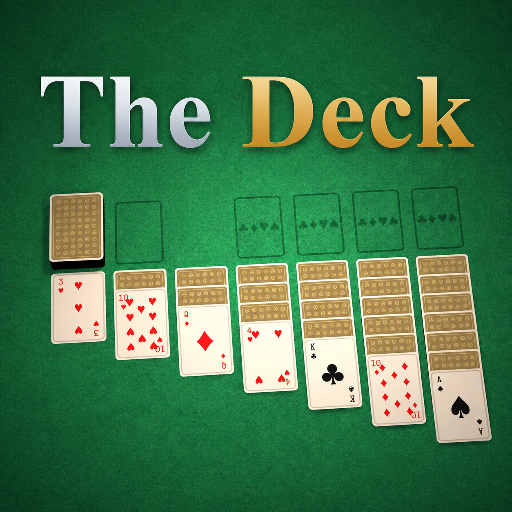
The Deck
Released
Your one-stop shop for all things card games.
Framework/GameDirector.cs
Scene component that hosts the lobby and menu for the card game collection. It lists local .cggame assets, spawns and network-spawns CardGame prefabs (local or from mounted cloud packages), manages lobby state, deals/starts rounds, and handles joining/leaving network connections.
using System.Threading.Tasks;
using Sandbox.Network;

namespace CardGames;

/// <summary>
/// Which host-side menu screen is showing while no game is running. Purely local UI state.
/// </summary>
public enum MenuScreen
{
	Launcher,   // the hall of built-in games
	Community,  // browse + load games published to the cloud
}

/// <summary>
/// The one component placed in the scene. It hosts the lobby, lists the available games (every
/// <c>.cggame</c> <see cref="GameDefinition"/> asset) for the menu, and spawns the chosen game's prefab.
/// Late joiners are seated automatically.
/// </summary>
public sealed class GameDirector : Component, Component.INetworkListener
{
	/// <summary>
	/// The games this build ships with, one per local <c>.cggame</c> asset - add a new one and it shows up,
	/// no code. Captured once at startup and never repopulated, so a mounted cloud game (which also lands
	/// in <see cref="ResourceLibrary"/>) doesn't sneak into the local Card Room.
	/// </summary>
	public IReadOnlyList<GameDefinition> AvailableGames { get; private set; } = new List<GameDefinition>();

	/// <summary>
	/// Which menu screen the host is looking at while no game is running. Host-local UI state (the menu is
	/// only ever shown to the host), so it isn't synced - <see cref="Hud"/> routes on it.
	/// </summary>
	public MenuScreen Screen { get; set; } = MenuScreen.Launcher;

	/// <summary>Open the full games browser.</summary>
	public void BrowseCommunity() => Screen = MenuScreen.Community;

	/// <summary>Return from the browser to the hall of built-in games.</summary>
	public void CloseBrowser() => Screen = MenuScreen.Launcher;

	/// <summary>
	/// The running game, or null in the menu. Discovered from the scene (the host spawns it, the network
	/// replicates it to clients), so it resolves the same on every machine without any global state.
	/// </summary>
	public CardGame ActiveGame => Scene.Get<CardGame>();

	protected override void OnStart()
	{
		// This is a point-and-click card game with no first-person view, so the cursor should always be
		// available - not hidden when the pointer falls through the UI onto the bare table (the Auto default).
		Mouse.Visibility = MouseVisibility.Visible;

		CardFaceRenderer.ClearCache();
		SlotRenderer.ClearCache();
		CardMesh.Invalidate();

		// Snapshot the local games once. Cloud games are mounted on demand and kept out of this list.
		AvailableGames = ResourceLibrary.GetAll<GameDefinition>()
			.OrderBy( g => g.DisplayName )
			.Where( g => !g.IsRemote )
			.ToList();
	}

	/// <summary>
	/// Host: clone the chosen local game's prefab and open its lobby.
	/// </summary>
	public void StartGame( string definitionPath )
	{
		var def = AvailableGames.FirstOrDefault( g => g.ResourcePath == definitionPath );
		Start( def );
	}

	// Host: spawn a definition and open its lobby. Shared by local and cloud games - packageIdent is the
	// cloud package a game came from (null for local), synced so clients can mount it too.
	private void Start( GameDefinition def, string packageIdent = null )
	{
		if ( !Networking.IsHost || ActiveGame is not null ) return;
		if ( SpawnGame( def, packageIdent ) is not { } game ) return;

		// A single-player game (e.g. Solitaire) has nobody to invite, so it never gets a real Steam
		// lobby - NetworkSpawn/[Sync]/RPCs all work fine off just the local connection. Only a
		// multiplayer game needs one to be joinable by anyone else.
		if ( def.Multiplayer )
		{
			// Nothing to host until a game's actually picked, so the lobby opens here instead of at menu
			// start - named after the game so anyone browsing sees what's being played (e.g. "Hearts").
			// A later game this same session reuses the existing lobby and just renames it.
			if ( !Networking.IsActive )
				Networking.CreateLobby( new LobbyConfig { Name = game.Title, Privacy = LobbyPrivacy.Public, AutoSwitchToBestHost = false, DestroyWhenHostLeaves = true } );
			else
				Networking.ServerName = game.Title;

			// Freshly started, still in the Waiting lobby - open to join. CardGame.WatchStateForStats keeps
			// this in sync with the game's phase from here (flips to "in_progress" once a round deals).
			Networking.SetData( "state", "joinable" );
		}

		game.HostSetup();

		// Single-player games (e.g. Solitaire) have nobody to wait for - deal right away
		// (unless the game has table settings to choose first, then the host gets the setup screen and starts manually).
		if ( !def.Multiplayer && !GameSettings.Any( game ) )
			game.StartRound();
	}

	// Host: clone a definition's prefab, sync its path and network-spawn it. Returns the game component, or
	// null (with a logged reason) if the definition has no prefab or the prefab carries no CardGame rules -
	// the usual ways a cloud game's package fails to start.
	private CardGame SpawnGame( GameDefinition def, string packageIdent = null )
	{
		if ( def is null ) return null;
		if ( def.Prefab is null )
		{
			Log.Warning( $"Game '{def.DisplayName}' ({def.ResourcePath}) has no prefab - can't start it." );
			return null;
		}

		var go = GameObject.Clone( def.Prefab );
		if ( go.Components.Get<CardGame>() is not { } game )
		{
			Log.Warning( $"Prefab '{def.Prefab.ResourcePath}' has no CardGame component - can't start '{def.DisplayName}'." );
			go.Destroy();
			return null;
		}

		game.DefinitionPath = def.ResourcePath;
		game.PackageIdent = packageIdent;
		go.NetworkSpawn();
		return game;
	}

	/// <summary>
	/// Host: download and mount a game's cloud package without starting it - just enough to resolve its
	/// <see cref="GameDefinition"/> (custom stat picks, richer listing info) for the launcher's hero panel
	/// before Play is pressed. Best-effort: returns null silently on any failure - <see cref="StartCommunityGame"/>
	/// does the same fetch+mount again when Play is actually pressed, and reports the failure reason then.
	/// </summary>
	public async Task<GameDefinition> MountCommunityGame( Package pkg )
	{
		if ( pkg is null ) return null;

		var full = await Package.FetchAsync( pkg.FullIdent, partial: false );
		if ( full is null ) return null;

		var fs = await full.MountAsync( withCode: true );
		if ( fs is null ) return null;

		return string.IsNullOrEmpty( full.PrimaryAsset )
			? null
			: await ResourceLibrary.LoadAsync<GameDefinition>( full.PrimaryAsset );
	}

	/// <summary>
	/// The error <see cref="StartCommunityGame"/> returns when the package downloaded and mounted fine but
	/// the game itself is broken (no prefab, or the prefab carries no <see cref="CardGame"/> rules component)
	/// - a structural problem with the game, not a transient network one. The launcher checks for this
	/// specific message to show a permanent "can't play" state on the Play button instead of a retryable note.
	/// </summary>
	public const string StartFailedError = "That game couldn't be started — see the console for details.";

	/// <summary>
	/// Host: download and mount a game's cloud package, then start the card game it contains. Returns null
	/// on success, or a short error message to show the player (the package wouldn't mount, or it isn't a
	/// compatible card game - i.e. its primary asset isn't a <see cref="GameDefinition"/>). Leaves the browser open
	/// on failure so they can pick another.
	/// </summary>
	public async Task<string> StartCommunityGame( Package pkg )
	{
		if ( !Networking.IsHost ) return "Only the host can start a game.";
		if ( ActiveGame is not null ) return null;
		if ( pkg is null ) return "That game is unavailable.";

		// A search-result Package (from Package.FindAsync) carries only trimmed list metadata - its per-revision
		// Meta blob (which holds PrimaryAsset) isn't populated. Fetch the full package so PrimaryAsset resolves,
		// same as the engine's own Cloud.Load does before reading it.
		var full = await Package.FetchAsync( pkg.FullIdent, partial: false );
		if ( full is null ) return "That game is unavailable.";

		// withCode: the prefab's rules component is a CardGame subclass defined in the package's assembly.
		var fs = await full.MountAsync( withCode: true );
		if ( fs is null ) return "Couldn't download that game.";

		// A cggame package's primary asset IS its GameDefinition. Mounting registered it in ResourceLibrary;
		// LoadAsync returns that cached copy, so re-launching a game we already mounted this session just works.
		var def = string.IsNullOrEmpty( full.PrimaryAsset )
			? null
			: await ResourceLibrary.LoadAsync<GameDefinition>( full.PrimaryAsset );
		if ( def is null ) return "That isn't a compatible card game.";

		Start( def, pkg.FullIdent );

		// SpawnGame logs the specifics (no prefab / no rules component); tell the player it didn't take.
		if ( ActiveGame is null )
			return StartFailedError;

		Screen = MenuScreen.Launcher; // the game's now showing; leave the browser behind it
		return null;
	}

	/// <summary>
	/// Host: deal a round of the active game.
	/// </summary>
	public void DealRound() => ActiveGame?.StartRound();

	/// <summary>
	/// Host: tear the active game down and return to the menu.
	/// </summary>
	public void QuitGame()
	{
		if ( !Networking.IsHost || ActiveGame is null ) return;
		ActiveGame.ClearTablePublic();

		// Seats live at the scene root, not under the game - tear them down too so a game's players (and any
		// bots it seated) don't linger into the next game.
		foreach ( var seat in ActiveGame.Seats.ToList() )
			seat.GameObject.Destroy();

		ActiveGame.GameObject.Destroy();
	}

	/// <summary>
	/// Leave the table, whoever's asking. The host tears it down for everyone (<see cref="QuitGame"/>); a
	/// guest just steps out of the session - but disconnecting alone doesn't remove their own (replicated)
	/// copy of the game/seats, so clean those up directly too, or they'd keep staring at the old table
	/// instead of landing back on their own menu.
	/// </summary>
	public void LeaveGame()
	{
		if ( Networking.IsHost )
		{
			QuitGame();
			return;
		}

		Networking.Disconnect();

		if ( ActiveGame is not { } game ) return;

		foreach ( var seat in game.Seats.ToList() )
			seat.GameObject.Destroy();

		game.GameObject.Destroy();
	}

	// Seat anyone who joins mid-session, and free their seat when they leave.
	void INetworkListener.OnActive( Connection channel ) => ActiveGame?.SeatPlayer( channel );
	void INetworkListener.OnDisconnected( Connection channel ) => ActiveGame?.RemovePlayer( channel );
}